Sorted:

Picture3

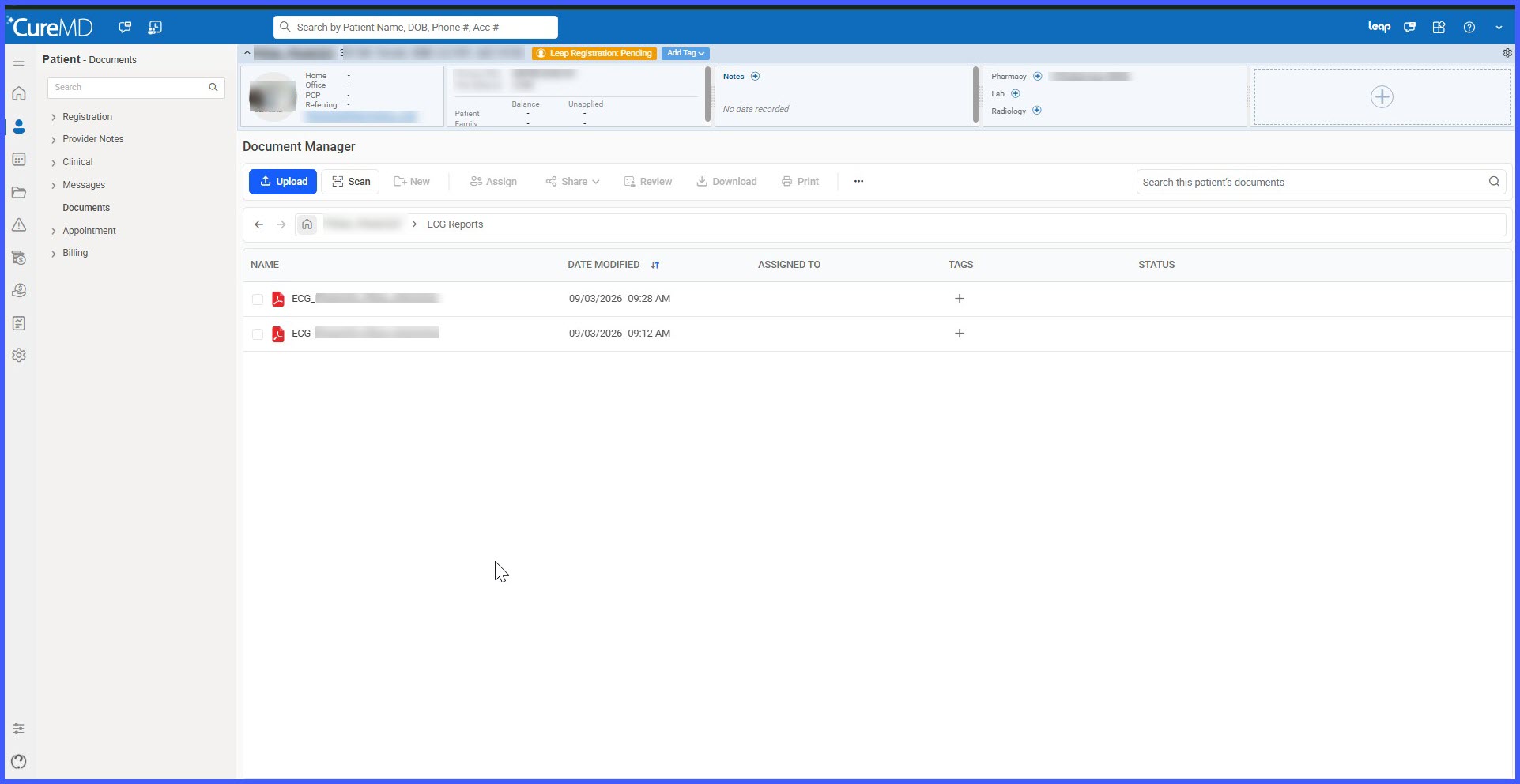
Automatic ECG Filing to Document Manager with Protected Document Handling

ECG reports created through the ECG (IQmark) utility are now automatically filed into the patient's Document Manager as PDFs. Reports are stored within a dedicated ECG Reports folder and linked to the appropriate patient and encounter, eliminating the need for manual filing.
location-1

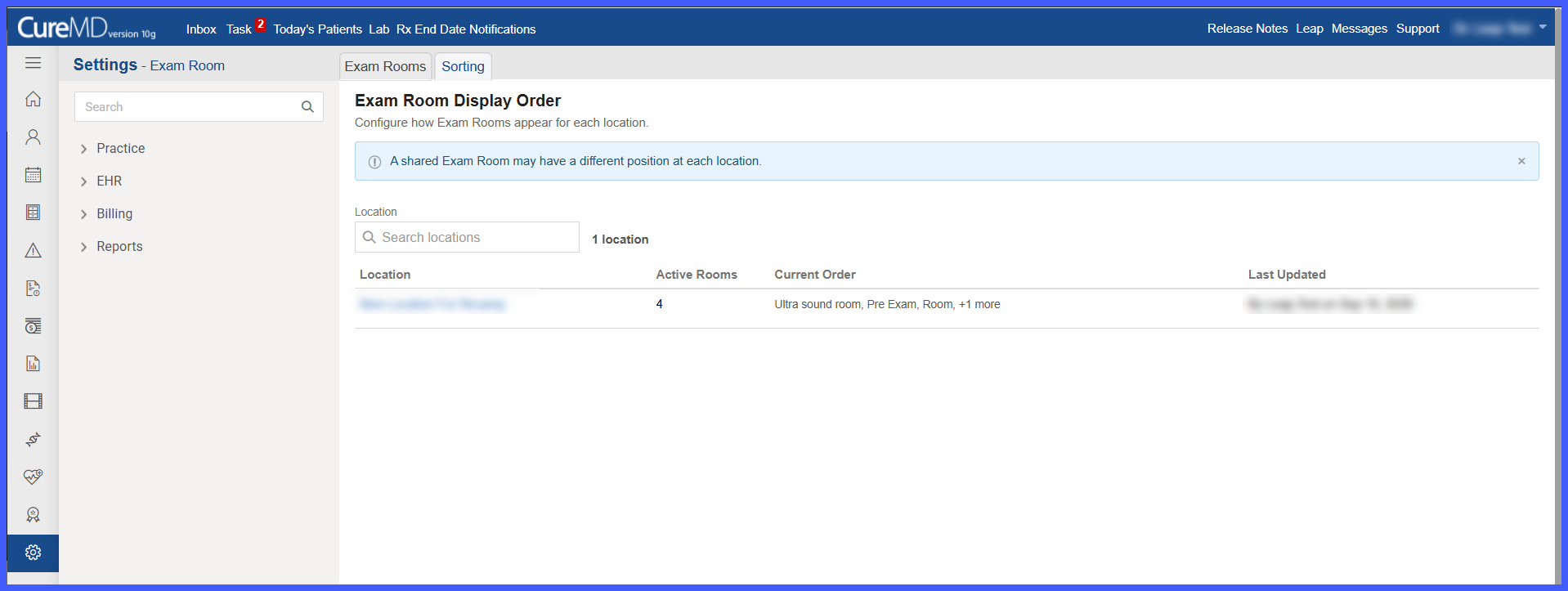
Location-Specific Exam Room Display Order

Exam Room configuration has been enhanced to allow practice administrators to define a separate display order for Exam Rooms at each location.

A new Sorting tab provides a centralized view for configuring room sequences. Administrators can arrange rooms according to each location's operational workflow, including assigning different positions to Exam Rooms shared across multiple locations. Once saved, the configured order is reflected in supported Exam Room dropdowns and lists throughout the application.

scheduler-1

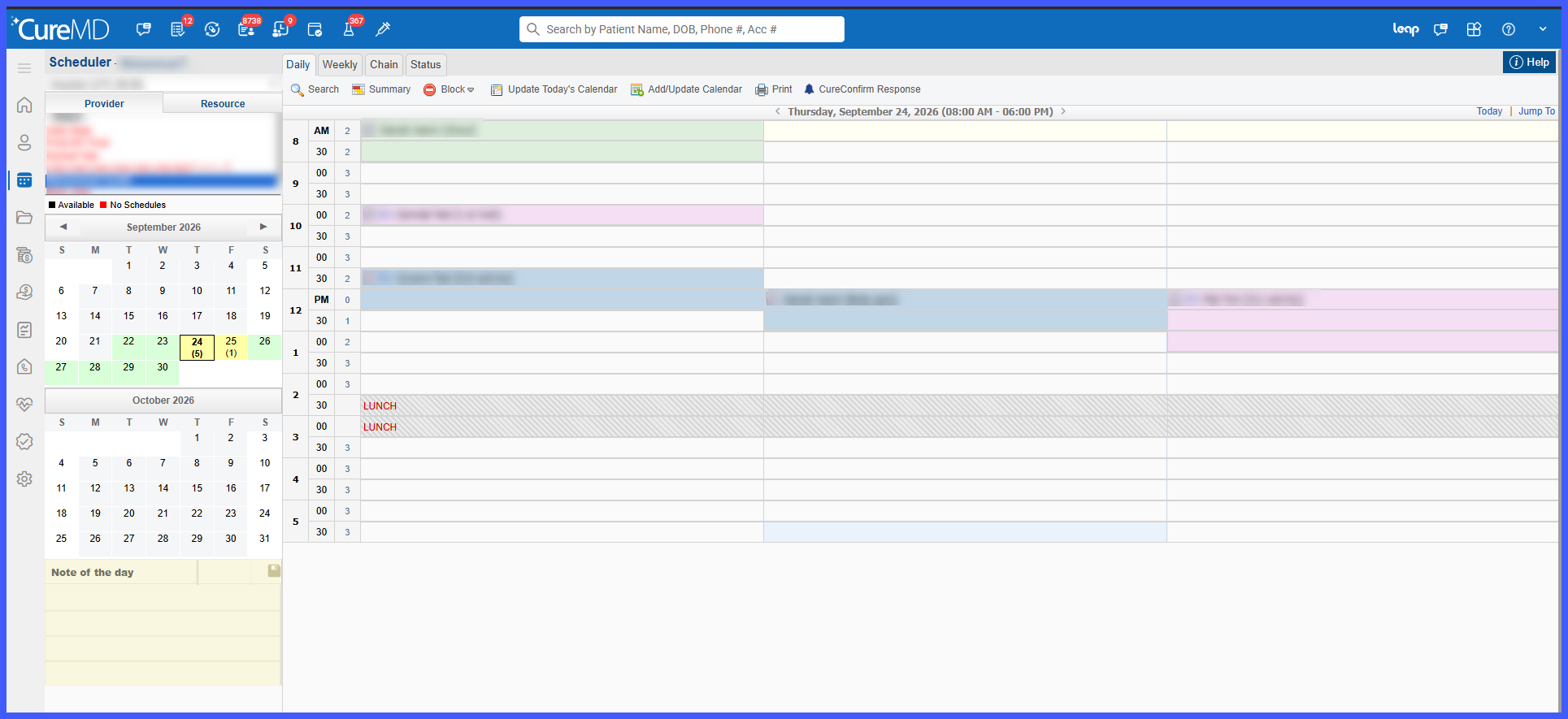
Configurable Capacity Display for Scheduler Time Slots

The Scheduler has been enhanced with a new Capacity Box View, giving users greater flexibility in how appointment capacity is displayed.

Once enabled at the practice level, individual users can choose between the existing Capacity Counter and the new Capacity Boxes display. Capacity Boxes visually divide each time slot according to its allowed booking capacity, making it easier to identify occupied and available slots at a glance without changing existing scheduling workflows.

Drag and Drop Actions for System Folders in Document Manager

This enhancement adds a confirmation step when users drag and drop files from system folders within Document Manager. It is intended for users managing documents and clarifies that drag-and-drop actions from system folders create copies rather than moving the original file.

Ability to Retain Expanded Folder State

With this enhancement In the CureMD application, user has the option to enable the expanded view state of a folder in Document Manager. This saves time by eradicating the need to repeatedly expand folders every time.

Search Feature for Document Manager

With the latest enhancement, CureMD application allows the user to search for documents using document name. This helps the user to search for documents more easily.

Assignment Reason in Documents

With this enhancement in CureMD Application, users can view reason in the document window, when a document is assigned to them.

Manual Selection of Folders in Document Manager

With this upgrade, CureMD application has optimized the document manger so that documents can be uploaded in a seamless manner.
2-8-600x354-1
[caption id="attachment_14353" align="aligncenter" width="600"]Scanning-Process-Page-Size-1-600x366 Scanning Process - Page Size[/caption]

Enhancement in Scanning - Document Manager

While uploading a document, user can select the page size that is compatible to their scanning device. This helps the user to upload and scan file using different scanning devices.