Sorted:

3-1

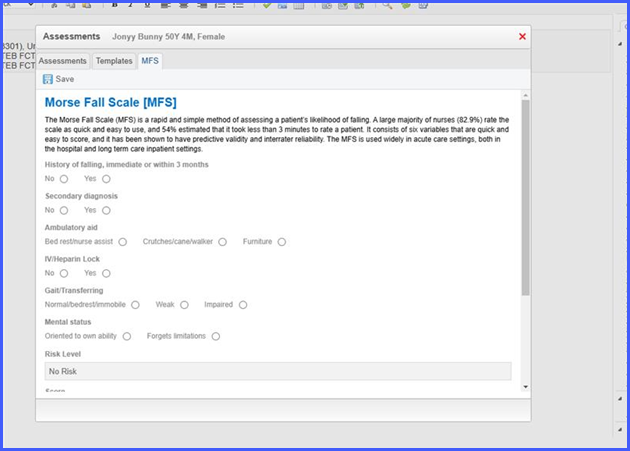
Morse Fall Scale (MFS) Assessment Option Available in CureMD

This enhancement introduces the Morse Fall Scale (MFS) Assessment in CureMD, allowing providers to systematically evaluate patients' risk of falling.

This addition promotes patient safety and targeted care management during clinical encounters.

Real-time CPT Fee Schedule Update on Institutional Charge Page

With this enhancement in the CureMD application, the CPT fee schedule amounts on the Institutional Charge Page update in real-time when the user changes the location, plan, or provider.

This ensures the user applies accurate charge amounts based on the correct fee schedule without manual recalculations.

Patient Plan Data Retention During Navigation in Insurance Workflow

With this enhancement in the CureMD application, the patient insurance plan form retains entered data when the user navigates back from the final consent page.

This allows the user to edit specific fields without re-entering previously saved information.

2-2

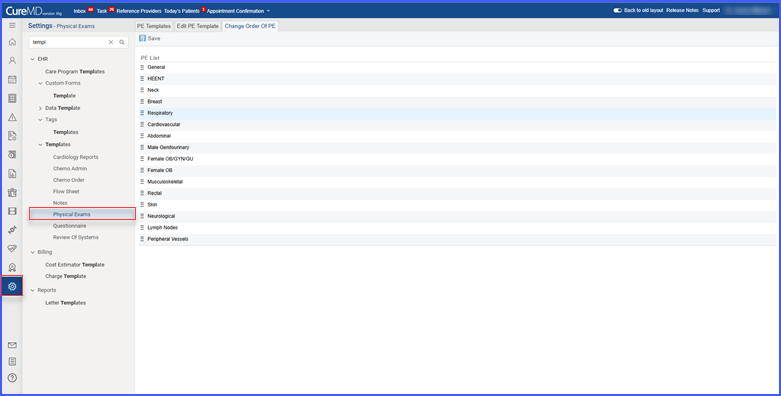
Drag and Drop Enabled for Reordering Systems in PE Templates

With this enhancement in the CureMD application, the user can reorder systems within PE templates using drag-and-drop functionality instead of manually updating sequence numbers.

This streamlines template organization by allowing quick repositioning of systems in the desired order.

1-2

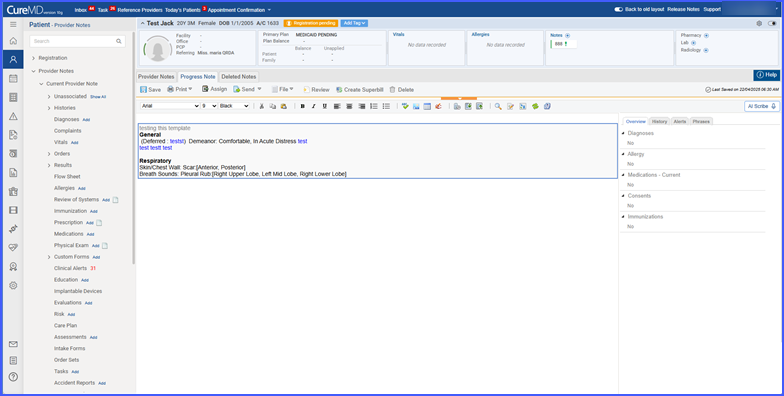
Data Template Names Override Default Component Names in Provider Notes

With this enhancement in the CureMD application, the user sees the data template name displayed as the subheading in the note instead of the default component name when a customized template is applied. This ensures consistency and clarity by reflecting the intended context of the template.

Read More

rel-05-1

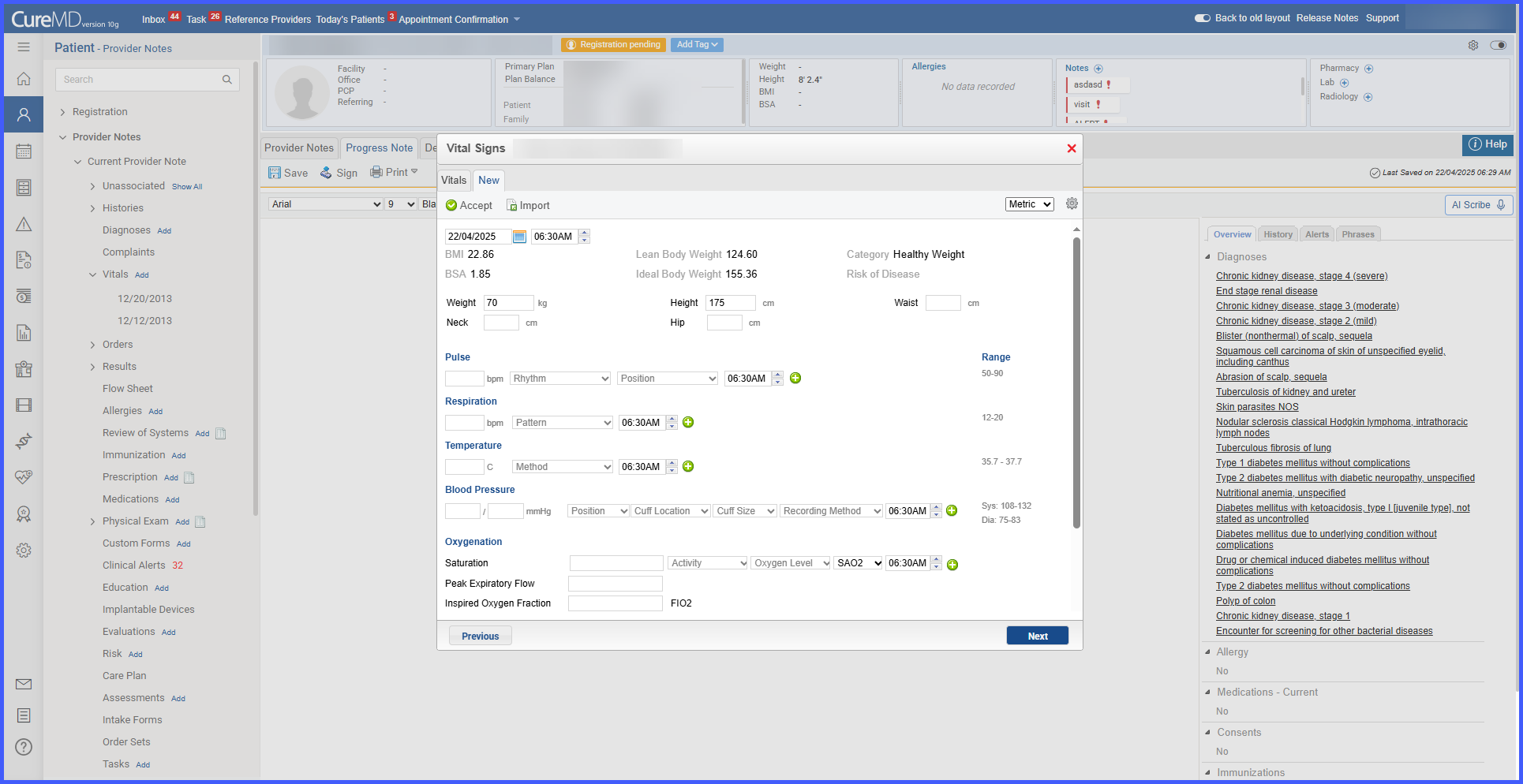
BMI Category Labels Updated in Vitals 

With this enhancement in the CureMD application, the BMI category labels in the Vitals section and Provider Note display “Morbid Obesity” instead of “Extremely Obese” and “Healthy Weight” instead of “Normal Weight.” This change aligns BMI category labels with CDC's naming convention and provides more accurate terminology for clinical documentation.

5

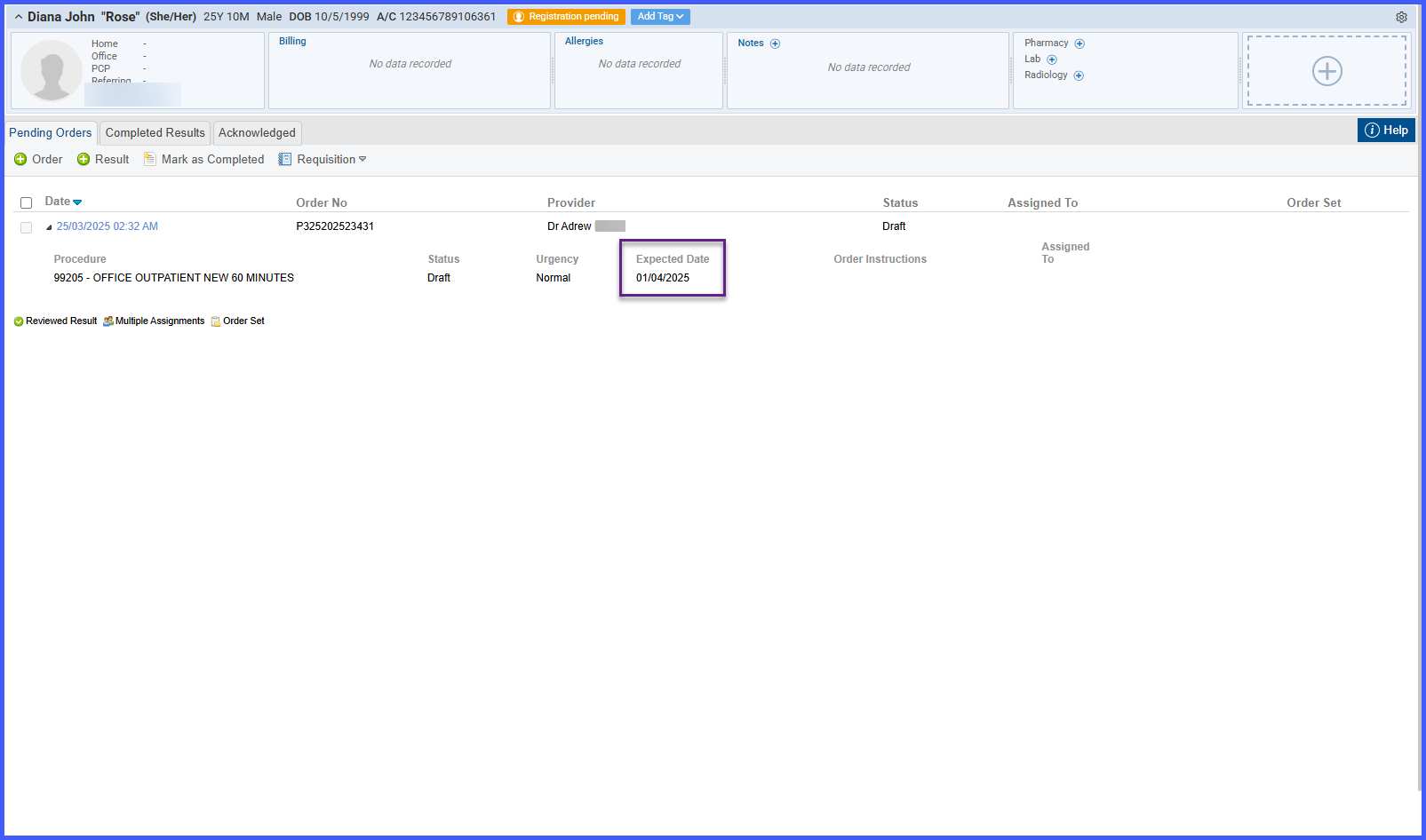
Expected Date Field on Procedures Listing Page

With this update, we’ve made it easier for you to track changes in Procedure Settings!

With this enhancement in the CureMD application, the Expected Date column is displayed on the Procedures listing page when the user expands a procedure order. This allows the user to view and manage expected dates efficiently, ensuring accurate tracking of procedure timelines. .

4

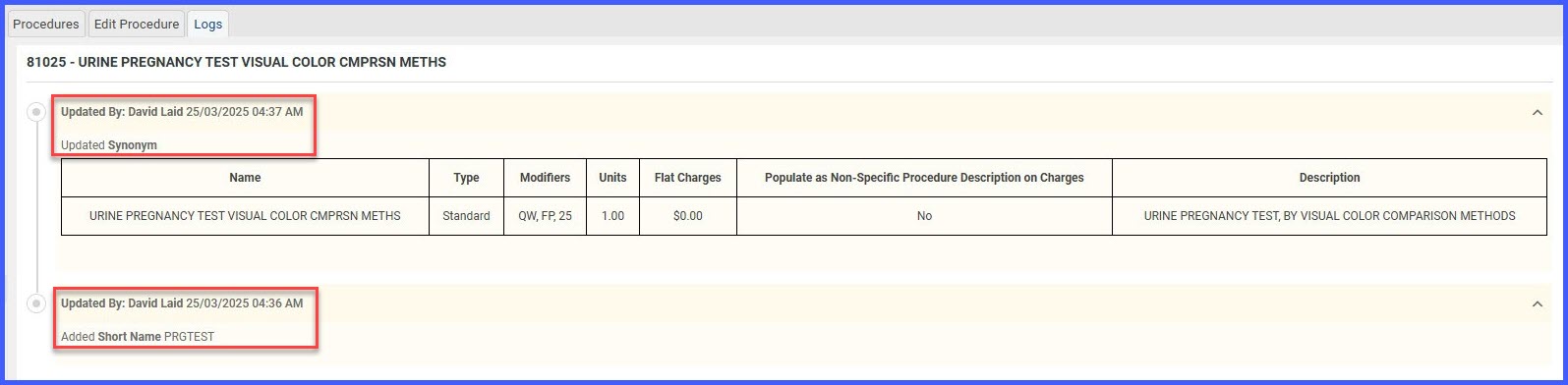
Enhanced Audit Log for Procedure Settings

With this update, we’ve made it easier for you to track changes in Procedure Settings!

Previously, you could only see a simple log with the date, time, and username —without mentioning details on what was changed. That made it hard to keep track of updates and maintain accountability.

3

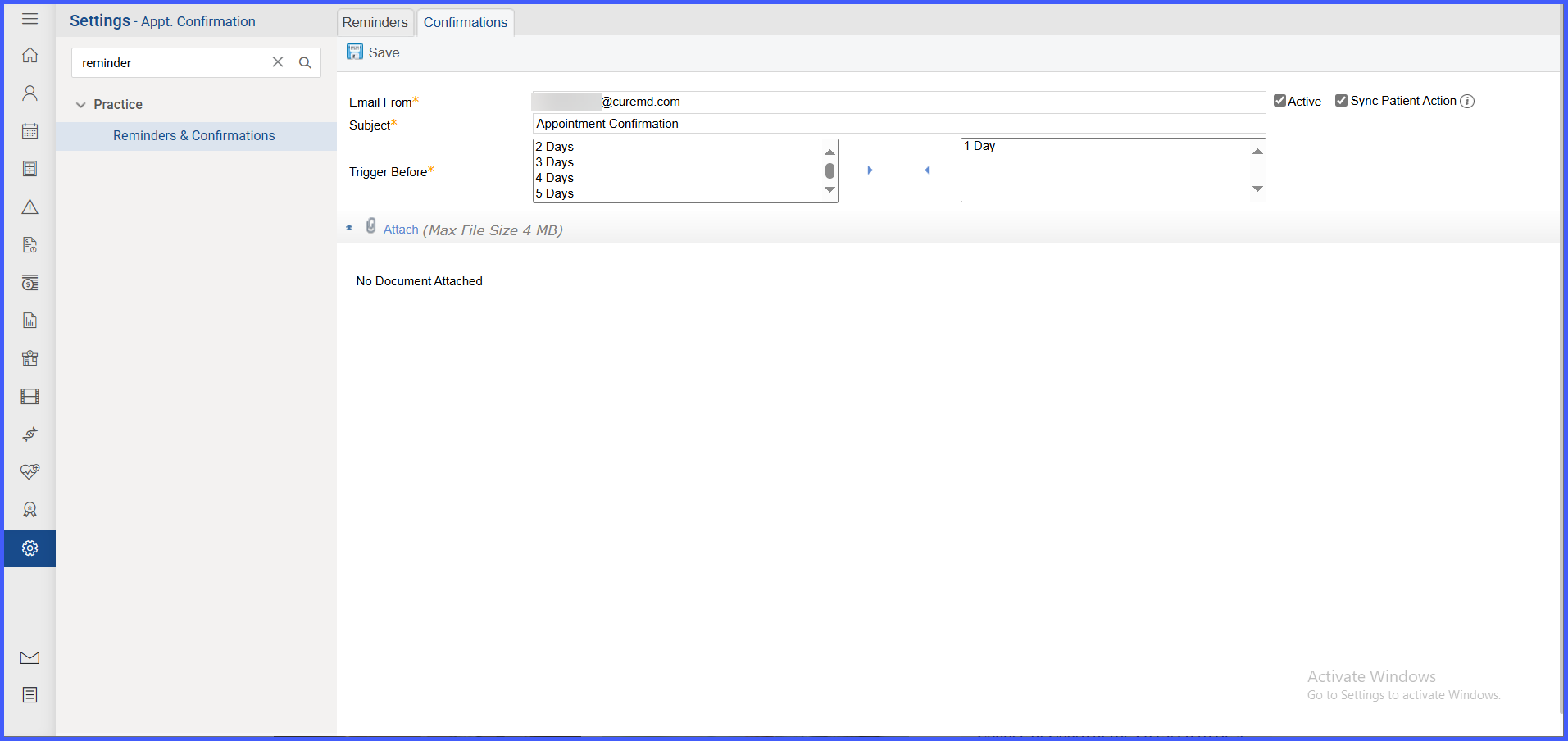
Automatic Synchronization of Patient Email Confirmations

With this enhancement in the CureMD application, enabling the "Sync Patient Action" setting in Confirmation Settings activates automatic synchronization of appointment cancellations and confirmations initiated through patient email links. This eliminates the need for manual processing, ensuring that updates are accurately reflected in the scheduler. 

Accurate Appointment Status Prompts Displayed on Patient Email Links

With this enhancement in the CureMD application, the appointment link accessed by patients through email displays the latest status of the appointment if any updates occur before the patient responds. This helps ensure patients receive the correct prompt and take appropriate next steps based on the appointment's updated state. 

When a patient receives an appointment link by email, and the practice takes any action that alters the validity or status of that appointment before the patient responds, the system expires the link and displays a prompt based on the latest state of the appointment. If the calendar is trimmed or deleted, or if a block is added on the appointment slot, the appointment is treated as canceled and the patient sees the message in bold: “This appointment is already canceled by the practice.” followed by the practice information shown on the previous page. 

If the appointment status is updated by the practice before the patient interacts with the link, the message shown to the patient depends on the new status. If the status is 'Canceled', the prompt reads: “This appointment is already canceled by the practice.” If the status is 'Confirmed', the prompt reads: “This appointment is already confirmed by the practice.” For all other statuses such as checked-in, checked-out, no-show, rescheduled, or wait list, the prompt reads: “This appointment is currently being processed by the practice.” In the case of a confirmed appointment, if the workflow allows, the patient may still proceed to cancel the appointment. 

If a provider note or a co-pay is added before the patient responds to the email, or if the appointment is converted to a tele-visit, the link expires and displays the message: “This appointment is currently being processed by the practice.” 

If the appointment link is accessed after the scheduled date and time of the appointment, the system displays the prompt: “This link has expired.” This message overrides all other status-based prompts. These changes apply across both manually and automatically processed appointment confirmations.