Sorted:

2

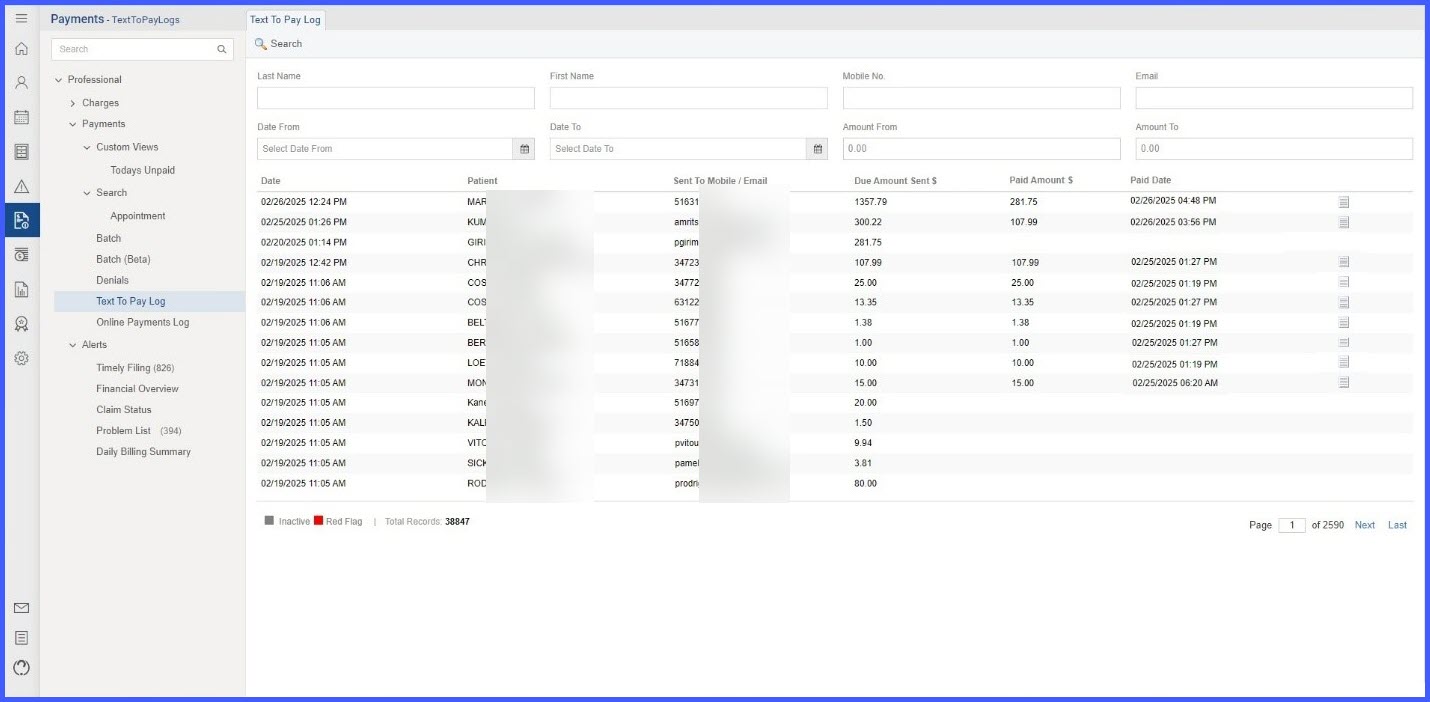
Addition of New Columns in Text to Pay Log for Enhanced Tracking and Visibility

We are pleased to announce an update to our Text to Pay log system, specifically designed to enhance the tracking and visibility of payments for Front Desk Officers. The updated log will now include several new columns to provide detailed insights into each transaction. A "Paid Amount $" column has been added to display the exact amount received for each Text to Pay message, ensuring clear financial tracking. Additionally, a "Paid Date" column will now show the precise date and time each payment was processed, offering greater detail on transaction timing. We've also introduced a "Receipt Log" column, akin to the existing one on the Online payment log page, which will provide a direct link to the transaction receipt for successfully completed payments. To streamline the interface, we have merged the Mobile and Email columns into a single column named "Sent To Mobile / Email," which will display the contact information used for the Text to Pay message. These enhancements are designed to improve the usability and efficiency of the payment tracking system, providing our users with a more comprehensive overview of transactions while maintaining compatibility with historical data.
1

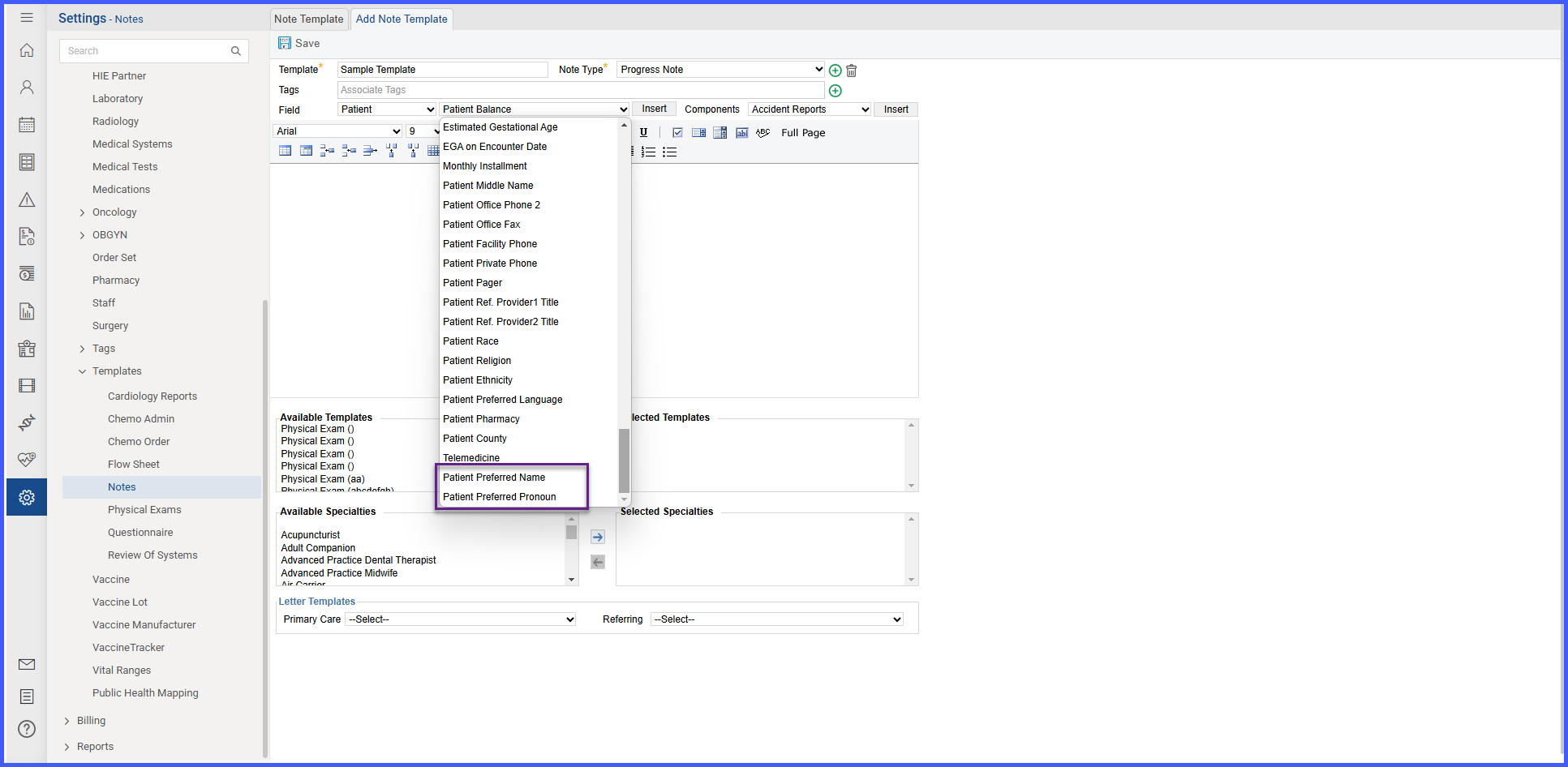
Adding Patient Preferred Name/Pronoun Flags in Note and Letter Template Builder

With this enhancement in the CureMD application, the Template Builder allows the user to insert flags for the patient’s preferred name and pronouns. This enables automatic population of these details in notes, ensuring accurate documentation.

6-1

Real-Time Fee Schedule Updates on Charge Page for Location, Plan, and Provider Changes

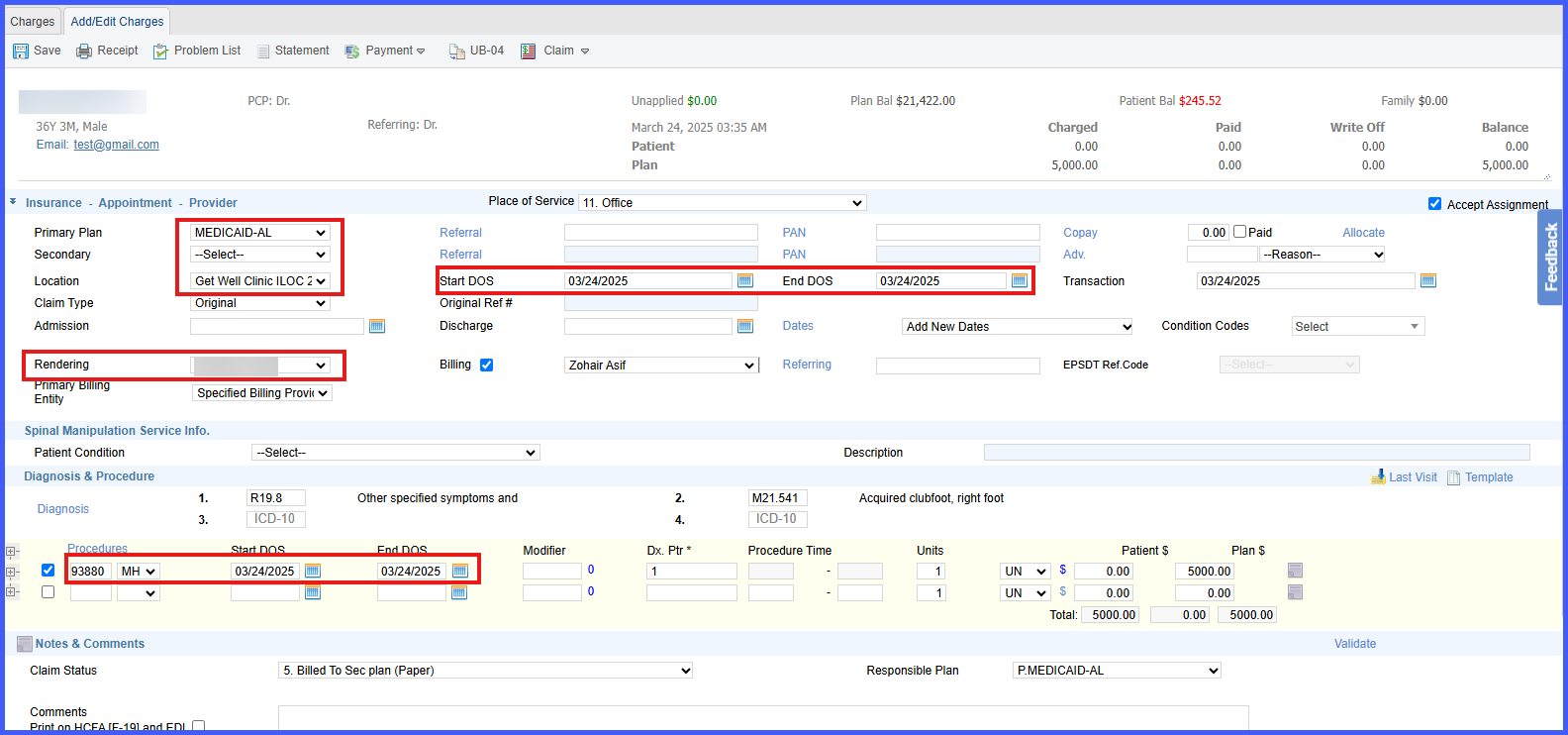
We are pleased to announce an update to our billing system that enhances the real-time updating of CPT fee schedule amounts on the Charge Page. Now, whenever a user modifies the Location, Plan, or Provider, the system will automatically recalculate and update the fee schedule amounts for CPT codes based on the new information. This ensures that the correct fee schedule rates are applied automatically, increasing accuracy and reducing the need for manual adjustments. Moreover, suppose a user has manually entered a CPT amount that does not match the fee schedule entry. In that case, the system will retain the manually entered amount unless a matching entry is found, at which point it will update accordingly. This update is part of our commitment to streamline the billing process, making it more efficient and responsive to changes, thereby significantly enhancing user productivity and satisfaction.

cptmultipledenials

Enhanced Handling of Multiple CPT Denials with Different Denial Codes

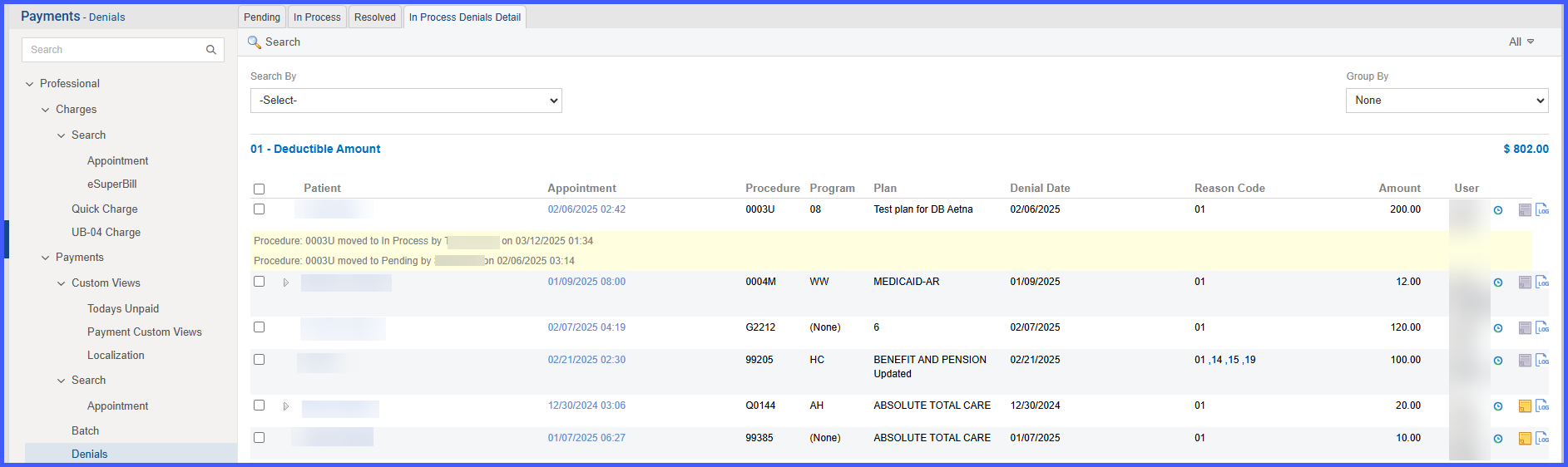
We are pleased to announce enhancements to our claims management system, specifically in how CPT denials are handled within claims processing. With the latest update, when a claim contains multiple CPTs that share the same denial code and one is moved to the "In Process" bucket, all associated CPTs with the same denial reason will now automatically move together, ensuring efficient bulk processing. This update is designed to streamline workflows and reduce manual sorting of CPTs with identical denial reasons. Conversely, for CPTs with differing denial reasons within the same claim, the system now supports independent movement. This means that if a user moves one CPT to "In Process," any other CPTs with different denial reasons will remain in their original bucket, allowing for more precise claim adjustments. Additionally, all movements, whether individual or grouped, are meticulously logged, providing a clear audit trail that captures all user actions, affected CPTs, and the specific denial reasons involved. This targeted approach enhances our claims processing by allowing for both grouped handling when applicable and independent adjustments as needed, ultimately improving the accuracy and efficiency of our claims management system.

m3-1

Display 'Note of the Day' in 'Schedule of the Day' and 'Scheduler' Report

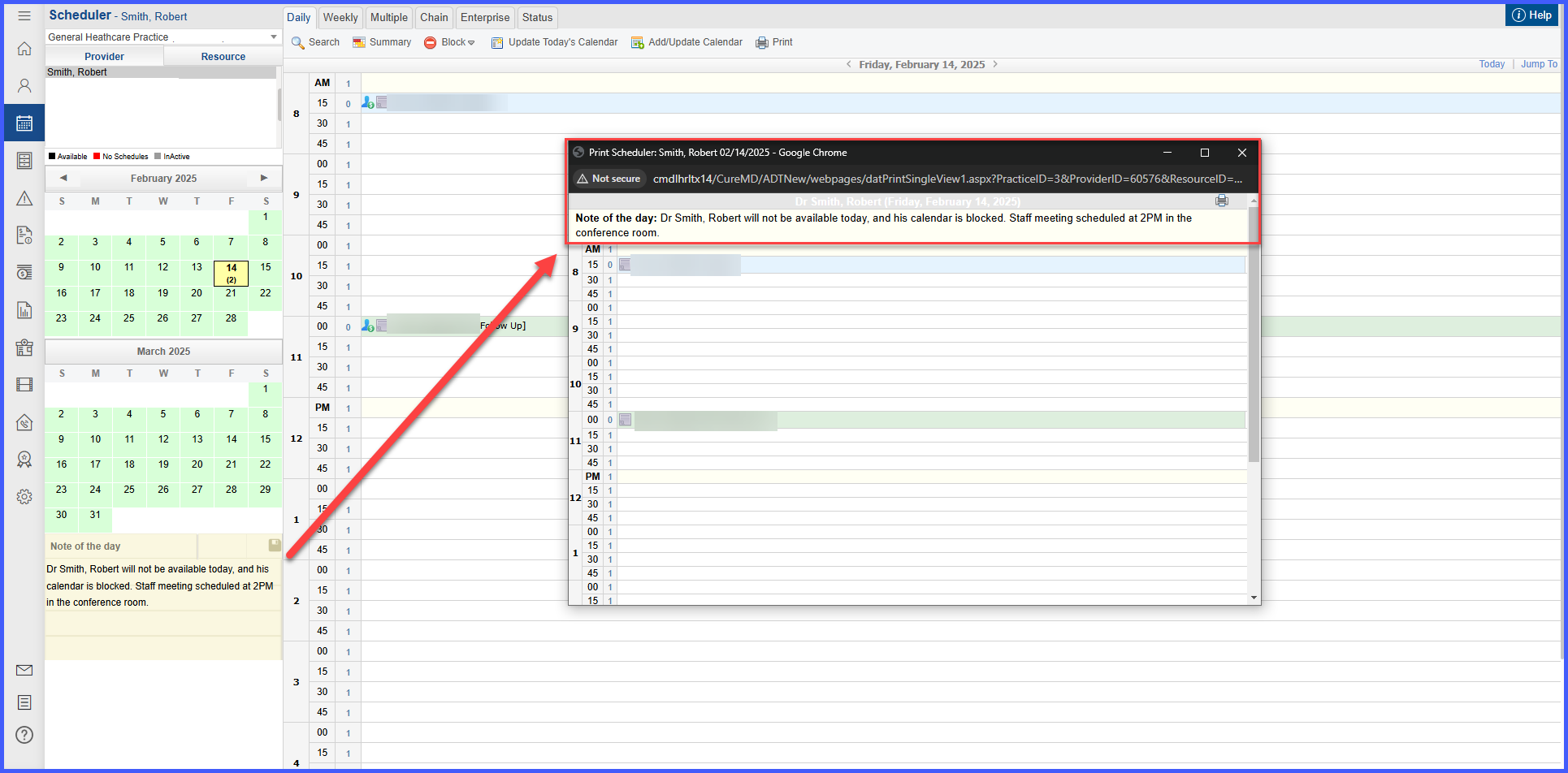
This enhancement ensures that the 'Note of the Day' added in the Scheduler is now displayed at the top of the 'Schedule of the Day' and 'Scheduler' report across all views, providing better visibility for important notes related to the day's schedule.

m2-1

NDC Activation/Deactivation Logs

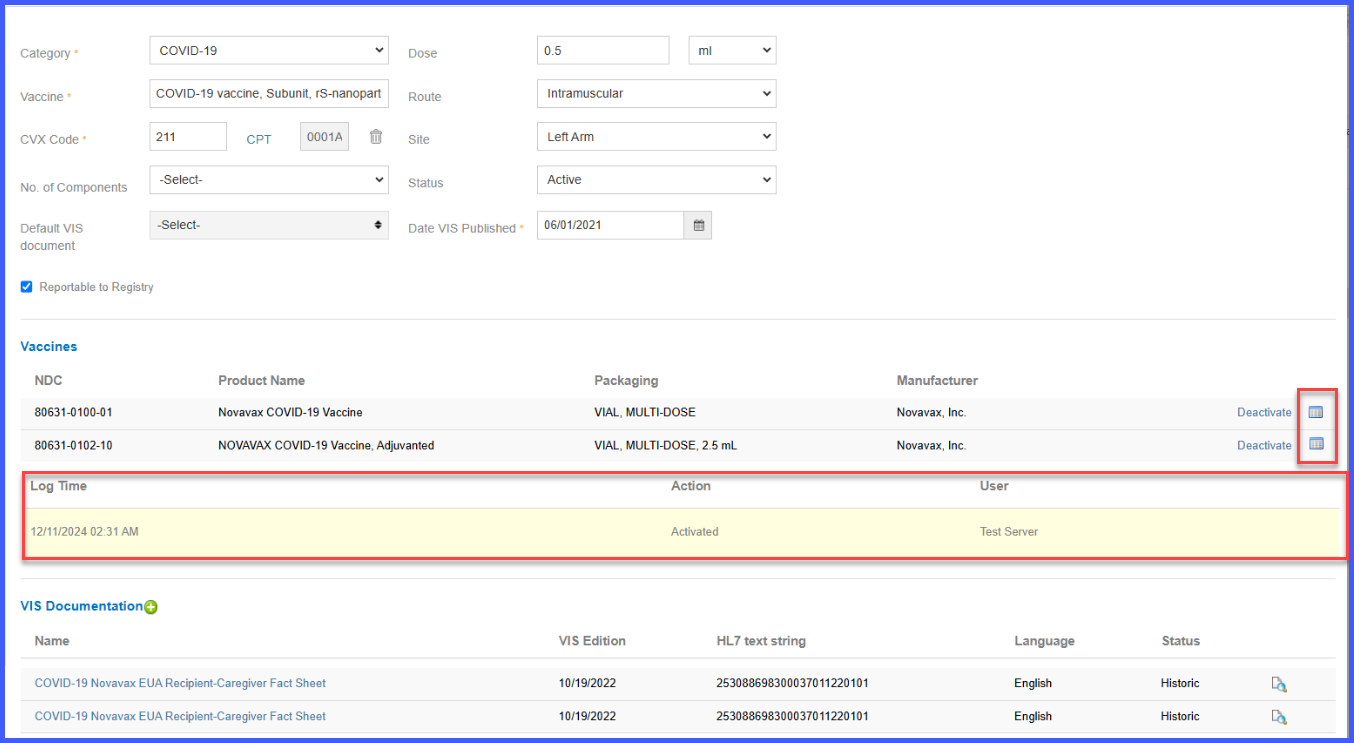
With this enhancement in the CureMD application, users can now track and audit changes made to vaccine NDC activation and deactivation status. The system will maintain logs of these actions, capturing the timestamp, user details, and action performed, ensuring better traceability and accountability.

smartphrase2

Ability to Add SmartPhrases up to 10,000 Characters

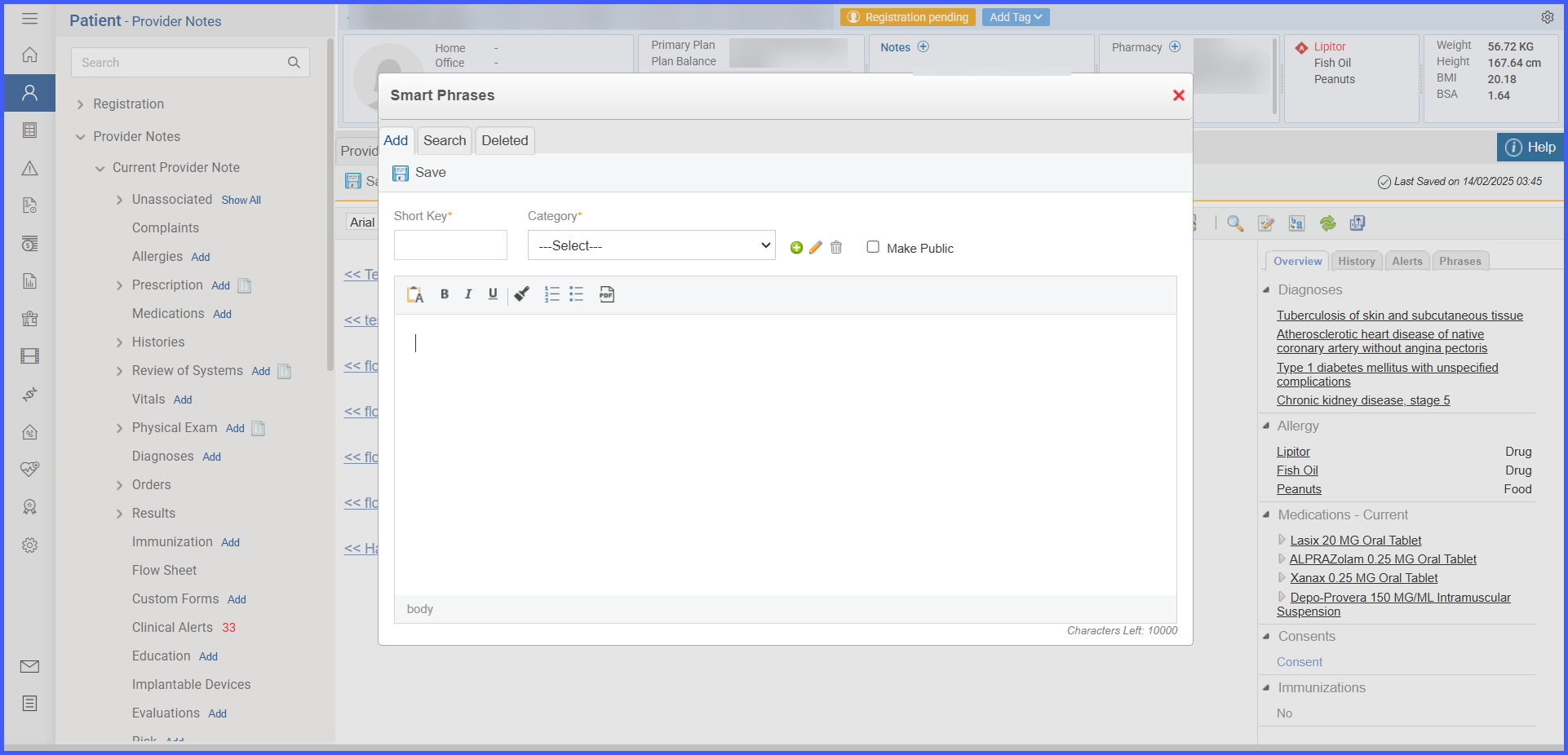
With this enhancement in the CureMD application, the character limit for smartphrases is increased to 10,000 characters, including whitespace. This ensures that users can create longer smartphrases and work with more comprehensive content in their notes.

11

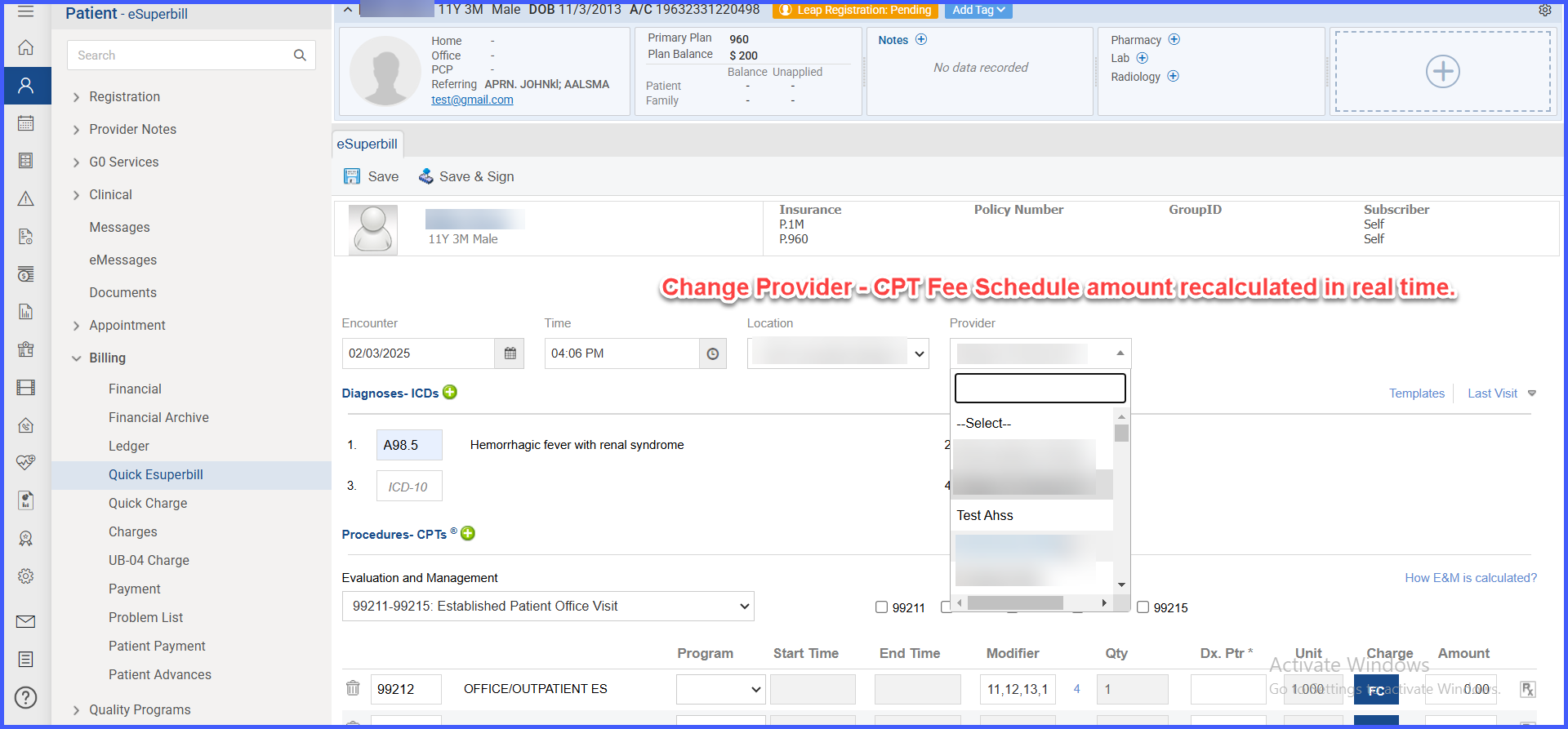
Real-Time Fee Schedule Updates on eSuperbill for Location, Date , and Provider Changes

We are excited to announce a significant update to our eSuperbill system that enhances the billing accuracy and efficiency for our users. With the new update, CPT fee schedule amounts on the eSuperbill will now automatically update in real-time whenever there is a change in Location, Plan, or Provider. This feature ensures that the correct fee schedule rates are always applied without the need for manual intervention, streamlining the billing process and reducing the likelihood of errors. Additionally, the system is designed to retain manually entered CPT amounts unless a matching entry is found in the updated fee schedule, at which point it will adjust the amount accordingly. This enhancement is part of our commitment to provide dynamic and user-focused solutions that improve operational efficiency and ensure accuracy in medical billing. Changes to the Location, Date, or Provider will trigger immediate recalculations of fee schedule amounts, reflecting these updates without delay. This update has been thoroughly tested, including a re-verification of the real-time updates when providers are changed, ensuring robust functionality and user satisfaction.

6

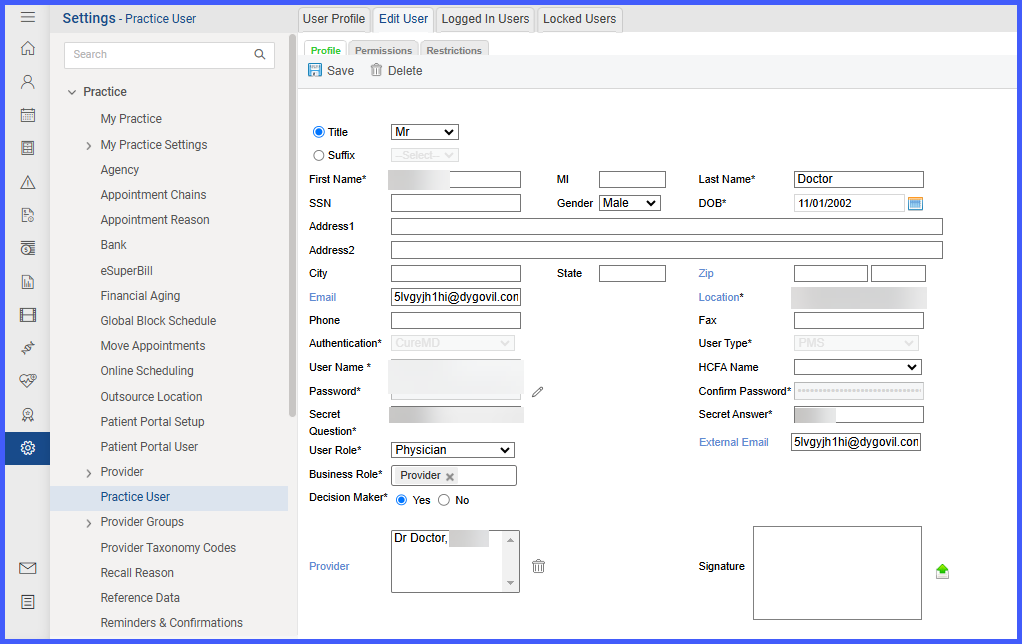
Addition of External Email Field for External Communication 

With this enhancement in the CureMD application, a new External Email field has been introduced in the User Profile to separate external communication from personal email addresses. This ensures that employees’ personal email addresses are not shared with patients while maintaining a structured communication workflow. 

Addition of Intrapleural Route Support Across Modules

With this enhancement in the Oncology EHR application, users can now select the Intrapleural route in various modules such as Regimen Library, Chemo Plan, Administration, and Trial Drugs. This feature ensures accurate documentation, streamlined workflows, and appropriate billing for intrapleural drug administrations.