Sorted:

patient2

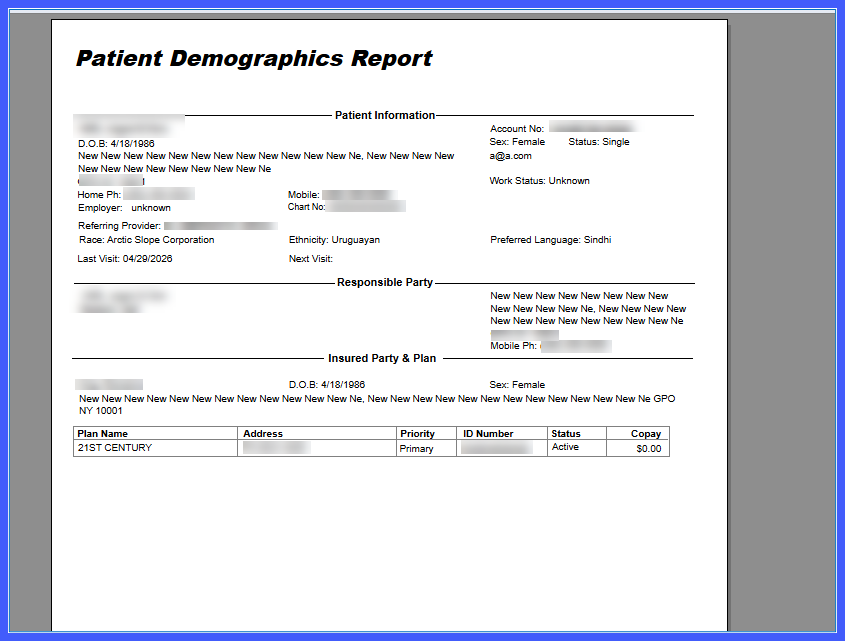
Additional Demographic Fields in Patient Demographics Summary Reports

This enhancement adds Race, Ethnicity, and Preferred Language as selectable demographic fields in Patient Demographics Summary Reports. Users can now include these additional data elements in report outputs for more comprehensive demographic reporting while maintaining consistent report formatting.
release1

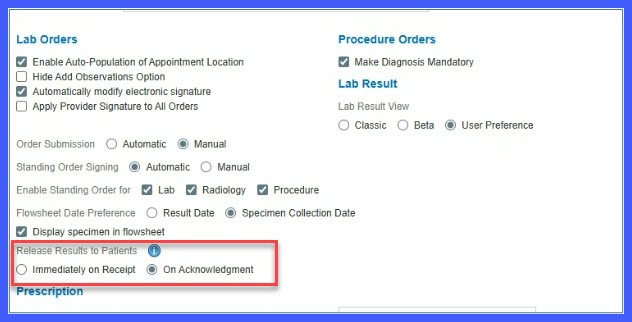
Result Release Configuration in Practice Settings

This enhancement introduces a configurable result release setting that allows administrators to control when lab, radiology, and procedure results are shared with patients. Practices can choose to release results immediately upon receipt or only after provider acknowledgment.

Pediatric1

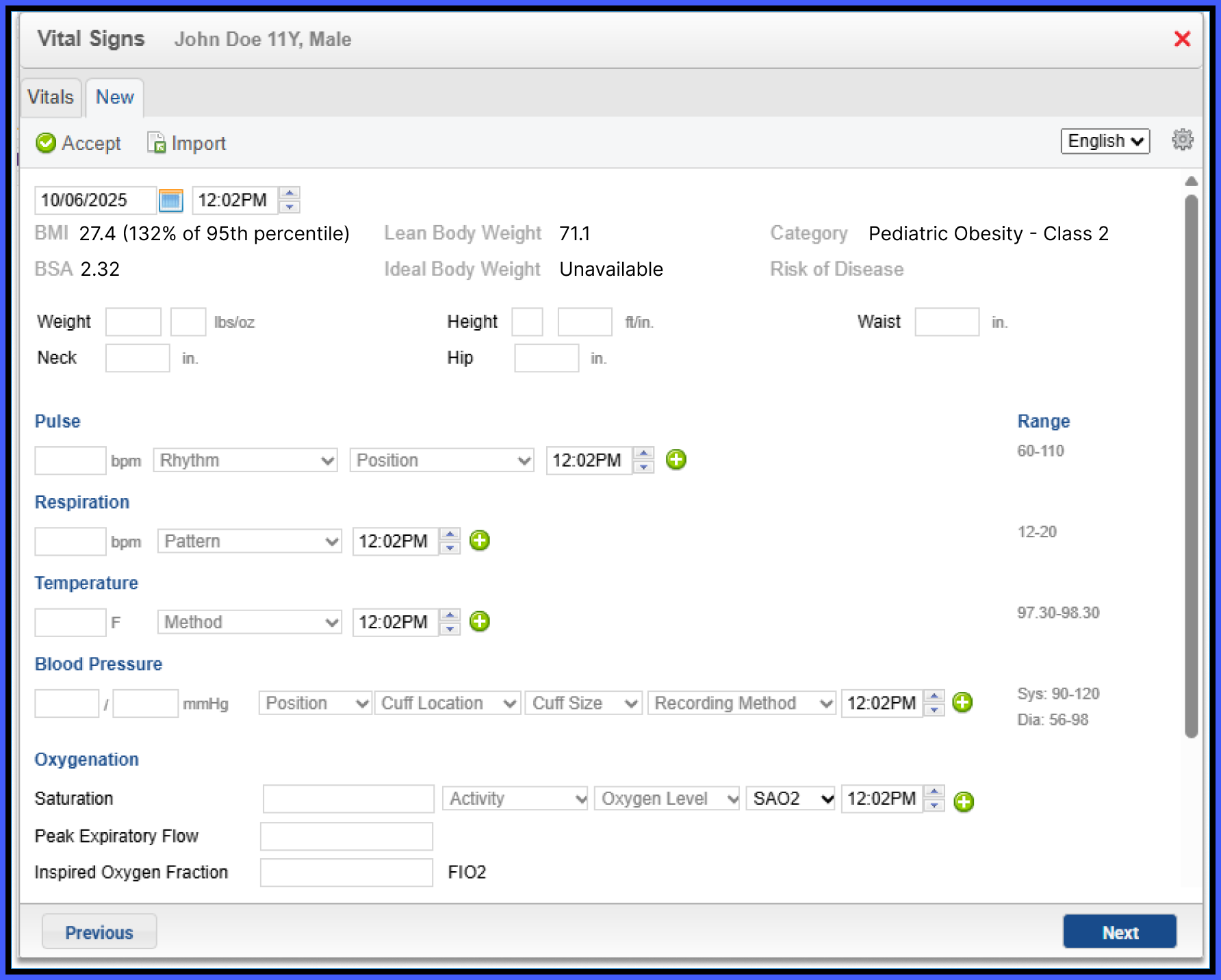
Pediatric BMI Classification and Percentile Display in Vitals and SOAP

A new enhancement has been added to the CureMD application that calculates and displays BMI percentile and pediatric obesity classification for patients aged 2 to 19 years within the Vitals module. The calculated values are saved with the patient record and automatically included in generated SOAP notes, ensuring consistency between recorded vitals and clinical documentation.

Revert

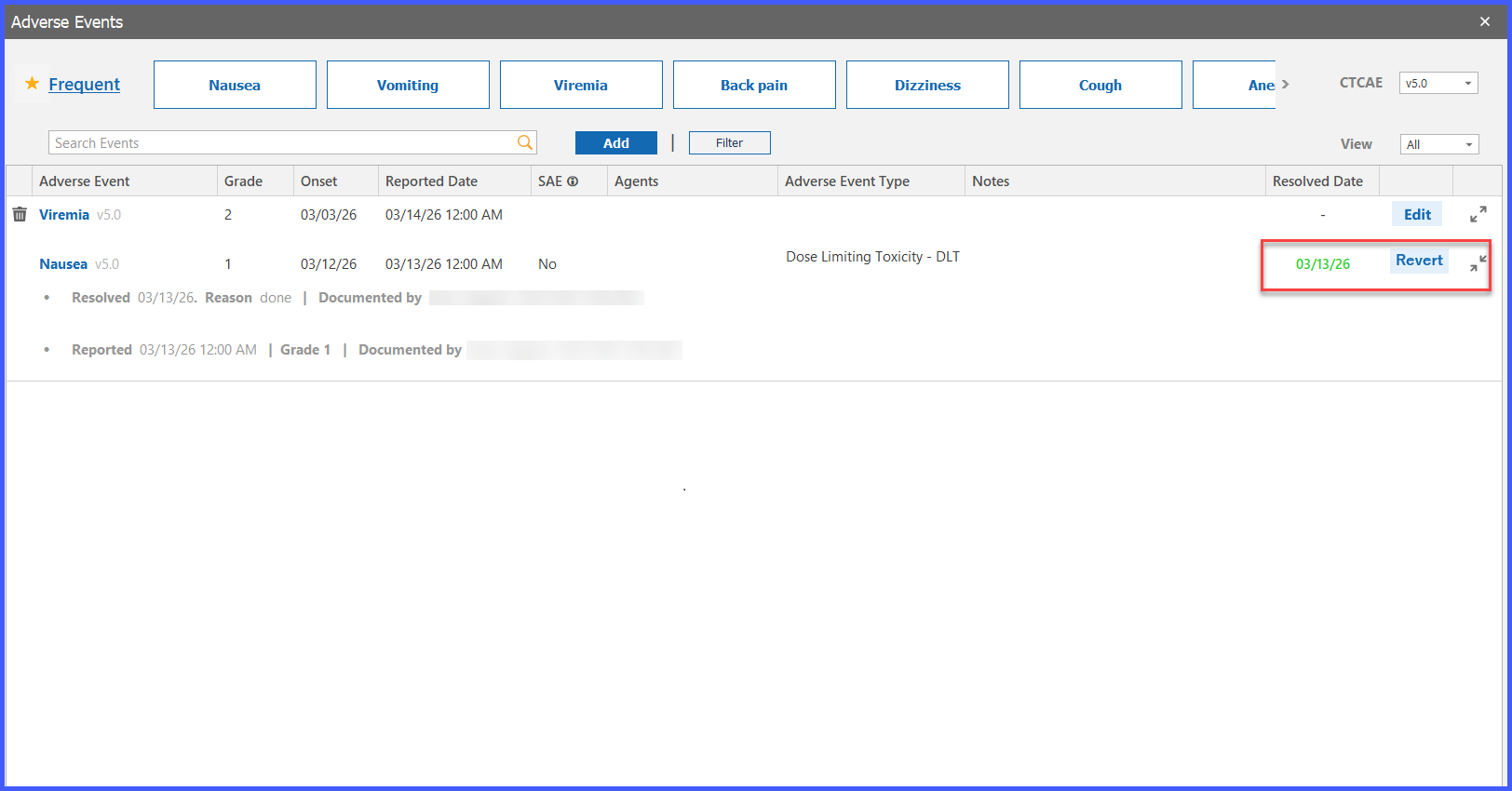
Revert Resolved Adverse Events to Active Status

This enhancement allows users to change a Resolved Adverse Event back to Active status when additional follow-up, updates, or ongoing monitoring is required. The feature restores editability while preserving key event information and maintaining accurate adverse event tracking.

Gender1-1

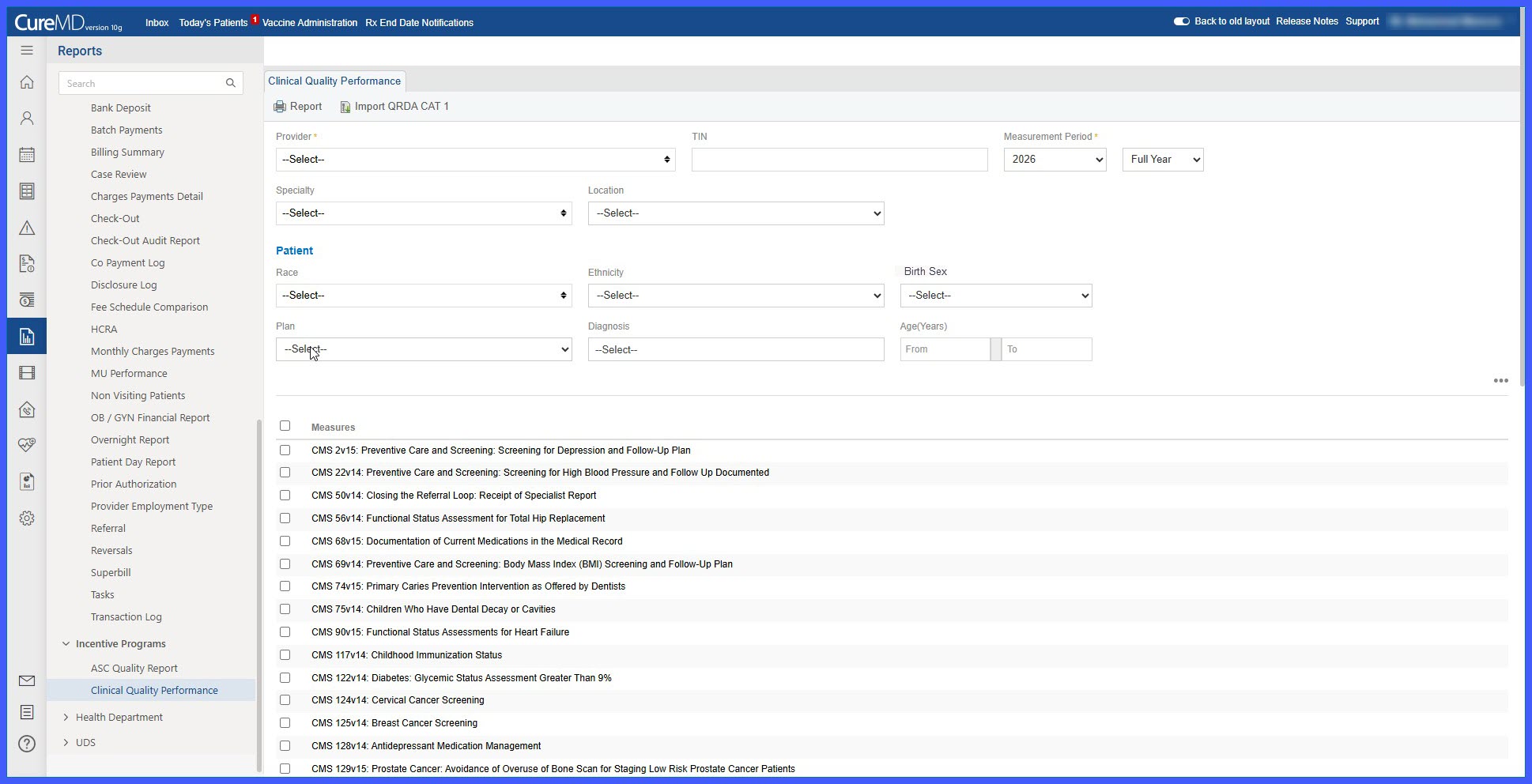
Birth Sex Label Display on Clinical Quality Reports Page

This enhancement updates the patient filter label on the Clinical Quality Reports page from Gender to Birth Sex. The change aligns report terminology with patient demographic data and promotes consistency across the application while preserving existing filtering functionality.

SP1

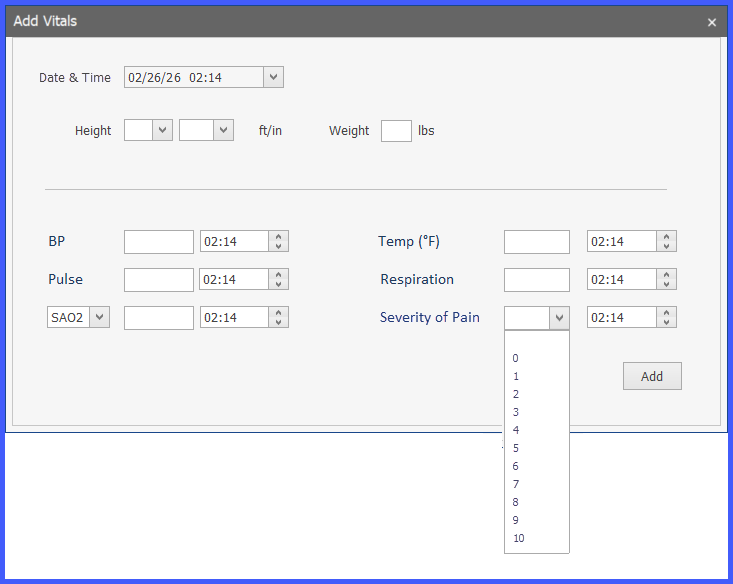
Severity of Pain Integration Across Oncology Documentation, Vitals, Administration, and Flowsheet Workflows

This enhancement introduces Severity of Pain as a standardized clinical data point across multiple oncology and patient care workflows. Users can now document, view, configure, report on, and incorporate patient pain assessments throughout vitals collection, administration workflows, flowsheets, provider notes, templates, and reports. These updates provide greater visibility into patient pain levels and support more comprehensive clinical documentation and monitoring.

BSA1

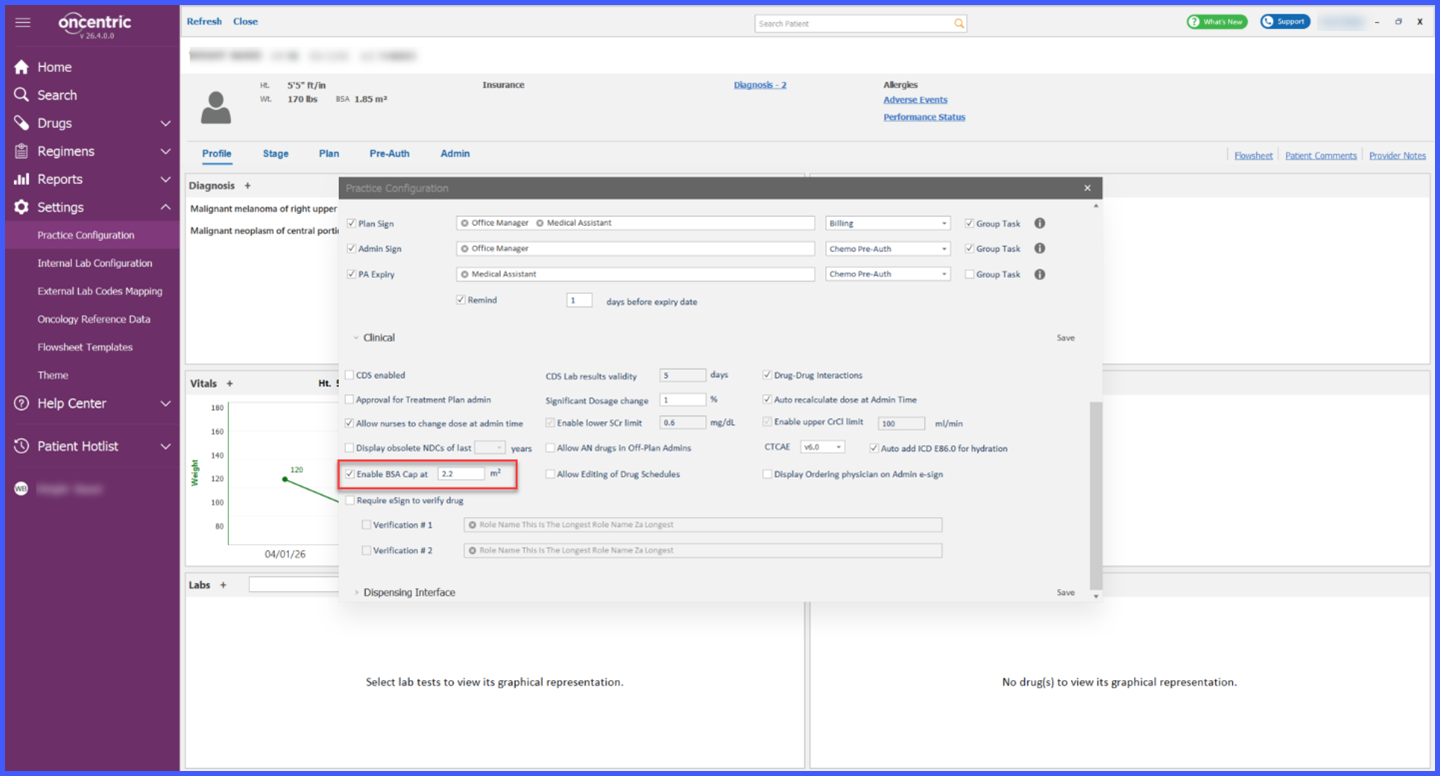
Configurable BSA Cap for Dosage Calculations Across Oncology Workflows

This enhancement introduces a configurable Body Surface Area (BSA) cap for dosage calculations across oncology workflows. Practices can define a maximum BSA threshold through Practice Settings, allowing the system to automatically cap dosage calculations when a patient's calculated BSA exceeds the configured value. The enhancement also provides visibility into capped dosing throughout ordering, planning, administration, flowsheets, provider notes, alerts, and reports, ensuring consistent dosage calculations and transparency across clinical workflows.

REL-EVI-3

Review Timestamp Display for Medications and Allergies in SOAP Notes

This enhancement introduces a practice-wide Review Timestamp setting that allows organizations to display the most recent review information for Medications and Allergies within SOAP notes. When enabled, users can see who last reviewed a component and when the review occurred, improving clinical visibility and ensuring up-to-date patient information during encounters.

Appointment1-3

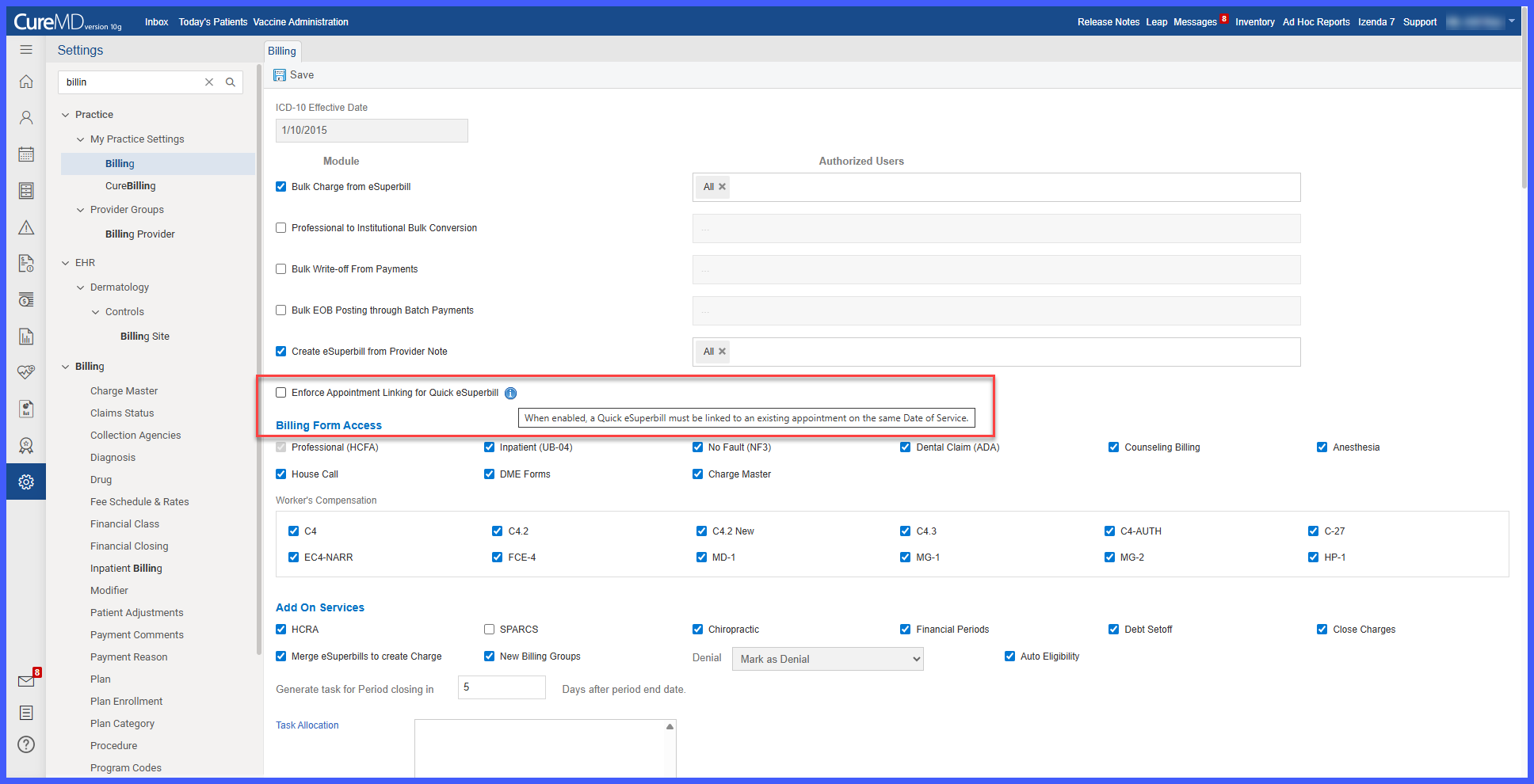
Enforce Appointment Linking for Quick Superbill

This enhancement introduces a practice-level setting that allows organizations to enforce or optionally prompt appointment linking when creating Quick Superbills. The feature helps ensure alignment between appointments and billing encounters while providing configurable workflow flexibility.

casereview2

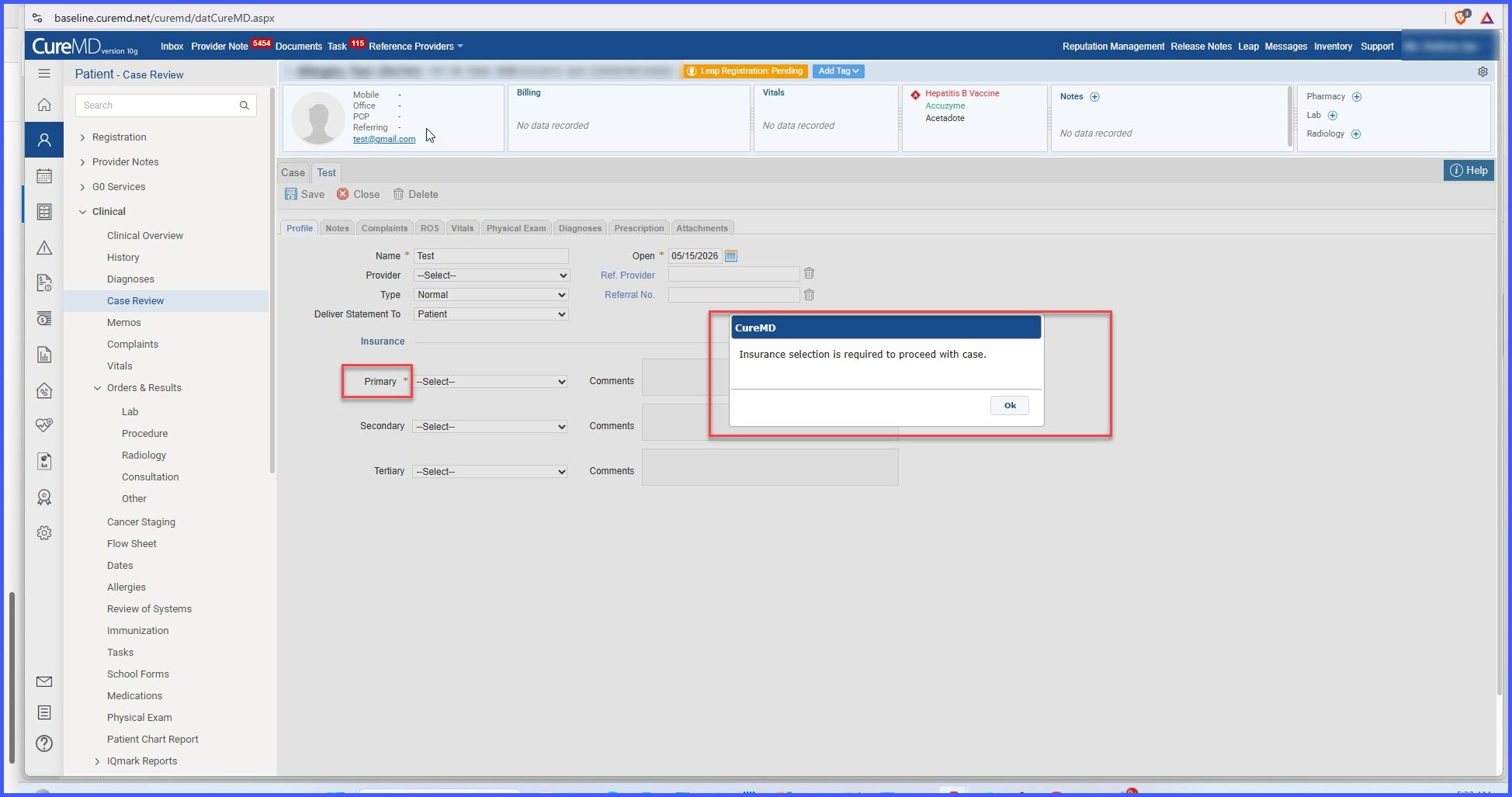
Enforcing Insurance Selection in Case Review

A new configuration setting, "Case Require Insurance Selection", has been introduced to control whether insurance selection is mandatory during Case Review completion. Previously, users could save a Case Review without selecting insurance, which could result in incomplete documentation. This enhancement allows practices to determine whether insurance selection should be required or optional based on their workflow and compliance requirements.