Sorted:

AutoFillLab

Auto-Fill Lab Results in Provider Note Using Lab Result Flag

To streamline documentation and reduce manual entry, a new auto-population feature has been introduced for lab results within the provider note. When enabled, the system automatically populates the patient’s most recent lab results where the <<Lab Results>> flag is detected.

AptConReschTransfer

Automatic Copay Transfer on Novel Health Appointment Rescheduling & Cancellation

CureMD now manages paid online copays automatically when cancelling or rescheduling Novel Health appointments. On cancel, you’re prompted to move the copay to Patient Advance so funds aren’t lost. On reschedule, the copay moves automatically to the new appointment and you get a confirmation.

4

Restrict Appointment Duration Editing for Authorized Users

The system now enforces restrictions on appointment duration edits to ensure that only authorized users can modify appointment lengths. This enhancement prevents scheduling discrepancies and maintains consistency across clinical and financial workflows.

RN-5-1

Patient Balance Now Appears on Appointment Tooltip

The system now displays patient balance details within the appointment tooltip in the Scheduler, allowing users to quickly access financial information without altering or interpreting billing logic

14-2

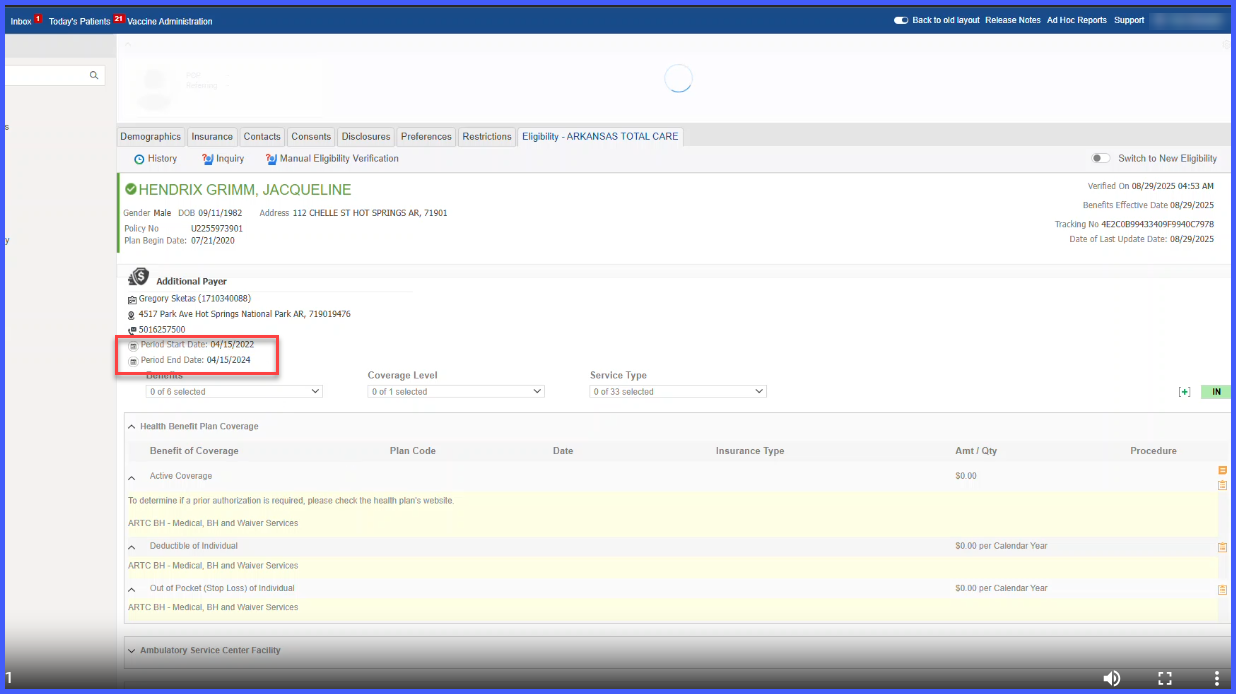
TPL Code Integration for Medicaid Plans

CureMD now supports automatic Third-Party Liability (TPL) code integration for Medicaid insurance plans.

When enabled, the system retrieves TPL information from Medicaid eligibility and adds it directly to the Charge Page and EDI claim file — keeping claims compliant and reducing manual entry.

RN-8

New Fields in Digital ECG Report with Compliance-Focused Audit Trail

The CureMD application now provides expanded fields for Digital ECG reports and introduces detailed audit trail tracking, ensuring better documentation, review accuracy, and compliance.

16

User Permission to Approve Treatment Days for Drug Administration

With this enhancement in the CureMD application, practices can designate members or roles which have the privilege to approve treatment days for Drug Administration.

17

Warning Confirmation When Unsinging Notes with Addendums

Users with permission to unsign clinical notes are presented with a warning when attempting to unsign a note that contains addendums or sign-offs. This alert notifies them that all associated addendums and sign-offs will be permanently deleted, helping prevent accidental data loss and ensuring documentation compliance.

CustomFormAIScribe2

Custom Forms in AI Scribe

With this enhancement in the CureMD application, AI Scribe now supports Custom Forms within provider notes. Users can add, view, and manage Custom Forms directly in the AI Scribe interface, ensuring structured data capture alongside transcriptions. This allows practices to streamline documentation, maintain consistency, and improve efficiency in filling their personalized custom forms.

Affected Appointments Tracking for Global Blocks

With this enhancement in the CureMD application, users can now view all appointments impacted by global blocks directly from the Global Block Schedule. An Affected Appointments button is displayed on each block, allowing users to quickly identify appointments by provider, location, and patient details for better scheduling management.