Sorted:

TextToPayeStatements-1

Display Provider & Location in Text-to-Pay e-Statements

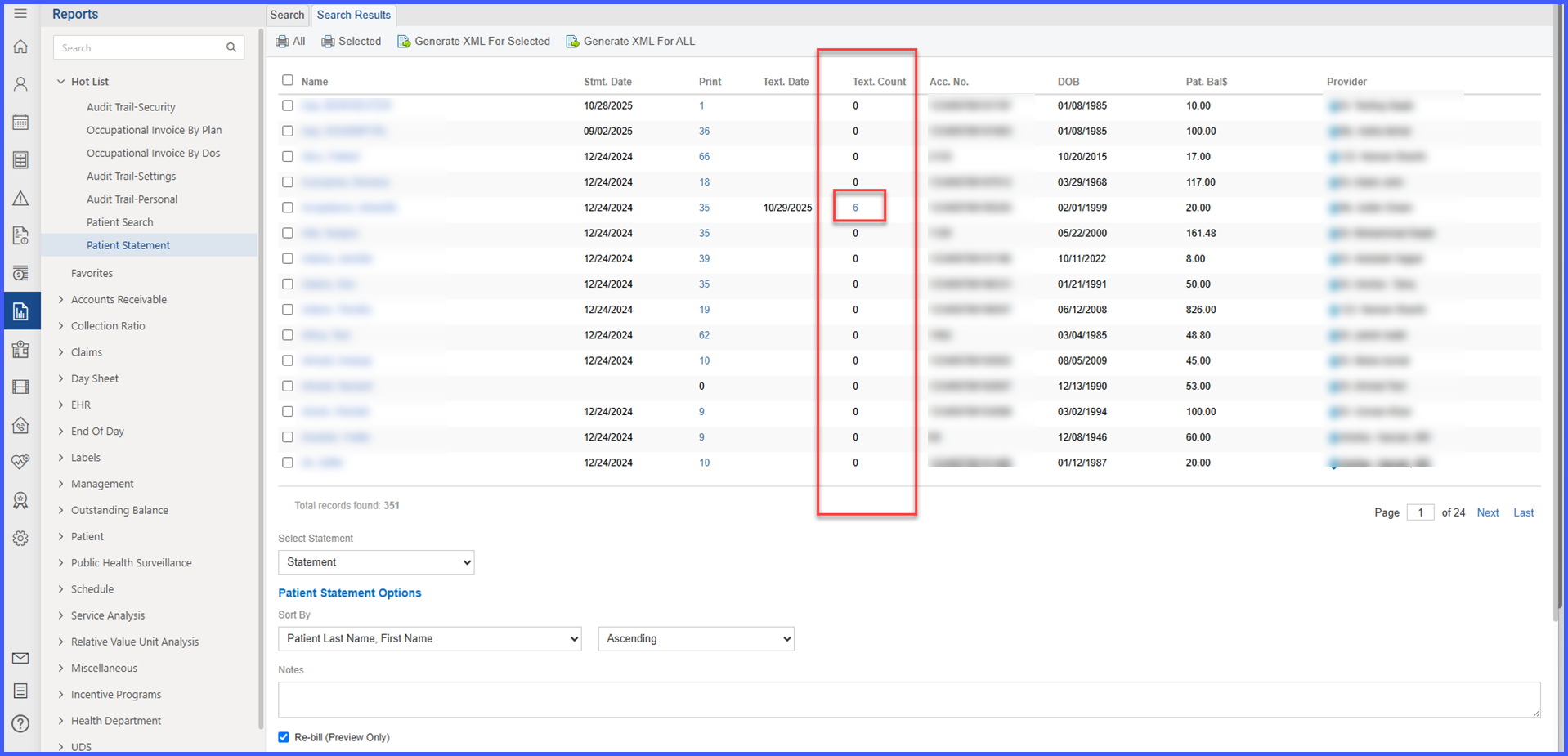
With this enhancement, Text-to-Pay e-statements now include a “Visit Summary by Date of Service” section that lists the Provider and Location for each Date of Service (DOS). Because the third-party vendor’s template cannot be changed, this information is rendered inside the vendor’s single open text area placed directly beneath the “Thank you for your business!” message. The enhancement improves clarity and reduces support inquiries without requiring any changes to your existing Text-to-Pay setup.

ImmReconcile

Reconcile Immunizations within History and Forecast

With this enhancement in the CureMD application, users access a reconcile button within the History and Forecast section to review and manage vaccine records from both the chart and the registry. This streamlines the process of comparing, importing, and finalizing immunizations within the patient record.

Patient Portal “Make a Payment” is Now Hidden When No Payment Partner is Set

With this enhancement, If a practice hasn’t set up an online payment partner for a location in CureMD, the “Make a Payment” section in the Patient Portal will no longer appear. This prevents errors and confusion when trying to pay balances online.

DiscontinueRXInactivePharmacies

Discontinuing ePrescribed Medications Linked to Inactive Pharmacies

With this enhancement in the CureMD application, users attempting to discontinue a medication ePrescribed to an inactive pharmacy receive a prompt indicating the pharmacy's inactive status. This ensures that cancellation requests are not sent to pharmacies that are no longer active.

DxPointerESB

eSuperbill: Warning for Missing Dx Pointers

With this enhancement, to help prevent claim denials and reimbursement delays, eSuperbill now warns you when procedures (CPTs) don’t have ICD (Dx) pointers assigned. If you choose to continue, the system will automatically set Dx Pointer “1” for any procedure missing a pointer.

Status Dropdown and Rescheduling Enhancements in Appointment Status Views

With this enhancement in the CureMD application, users can now access a dropdown menu directly from appointment status hyperlinks in the Scheduler and Patient modules. This menu provides quick access to Update Status / Transport and Reschedule actions, streamlining appointment management without navigating away from the current view.

OrderTypeSpecificCPT2

Filtered CPT Search in Custom Lists Based on Order Type

With this enhancement, CPT search results within Custom Lists are now filtered based on the selected order type (Lab-CPT, Radiology-CPT, or procedures) to ensure only relevant entries are shown. This enhancement streamlines the ordering process and eliminates irrelevant CPT codes during search.

Global Block Scheduling Applied Across All Calendars

With this enhancement in the CureMD application, global blocks created in the Practice Settings are automatically applied to all provider and resource calendars, both existing and future. This ensures consistent enforcement of recurring and holiday schedules without requiring manual updates, even when block times overlap with calendar hours.

ProviderPinLog

Provider Pin Audit Trail

With this enhancement, you can now see a clear audit trail of changes made to Provider Plan PINs for both Practice Providers and Referring Providers. This helps you track who changed what and when—all in one place.

BalanceInCollectionReportNew-2

Balances in Collection Report

A new report—Balances in Collections—is available in the Reports Module > Patient bucket to give practice supervisors a concise, printable list of all appointments/patients whose balances have been transferred to collections. The report includes key operational fields (e.g., Transfer Date, Transfer By, Agency Name, Amount), flexible filters, and optional grouping with per-agency totals and a final summary table for quick financial oversight.