Enhancing On-Hold Bucket with Sorting, Search, and Status Summary Count
What’s New
-
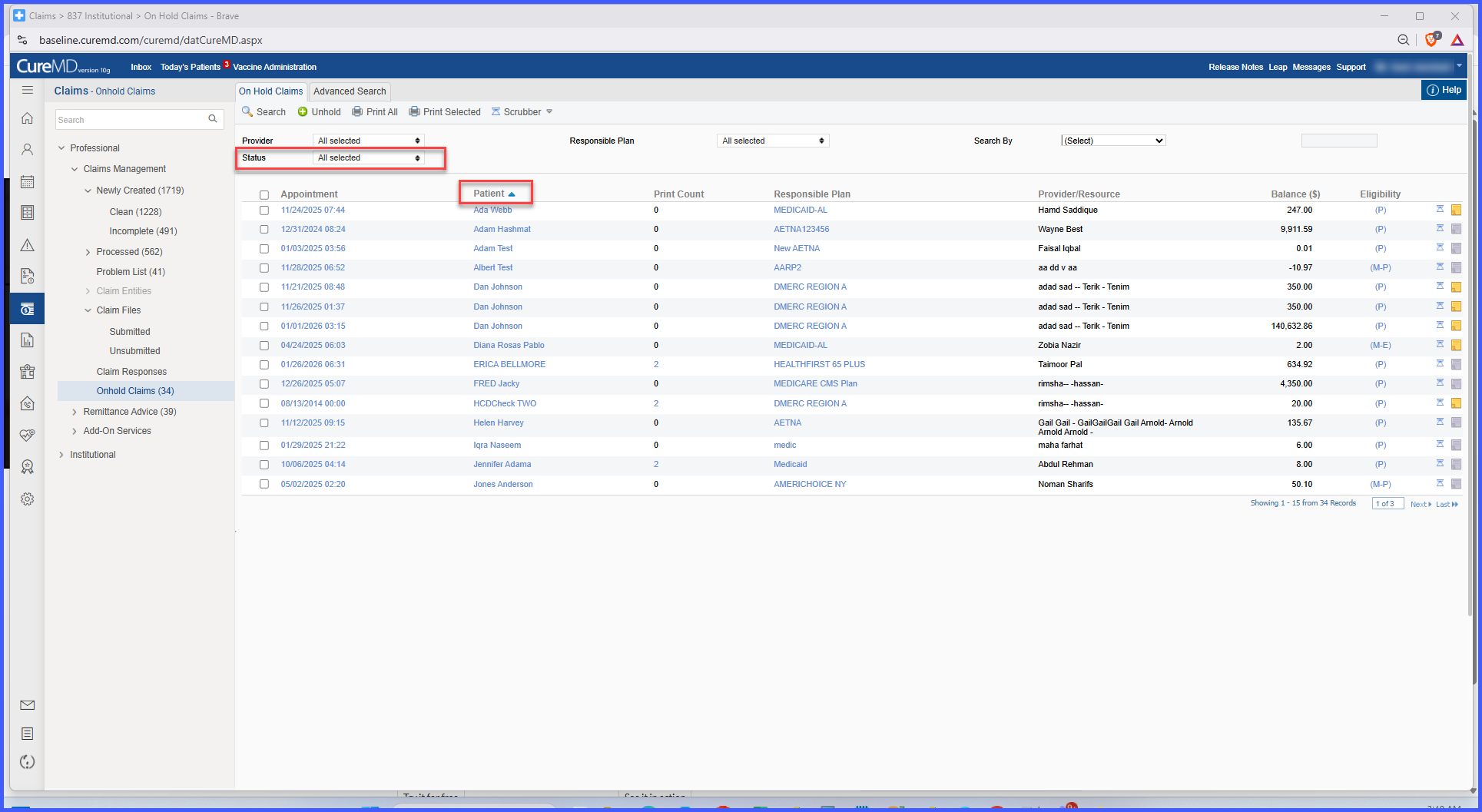
Sorting is enabled on all applicable column headers (indicated by the hand icon).
-
CMDID (Claim Identifier) is added as a searchable option in the Search By dropdown.
-
Status dropdown now displays real-time claim counts for each status.
-
Status labels function as clickable filters.
-
Enhancements apply without altering existing workflows or permissions
How It Works
-
When a user opens the On-Hold bucket, column headers displaying the hand icon support sorting.
-
Clicking a column header sorts the data alphabetically or numerically.
-
Sorting remains active during the session and resets only when the page is refreshed or a new sort action is applied.
-
Users can select CMDID from the Search By dropdown to locate a specific claim.
-
The system validates CMDID input before executing the search.
-
Invalid or empty CMDID entries return a clear user message.
-
The status dropdown displays real-time claim counts for each On-Hold status.
-
Clicking a status label applies a one-click filter that overrides existing filters unless filters are mutually inclusive.
-
Status counts update dynamically based on the current On-Hold data.
Functional Rules & Safeguards
-
All enhancements respect existing role-based access control.
-
Users only see data and actions they are authorized to access.
-
Real-time status counts reflect current On-Hold data.
-
Sorting and filtering behavior remains predictable and consistent.
Benefits
-
Reduces manual filtering and repetitive status selection.
-
Improves prioritization of claims through sortable columns.
-
Speeds up claim lookup using CMDID search.
-
Provides immediate visibility into claim volume by status.
-
Enhances RCM productivity by accelerating follow-up and resolution workflows.
-
Maintains security and compliance through enforced role-based access controls.
