AI Scribe: Order to Multiple Labs/Radiology Locations
What’s New
-
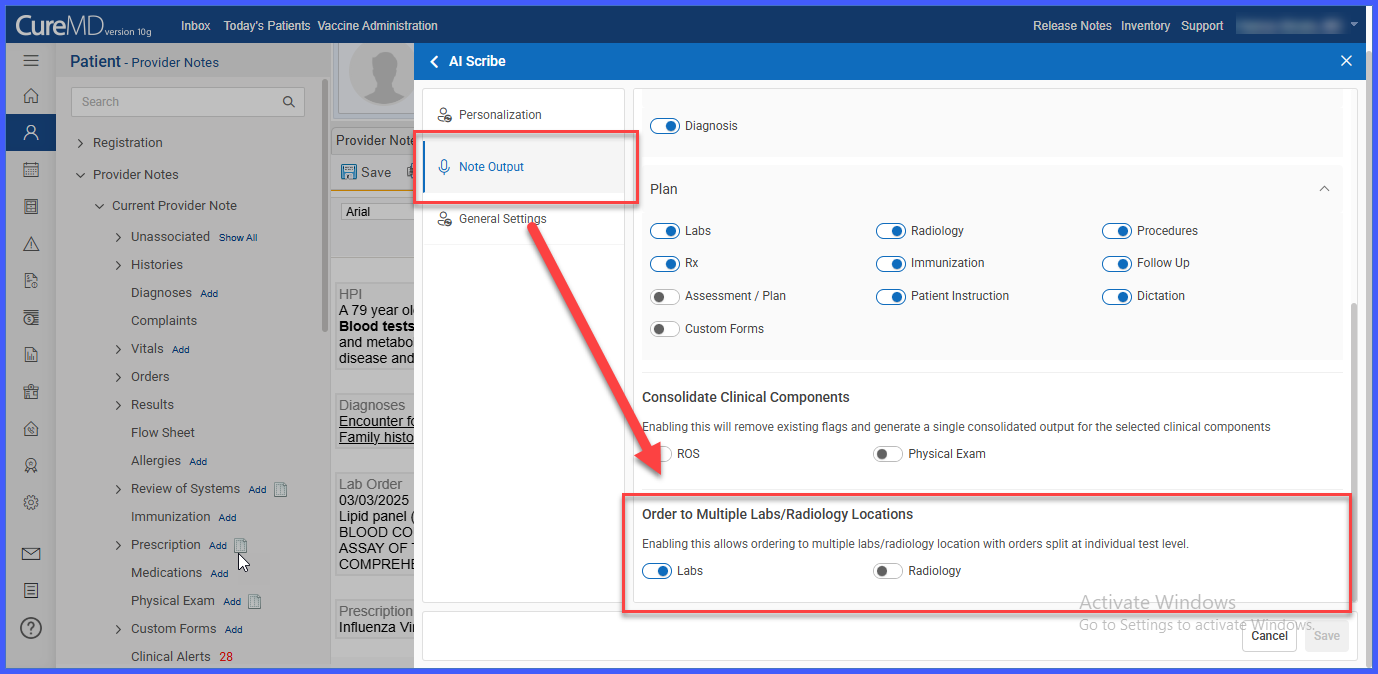
A new toggle setting is available under AI Scribe > Settings.
-
When enabled, preferred lab or radiology selection is displayed at the individual test level.
-
Users can select a different lab or radiology center for each test.
-
Provider Notes reflect separate grouped orders when different locations are selected.
-
When disabled, the existing single-location behavior remains unchanged.
How It Works
-
Navigate to AI Scribe > Settings.
-
Enable or disable the test-level ordering toggle.
-
When the Toggle Is ON
-
Open a Provider Note with lab or radiology tests added via AI Scribe.
-
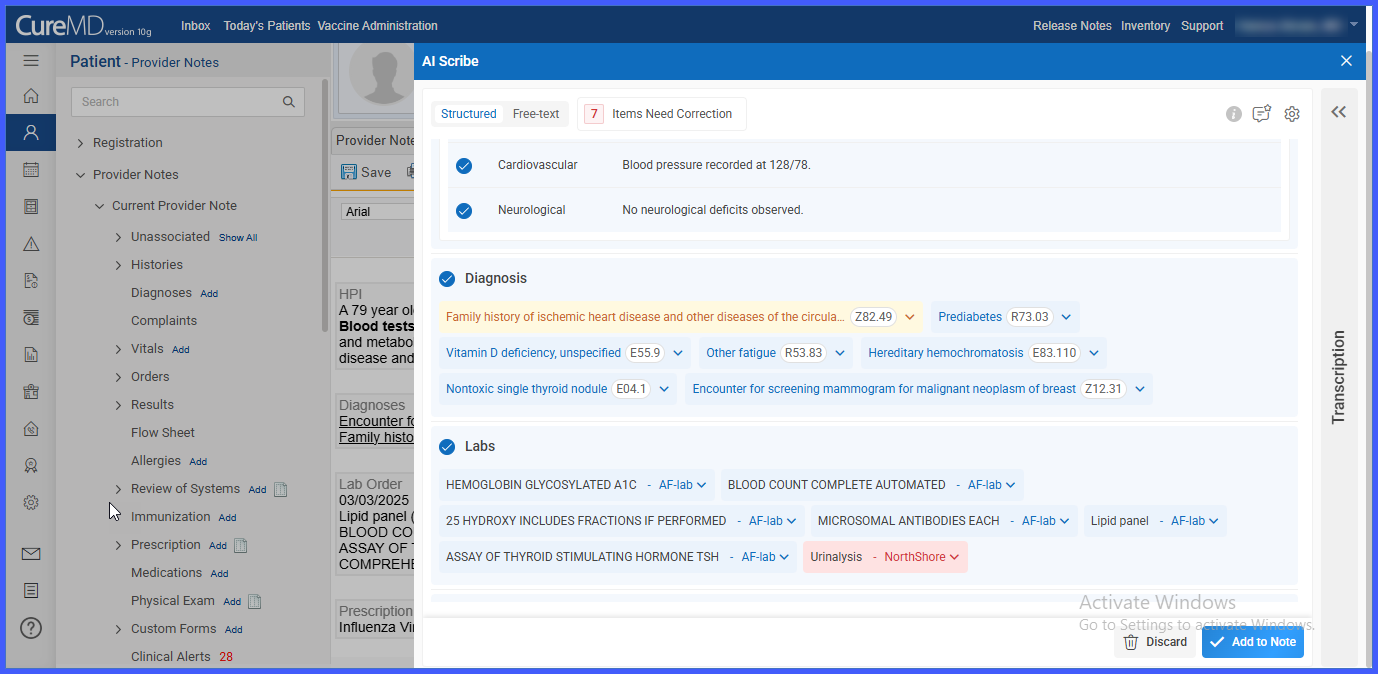
Each test tile displays the preferred lab or radiology center.
-
Click an individual test tile to select a different lab or radiology center from the dropdown.
-
The Provider Note groups orders separately based on the selected locations.
-
Multiple labs or radiology centers can be used within the same component.
-
-
When the Toggle Is OFF
-
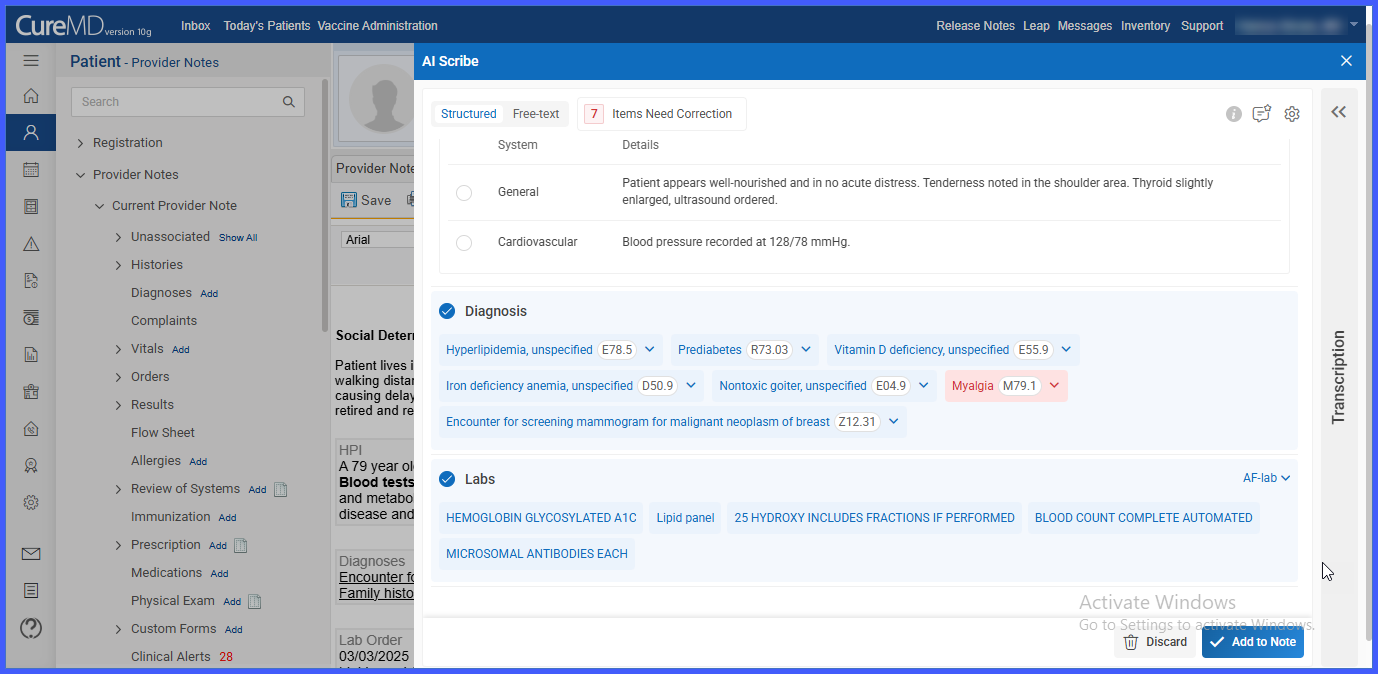
The preferred lab or radiology center is selected at the section level (top-right of the component).
-
The selected location applies to all tests within that lab or radiology component.
-
Test-level selection is not available.
-
Benefits
-
Provides greater flexibility when ordering tests across multiple facilities.
-
Supports mixed-location ordering within a single Provider Note.
-
Maintains compatibility with existing workflows when the toggle is disabled.
-
Improves accuracy by allowing test-specific lab or radiology assignments.
