Sorted:

eRx Activity Counter

With the latest release, an error message is sent in order to alert the practice user if an error occurs during the eRx transmission.

[caption id="attachment_19623" align="aligncenter" width="600"]a-600x305 Referral Source Report[/caption]
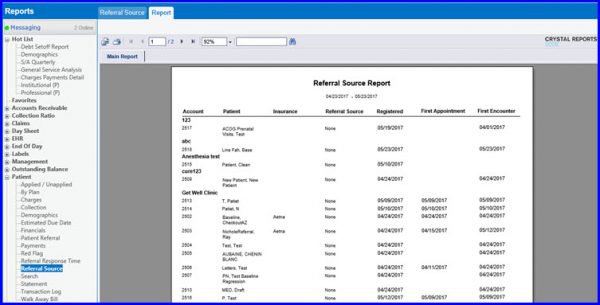
Population of Columns in Referral Resource Report

In the Referral Source Report, First Appointment Date column is populated with the date of the First appointment. Where as, First Encounter column shows creation date of first eSuperbill.

[caption id="attachment_19682" align="aligncenter" width="600"]SB-1-600x295 Review of Systems[/caption]

Enhancements to Review of Systems

The latest update includes a number of enhancements in the Review of Systems section in order to provide a better view to the user.

[caption id="attachment_19602" align="aligncenter" width="600"]Importing-singlemultiple-instance-components-600x297 Importing single/multiple instance components[/caption]
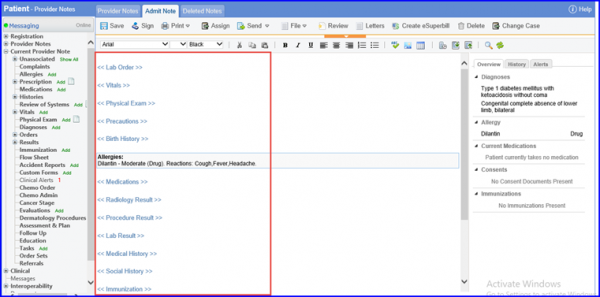
Importing Single/Multiple Instance Component Through Import Note Template Flow

With this upgrade, practice user can import specific single/multiple instance component upon importing a note template in Provider Note.

[caption id="attachment_18349" align="aligncenter" width="600"]OPPS-Modifier-on-Drug-Level-600x255 OPPS Modifier on Drug Level[/caption]
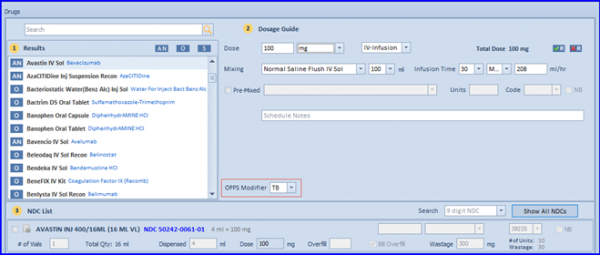
OPPS Billing in Chemotherapy Manager

The Hospital Outpatient Prospective Payment System (OPPS) is introduced to enable practices to bill patients under OPPS for applicable drugs and services

[caption id="attachment_18152" align="aligncenter" width="600"]Navigating-to-Custom-View-600x202 Navigating to Custom View[/caption]
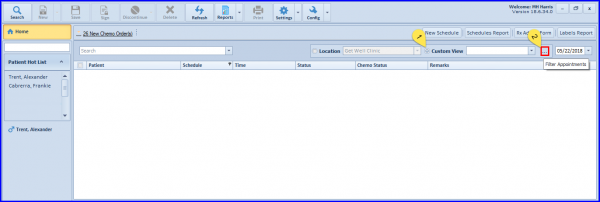
User Specific Customization of Home Screen

User is able to view appointments based on a criteria set by the user.

[caption id="attachment_18128" align="aligncenter" width="600"]Specify-dosage-and-CIVI-Days-600x400 Specify dosage and CIVI Days[/caption]
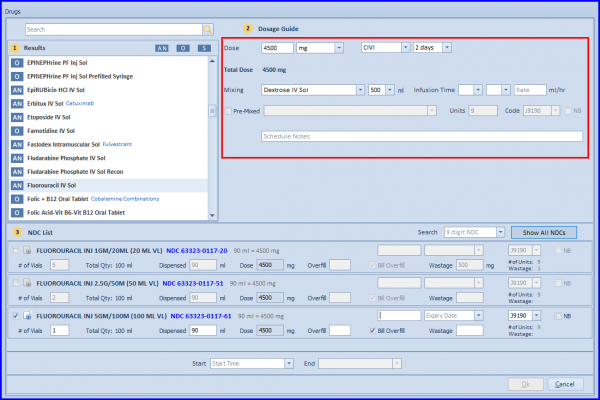
Update CIVI duration implementations on the Admin/Injection screen

User is able to document the CIVI duration as per the number of days selected from the 'Days' control.

[caption id="attachment_18116" align="aligncenter" width="600"]Drug-Strip-2-600x213 Drug Strip[/caption]
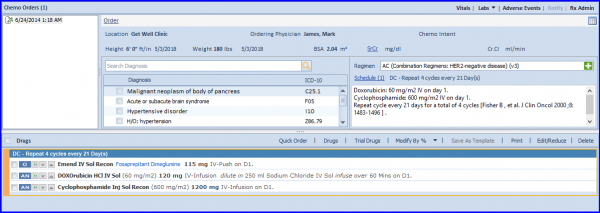
Quick Chemo Order Creation

Chemotherapy Manager is allowing Practice Users to create a chemo order based on the smart suggestions. Read More    

Hide System Generated Chemo Plan Addendums

User can hide the system generated addendums in Chemo Orders tree list by configuring from back-end.

[caption id="attachment_18028" align="aligncenter" width="600"]Subsequent-Cycles-600x407 Subsequent Cycles[/caption]
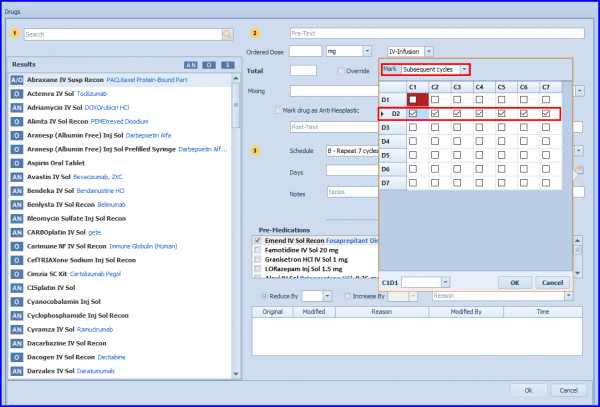
Drug Scheduler Control Enhancements

The visibility of the scheduler control is enhanced by providing user the capability to mark/unmark individual/subsequent cycle days.