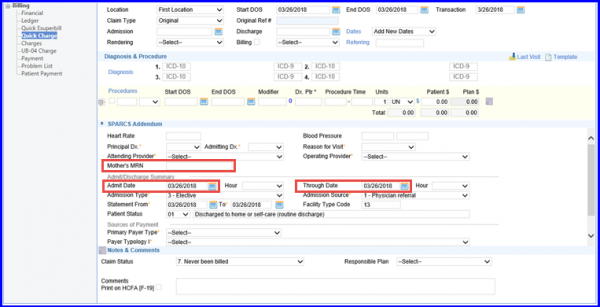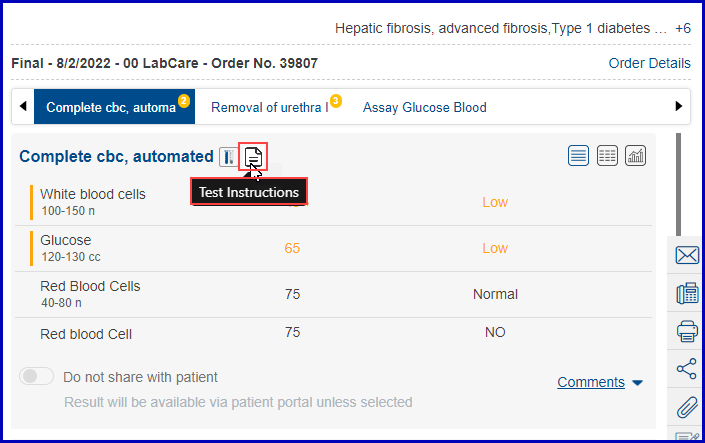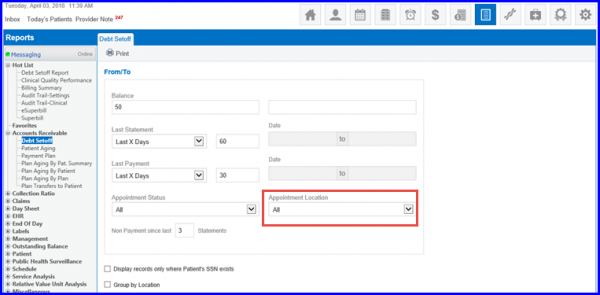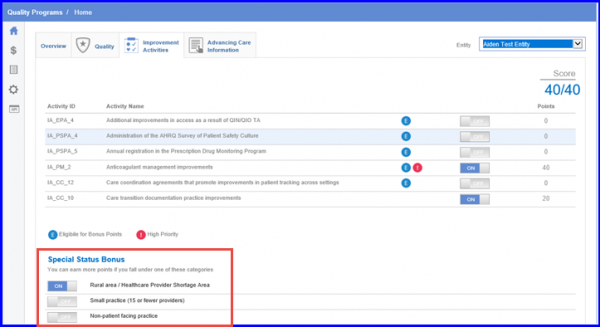
[caption id="attachment_15101" align="aligncenter" width="600"] Toggle button[/caption] PAN Association during Check-in Users can associate PAN with a patient during their check-in and retain that information during charge creation. Read More
[caption id="attachment_15082" align="aligncenter" width="760"] Patient Charges[/caption] Practice Name Header on Charges Report This report allows a user to generate detailed reports of charges from each of the patient’s appointments. Read More
[caption id="attachment_15068" align="aligncenter" width="600"] E&M Codes for ophthalmology[/caption] E&M codes for Ophthalmology in eSuperbill The E&M codes for Ophthalmology in the CureMD application enables its users to select and use them in an eSuperbill. Read More
[caption id="attachment_15059" align="aligncenter" width="600"] Selecting a calendar[/caption] Calendar List and Block Schedule Pages Revamp Users can sort calendars via name, location, date or range while making a new calendar. Read More
[caption id="attachment_15000" align="aligncenter" width="600"] Assign Button[/caption] Assign Immunizations to Other Users With this feature, users can assign an immunization to a different practice user while administering a vaccine. Read More
[caption id="attachment_14989" align="aligncenter" width="758"] Search Retention[/caption] Search Criteria Retention Use this feature to retain search criteria thus eliminate the need to manually enable different search filters. Read More
[caption id="attachment_14977" align="aligncenter" width="767"] OB/ GYN History[/caption]OB/GYN Additional Options The enhanced OB/GYN enables the users to record additional pregnancy options. Read More
Exam Room A Search feature has been introduced in Exam Room to facilitate the usability of CureMD application. Read More
[caption id="attachment_14902" align="aligncenter" width="600"] Resource List[/caption] Enhance Resources List Search for Large Clients Users associated with large practices can utilize enhanced search filters to search though the resources list to save search time. Read More
[caption id="attachment_14898" align="aligncenter" width="600"] Patient Demographics Report[/caption] Display Primary Care Provider Name on Demographics Report Users can also view the Primary Care Provider on the Patient Demographics Report. Read More