Sorted:

Rel3-05

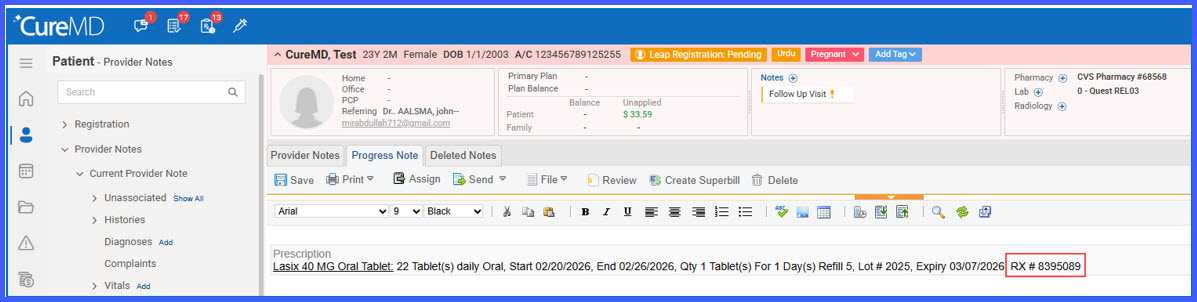
Automatic Capture of Rx Number from Barcode in Prescription Pad

This enhancement enables automatic capture and display of the Rx Number when scanning a supported barcode in the Prescription pad. When available within the barcode data, the Rx Number is populated alongside medication details, eliminating the need for manual entry during prescription documentation.
Rel3-08

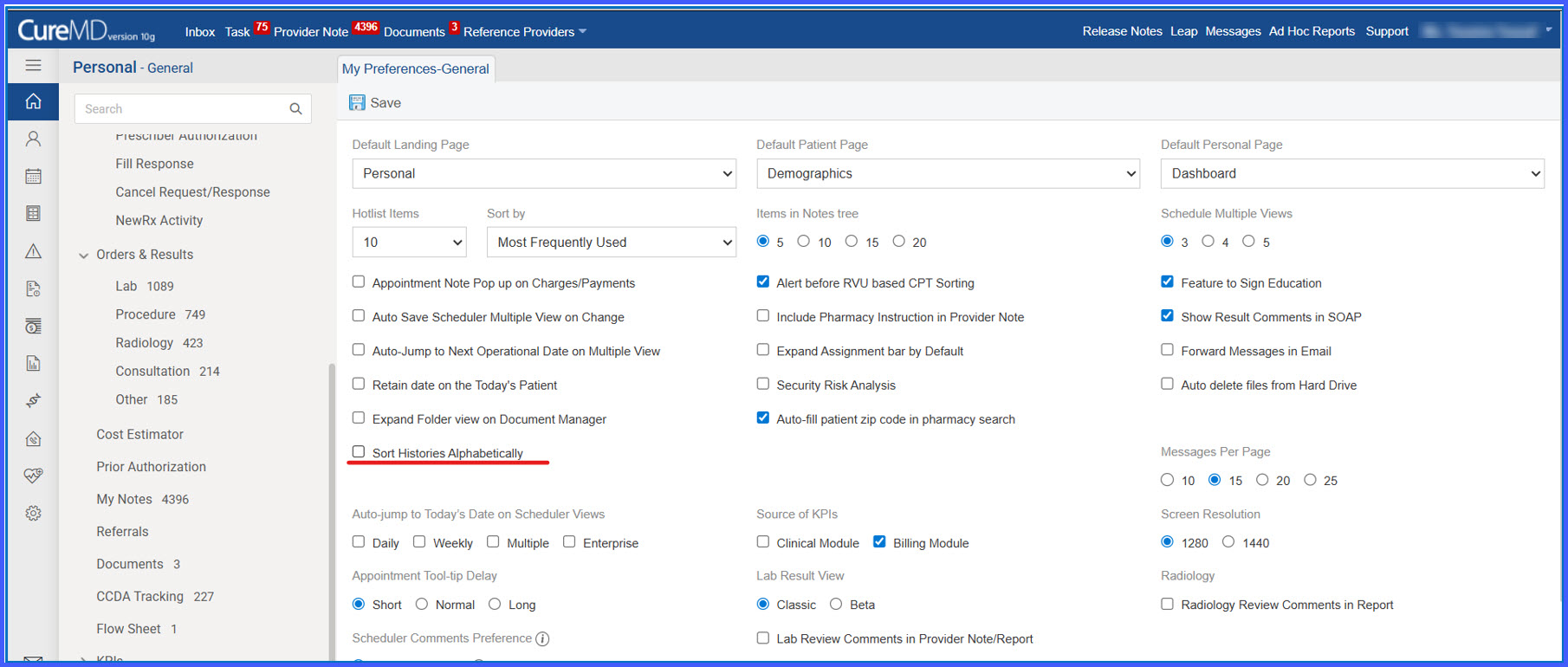
Sort Histories Alphabetically Preference in General Settings

This enhancement introduces a user-level preference that allows histories to be displayed in alphabetical order across the application. By enabling the “Sort Histories Alphabetically” setting, users can control how history records are listed, improving consistency and ease of navigation.

Rel3-09

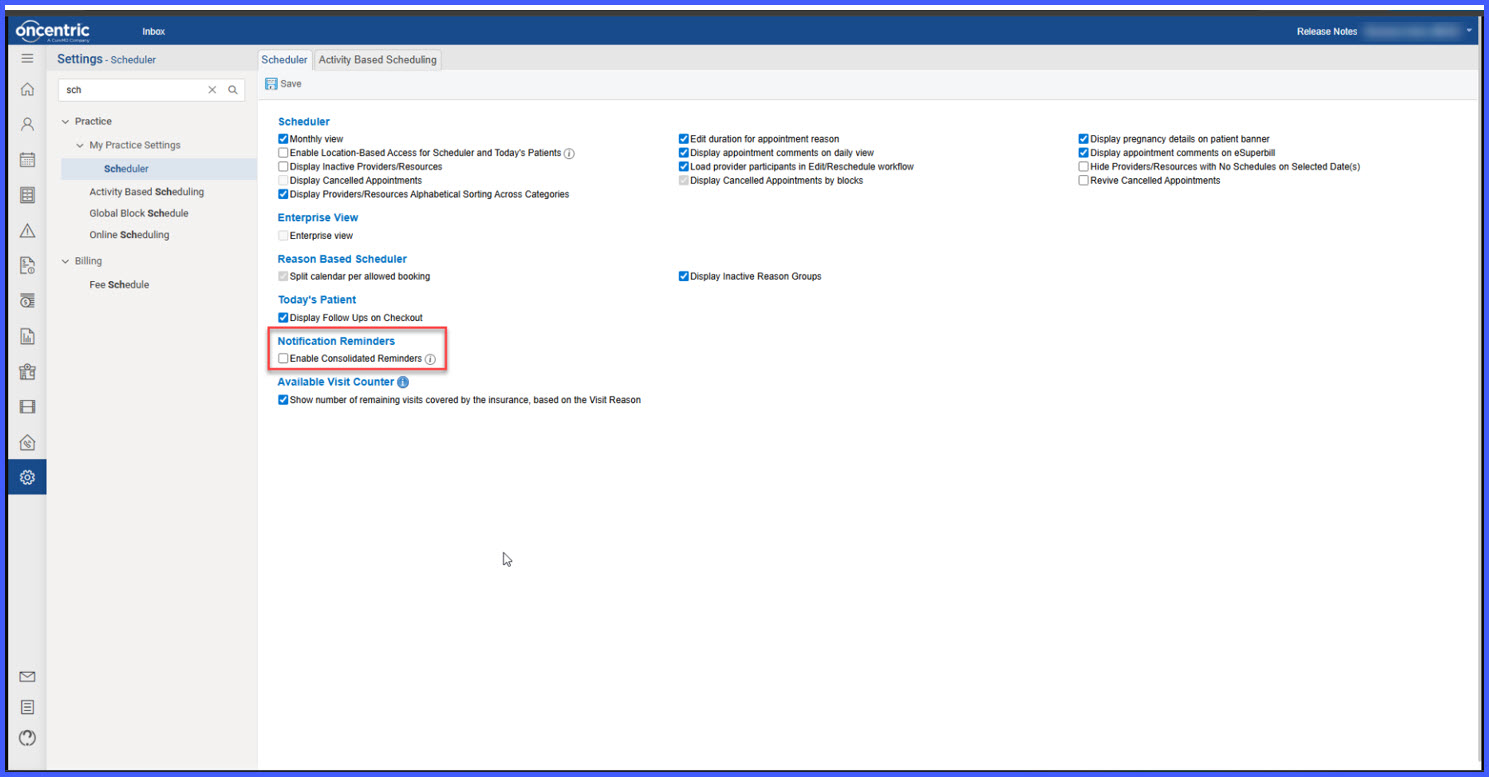
Consolidated Appointment Reminder Setting with Audit Logging

This enhancement introduces a scheduler-level setting that allows practices to send a single consolidated reminder for all same-day appointments instead of multiple individual reminders. Reminders can be sent via configured channels (email, SMS, or both). Additionally, audit logging has been implemented to track all changes made to this setting, ensuring visibility, accountability, and compliance.

merged1

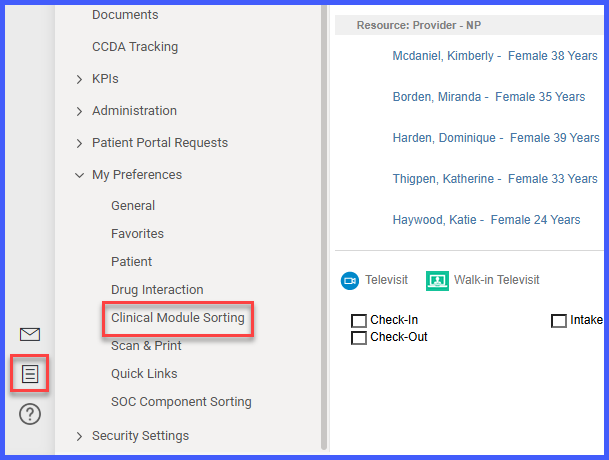
Clinical Module Sorting Merged into Customization Menu

This enhancement removes the Clinical Module Sorting option from My Preferences in the Personal module and consolidates it into the Customization Menu within the Patient module. The change centralizes configuration settings and ensures Clinical Module Sorting is managed from the appropriate workflow location.

Revised-Rel3.2

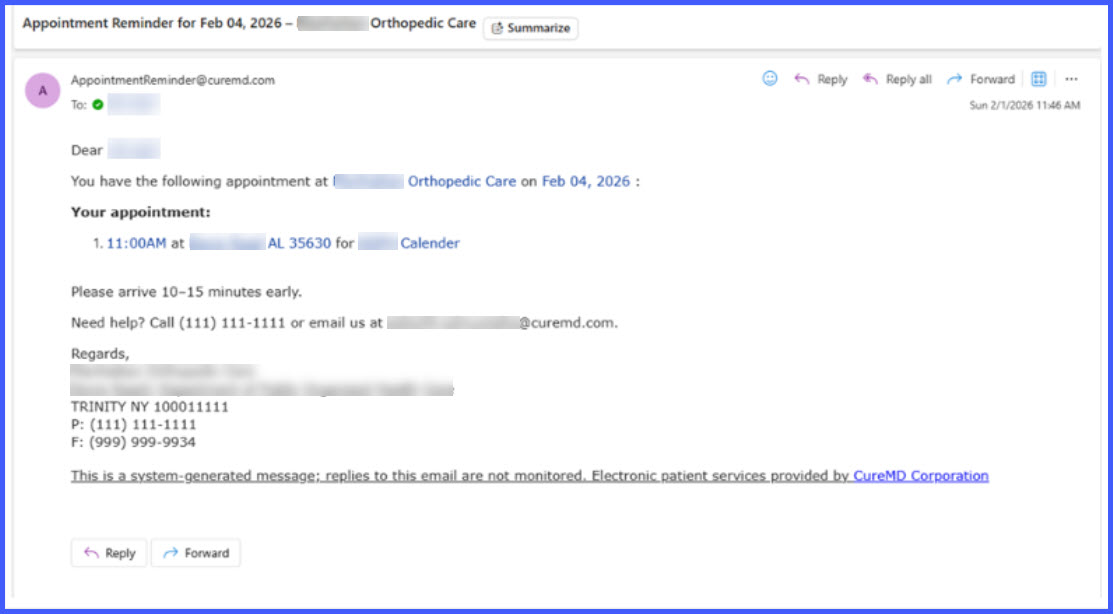
Improved Reminder Emails for Resource-Based Appointments

This enhancement improves appointment reminder emails for resource-based bookings by clearly displaying both the resource name and the linked provider, when applicable. The update ensures patients receive complete and accurate appointment details, reducing confusion and improving communication clarity.

addlegal1-1

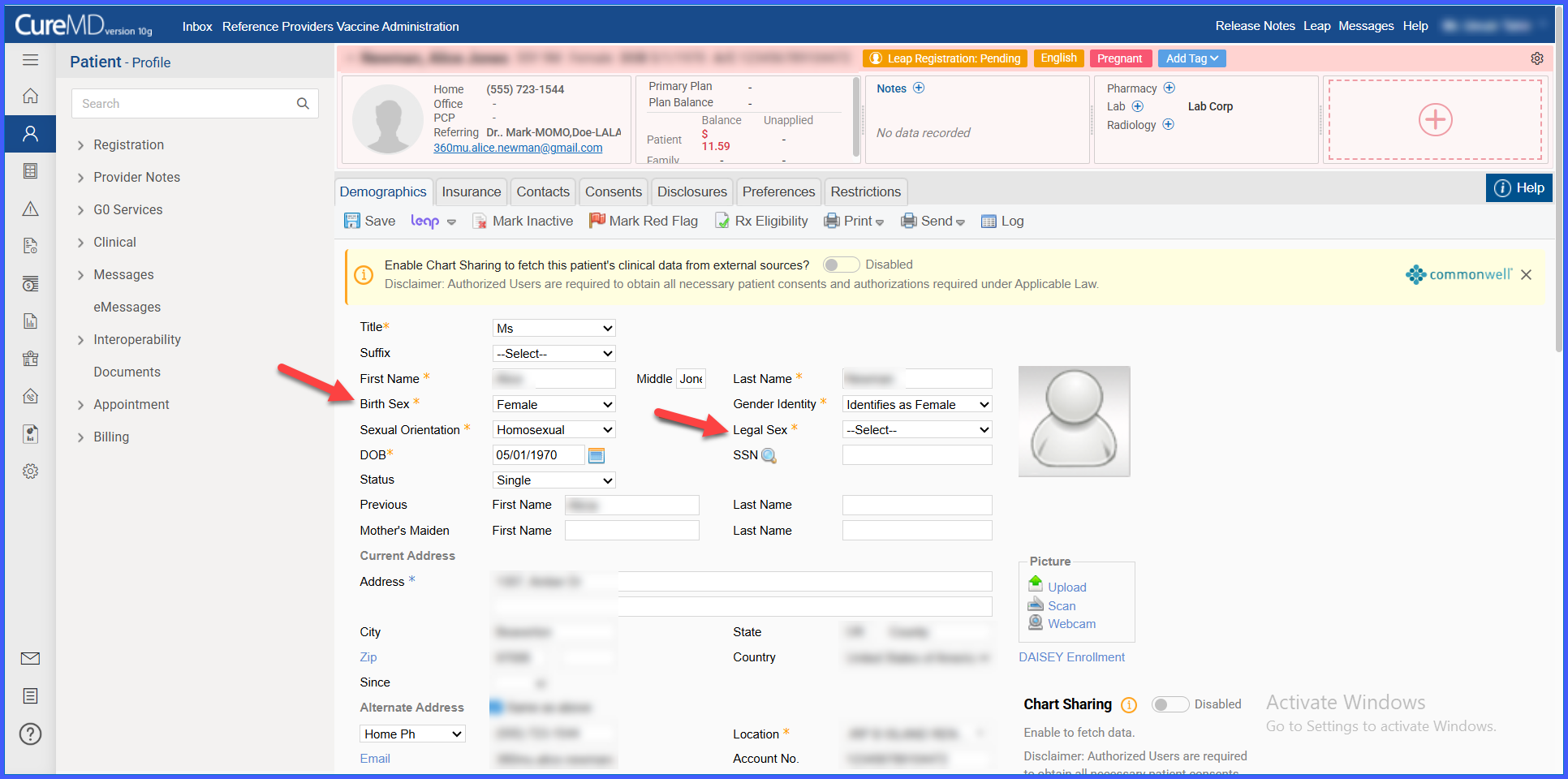
‘Legal Sex’ Field Added and ‘Gender’ Renamed to ‘Birth Sex’ in Demographics

This enhancement introduces a Legal Sex section in the Demographics tab and renames the existing Gender field to Birth Sex. The update supports standardized demographic data capture, improves clarity between legal and birth sex values, and ensures alignment with documentation and compliance requirements.

Result Dropdown Text Limit Increased

This enhancement increases the maximum text length for result dropdown options to 75 characters. It is intended for users configuring procedures and laboratory result options and allows more descriptive values to be entered during setup without truncation.

phonenumber1

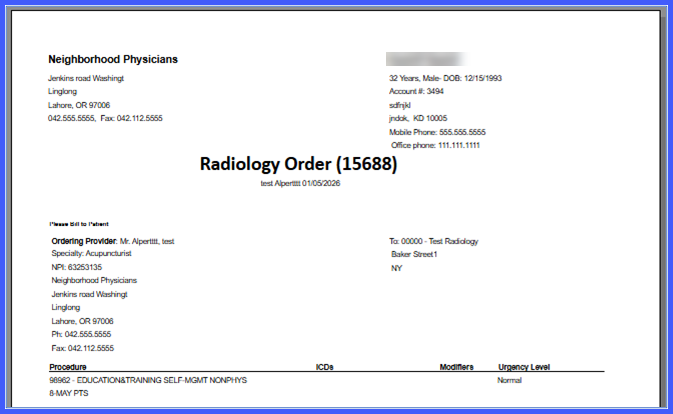
Office Phone Label Displayed on Procedure Requisitions

This enhancement updates procedure requisitions to display the full Office phone label alongside the office phone number. It ensures consistent and clear identification of the phone number type across all procedure requisition workflows.

Practice-Level Control to Display Specimen Type in Lab Flowsheet

This enhancement introduces a practice-level setting that controls whether specimen type is displayed in the lab result flowsheet. It allows practices to configure flowsheet visibility based on their preferences while maintaining consistent behavior across lab result views.

autoaccept1

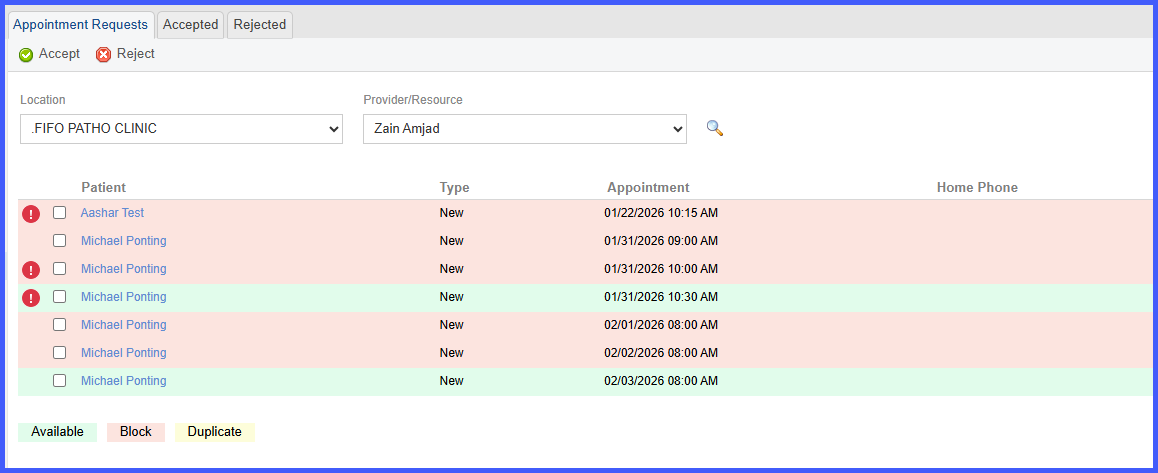
Auto-Accept Appointment Requests Based on Visit Reason

This enhancement updates Patient Portal scheduling to automatically accept and book appointment requests when the selected Visit Reason matches configured availability. It reduces manual review for valid requests while ensuring scheduling rules, availability, and provider constraints are enforced.