Restrict Location Address and Time Zone Changes After Appointment Threshold
Modify Practice Localization Settings
Manage Location Settings
Request Post-Threshold Location Updates
What’s New
- Location-level Time Zone and IANA Time Zone fields are disabled once a location exceeds the configured threshold of 10 successful appointments.
- Location-level Address fields are also disabled after the threshold is exceeded.
- Hovering over a disabled field displays the message:
“This field cannot be updated because appointments already exist for this location.” - Practice-level Time Zone and IANA Time Zone fields remain editable.
- Practice-level localization changes no longer update or overwrite associated Location-level localization settings.
- The Practice-level localization confirmation message has been updated to:
“Would you also like to update Localization Settings for associated Practice Users and Patient Portal Users?” - Changes to restricted Location-level Address or Time Zone fields after the threshold is exceeded must be completed through contacting CureMD Support.
How It Works
- Navigate to the Practice > Location configuration.
- Open a location that has exceeded the configured threshold of 10 successful appointments.
- Attempt to modify the Location Address, Time Zone, or IANA Time Zone fields.
- The affected fields appear disabled, preventing further edits.
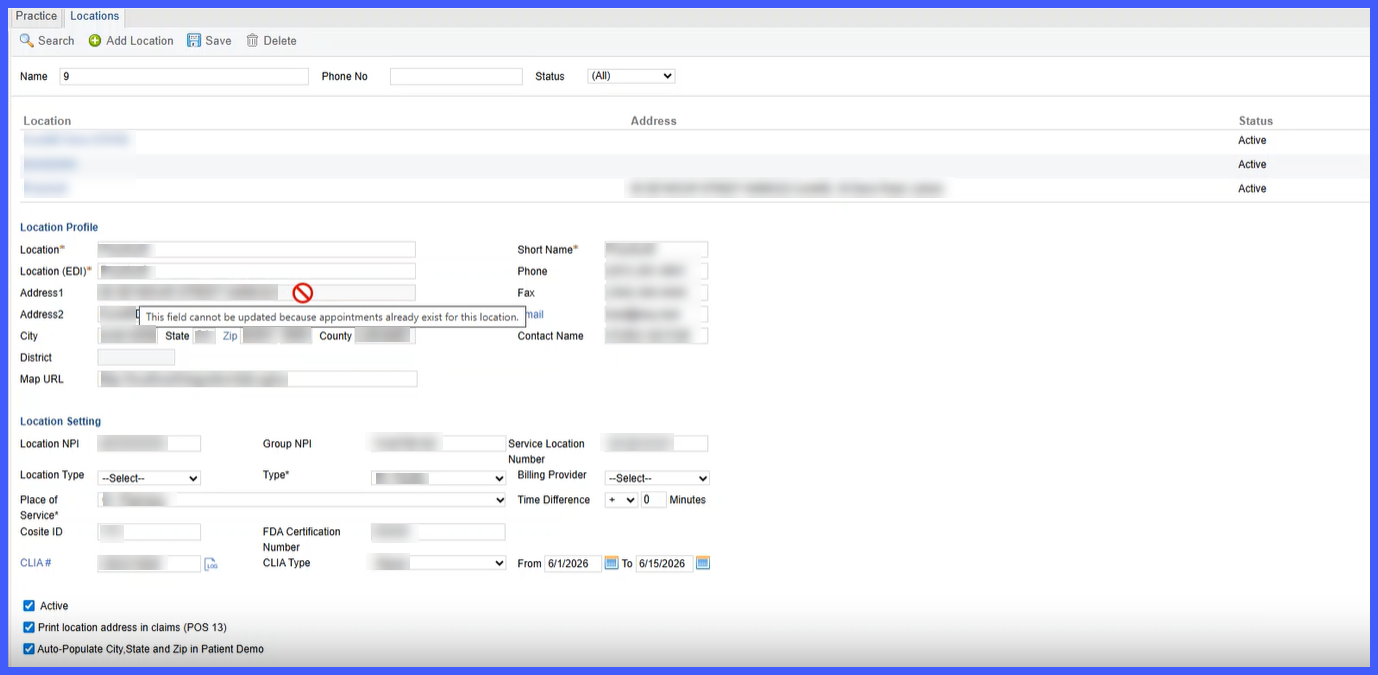
- Hover over any disabled field to view the restriction message.
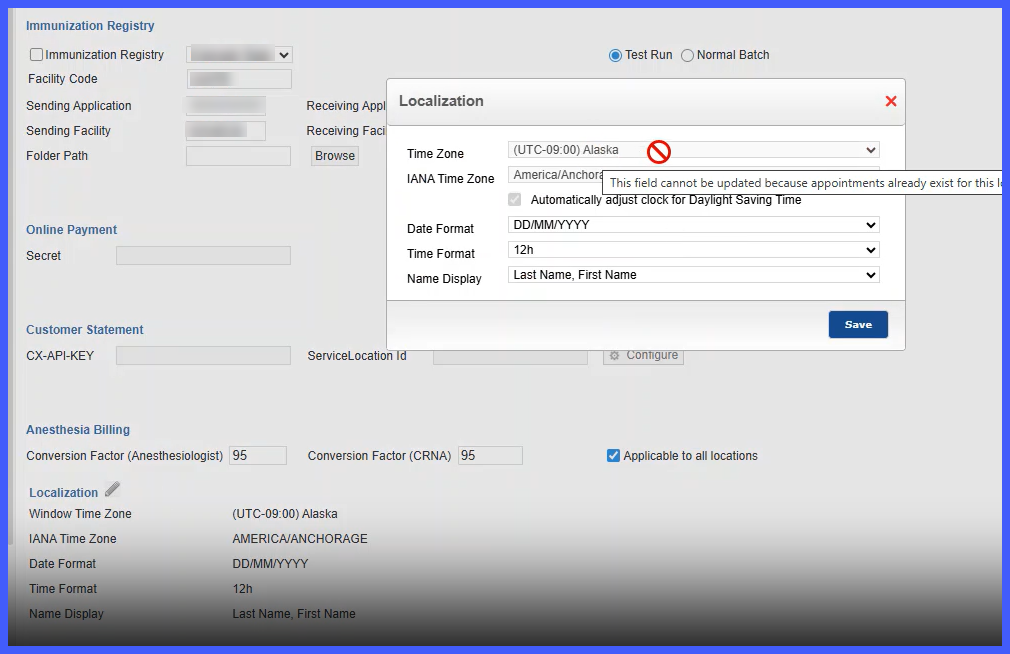
- Practice-level Time Zone settings remain editable and continue to function independently of Location-level settings.
- If Location-level changes are required after the threshold has been exceeded, please get in touch with CureMD Support.
Benefits
- Prevents location data mismatches between CureMD and Leap.
- Preserves synchronization for existing and future appointments.
- Reduces the risk of inconsistent Address and Time Zone information across scheduling workflows.
- Clearly communicates restricted fields through informative tooltips.
- Maintains flexibility by allowing Practice-level localization updates while protecting Location-specific settings.
