Sorted:

Rel12-10

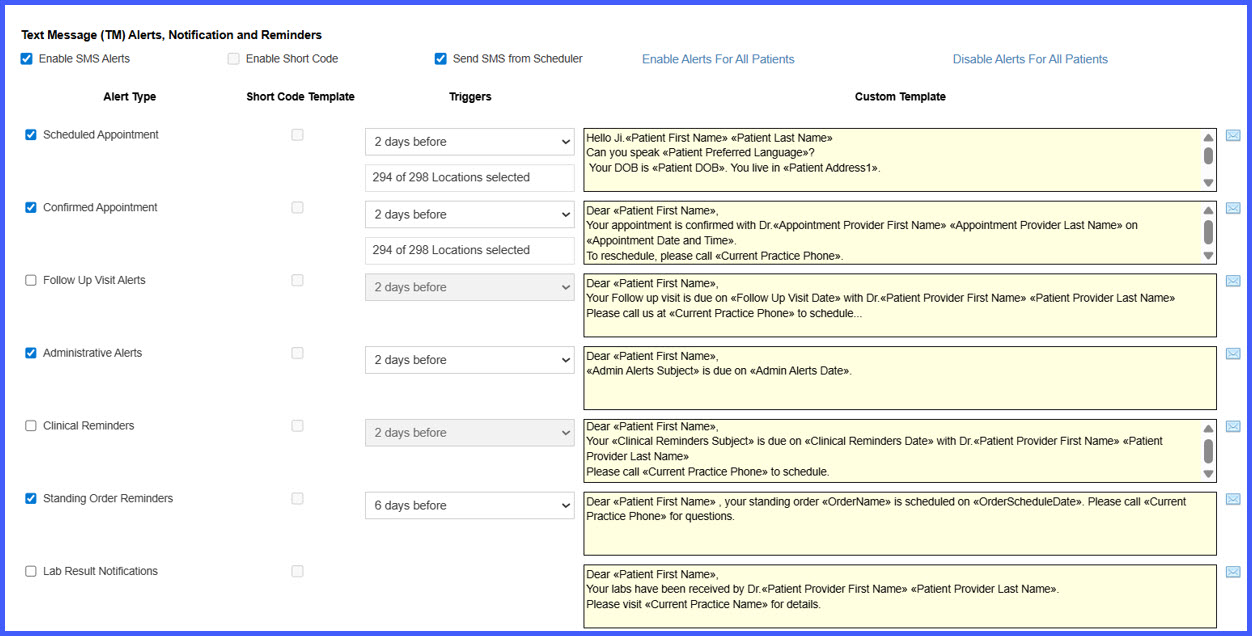
Patient Text Reminders for Standing Order Recurrences

Standing order recurrences can now trigger automated patient SMS reminders, helping ensure patients follow through with recurring tests and procedures. These reminders are tied directly to recurrence schedules and configurable through Device Integration settings.
Rel12-7.1

Support Added for Myanmar Text, Nirmala UI, and Mallory Fonts in Letters & Consent Forms

Users can now apply Myanmar Text, Nirmala UI, and Mallory fonts when configuring Letters and Consent Form templates. This enhancement ensures accurate and inclusive rendering of multilingual patient communications while supporting compliance with Section 1557 of the Affordable Care Act.

Rel12-7.1

Standing Orders – Create, Manage, and Automate Recurring Orders

The Standing Orders enhancement introduces a comprehensive workflow for creating and managing recurring lab, radiology, and procedure orders. Providers can now configure, view, edit, and automate standing orders with clear visual indicators, scheduling controls, and improved tracking across all modules.

Rel12-6

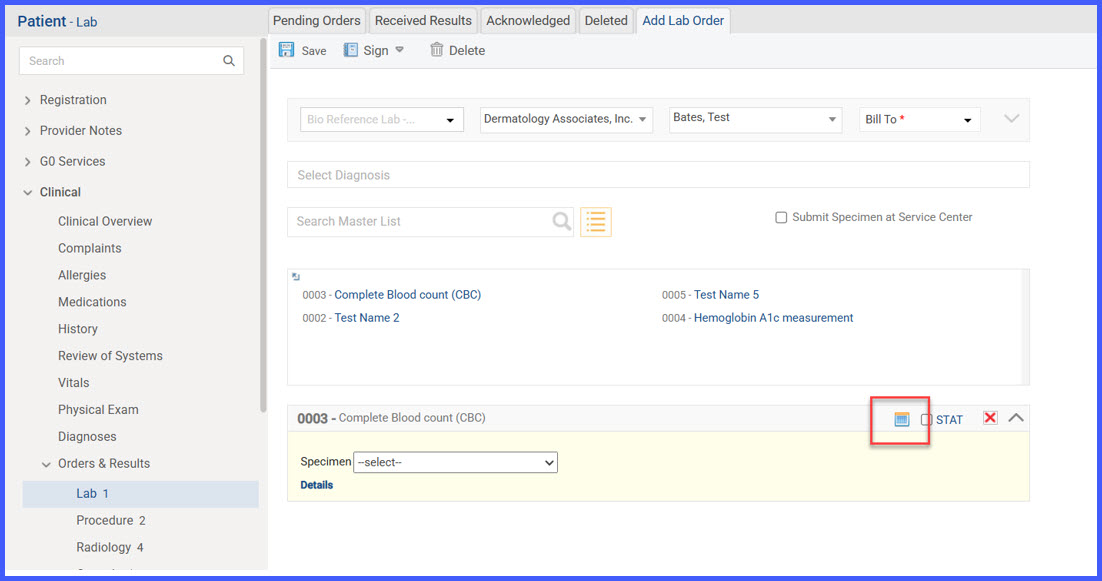
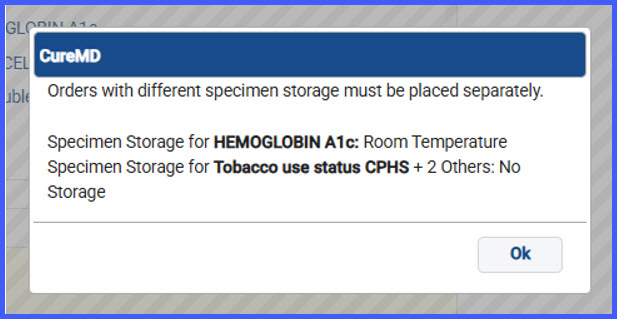
Specimen Storage Tooltip and Storage Mismatch Pop-up Enhancements

Enhancements have been made to the Lab Order workflows to improve clarity around specimen storage types. Users can now view specimen storage details via tooltips on added order tiles and receive a clear pop-up prompt when attempting to combine orders with different or unspecified storage types. These updates ensure consistent handling of lab orders and prevent storage-related submission errors.

Rel12-5

Provider Fax Number Display in Order Requisition Header

The system now displays the provider’s fax number, instead of the practice fax number, on order requisitions for Consultation and Other Orders once the order is signed. This update ensures that communication details are accurate, consistent with prior enhancements made to Procedure Requisitions, and reflect the correct provider contact information.

Rel12-11.2

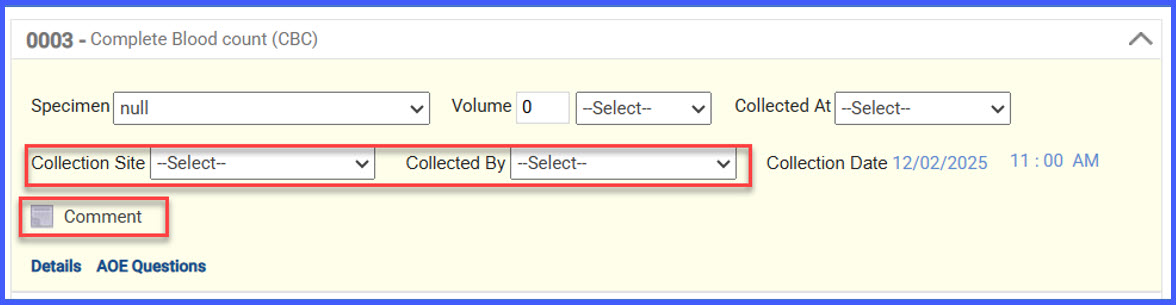
Enhancements to Pending Order Preview Tab and Specimen Details

With this update in the CureMD application, users will experience improved functionalities and new fields in the Pending Order Preview tab and Specimen Details. These enhancements aim to provide a more streamlined and informative process for managing lab orders.

COIupdate1

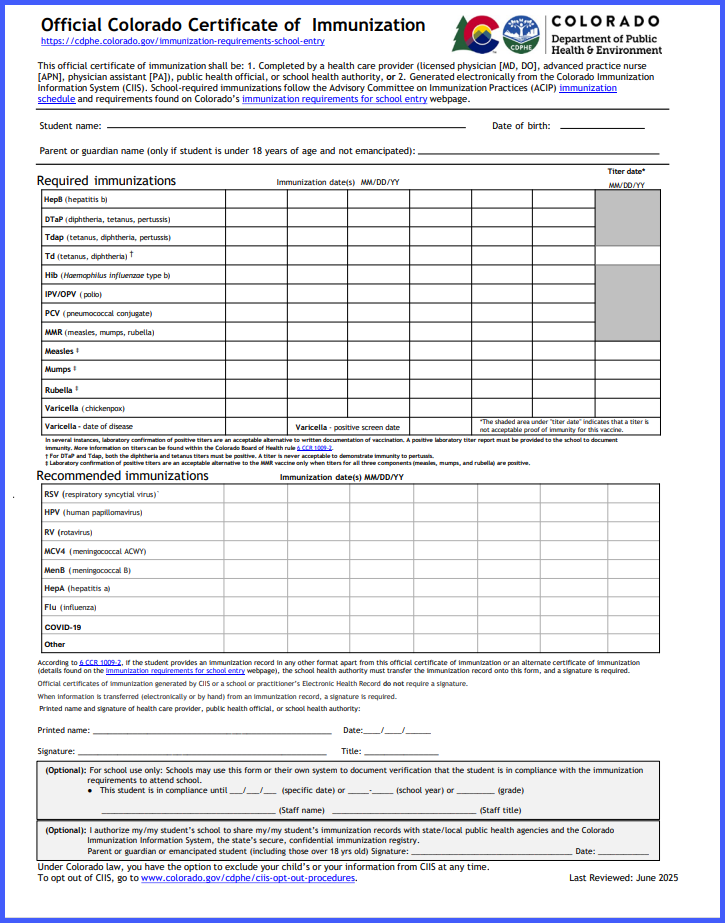
COI Layout Update with COVID-19 & RSV Category and Revised Timestamp

This update applies only to clients using the Colorado Immunization Registry (CIIS) electronic interface. The Certificate of Immunization (COI) has been updated to reflect the new layout, add the COVID-19 & RSV category to the Recommended Immunizations section, and correct the “Last Reviewed” timestamp. The revised form matches the redesigned CIIS format while retaining all existing data fields.

REL12-4

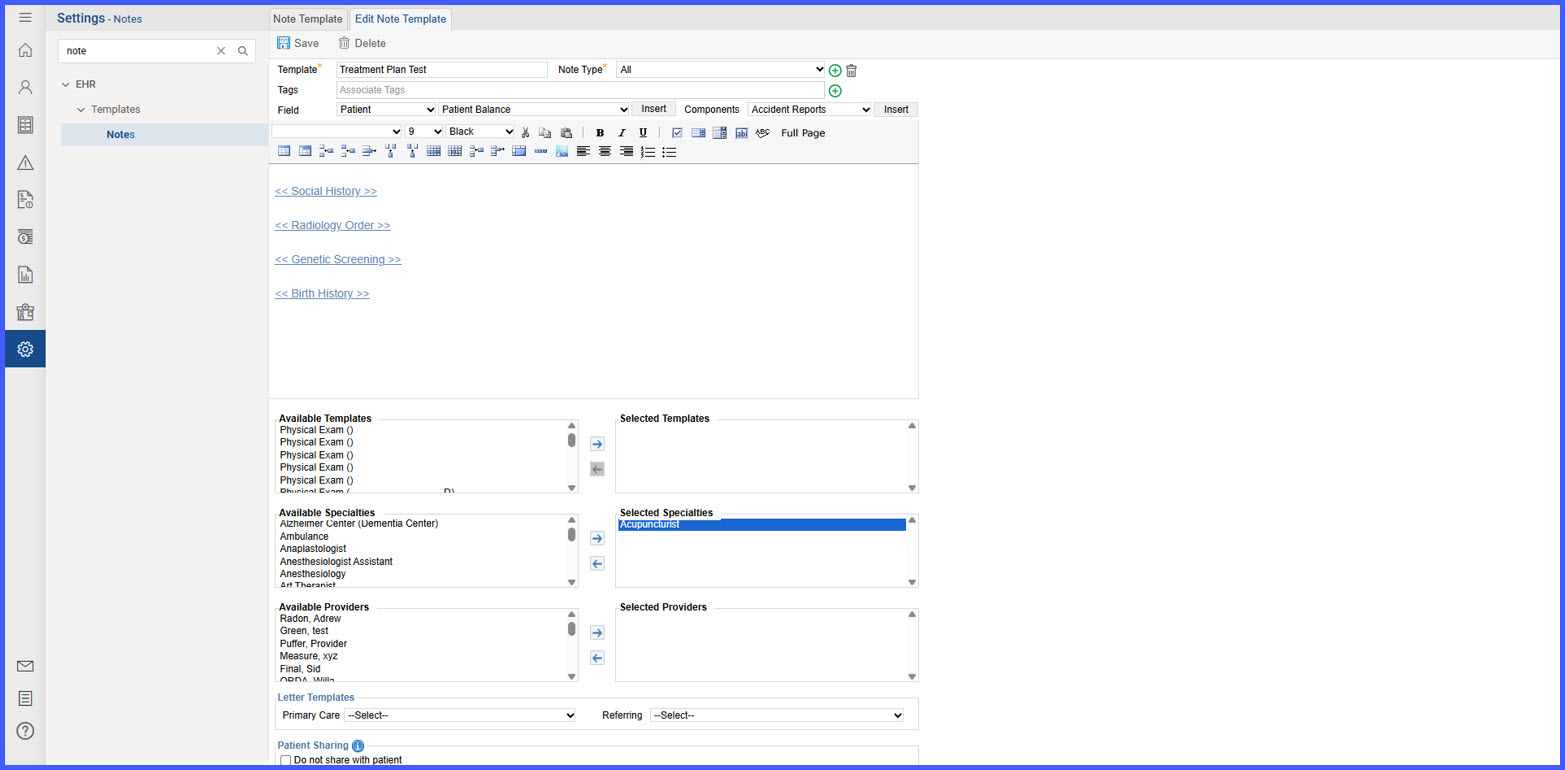
Provider note template visibility by provider

The user configures note templates with specialties and specific providers through Available Providers and Selected Providers fields on the Notes Templates page. This targeted configuration reduces clutter in the provider note dropdown and helps the user quickly find relevant templates for their specialty and role.

Rel-12-2

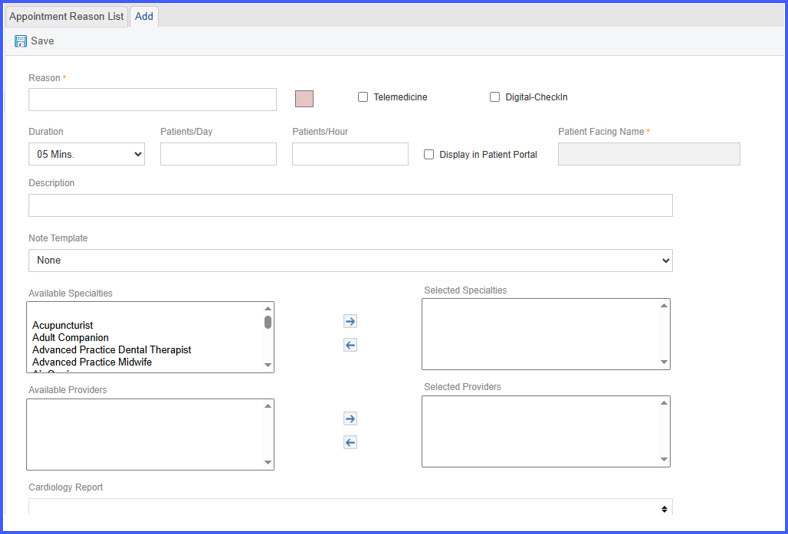
Enhanced Visit Reason Display in Patient Portal with Patient-Friendly Labels & Automatic Duration Handling

This enhancement improves how visit reasons appear in the Patient Portal by introducing patient-friendly naming, configurable visibility, and automatic appointment duration handling. Practices can now control which visit reasons display to patients, ensuring clarity, compliance, and a smoother scheduling experience.

Rel-12-1

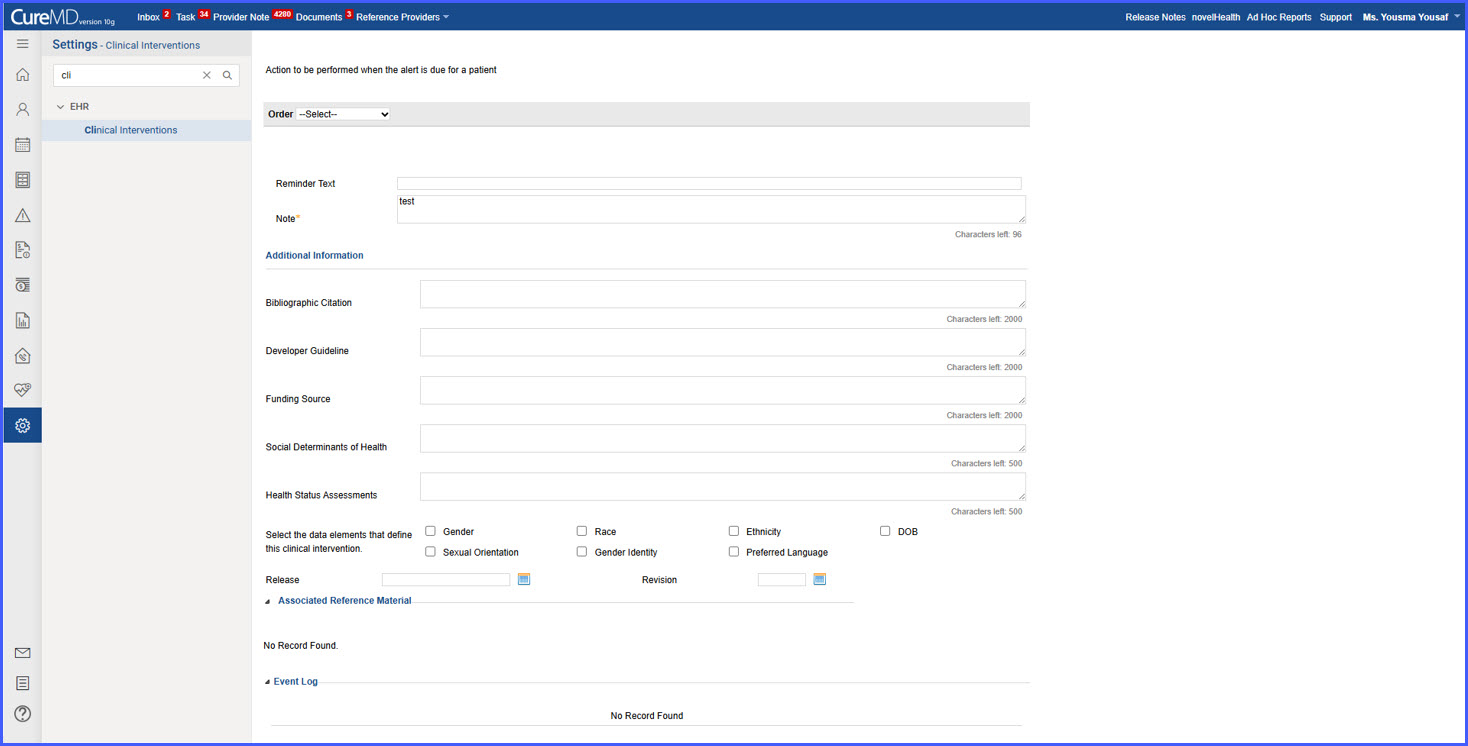
Character-Limited Fields for Social Determinants and Health Status in Clinical Intervention

With this enhancement in the CureMD application, the Clinical Intervention section includes input fields for Social Determinants of Health Data and Health Status Assessments, each limited to 500 characters. This ensures users can document relevant details within defined limits while preserving data integrity.