Sorted:

image-5

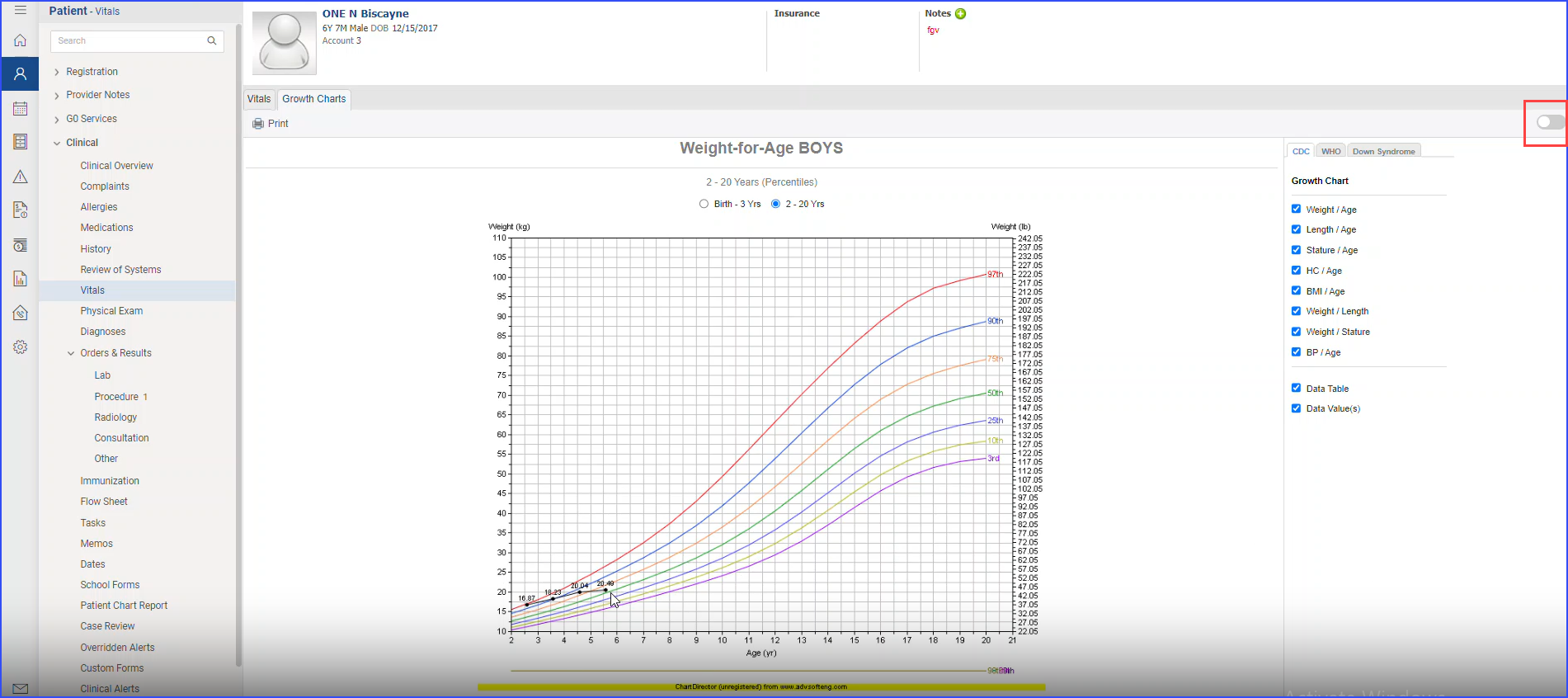
Toggle Between Imperial and Metric Units in Vitals Section 

With this enhancement in the CureMD application, users can toggle between Imperial and Metric units when viewing the growth chart's data table in the Vitals module. This allows users to present measurements in the unit system that is most familiar to their clients and patients. 
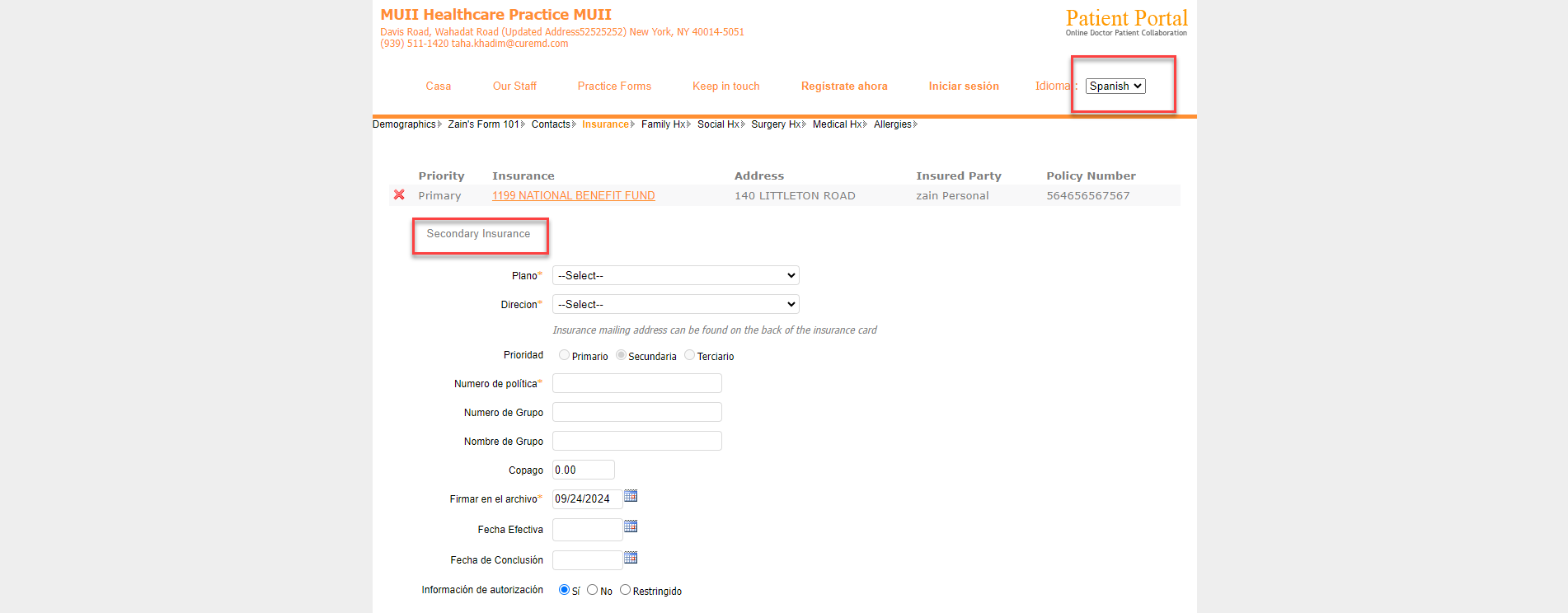
image-4

Spanish Language Support for Patient Portal Login

With this enhancement in the CureMD application, users can select Spanish as their preferred language on the patient portal login page. This feature enhances accessibility and allows Spanish-speaking users to navigate the login page in their preferred language for a more inclusive experience.

expfdb

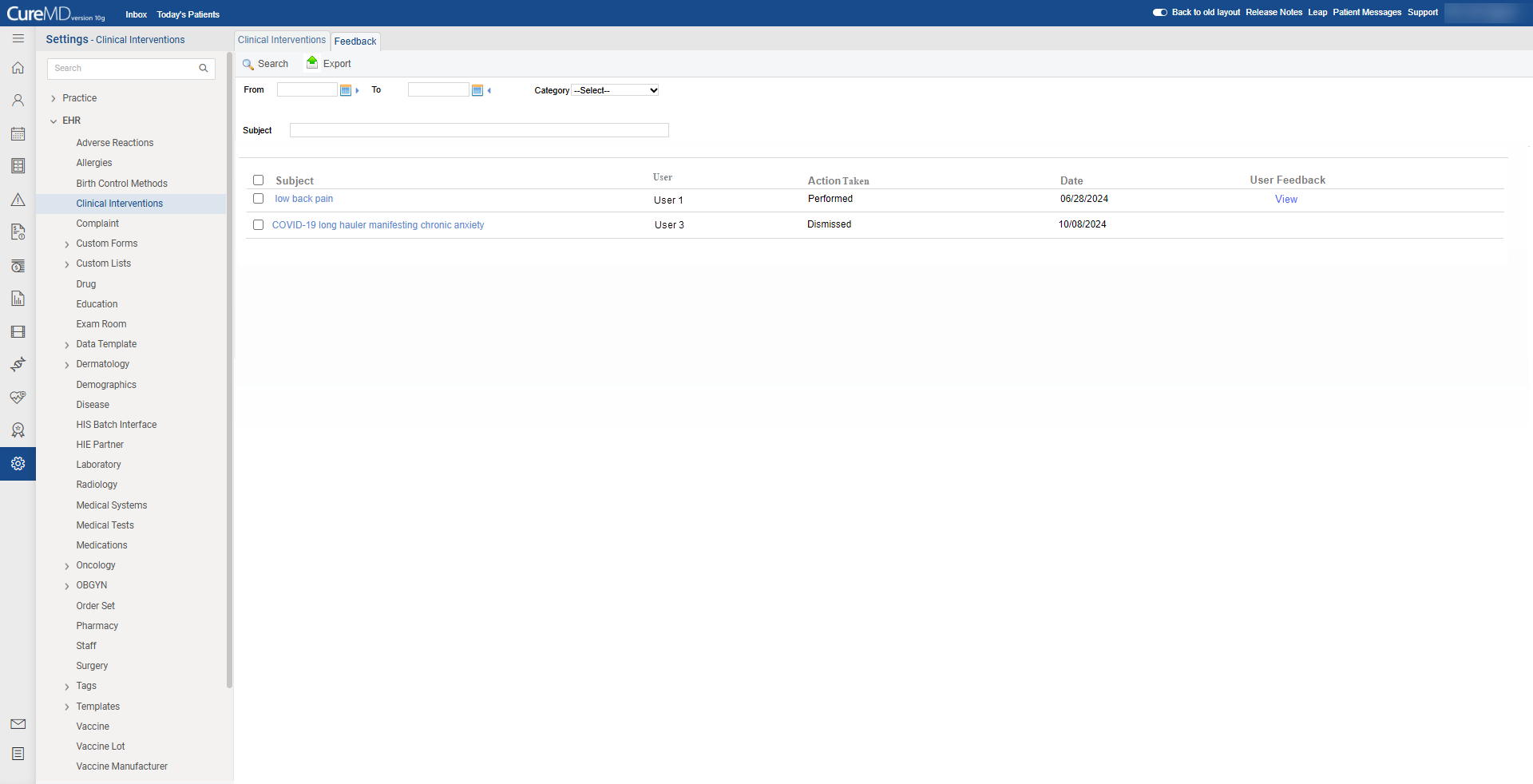
Clinical Alerts Feedback Export Functionality

With this enhancement in the CureMD application, users can export a summary of actions performed against clinical alerts and associated user feedback (if any). This functionality enables users to download a CSV file containing details of their clinical interventions for review and analysis.

clinicalalert

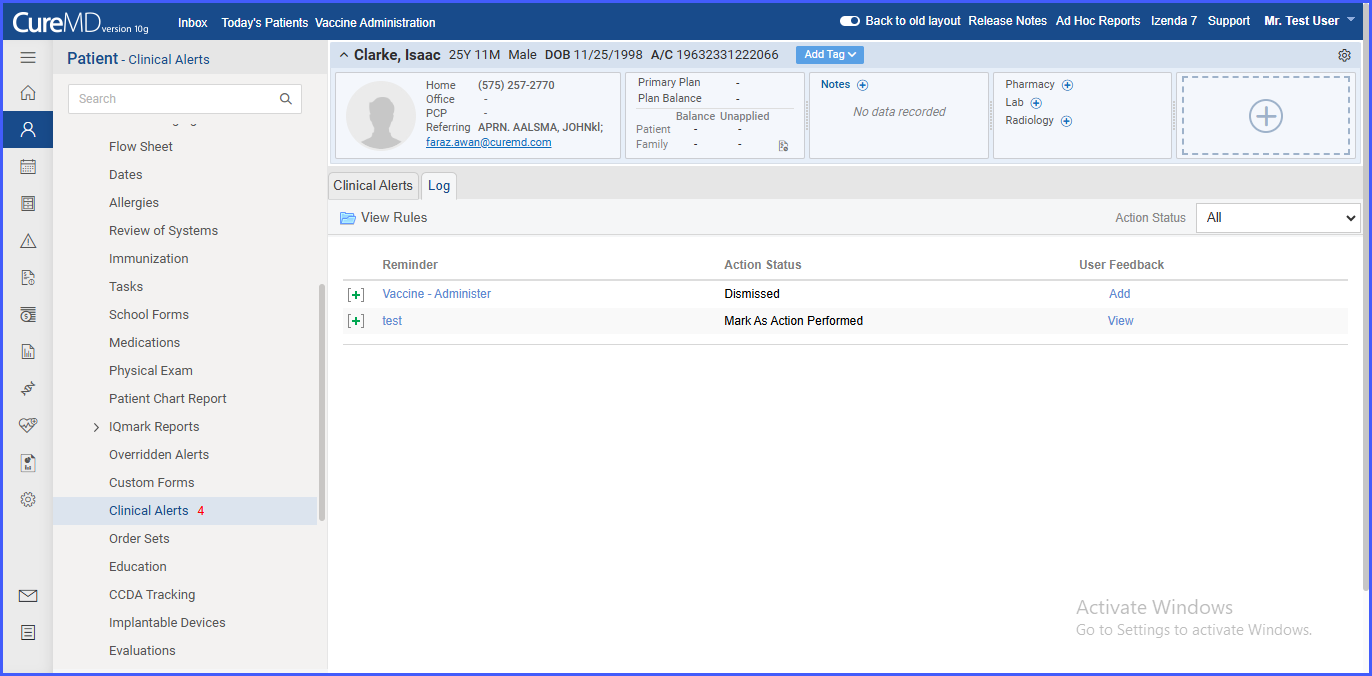
Feedback Mechanism for Clinical Alerts on the 'Log' Page

With this enhancement in the CureMD application, users can provide feedback on clinical alerts directly from the 'Log' page. This update enables users to document their insights and actions regarding specific alerts in clinical scenarios.

clinicalalert

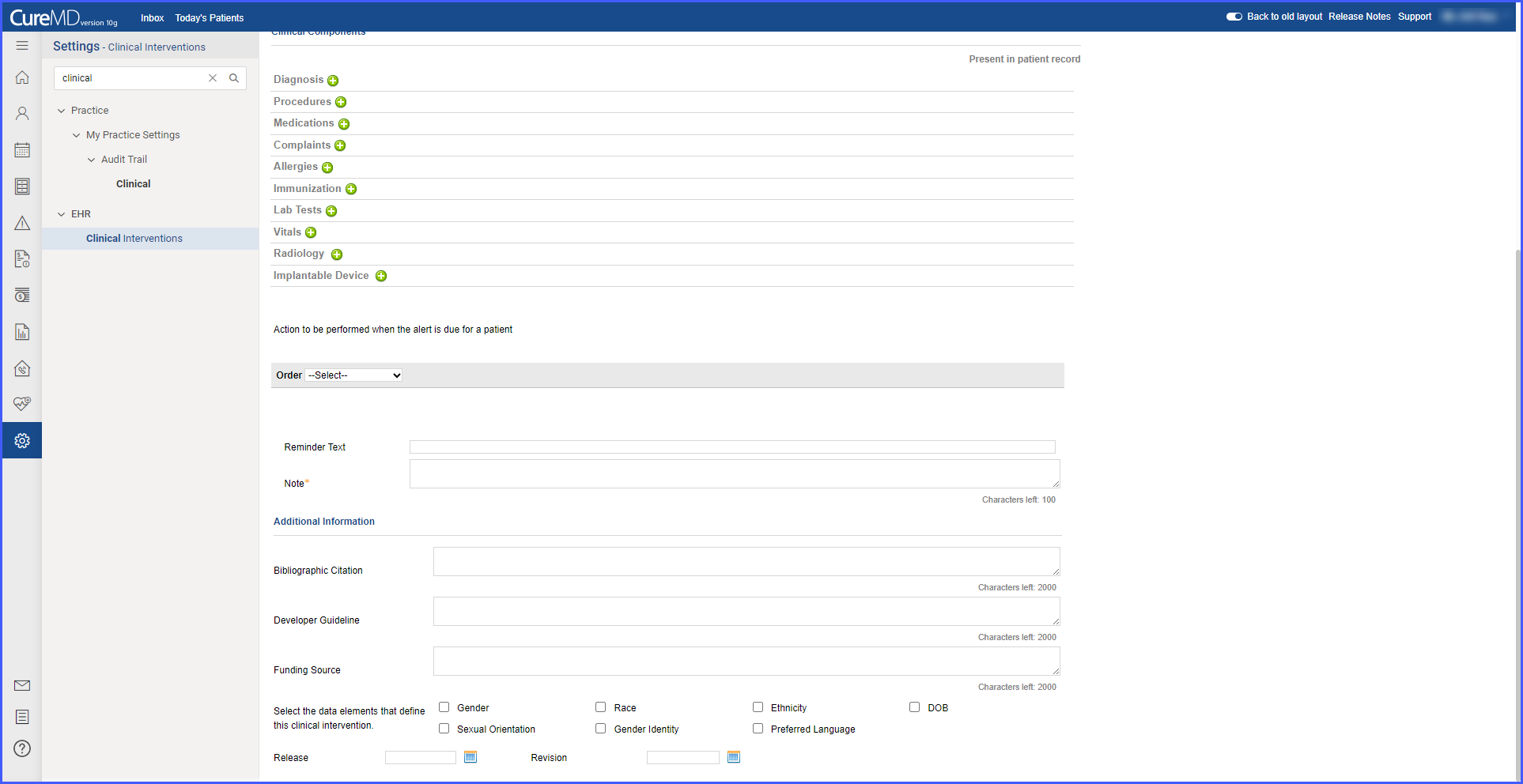
Clinical Intervention Source Attributes on the Clinical Interventions Page

With this enhancement in the CureMD application, users can now manage source attributes on the Clinical Interventions page. This functionality supports accurate documentation and tracking of source information for CDS, improving decision support transparency.

Set-Clin-Alert

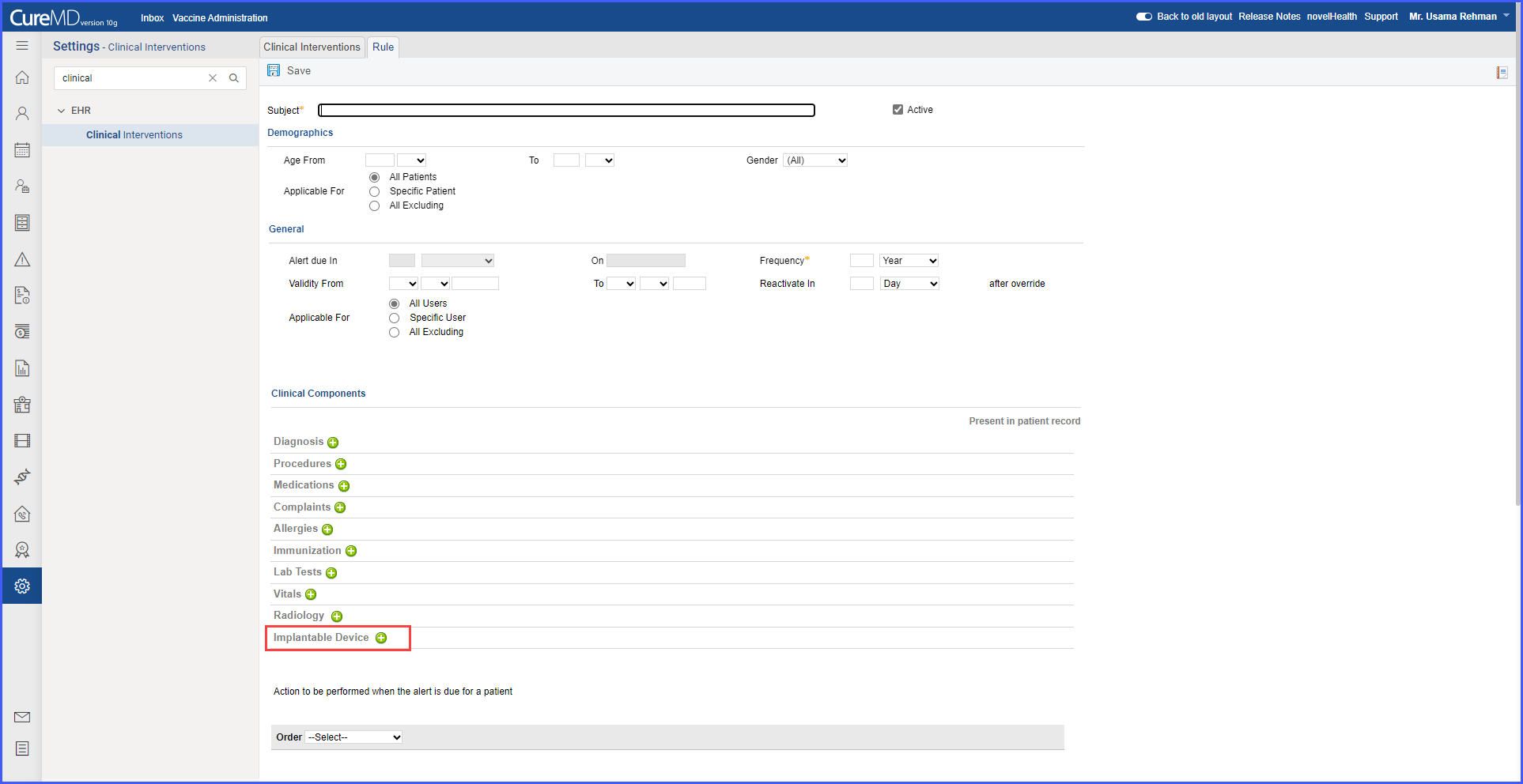
Addition of Implantable Device clinical component on Clinical Interventions page

With this enhancement in the CureMD application, users can define clinical alerts using the 'Implantable Device' component. This change enables users to set device-specific criteria, allowing targeted alerts based on implantable device status and profile requirements. 

FeatuedSMART

Manage Source Attributes for Predictive DSI on the SMART Apps page. 

With this enhancement in the CureMD application, users can manage source attributes for the apps that support Predictive DSIs, on the SMART Apps page. This feature enables configuration of decision support interventions by allowing users to add, access and edit source attributes specific to Predictive DSIs.

clinicalalert

Export Functionality in Tumor Assessment

With this enhancement in the Tumor Assessment section, users can now seamlessly export tumor assessment data to an Excel file using the newly added "Export to Excel" button. This functionality streamlines the process, enabling users to easily analyze, store, and share tumor assessment data for further review or record-keeping.

Web-Payments-1

Online Bill Payment through Web Payment System

With this enhancement in the CureMD application, patients can pay their medical bills online using either a statement number or personal details if the statement number is unavailable. This simplifies the billing process, offering patients a secure and flexible payment experience.

Picture2-1

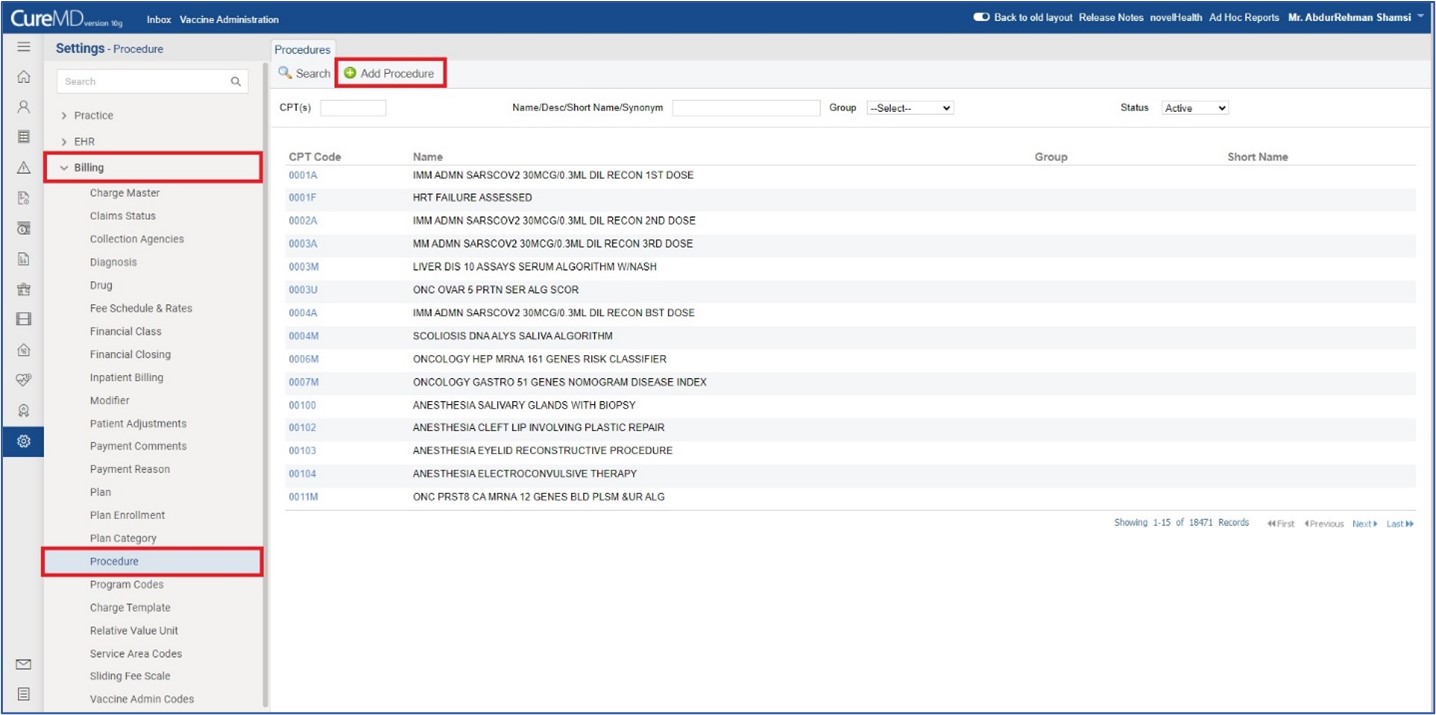
Procedure Settings Page Enhanced for Adding and Managing Procedure Details

With this enhancement in the CureMD application, users can efficiently add, edit, and organize procedure details on the Procedure Settings page. This update enables better customization and control over procedure codes, synonyms, and associated information within the system.