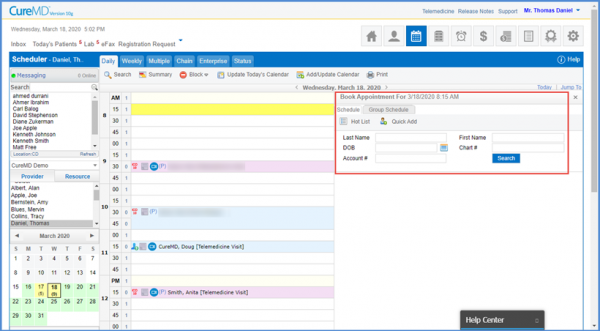
Sorted:

[caption id="attachment_16000" align="aligncenter" width="600"]Accept-Reject-button-600x252 Accept/Reject button[/caption]

Updates for Refill Requests

An email alert system can be used to notify a patient about the status of their prescription refill request.

[caption id="attachment_15989" align="aligncenter" width="600"]Walk-Away-Bill-600x319 Walk-Away Bill[/caption]
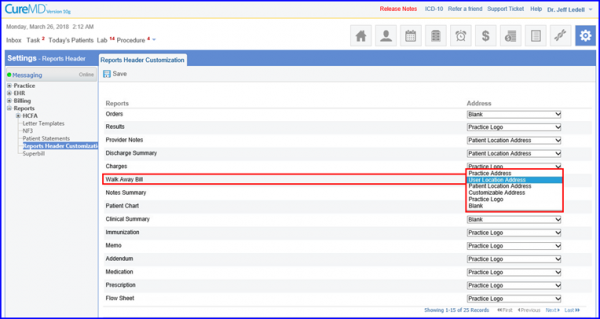
Reports Header Customization For Walkaway Bills

Enables users to specify a Patient’s Location Address on Payment Receipt.
3-31-920x416-1

[caption id="attachment_15981" align="aligncenter" width="600"]Monthly-Summary-Report1-600x569 Monthly Summary Report[/caption]

Zero Financial Activity Months in Collection Ratio Reports

The Monthly Summary Report prints days with zero financial activity within Collection Ratio reports. Thus, ensuring consistent reporting and quick reconciliation.
4-920x464-1

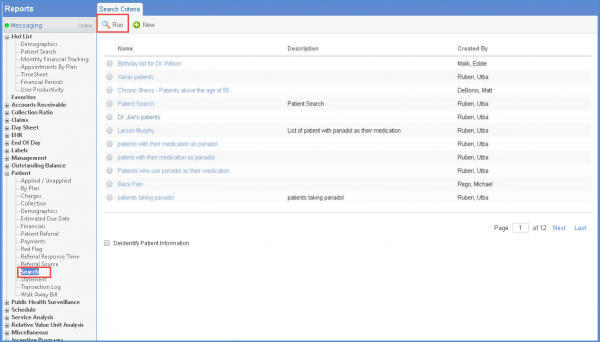
[caption id="attachment_15973" align="aligncenter" width="600"]Patient-List-600x320 Patient List[/caption]

Patient Level Details in ACI Measures

Enables users to view patient listing for ACI Measures in Quality Programs module.
cms161v8-920x711-1

[caption id="attachment_15962" align="aligncenter" width="600"]Deactivated-Entities-600x321 Deactivated Entities[/caption]
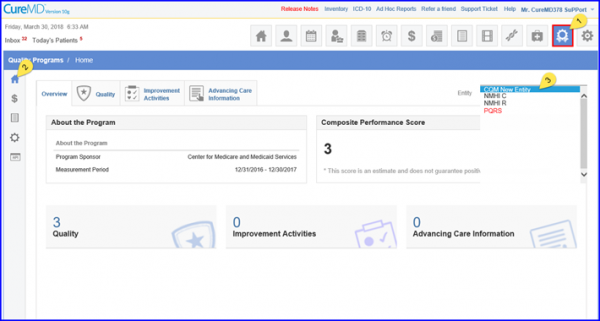
Performance of Deactivated Entities

User Permissions for Fee SchedulesAssign different User Permissions via CureMD application to allow authorized users to make changes in Fee Schedules.

[caption id="attachment_15957" align="aligncenter" width="600"]Associate-Rights-to-a-User-600x321 Associate Rights to a User[/caption]
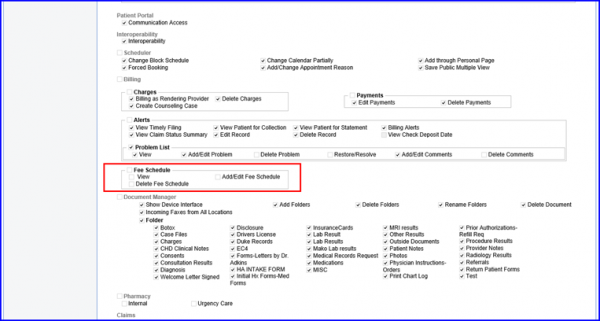
User Permissions for Fee Schedules

Assign different User Permissions via CureMD application to allow authorized users to make changes in Fee Schedules.
Patient-Search-Repor-newt-600x342-1

[caption id="attachment_15948" align="aligncenter" width="600"]Self-Pay-Icon-600x322 Self-Pay Icon[/caption]
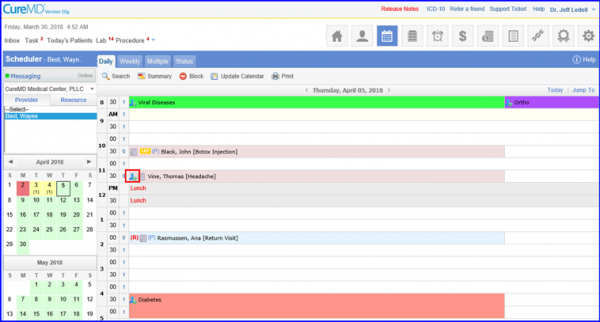
Self-pay Patient Indication on Scheduler

The Self-pay icon on Scheduler module, enable users to identify self-pay appointments that do not have an insurance associated with them.

[caption id="attachment_15937" align="aligncenter" width="600"]Provider-Note-600x321 Provider Note[/caption]
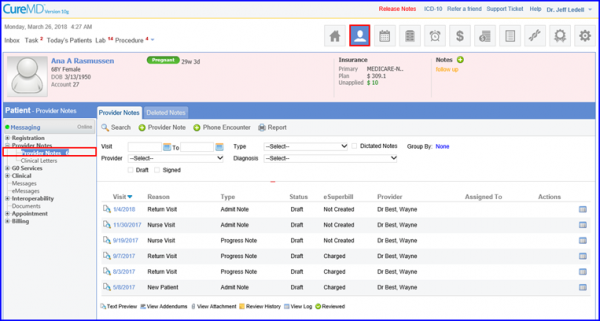
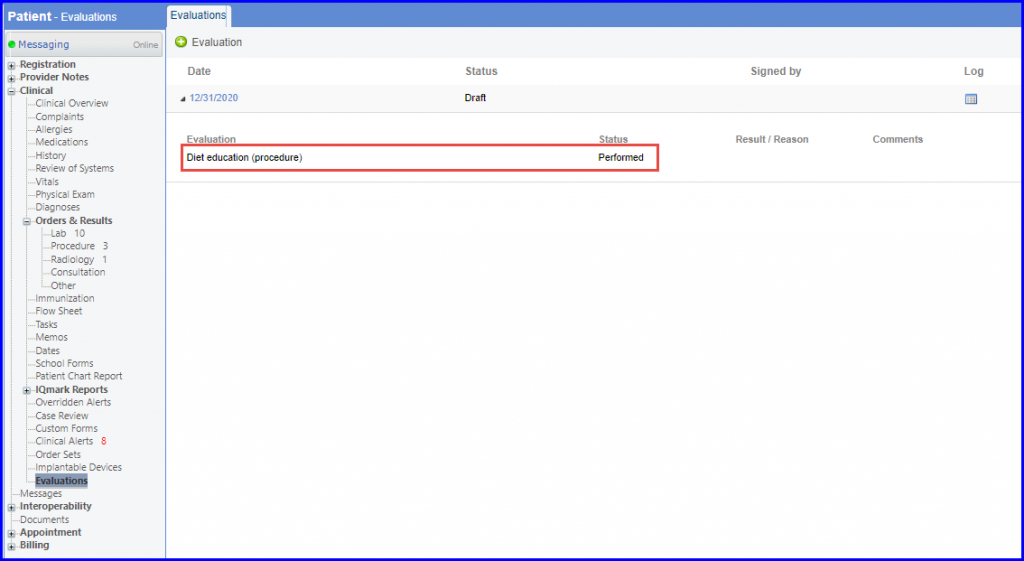
Evaluations on Provider Note

With this feature users can record interventions, risk assessments and patient screenings directly from a provider note.
3-6-1024x561-1
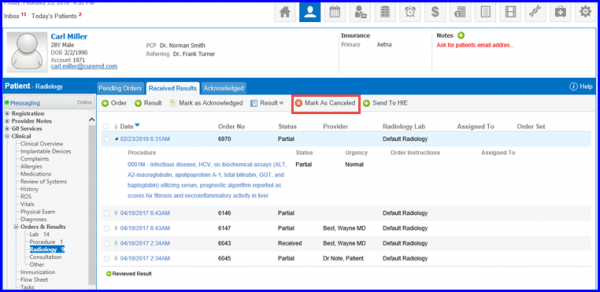
[caption id="attachment_15922" align="aligncenter" width="600"]mark-as-cancelled-e1523272856246 Mark as Cancelled[/caption]

Radiology Order Logs and Cancelled Orders

User can mark signed radiology orders as canceled using Mark as Cancelled button.
Scheduler-600x331-1

[caption id="attachment_15879" align="aligncenter" width="600"]Chemo-Appointment-600x300 Chemo Appointment[/caption]

Schedule Patients for Non-Smart Plan

CureMD is providing its users with an option to schedule patients for non-smart plan, partial smart plan and chemo admin without plan on Chemo Admin page.