Sorted:

DeleteIcon
[caption id="attachment_16284" align="aligncenter" width="600"]sort-0-600x272 Sort Users[/caption]

Sort Practice Users by Last Name on Patient Portal

In To field, user can add name of Practice users to whom message is supposed to be sent. These names are sorted on basis of last name.
1111pers-1
[caption id="attachment_16281" align="aligncenter" width="600"]Adendum-1-600x307 SPARCS[/caption]

Implementation of SPARCS new file Format and Edits

SPARCS has modified the claim file submission criteria according to X12 standards.

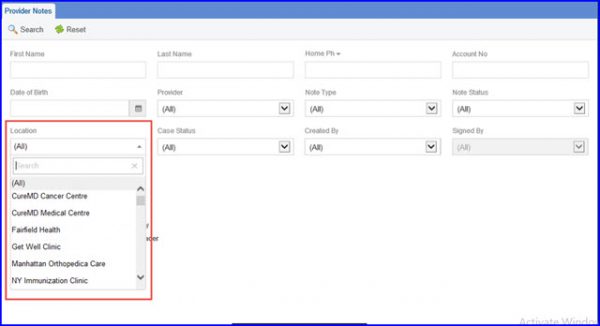
Program and Location Association

Users can create and search for program codes specific to location to streamline the process of billing over multiple locations.
293100-test1-1-1
[caption id="attachment_16274" align="aligncenter" width="600"]Appointment-Location-600x295 Appointment Location[/caption]

Debt Setoff Report-Appointment location

Appointment Location drop-down allows the user to select all the location for that practice.
96088_1-1
[caption id="attachment_16271" align="aligncenter" width="600"]Improvement-Activities-600x327 Improvement Activities[/caption]

MIPS Dashboard - Bonus for Improvement Activities

The Improvement Activities performance category assesses how much a provider participates in activities that improve clinical practice. User can indicate whether an entity is eligible for bonus by toggling appropriate slider
100701_9-1

[caption id="attachment_16264" align="aligncenter" width="600"]Quality-Programs-1-600x323 Quality Programs[/caption]

MIPS Dashboard - Distinguish Quality Measures by Benchmark and Case Minimum

Quality measures under MIPS have been sub-categorized into Efficiency, Intermediate Outcome, Outcome, Patient Engagement/Experience, Process and Structure measures. The measure types can be identified by icons. To clearly distinguish between these measures; CureMD has introduced symbols for measures
icon-2
[caption id="attachment_16254" align="aligncenter" width="600"]status-changes-to-enrolled-1-600x297 CCM[/caption]

Updates to CCM Module

User can search a patient on the basis of Account Number. Also user can update the status of the patients who decline  CCM services.
Picture5-1

[caption id="attachment_16231" align="aligncenter" width="600"]Touch-Screen-Check-Box-1-600x275 Signature Preferences[/caption]

User preferences for Signature Pad

In Preferred Signature Method section, user can set preference for tablet or touch device by enabling the Touch Screen checkbox.
billingamount-1

[caption id="attachment_16224" align="aligncenter" width="561"]4.-Add-Multiple-Saturation-1-e1523013350795 Add Multiple Saturation[/caption]

Add Multiple Saturation in Vitals

User can document multiple records of vitals in this section. In Pulse section, users can document patient’s state from the Position drop-down. Furthermore, users can also record Activity and Time of every Saturation level in Oxygenation section.
44-2-1

[caption id="attachment_16219" align="aligncenter" width="600"]Advanced-Search-2-600x311 Advanced Search[/caption]

Search Patients By Middle Name

To refine the search results, user can also specify Middle Name and Zip Code fields in advanced search tab.