How to Administer Drugs in Chemo Admin?
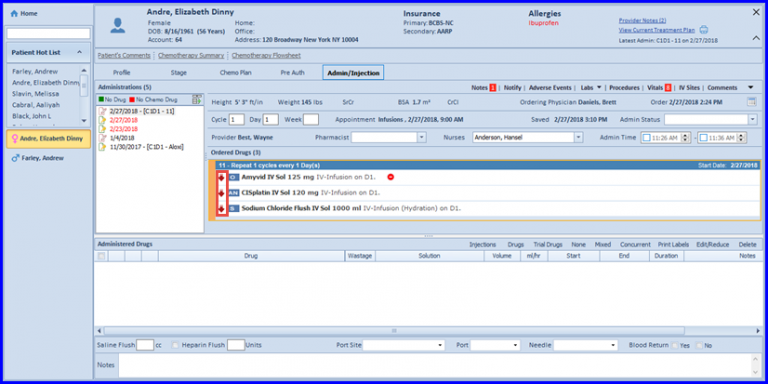
In the ‘Ordered Drugs’ section, a maroon downward pointing arrow can be seen. If the user clicks on it, a pop-up window appears to display the NDC information.
By default, preferred NDCs are listed here. The user can click ‘Show All NDCs’ button to view all the NDCs stored in the system database for that drug.
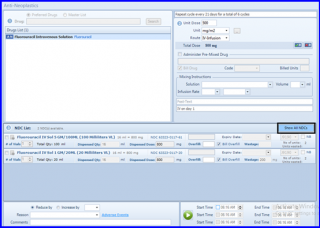 List of NDCs
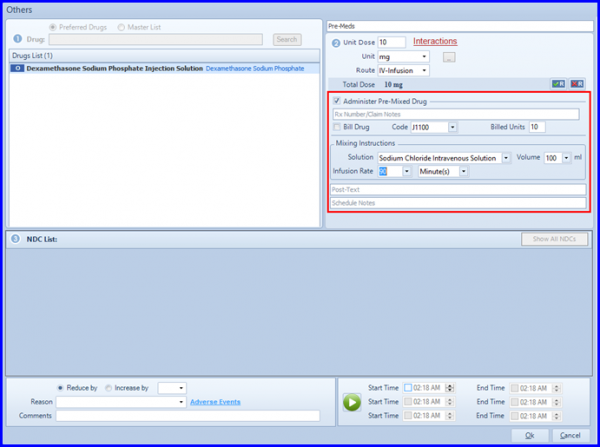
For administration of pre-mixed drug, enable the ‘Administer Pre-Mixed Drug’ checkbox, the drug NDCs will not appear. The user needs to specify Rx Number, billing details, select the solution, its quantity and the time for the infusion to complete.
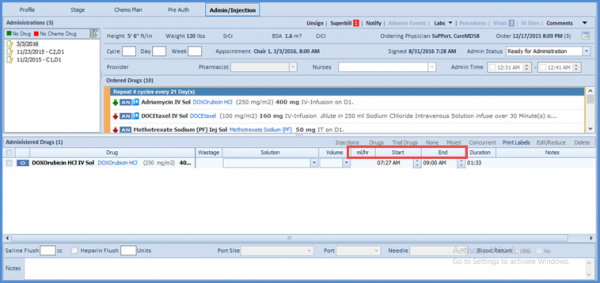
The updated Administered Drugs section features an updated dashboard and the functionality to document start/end date and time for continuous infusions.
An enhanced drug section, ml/hr and start/end has been added in Chemo Admin.
 For all other drugs, in the NDC List section at the bottom of the window, the dispense dosage is automatically collected for each NDC based on the drug dosage the user selected. This further simplifies the Rx Admin procedure as the system automatically calculates the number of vials required in every administration to reach the required level of dosage.
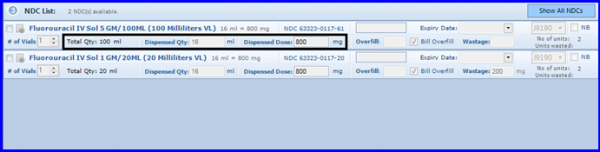 Drug Dosage
After selecting the appropriate NDC, click on OK.
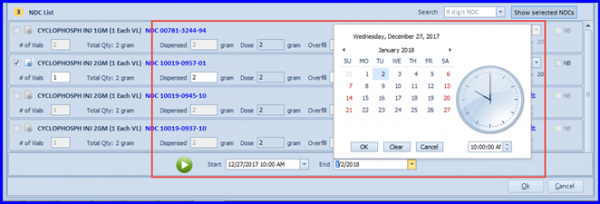
With this revamp in the Chemo Admin screen, the CureMD Chemotherapy Manager enables its users to document Start/End date and time for continuous infusions. This feature is applicable in both Admin Drug popup and Administered Drugs Section.
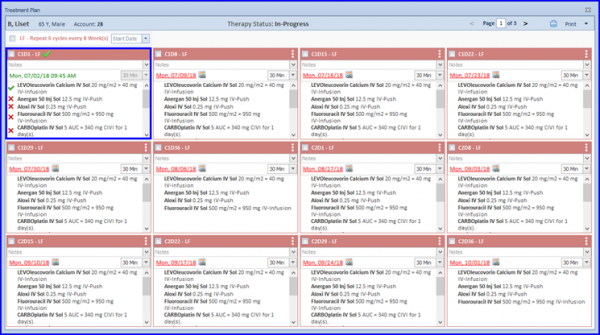
The Chemotherapy Manager uses  and
and  indication for (administered & non-administered) drugs respectively in treatment planner for a signed Chemo Admin.
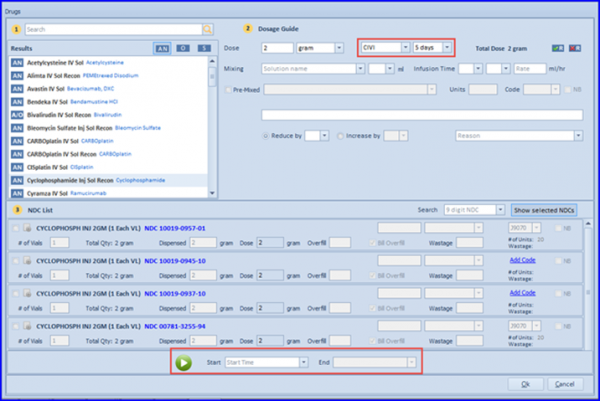
The Start and End date/time can be specified by clicking on the respective Start and End hyperlinks.
5-FU Multiple Administration Handling:
Fluorouracil, in some cases, requires multiple administrations during a single day (through two different routes: IV-Bolus and CIVI). However, it mostly comes in enormous sized SDV (Single-Dose Vial) package, with IV-Bolus dose being in a relatively minute quantity as compared to CIVI. Hence the hospitals use a single vial for both the administrations. They withdraw the total required dosage from the vial in a single attempt, and then administer it through the respective routes.
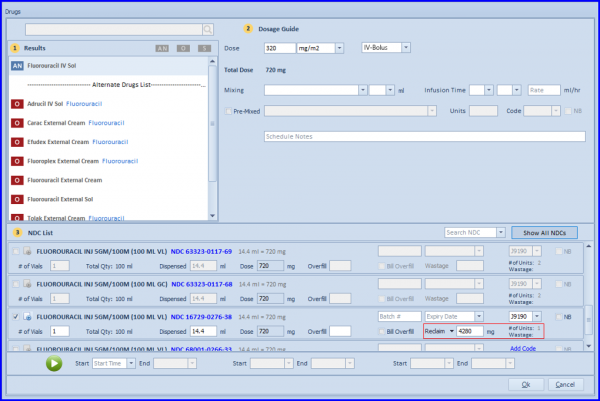
The user does not manually have to alter the vial related fields for IV-Bolus and CIVI, instead they can simply mark a vial for reclaim, and the system caters it accordingly. This ensures that the system neither overbills nor under-bills.

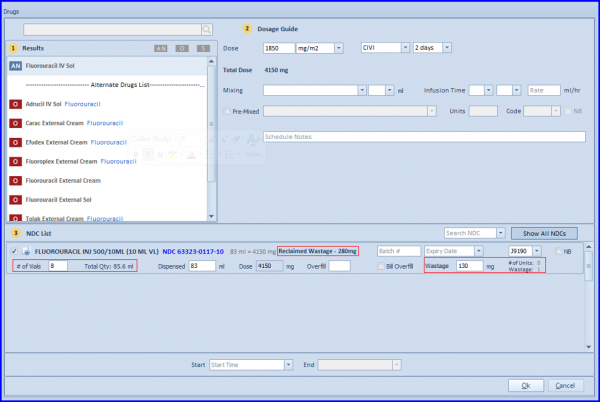
First administration of Fluorouracil as IV-Bolus marked for reclaim.
Second administration (CIVI) using reclaimed dosage from first admin.
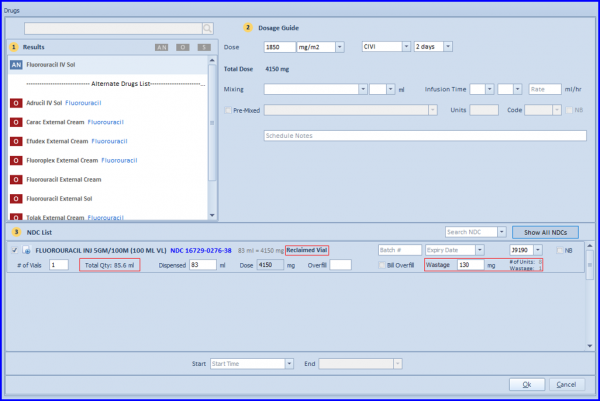
In case if, a single vial doesn’t fulfill the overall need for both admins, the system automatically caters drug dosage by using multiple vials along with previously marked vial for reclaim.