Sorted:

Picture5-1

[caption id="attachment_16231" align="aligncenter" width="600"]Touch-Screen-Check-Box-1-600x275 Signature Preferences[/caption]

User preferences for Signature Pad

In Preferred Signature Method section, user can set preference for tablet or touch device by enabling the Touch Screen checkbox.
billingamount-1

[caption id="attachment_16224" align="aligncenter" width="561"]4.-Add-Multiple-Saturation-1-e1523013350795 Add Multiple Saturation[/caption]

Add Multiple Saturation in Vitals

User can document multiple records of vitals in this section. In Pulse section, users can document patient’s state from the Position drop-down. Furthermore, users can also record Activity and Time of every Saturation level in Oxygenation section.
44-2-1

[caption id="attachment_16219" align="aligncenter" width="600"]Advanced-Search-2-600x311 Advanced Search[/caption]

Search Patients By Middle Name

To refine the search results, user can also specify Middle Name and Zip Code fields in advanced search tab.

[caption id="attachment_15957" align="aligncenter" width="600"]Associate-Rights-to-a-User-600x321 Associate Rights to a User[/caption]

User Permissions for Fee Schedules

Assign different User Permissions via CureMD application to allow authorized users to make changes in Fee Schedules.
Patient-Search-Repor-newt-600x342-1

[caption id="attachment_15948" align="aligncenter" width="600"]Self-Pay-Icon-600x322 Self-Pay Icon[/caption]

Self-pay Patient Indication on Scheduler

The Self-pay icon on Scheduler module, enable users to identify self-pay appointments that do not have an insurance associated with them.

[caption id="attachment_15937" align="aligncenter" width="600"]Provider-Note-600x321 Provider Note[/caption]

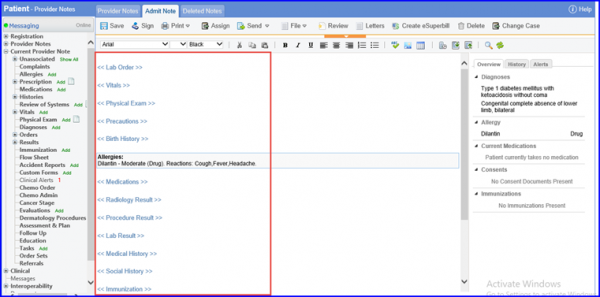
Evaluations on Provider Note

With this feature users can record interventions, risk assessments and patient screenings directly from a provider note.
2019-08-02_14-19-44-1

[caption id="attachment_15109" align="aligncenter" width="600"]Highlighting-Copay-600x451 Highlighting Copay[/caption]

Copay Posting as Patient Payment upon Insurance Removal

Users can declare a patient’s copay as Paid during check-in to ensure that copay record is not lost within the CureMD application at the time of charge creation or insurance removal.
2019-08-02_11-56-52-1

[caption id="attachment_15101" align="aligncenter" width="600"]Toggle-button-600x451 Toggle button[/caption]

PAN Association during Check-in

Users can associate PAN with a patient during their check-in and retain that information during charge creation.

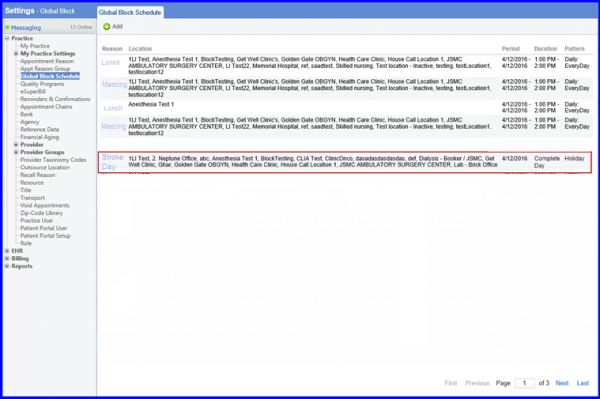
[caption id="attachment_15059" align="aligncenter" width="600"]Selecting-a-calendar-600x317 Selecting a calendar[/caption]

Calendar List and Block Schedule Pages Revamp

Users can sort calendars via name, location, date or range while making a new calendar.
7-6-1

[caption id="attachment_15000" align="aligncenter" width="600"]Assign-Button-600x480 Assign Button[/caption]

Assign Immunizations to Other Users

With this feature, users can assign an immunization to a different practice user while administering a vaccine.