Sorted:

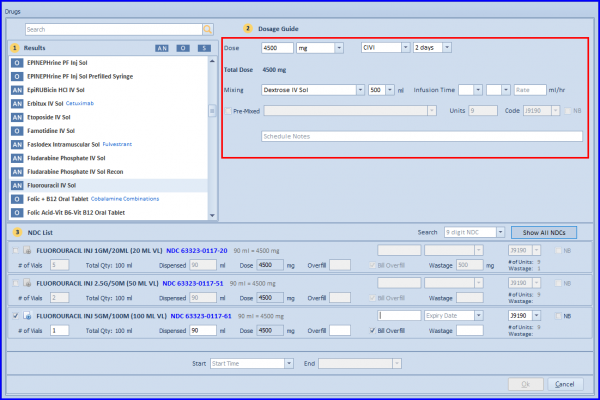
[caption id="attachment_18116" align="aligncenter" width="600"]Drug-Strip-2-600x213 Drug Strip[/caption]
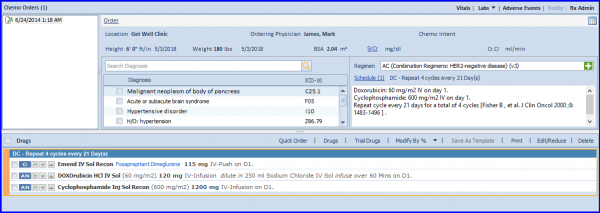
Quick Chemo Order Creation

Chemotherapy Manager is allowing Practice Users to create a chemo order based on the smart suggestions. Read More    

Hide System Generated Chemo Plan Addendums

User can hide the system generated addendums in Chemo Orders tree list by configuring from back-end.

[caption id="attachment_18028" align="aligncenter" width="600"]Subsequent-Cycles-600x407 Subsequent Cycles[/caption]
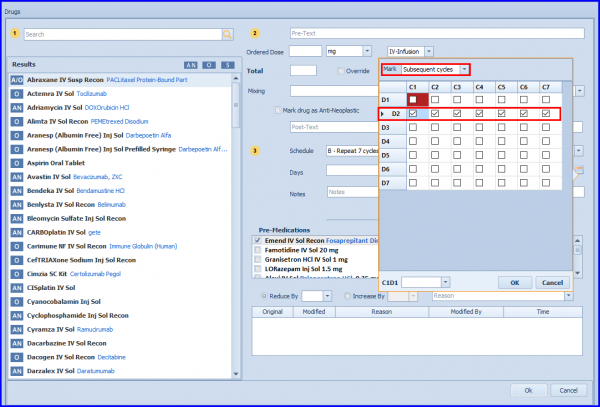
Drug Scheduler Control Enhancements

The visibility of the scheduler control is enhanced by providing user the capability to mark/unmark individual/subsequent cycle days.

[caption id="attachment_18009" align="alignnone" width="600"]Drug-Strip-600x338 Drug Strip[/caption]
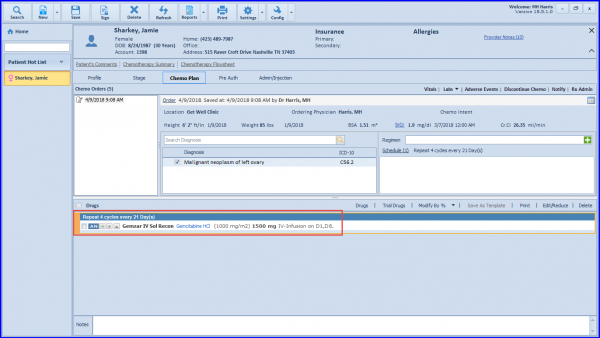
Display Drug Generic Name Along with Brand Name in Chemo

Practice users can view a drug’s generic name along with its brand name throughout the application.

[caption id="attachment_17986" align="alignnone" width="600"]Discontinue-Dropdown-600x321 Discontinue Dropdown[/caption]
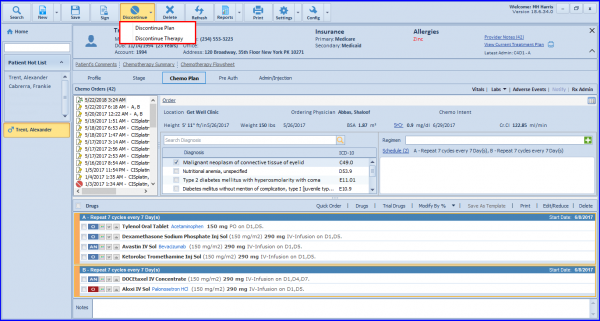
Discontinue Chemo Workflow Updates

A Discontinue drop-down is introduced for Practice User to discontinue a specific therapy or the complete treatment plan of a patient.
199509_Personal11-1-1
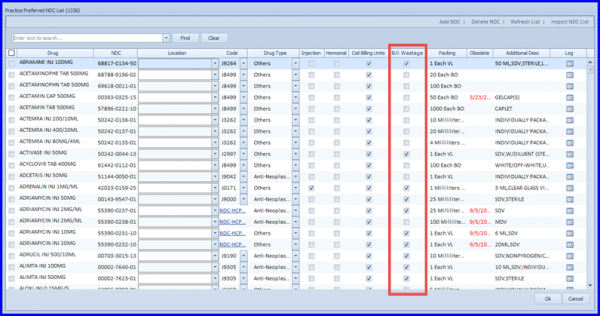
[caption id="attachment_16304" align="aligncenter" width="600"]Practice-Preferred-NDC-1-600x316 Practice Preferred NDC[/caption]

Capability to Specify Drug Wastage Option on Practice Preferred NDCs

Users can specify Bill Wastage Criteria for drugs on Practice Preferred NDC screen. In order to specify the bill wastage preference, user can navigate to the Settings and click on Practice Preferred NDC.

[caption id="attachment_16070" align="aligncenter" width="600"]Physician-selects-Retain-Dosage-600x287 Physician selects Retain Dosage[/caption]
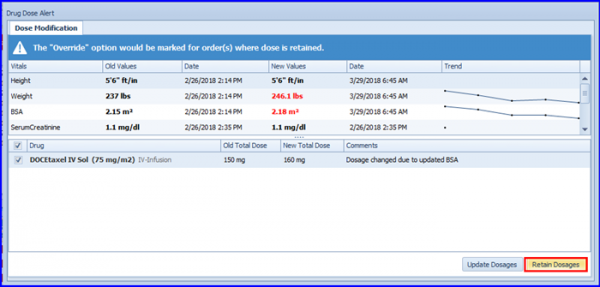
Improvements in System Suggested Dosages

These enhancements in Chemotherapy Manager improves the way system suggests dosages based on changes in patient’s vitals or lab.

[caption id="attachment_16042" align="aligncenter" width="600"]Pagination-in-Treatment-Planner-600x336 Pagination in Treatment Planner[/caption]
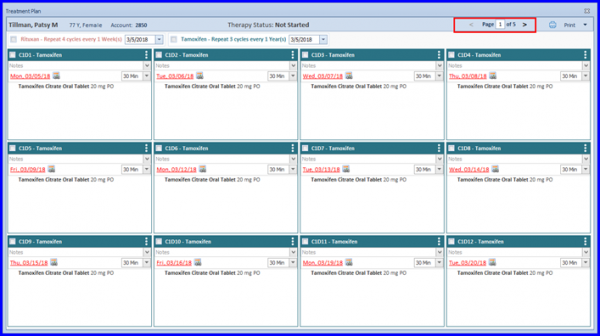
Enhancements in Treatment Planner

Allow users to use pagination controls for easy navigation along with options to download a therapy in Treatment Planner.
Scheduler-600x331-1

[caption id="attachment_15879" align="aligncenter" width="600"]Chemo-Appointment-600x300 Chemo Appointment[/caption]

Schedule Patients for Non-Smart Plan

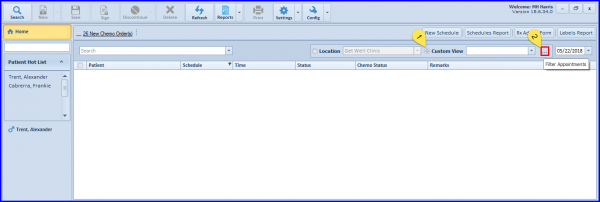
CureMD is providing its users with an option to schedule patients for non-smart plan, partial smart plan and chemo admin without plan on Chemo Admin page.

[caption id="attachment_15870" align="aligncenter" width="600"]Administered-Drugs-Section-600x245 Administered Drugs Section[/caption]

Administered Drugs in Chemo Admin

The updated Administered Drugs section features an updated dashboard and the functionality to document start/end date and time for continuous infusions.