Sorted:

Discharge Disposition Form Added under Custom Forms

This enhancement introduces a system-generated custom form for Discharge Disposition under the Custom Forms section. It allows users to record standardized discharge details to ensure consistent and structured documentation of patient disposition at discharge.

LocationColumn-1

Add Location Column to Charges Payment Details Report

This enhancement adds a Location column to Charges Payment Details (By Payment) report. It enables users to view, filter, and export payment information by practice location directly from the report, supporting accurate location-based reconciliation and analysis without manual cross-referencing.

UserBasedPermissionSuperBill-1

User-Based Permission to Restrict Financial Data Visibility in Patient Banner and Superbills

This enhancement introduces a user-based permission feature that allows practice administrators to restrict access to financial data in the patient banner and superbills. Administrators can now configure which users are restricted from viewing or printing financial information, ensuring that only authorized personnel can access sensitive billing data. This update enhances privacy, compliance, and overall data security across the system.

PlanSpecificRendering

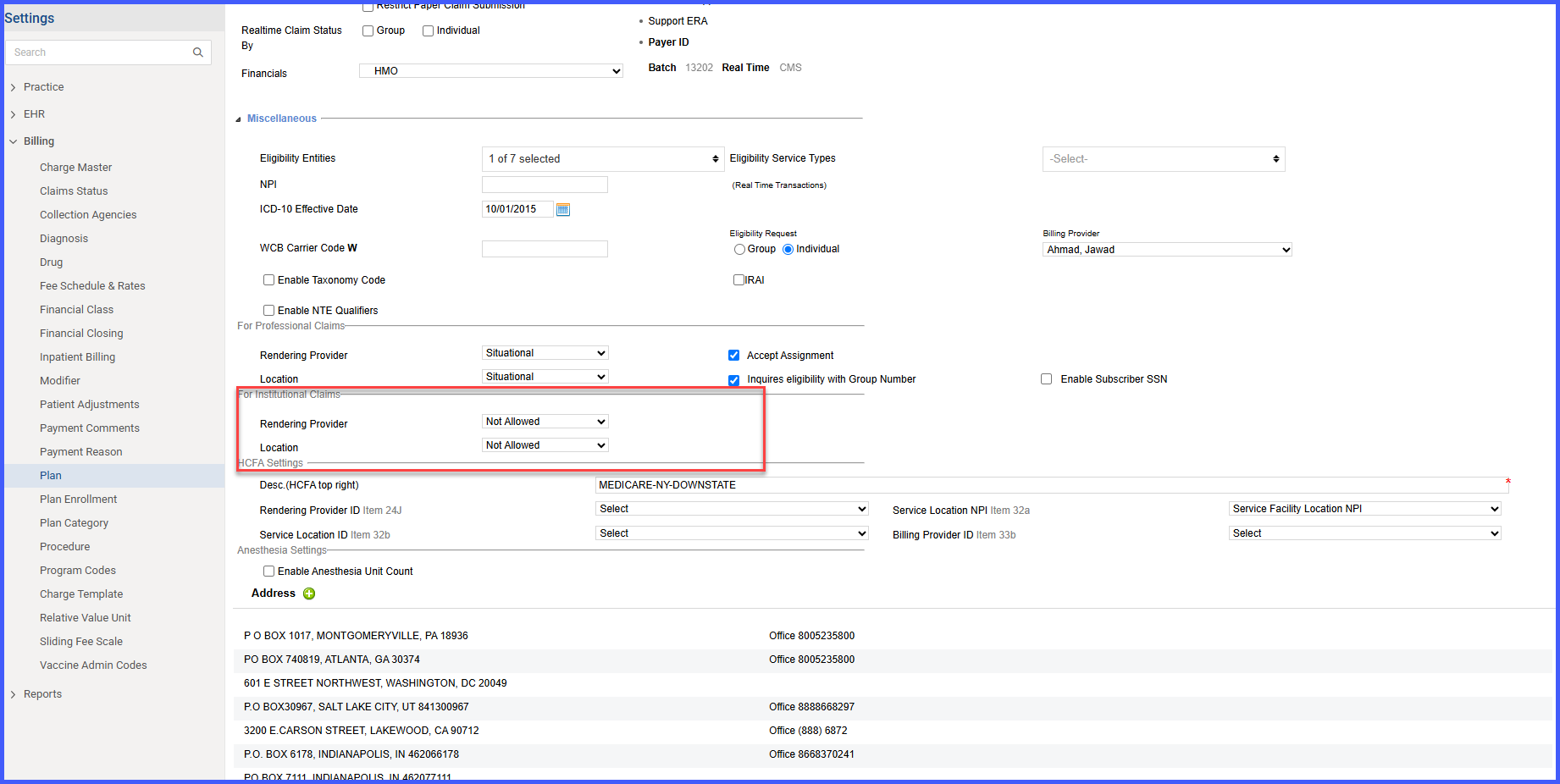
Apply Plan-Specific Rendering Provider & Location Rules to Institutional EDI Claims

This enhancement updates the Institutional EDI claim generation process in CureMD to respect plan-specific rules for Rendering Provider and Location. Claims are now formatted according to payer requirements, reducing the risk of rejections and manual edits.

AptConReschTransfer

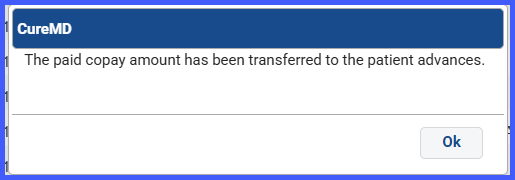
Automatic Copay Transfer on Novel Health Appointment Rescheduling & Cancellation

CureMD now manages paid online copays automatically when cancelling or rescheduling Novel Health appointments. On cancel, you’re prompted to move the copay to Patient Advance so funds aren’t lost. On reschedule, the copay moves automatically to the new appointment and you get a confirmation.

AdvancePaymentOptions

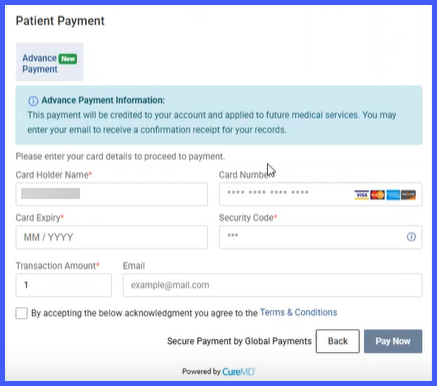
Advance & Custom Payment Options to Web Patient Payment Page

Patients can now prepay (Advance Payment) or pay a Custom Amount from the web payment link—making it easier to cover future services or pay partial/rounded amounts without staff intervention.

TextToPayeStatements-1

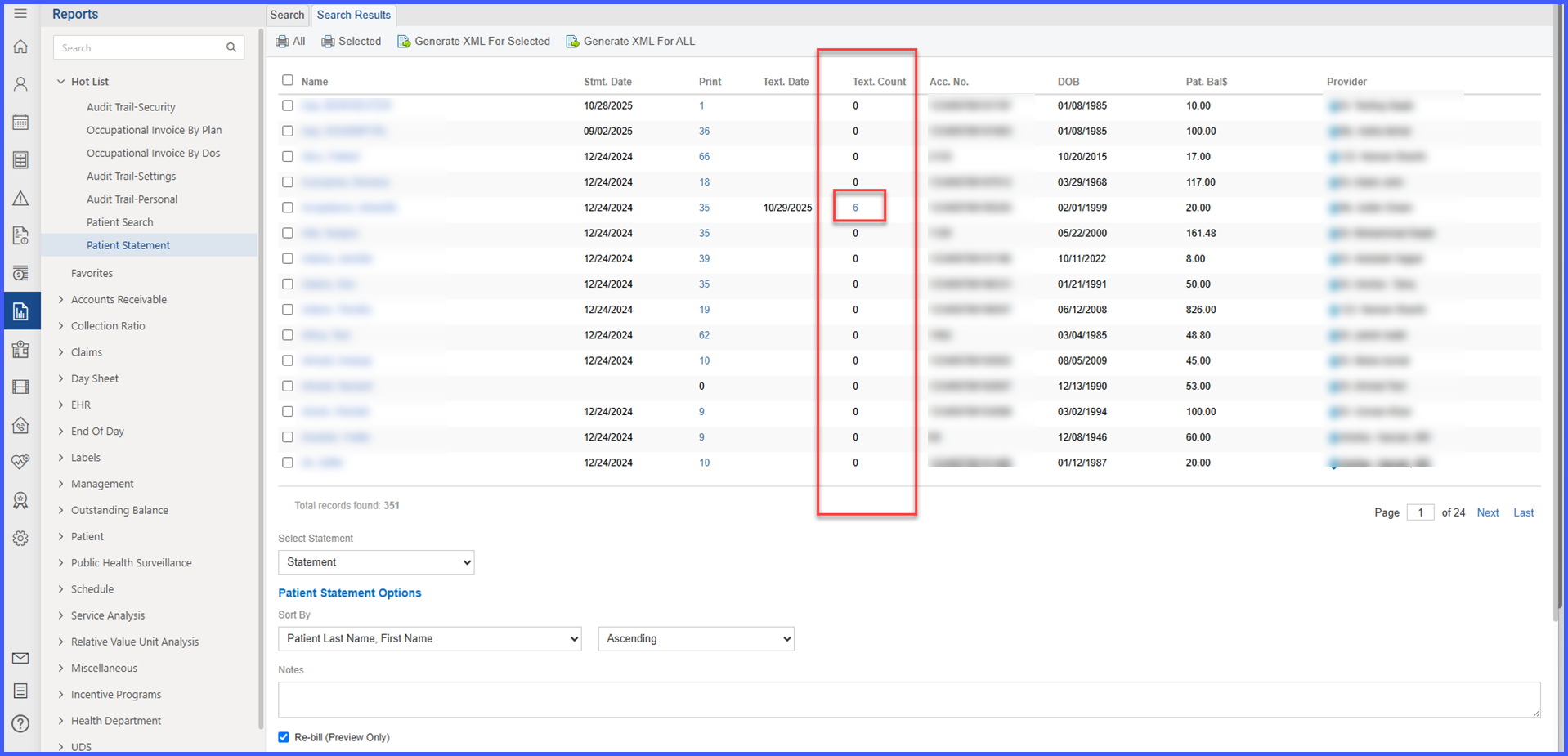
Display Provider & Location in Text-to-Pay e-Statements

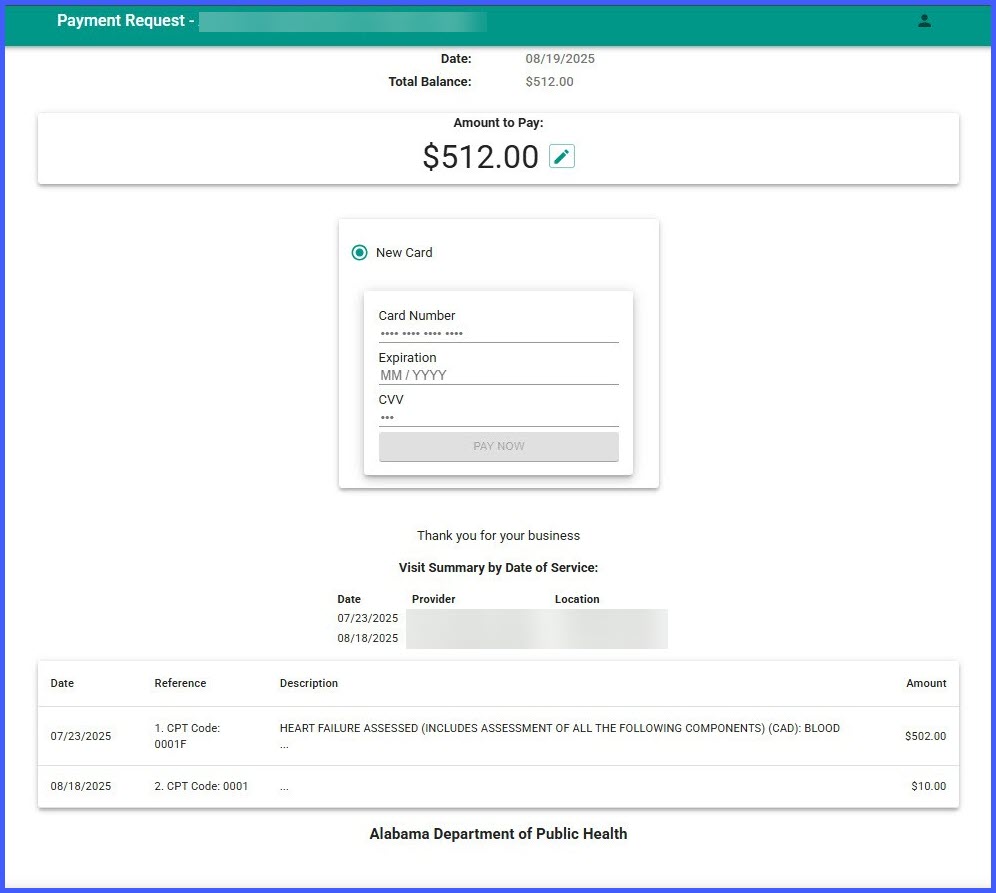
With this enhancement, Text-to-Pay e-statements now include a “Visit Summary by Date of Service” section that lists the Provider and Location for each Date of Service (DOS). Because the third-party vendor’s template cannot be changed, this information is rendered inside the vendor’s single open text area placed directly beneath the “Thank you for your business!” message. The enhancement improves clarity and reduces support inquiries without requiring any changes to your existing Text-to-Pay setup.

Patient Portal “Make a Payment” is Now Hidden When No Payment Partner is Set

With this enhancement, If a practice hasn’t set up an online payment partner for a location in CureMD, the “Make a Payment” section in the Patient Portal will no longer appear. This prevents errors and confusion when trying to pay balances online.

DxPointerESB

eSuperbill: Warning for Missing Dx Pointers

With this enhancement, to help prevent claim denials and reimbursement delays, eSuperbill now warns you when procedures (CPTs) don’t have ICD (Dx) pointers assigned. If you choose to continue, the system will automatically set Dx Pointer “1” for any procedure missing a pointer.

ProviderPinLog

Provider Pin Audit Trail

With this enhancement, you can now see a clear audit trail of changes made to Provider Plan PINs for both Practice Providers and Referring Providers. This helps you track who changed what and when—all in one place.