Sorted:

BalanceInCollectionReportNew-2

Balances in Collection Report

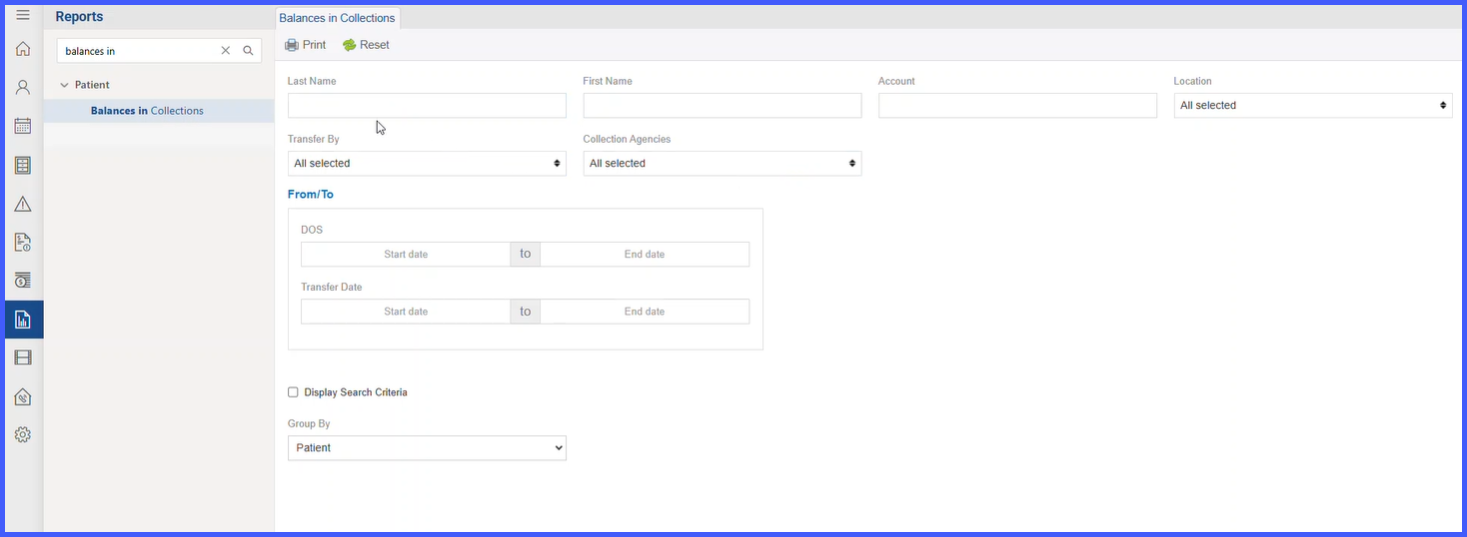
A new report—Balances in Collections—is available in the Reports Module > Patient bucket to give practice supervisors a concise, printable list of all appointments/patients whose balances have been transferred to collections. The report includes key operational fields (e.g., Transfer Date, Transfer By, Agency Name, Amount), flexible filters, and optional grouping with per-agency totals and a final summary table for quick financial oversight.

anesthesiafig1

Anesthesia Billing Process

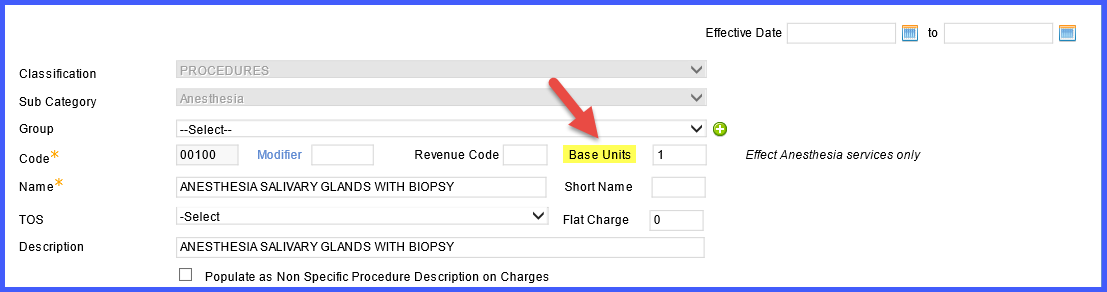
Learn how to configure and process anesthesia billing in CureMD, including base units, time units, conversion factors, and charge calculations. Covers setup steps, calculation formulas, P-status modifiers, and recent anesthesia workflow updates.

GFEPopUpFix

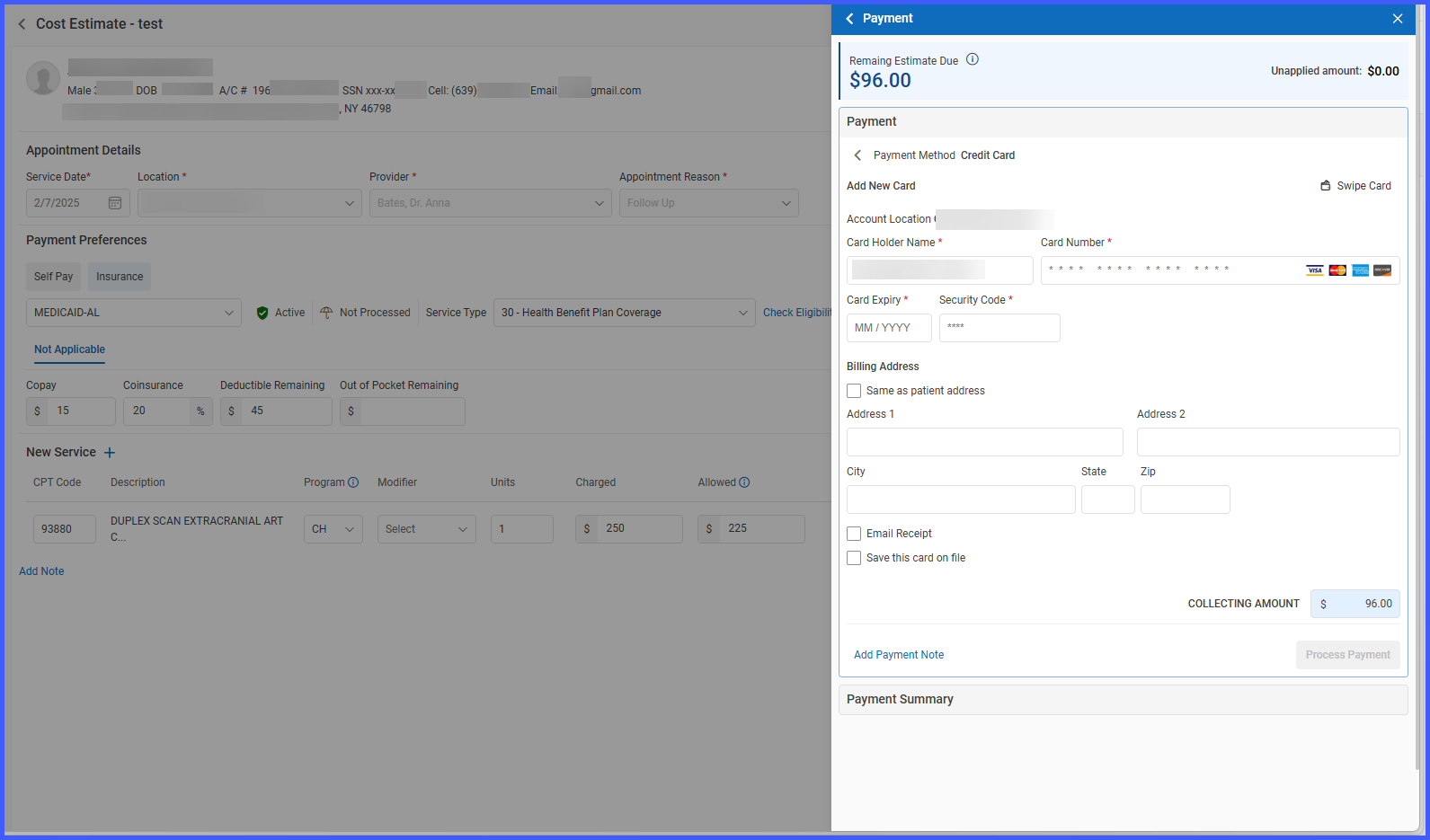
Dynamic Payment Gateway Popup for Good Faith Estimate (GFE) Credit Card Payments

A major improvement has been implemented in the Good Faith Estimate (GFE) online payment workflow to ensure the correct payment gateway popup (Global Pay or Easy Pay) is triggered based on the user’s configuration. This fix ensures seamless and error-free credit card processing during GFE transactions.

PlanLevelSubTotal

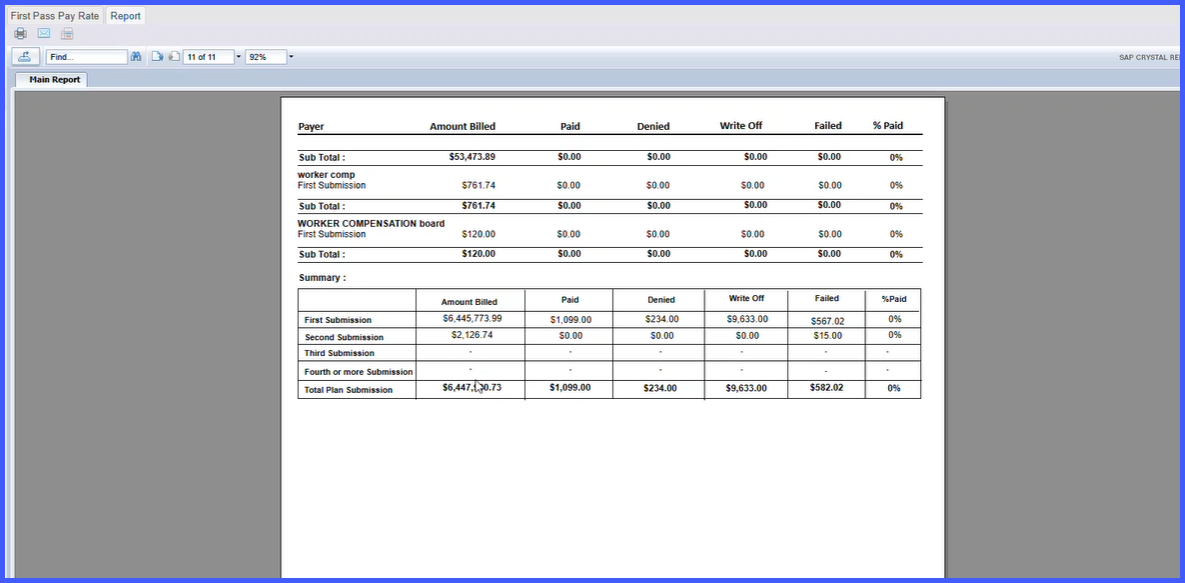
Plan-Level Subtotals and Summary Table Added to First Pass Pay Rate Report

To improve financial reporting and visibility into billing performance, enhancements have been made to the First Pass Pay Rate Report in the Health Department Reports Module. This update introduces plan-level subtotal rows at the end of each submission section and a new summary table at the end of the report. These additions provide clearer insights into how each plan is performing across multiple submission levels (Primary, Secondary, Tertiary) and allow for a quick comparison of aggregate data across all plans.

Eligble-Patient-Report2-2

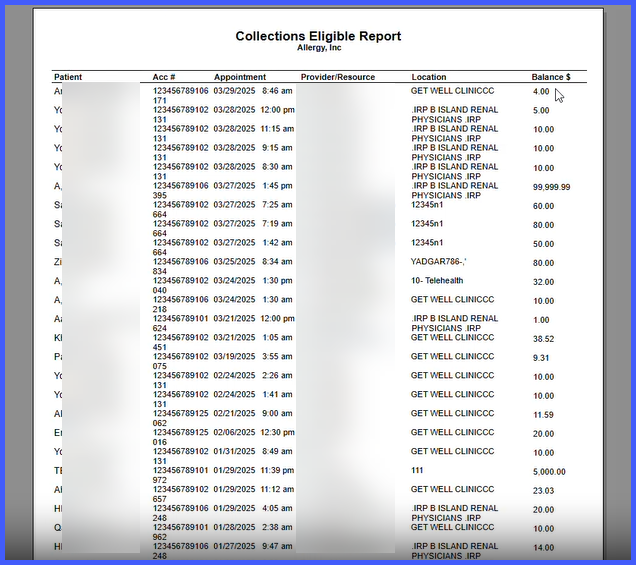
Collections Eligible Patients Report in Reports Module

A new “Collections Eligible” report has been introduced in the Reports Module > Patient Bucket to help practice supervisors and billing teams efficiently identify patients eligible for transfer to collection agencies. This printable, filterable report lists all qualifying patients based on balance and practice settings, allowing timely action on overdue accounts. The report includes detailed appointment-level data as well as an optional summary view.

BIllingGroupUB04Logic-2

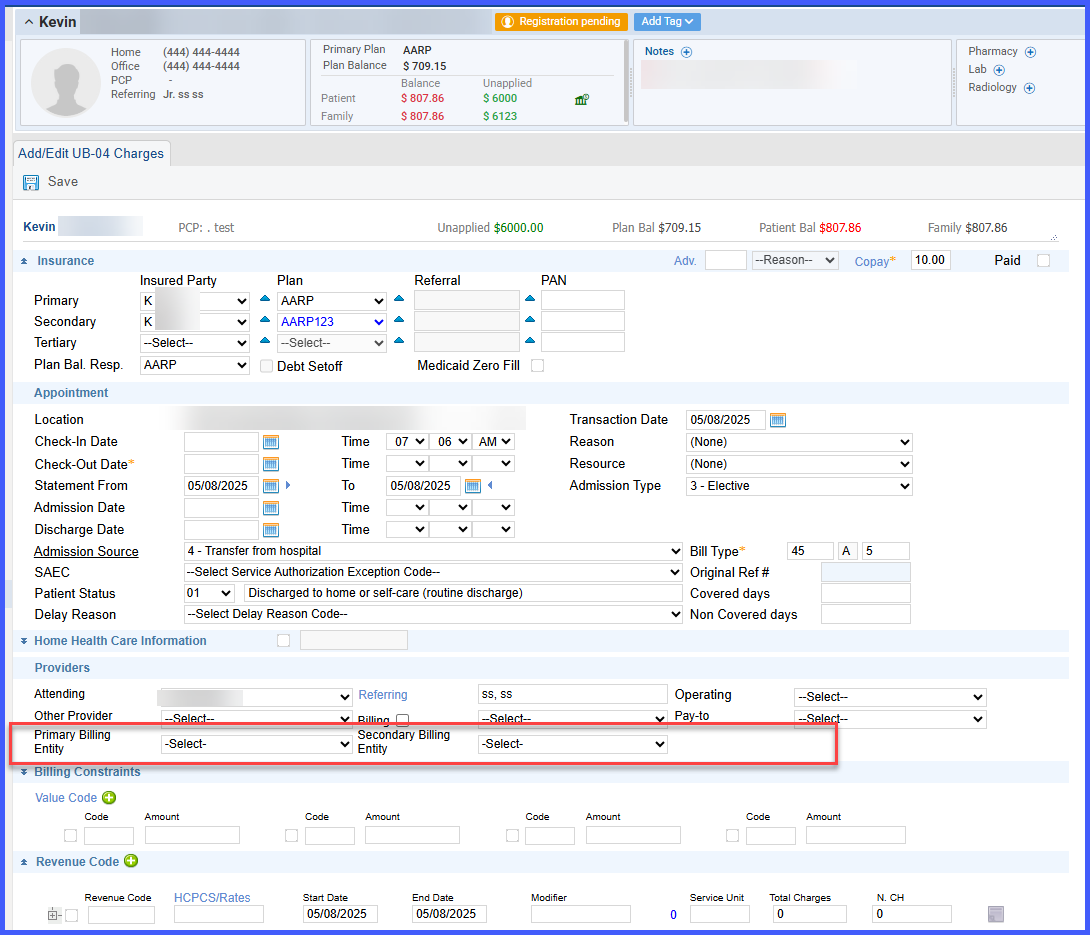
Billing Group Logic Added for UB04 Claim Type

We have extended the new billing group implementation to support UB04 claim types. This enhancement enables the user/system to select and apply billing provider entities at the UB04 claim level, just as already supported for professional claims. The change ensures consistency, improved automation, and accurate claim submission for institutional billing.

POTF3

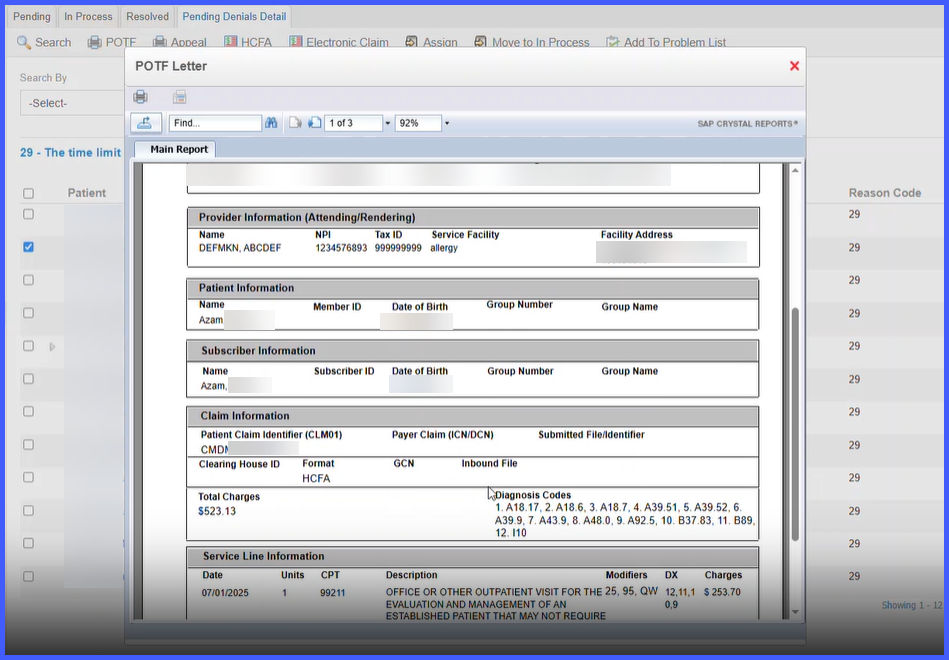
Auto-Generated Proof of Timely Filing (POTF) Appeal Letter for Denied Claims

To streamline the appeal process for denied claims due to late filing, a new feature has been introduced that allows users to generate a pre-populated Proof of Timely Filing (POTF) Appeal Letter directly from the Charge Page, Payment Page, or Denial Bucket. This enhancement reduces manual work, ensures data accuracy, and provides a ready-to-print or savable PDF version for faster appeals processing.

IEAdditionalPlan

Integration Enhancement: Additional Plan Display in Eligibility Response Interface

The Eligibility Response Interface in the application has been enhanced to support the display of additional payer plans at the top level of the interface. This improvement ensures that any additional plan (e.g., pharmacy benefit) returned in the 271 eligibility response is clearly and immediately visible to the end user, improving usability and transparency of eligibility data.

SuperbillImprovement

Optional Report Filters to Improve E‑Superbills Bulk Download Performance

This enhancement introduces a performance improvement to the E‑Superbills module, specifically addressing issues encountered by billing users when extracting data over larger signed date ranges.

Three optional filters have been added in the report generation screen. These filters allow users to selectively include or exclude additional data-heavy components, resulting in significantly faster report generation when not needed.

RadioOrder

Modifier Field on Radiology Requisition

With this enhancement in the CureMD application, radiology requisitions now display a Modifier field alongside the Procedure. This allows imaging centers to receive the CPT modifier information directly on the requisition, supporting more accurate and streamlined billing processes.