Sorted:

DynamicDropClaim

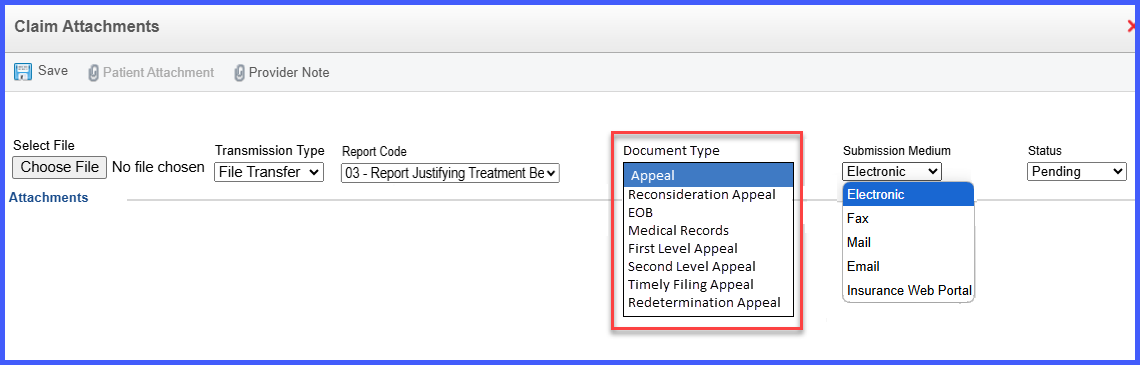
Dynamic Document Type Dropdown in Claim Attachment Window on the Charge Page

With this enhancement in the CureMD application, the claim attachment window on the charge page features a dynamic document type dropdown that adjusts based on the stage of claim submission. This allows the user to accurately categorize attachments and streamline claims processing and resubmissions.

EffectivePeriodFeeSchedule

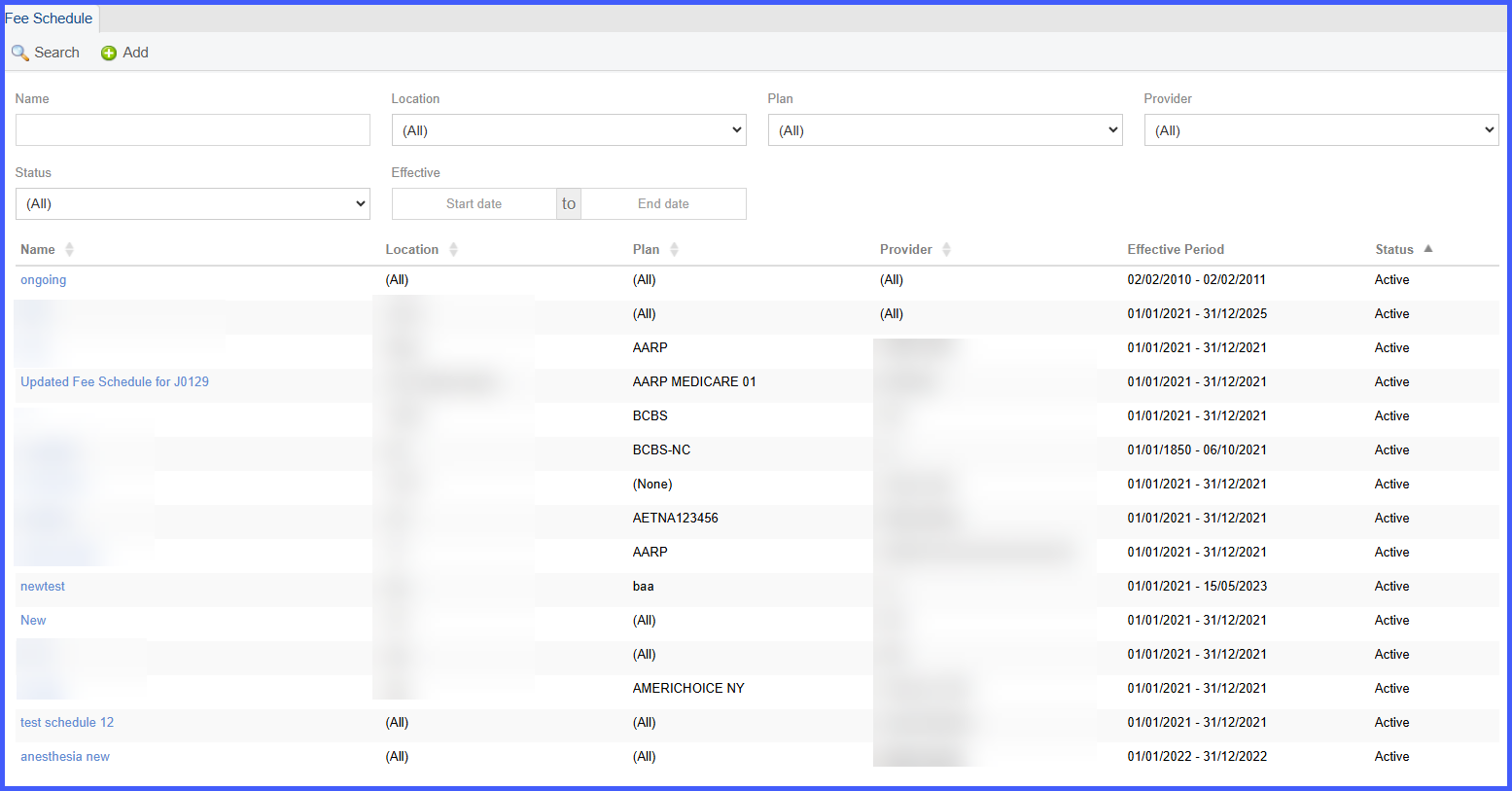
Effective Period Display in Fee Schedule Listing Under Billing Settings

With this enhancement in the CureMD application, the Fee Schedule listing in billing settings displays the effective period for each fee schedule as a read-only column. This helps the user easily view the validity range of each fee schedule without needing to open individual records.

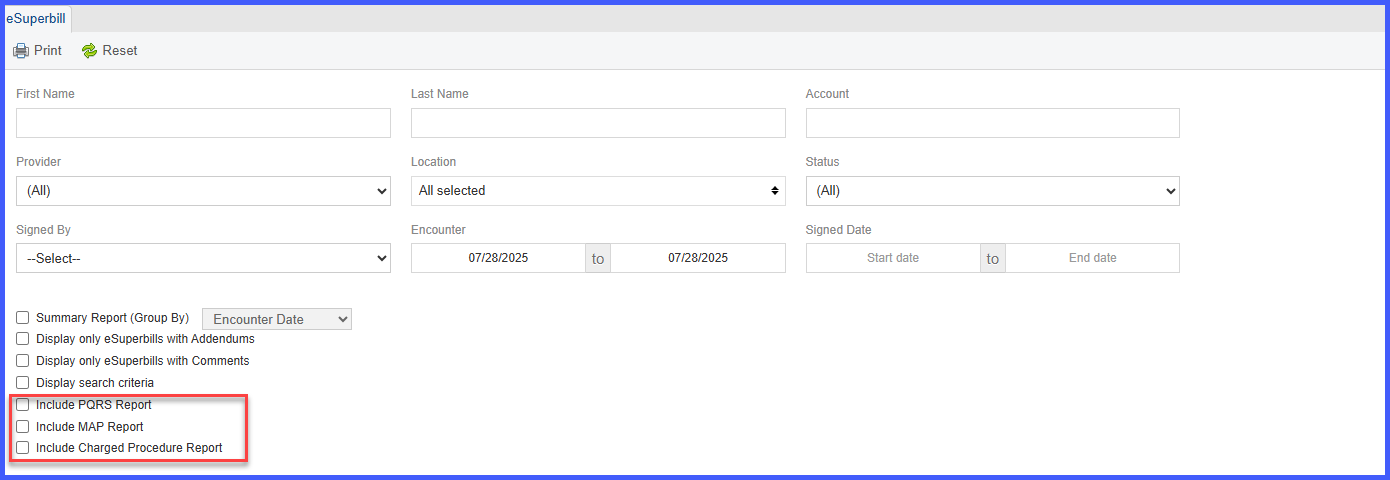
Bulk Print eSuperbills by Signed Date

With this enhancement in the CureMD application, users can now filter and bulk print eSuperbills based on the Signed Date. This update simplifies workflows for practices that rely on signed documentation as the trigger for billing readiness. Previously limited to Encounter Date filtering, the new Signed Date option allows users to efficiently locate and print finalized superbills in bulk, reducing manual effort and minimizing errors.

Collections7

Collection Agency Workflow

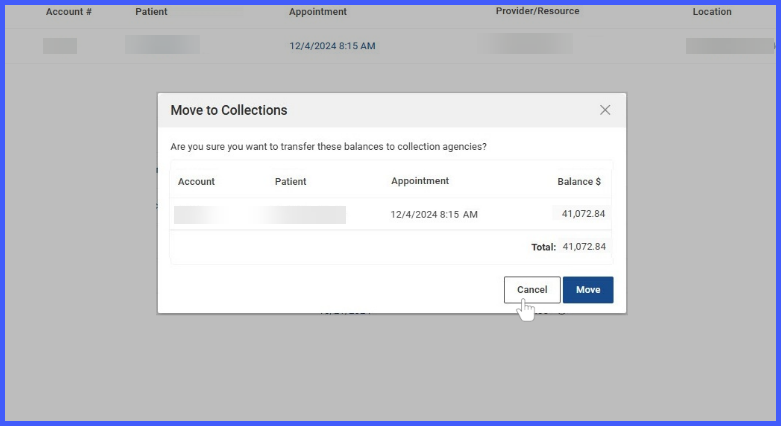
With this enhancement in the CureMD application, users can automate the transfer of eligible patient balances to collection agencies based on configurable thresholds. Visual indicators across the system alert staff when a patient qualifies for collections, and a new Patient Balances screen provides actionable insights to move balances, write off amounts, or monitor aging. Enhancements in payment modules further separate outstanding and transferred balances for better visibility and processing.

UpdateEffectiveDates

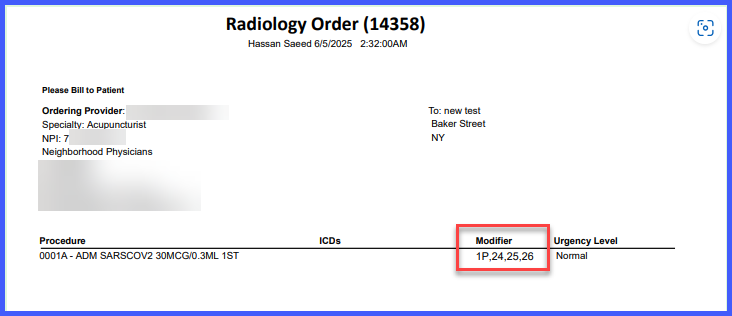
Role-Based Permission to Update Procedure Effective Tenure 

With this enhancement in the CureMD application, a new role-based permission—Update Effective Dates—lets you control who can edit procedure effective dates. This setting is available under Role/User Permissions > Billing. By default, it’s enabled for all Support Users and tracks changes via the Audit Trail.

VoidRefund

Void and Refund Transaction Filter in Patient Payment Report

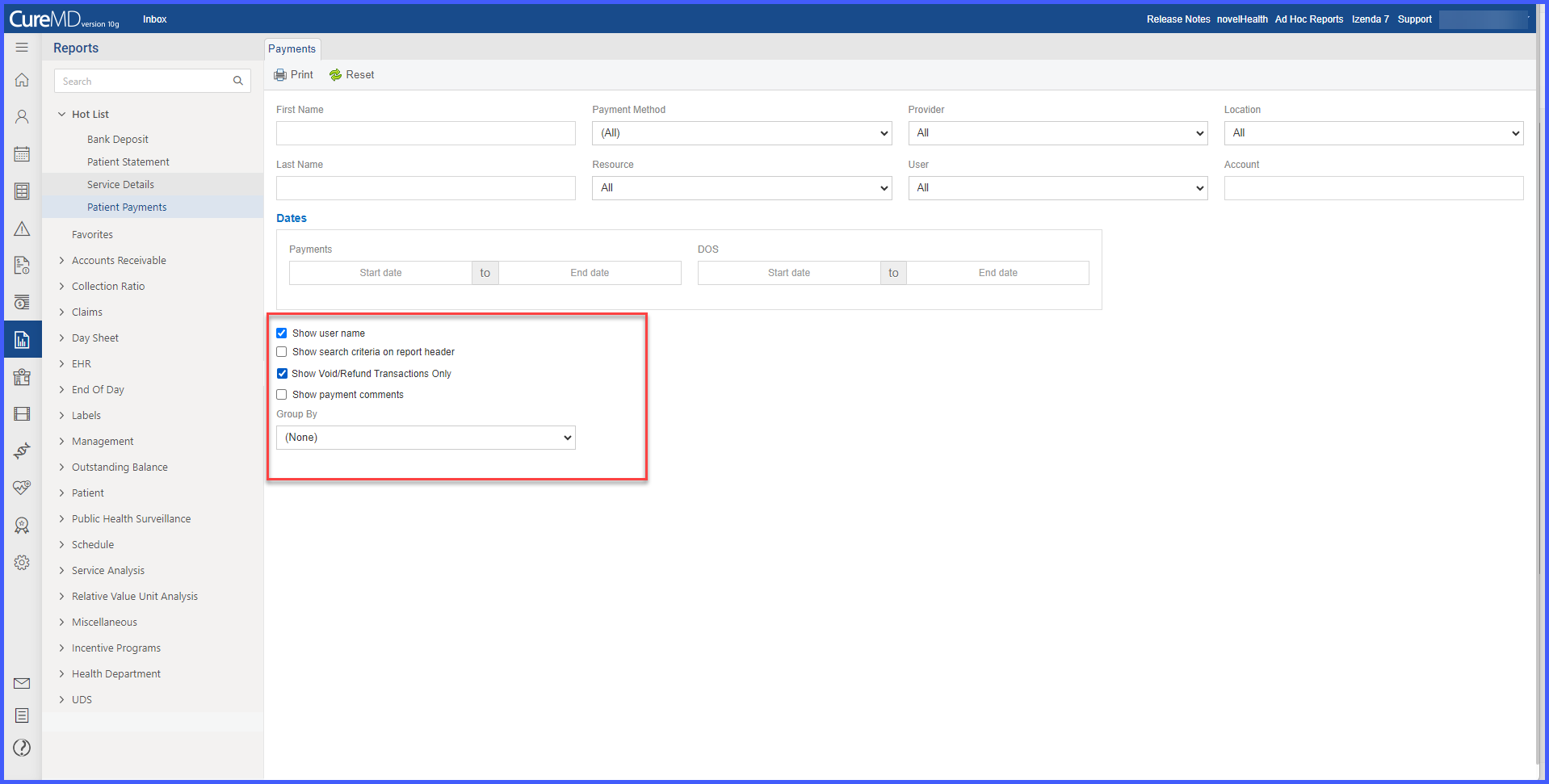
With this enhancement in the CureMD application, the Patient Payment Report includes a checkbox to filter and display only voided or refunded transactions. This enables the user to isolate and review void/refund activity, including transactions processed from unapplied balances.

VoidRefundOnlinePaymentLog

Voided and Refunded Transaction filter in Online Payment Log

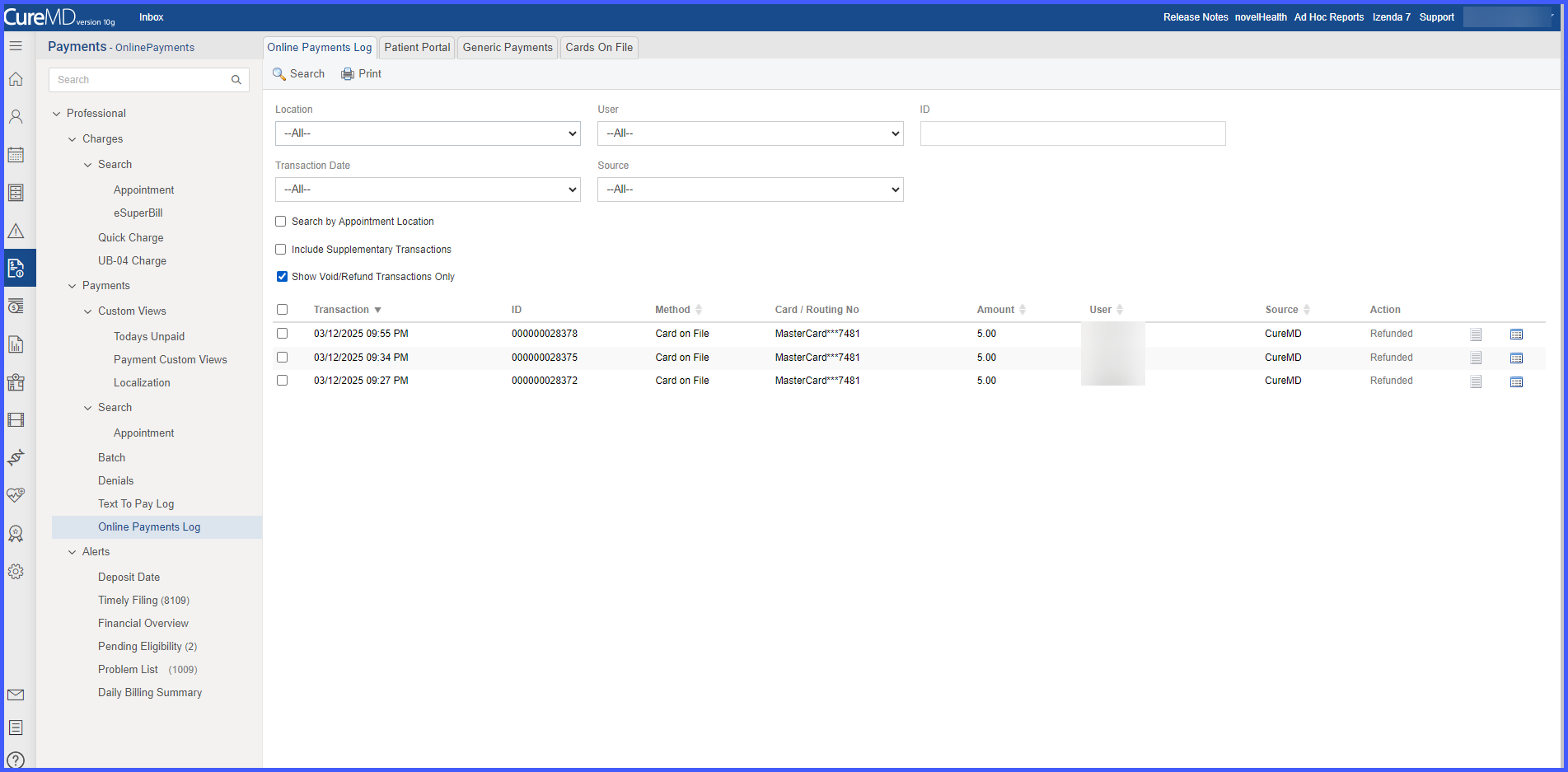
With this enhancement in the CureMD application, the Online Payment Log includes a checkbox to filter and display only voided or refunded transactions. This allows the user to quickly review reversal activity processed through any payment vendor.

OnlinePaymentsAccEmail

Account Number Filter and Email Receipt Option in Online Payment Log

With this enhancement in the CureMD application, users can filter the online payment log by patient account number and send payment receipts via email directly from the listing page. This supports faster patient-specific lookups and ensures digital delivery of receipts with audit tracking.

GenericPaymentsCommment1

Comments for Generic Payments in Online Payment Log

With this enhancement in the CureMD application, the user can add an optional comment when entering a generic payment through the payment popup. This enables the user to capture payment context and view it later through a tooltip in the payment listing.

Real-time CPT Fee Schedule Update on Institutional Charge Page

With this enhancement in the CureMD application, the CPT fee schedule amounts on the Institutional Charge Page update in real-time when the user changes the location, plan, or provider.

This ensures the user applies accurate charge amounts based on the correct fee schedule without manual recalculations.