Sorted:

Storing NOC field at Esuperbill level

This enhancement in eSuperbill allows the user to view comments against NOS, NOC and all unlisted procedures in eSuperbill.

Enhancement of Search in Denials

User is allowed to search for denied CPT’s with respect to their program which increase the overall efficiency.

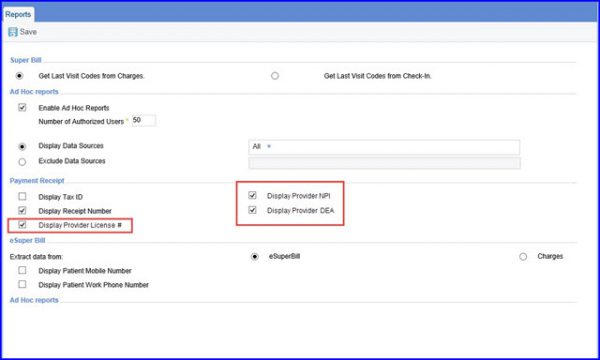
Display All Information on Signed eSuperbill

User can view additional information after signing the esuperbill.

Procedure Effective Date

User can specify the effective date range to ensure they are not billed outside their effective date range.

Removal of 4010 options from Provider PINS and Provider Groups

User can inactive the option of 4010 qualifiers from Provider PINS and Provider Groups.
1111pers-1
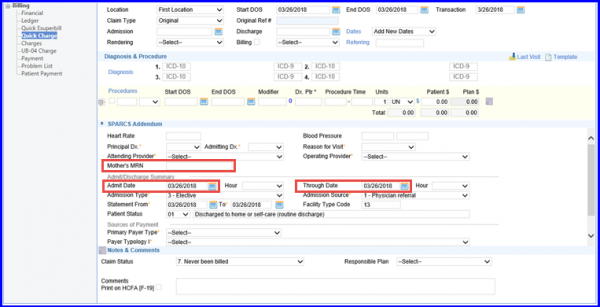
[caption id="attachment_16281" align="aligncenter" width="600"]Adendum-1-600x307 SPARCS[/caption]

Implementation of SPARCS new file Format and Edits

SPARCS has modified the claim file submission criteria according to X12 standards.

Program and Location Association

Users can create and search for program codes specific to location to streamline the process of billing over multiple locations.
2019-08-01_12-50-14-1

[caption id="attachment_15068" align="aligncenter" width="600"]EM-Codes-for-ophthalmology-600x311 E&M Codes for ophthalmology[/caption]

E&M codes for Ophthalmology in eSuperbill

The E&M codes for Ophthalmology in the CureMD application enables its users to select and use them in an eSuperbill.
IMG_0162-1

[caption id="attachment_14872" align="aligncenter" width="600"]Dos-1-600x295 Date of Service on Patient Notes[/caption]

DOS Column Display for Appointment Notes

On the Appointment Notes tab, the user can view the history of all the appointment notes. To keep a better track progression of a particular appointment, users can view the DOS while reviewing all the notes associated with the patient.
Review information the below

Updated Grouping on Charges

Users can now group Charges via Program search filter on the CureMD application.