Enhanced User Assignment and Reassignment Tracking in Problem List
Add Billing Entity to Problem List
Review Assignment History
Track Reassignment Activities
Review Bulk Assignment Activities
What’s New
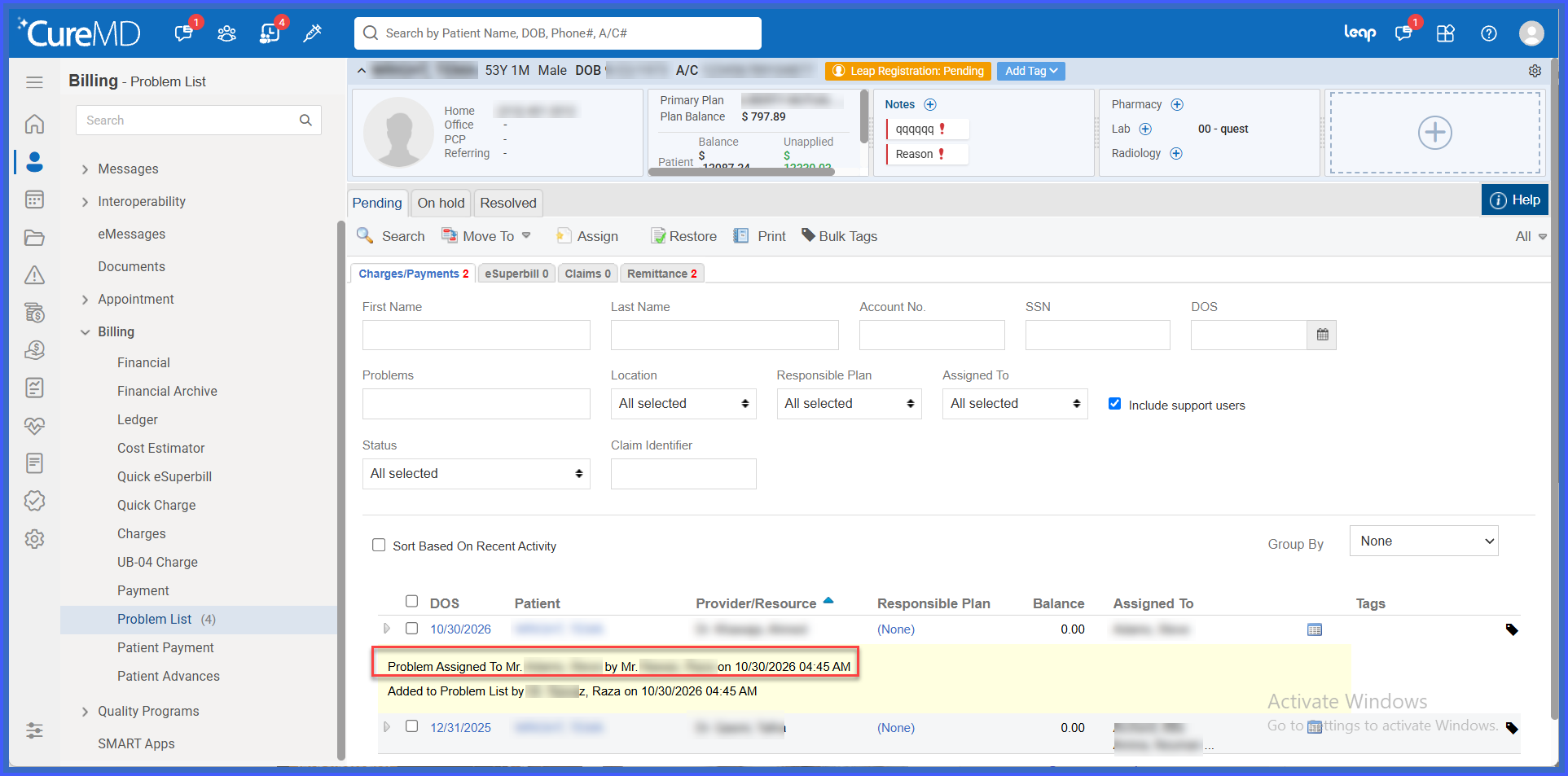
- Added automatic logging of initial user assignments through the “Problem Assigned To” activity.
- Added reassignment tracking through the “Problem Reassigned To” activity.
- The existing “Added to Problem List” activity continues to be recorded.
- Assignment logs identify the users assigned to the corresponding problems.
- Previous assignment records remain available when a problem is reassigned.
- Assignment and reassignment activities are displayed chronologically within Problem List history.
- Supports assignment history for Charges, eSuperbills, Quick eSuperbills, Payments, Claims, Remittances, and Denials.
- Supports assignment tracking when multiple users are associated with a problem.
- Records applicable assignment activities when billing entities are added through bulk operations.
- Maintains assignment histories against their respective billing entities, even when different entity types share identical identifiers.
- Existing automatic assignment functionality and Problem List workflows remain unchanged.
- Supported ADPH-enabled practices and Encounter Form workflows continue to maintain applicable assignment history.
How It Works
- Navigate to the applicable Billing module and locate the billing entity that needs to be added to the Problem List.
- Open the existing Add to Problem List popup.
- Add the billing entity to the Problem List and assign the applicable user or users.
- CureMD records the existing “Added to Problem List” activity along with a “Problem Assigned To” entry identifying the assigned user.
- If the problem is subsequently reassigned, the system records a “Problem Reassigned To” activity.
- Open the Problem List history to review the recorded assignment and reassignment activities.
- The history displays the assignment changes in chronological order, preserving previous records for reference.
 Benefits
- Improves accountability by recording which users were assigned to billing problems.
- Provides greater transparency into changes in problem ownership.
- Allows users to review previous and current assignments through chronological activity history.
- Supports better coordination and follow-up when problems are reassigned.
- Improves auditability by preserving assignment records rather than replacing previous entries.
- Maintains consistent assignment tracking across supported billing entities.
- Extends assignment visibility to applicable multiple-user and bulk operations.
- Preserves existing Problem List workflows without introducing additional steps.
