Automatic Address Synchronization Between Patients and Responsible Parties
Access Responsible Party Information
Enable Address Synchronization
Update Patient Address
Review Address Update History
What’s New
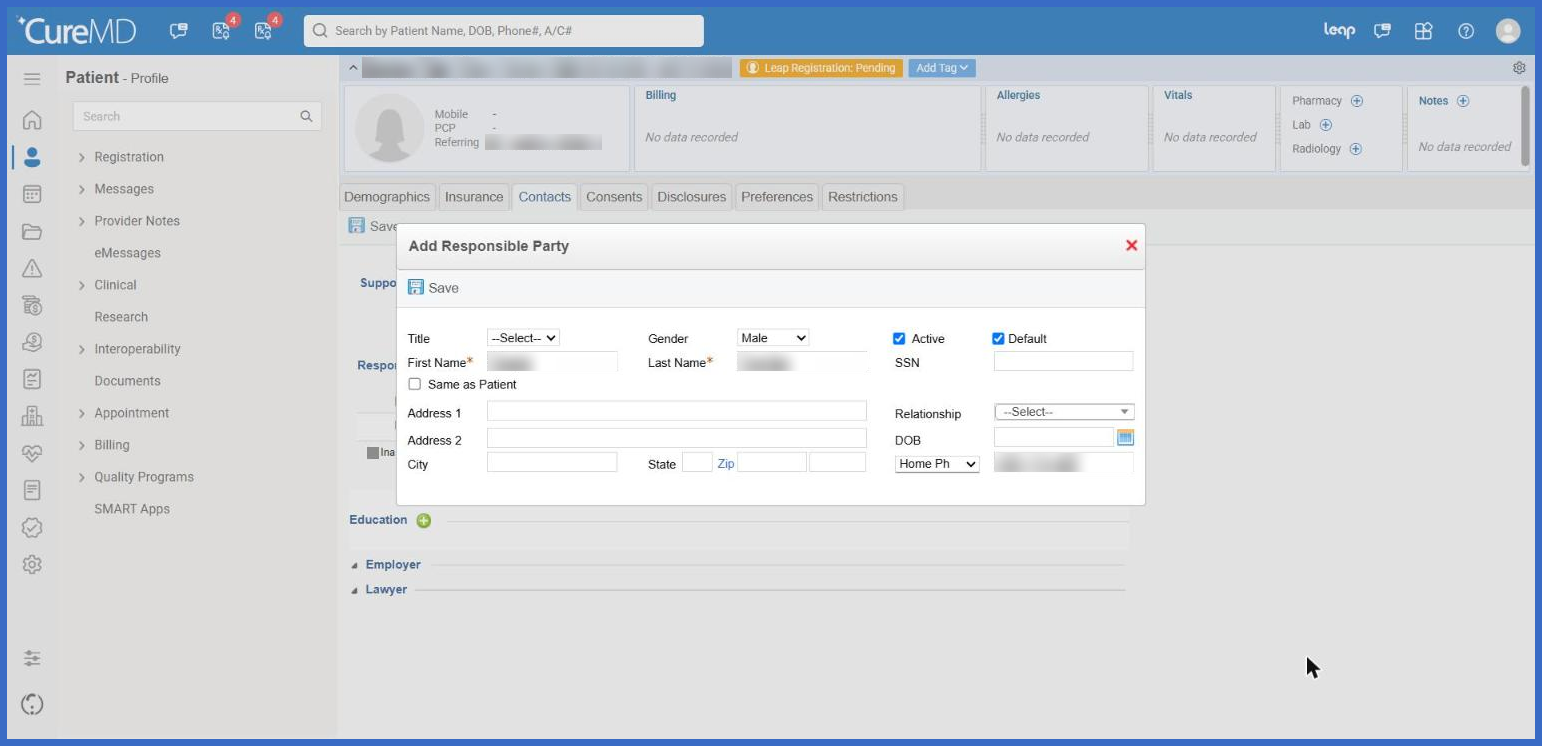
- Added a new Same as Patient checkbox above the Address section within the Responsible Party Add/Edit screen.
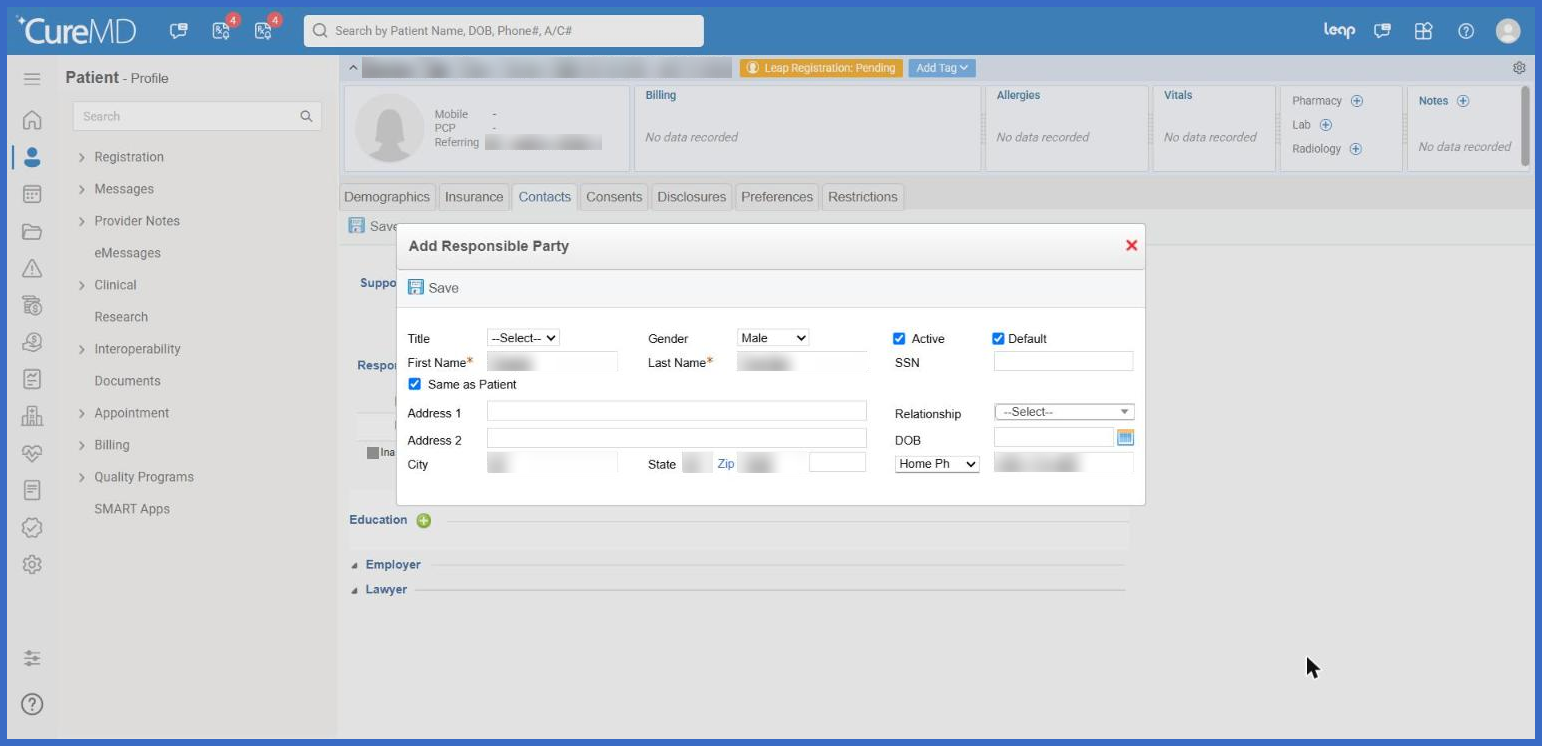
- Selecting the checkbox automatically populates the Responsible Party’s address using the information recorded in the patient’s Demographics.
- The following address fields are synchronized:
- Address 1
- Address
- City
- State
- ZIP Code
- Synchronized address fields become read-only while Same as Patient is selected.
- All other Responsible Party fields remain editable.
- When the patient’s address is updated and saved anywhere in CureMD, the changes are automatically reflected in all Responsible Party records with Same as Patient enabled.
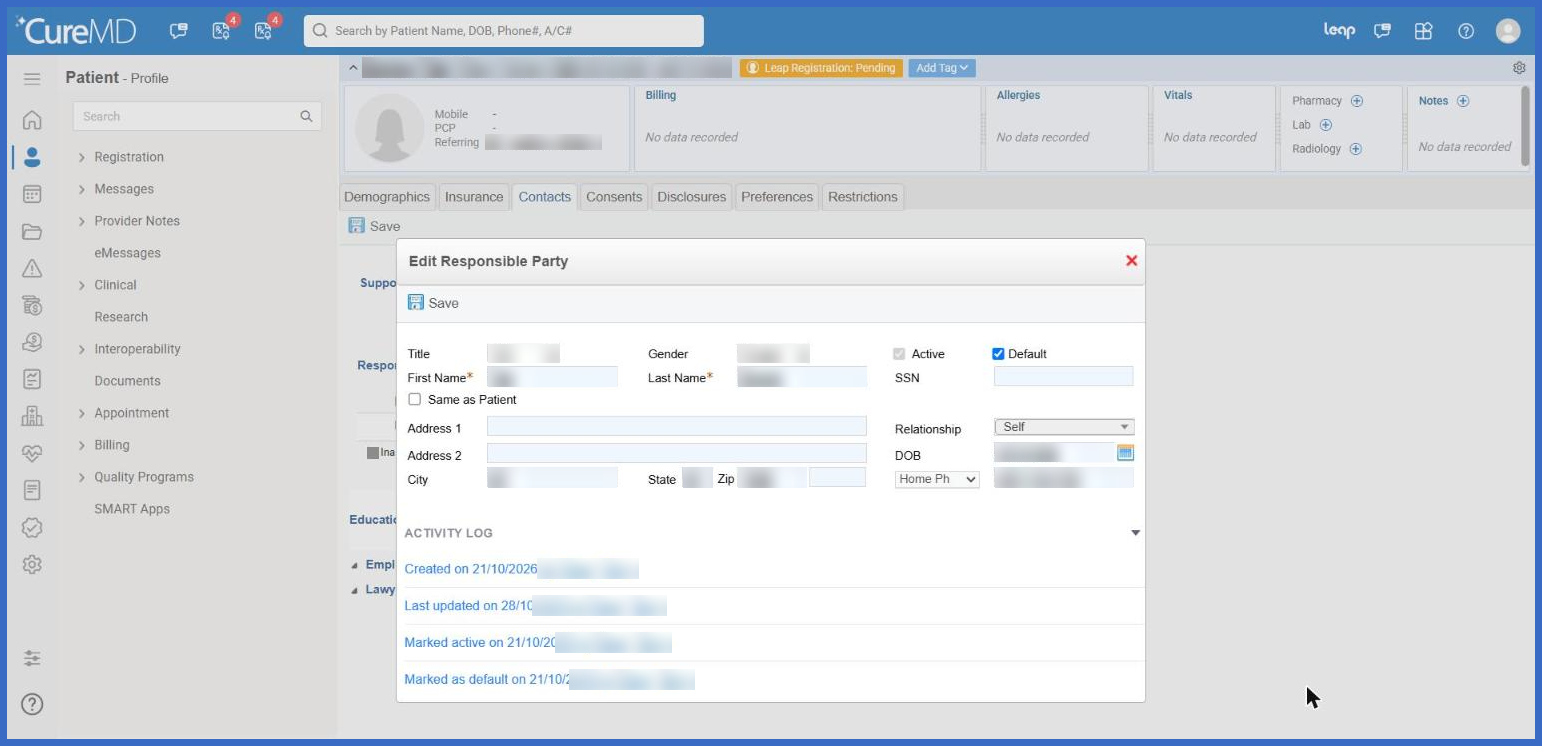
- Automatic address updates are recorded in the Responsible Party Activity Log, including the date, time, and user responsible for updating the patient’s address.
- Activity Log entries, including Created, Last Updated, Marked Active, and Marked as Default, are displayed on separate lines in chronological order.
- Clearing the Same as Patient checkbox stops automatic synchronization and allows users to edit the Responsible Party’s address independently.
- Each Responsible Party maintains its own synchronization setting, allowing different Responsible Parties associated with the same patient to use different address configurations.
- Existing Responsible Party functionality remains unchanged.
How It Works
- Open the applicable patient’s profile and navigate to the Responsible Party section.
- Add a new Responsible Party or open an existing record for editing.
- Locate the Same as Patient checkbox above the Address section.
- Select Same as Patient to automatically populate the Responsible Party’s address with the patient’s current address.
- The synchronized address fields become read-only, preventing direct modifications while synchronization is enabled.
- Save the Responsible Party record using the existing workflow.
- Whenever the patient’s address is subsequently updated and saved, CureMD automatically updates the address for all Responsible Parties with Same as Patient selected.
- To maintain a separate address, clear the checkbox. The last synchronized address remains populated and becomes editable
Benefits
- Eliminates duplicate address entry when patients and Responsible Parties share the same address.
- Automatically keeps Responsible Party addresses updated when patient address information changes.
- Reduces discrepancies between patient and Responsible Party contact information.
- Saves administrative time by removing the need to update multiple records individually.
- Improves data consistency across patient registration and Responsible Party workflows.
- Provides a clear audit trail of automatic address updates, including the responsible user and timestamp.
- Allows practices to maintain independent addresses for Responsible Parties when required.
- Preserves existing Responsible Party workflows while improving address management efficiency.
