Display Patient Date of Birth and Age at Date of Service in Charges Payments Detail Report
Access Charges Payments Detail Report
Generate Report
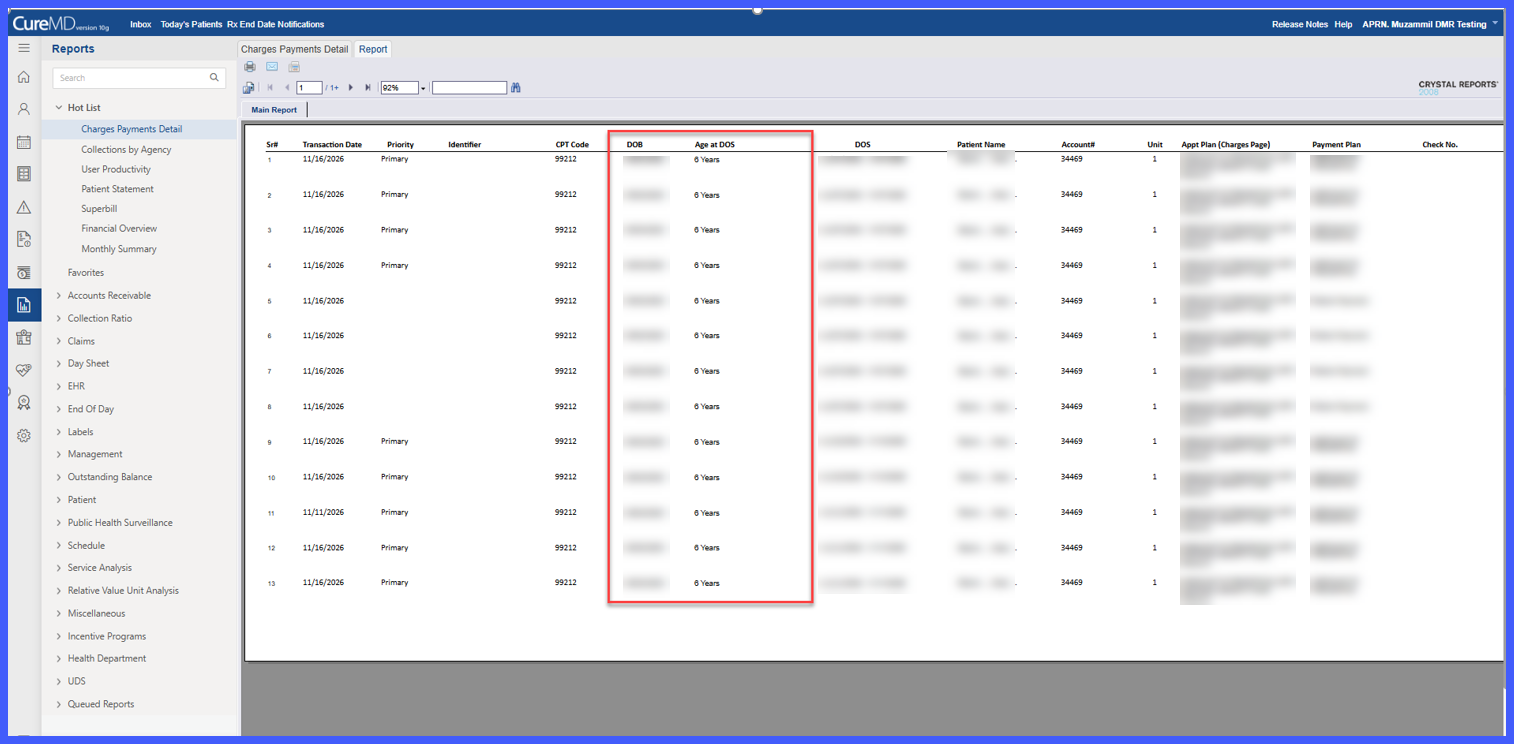
Review Patient DOB and Age
Export Report to Excel
Export Report to CSV
Print or Generate PDF
What’s New
- Added Patient Date of Birth (DOB) to the existing Age column in the Charges Payments Detail Report.
- Updated the column header to “DOB / Age”, with “Age at DOS” displayed as a sub-label.
- Patient DOB is displayed in bold on the first line using the MM/DD/YYYY format.
- Age at DOS appears directly below the DOB, using the existing years, months, and days format.
- The column retains its existing position between CPT Code and DOS, without changing the order of other report columns.
- Age continues to be calculated based on the Date of Service for each charge rather than the date the report is generated.
- When a patient’s DOB is updated in Demographics, the corrected DOB and recalculated age are reflected when the report is generated again.
- If the patient’s DOB is unavailable, both DOB and Age at DOS remain blank while the corresponding report row remains visible.
- Excel and CSV exports now display DOB and Age at DOS in separate, adjacent columns.
- Printed reports and generated or emailed PDFs retain the same stacked presentation as the on-screen report.
- Existing report functionality, permissions, and age calculation rules remain unchanged.
How It Works
- Navigate to the Charges Payments Detail Report using the existing reporting workflow.
- Select the applicable report criteria and generate the report.
- Locate the updated “DOB / Age” column between CPT Code and DOS.
- Review the patient’s Date of Birth displayed in bold on the first line.
- View the patient’s Age at DOS directly below the DOB.
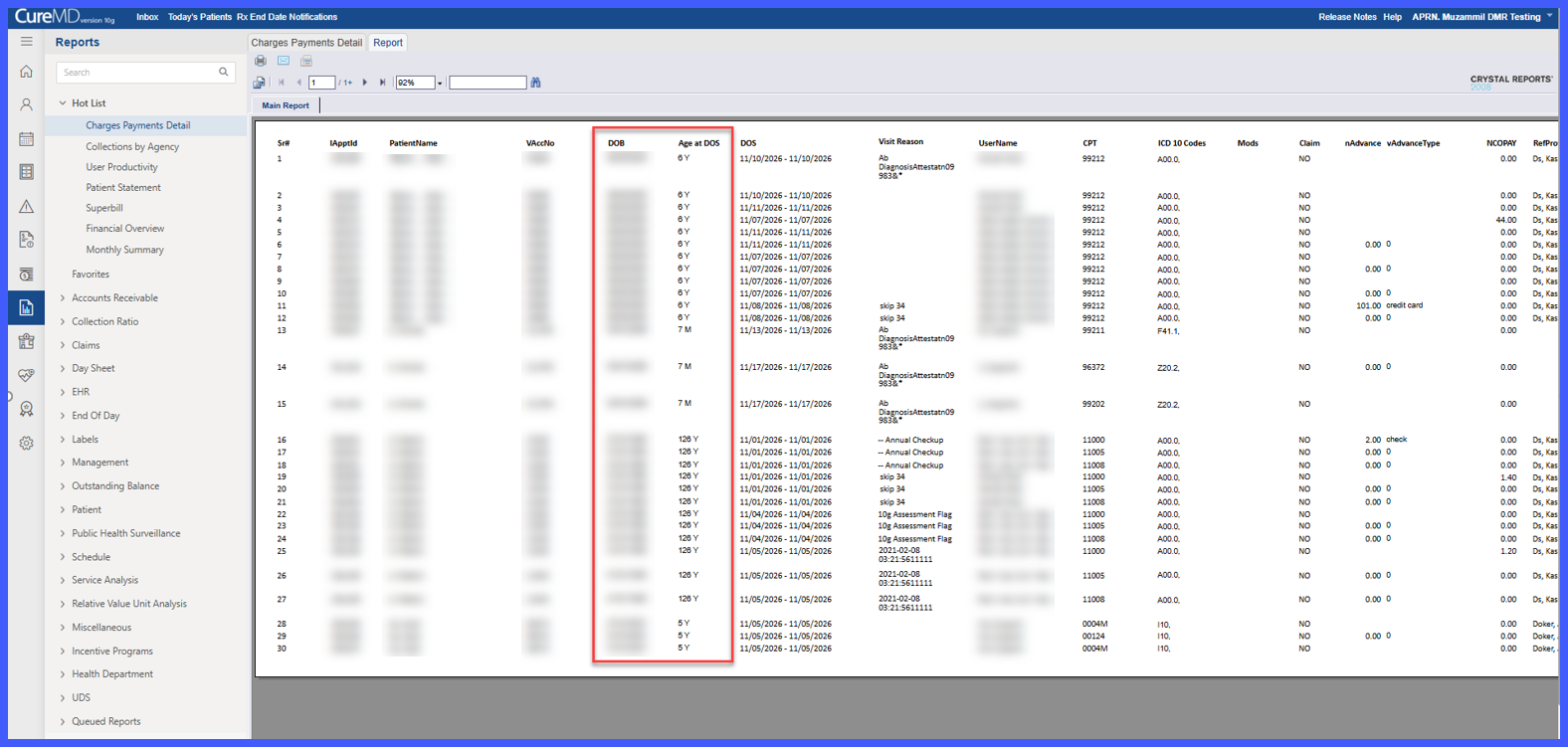
- To work with the information in a spreadsheet, export the report to Excel or CSV.
- The exported report displays DOB and Age at DOS in separate columns for easier filtering and comparison.
- When printing or generating a PDF, the report maintains the same two-line display format.
Benefits
- Provides DOB alongside patient age, helping billing staff distinguish patients with similar names.
- Makes it easier to compare patient information with external billing systems without opening individual patient charts.
- Eliminates the need to access Patient Demographics solely to retrieve the Date of Birth during report review.
- Preserves the existing Age at DOS calculation, ensuring that the displayed age corresponds to the date services were provided.
- Provides separate DOB and Age at DOS columns in Excel and CSV exports for easier data comparison and analysis.
- Maintains the existing report layout while incorporating additional patient identification information.
- Retains existing report permissions, calculation rules, and unrelated reporting functionality.
