Improved Advanced Search and Reporting for Timely Filing
Access Timely Filing
Open Advanced Search
Search Timely Filing Records
Review Search Results
Access Timely Filing Reports
What’s New
- Enhanced the Advanced Search functionality within the Timely Filing bucket to support more targeted retrieval of claims and appointments.
- Users can apply the available search criteria to narrow down the records displayed in the results grid.
- Advanced Search validation is included in the enhancement scope to support more accurate search and reporting.
- The Timely Filing bucket continues to provide Basic and Advanced Search options.
- Users can access the Report action for applicable search results, subject to existing permissions.
- Existing Timely Filing search and reporting workflows remain available.
How It Works
- Navigate to Billing > Alerts > Timely Filing.
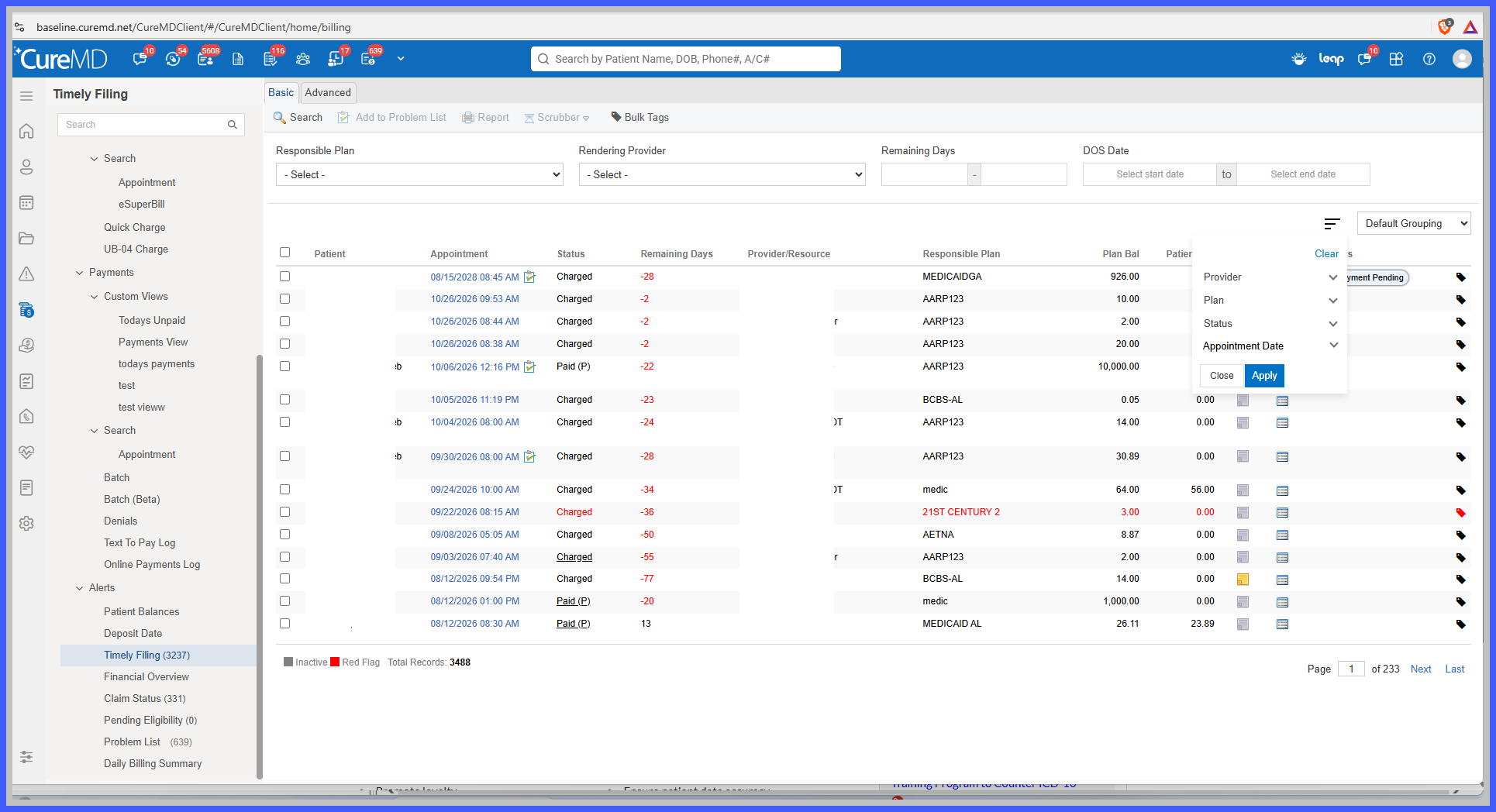
2. Open the Basic or Advanced Search interface.
3. Enter or select the applicable search criteria.
4. Click Search to retrieve claims or appointments matching the specified criteria.
5. Review the matching records displayed in the Timely Filing results grid.
6. Use the available Report action to access reporting for the applicable result set.
The enhancement focuses on improving Advanced Search and its associated reporting functionality while retaining the existing Timely Filing workflow.
Benefits
- Improved Search Efficiency: Helps billing users locate relevant claims and appointments using targeted search criteria.
- Reduced Manual Review: Allows users to narrow broader Timely Filing result sets, reducing the effort required to locate specific records.
- Better Operational Follow-Up: Supports more focused review of claims and appointments requiring timely filing attention.
- Improved Reporting Accessibility: Maintains access to the existing Report functionality for applicable search results.
- Consistent Billing Workflow: Preserves existing Basic Search and Timely Filing navigation while enhancing Advanced Search capabilities.
