Filter No-Charge Appointments and Encounters in Provider Notes Listings
Access My Provider Notes
Filter My Notes
Filter Assigned Notes
Filter Custom View Notes
Filter Administrative Provider Notes
Filter Dashboard Notes
Configure No-Charge Filters
What’s New
- Added two new checkboxes to the Provider Notes filter panel, positioned below AI Scribe:
- Include No-Charge Appointments
- Include No-Charge Encounters
- Both checkboxes are selected by default, ensuring that No-Charge notes remain included in the listing unless users choose otherwise.
- Unchecking Include No-Charge Appointments excludes notes associated with appointments marked No Charge.
- Unchecking Include No-Charge Encounters excludes notes marked No Charge, including those marked manually, through the Phone Encounter default, or by a No-Charge template.
- Users can independently enable or disable either filter to control which types of notes appear.
- When both options are unchecked, the listing displays only notes that are not classified as No-Charge.
- Existing filters, including Provider, Date, and Status, continue to apply alongside the new options.
- Result counts and pagination automatically reflect the filtered records.
- The new filters are available across My Notes, Assigned to Me, Custom Views, Administration > Provider Notes, and Dashboard > Notes.
- Existing Provider Notes functionality remains unchanged.
How It Works
- Navigate to Personal > My Provider Notes or another supported Provider Notes listing.
- Open the existing filter panel.
- Locate the new Include No-Charge Appointments and Include No-Charge Encounters checkboxes below AI Scribe.
- Both options are selected by default, allowing No-Charge notes to appear in the listing.
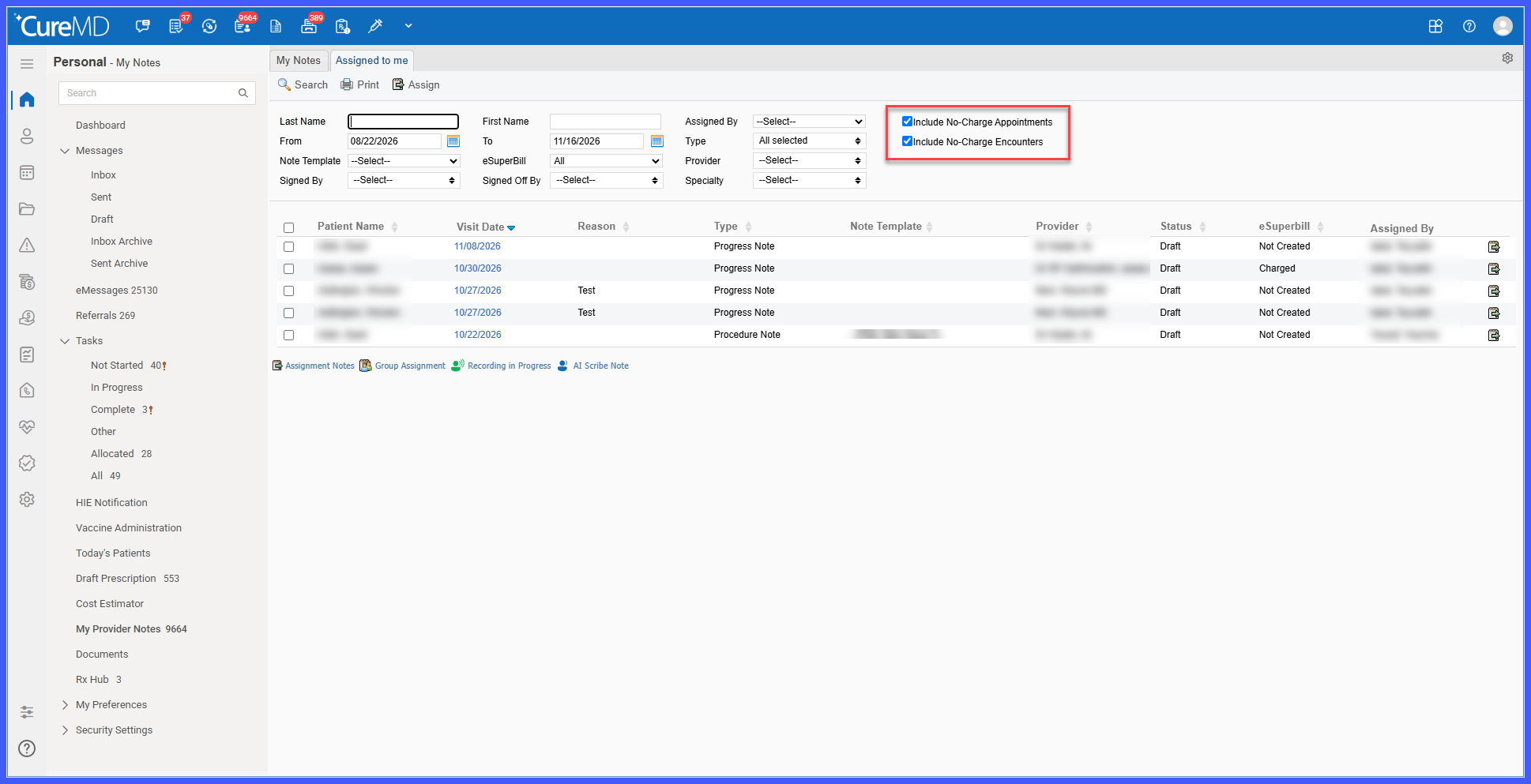
- Uncheck Include No-Charge Appointments to exclude notes associated with appointments marked No Charge.
- Uncheck Include No-Charge Encounters to exclude notes marked No Charge, regardless of whether the designation was applied manually, through the Phone Encounter default, or through a No-Charge template.
- Uncheck both options to display only notes that are not classified as No-Charge.
- Apply any additional filters, such as Provider, Date, or Status, as needed.
- Review the updated Provider Notes listing, with the result count and pagination reflecting the selected criteria.
Benefits
- Allows providers and staff to exclude No-Charge notes when reviewing encounters that may require billing attention.
- Provides independent control over No-Charge appointments and No-Charge encounters.
- Eliminates the need to open individual notes solely to determine whether they are associated with No-Charge appointments or encounters.
- Helps users focus on relevant Provider Notes based on their review and billing requirements.
- Makes the new filtering options available across multiple Provider Notes listings.
- Ensures result counts and pagination reflect the selected filtering criteria.
- Preserves current listing behavior by keeping both filters enabled by default.
