Track County Field Changes in Patient Demographics Event Log
Access Patient Demographics
Update County Information
Review County Change History
What’s New
- Added the County field to the existing Patient Demographics Event Log.
- County changes are recorded alongside existing Address, City, State, and ZIP Code information.
- When a user updates and saves the County field, the system automatically records the change.
- The Event Log displays both the previous and updated County values.
- The user responsible for the County modification is identified in the log.
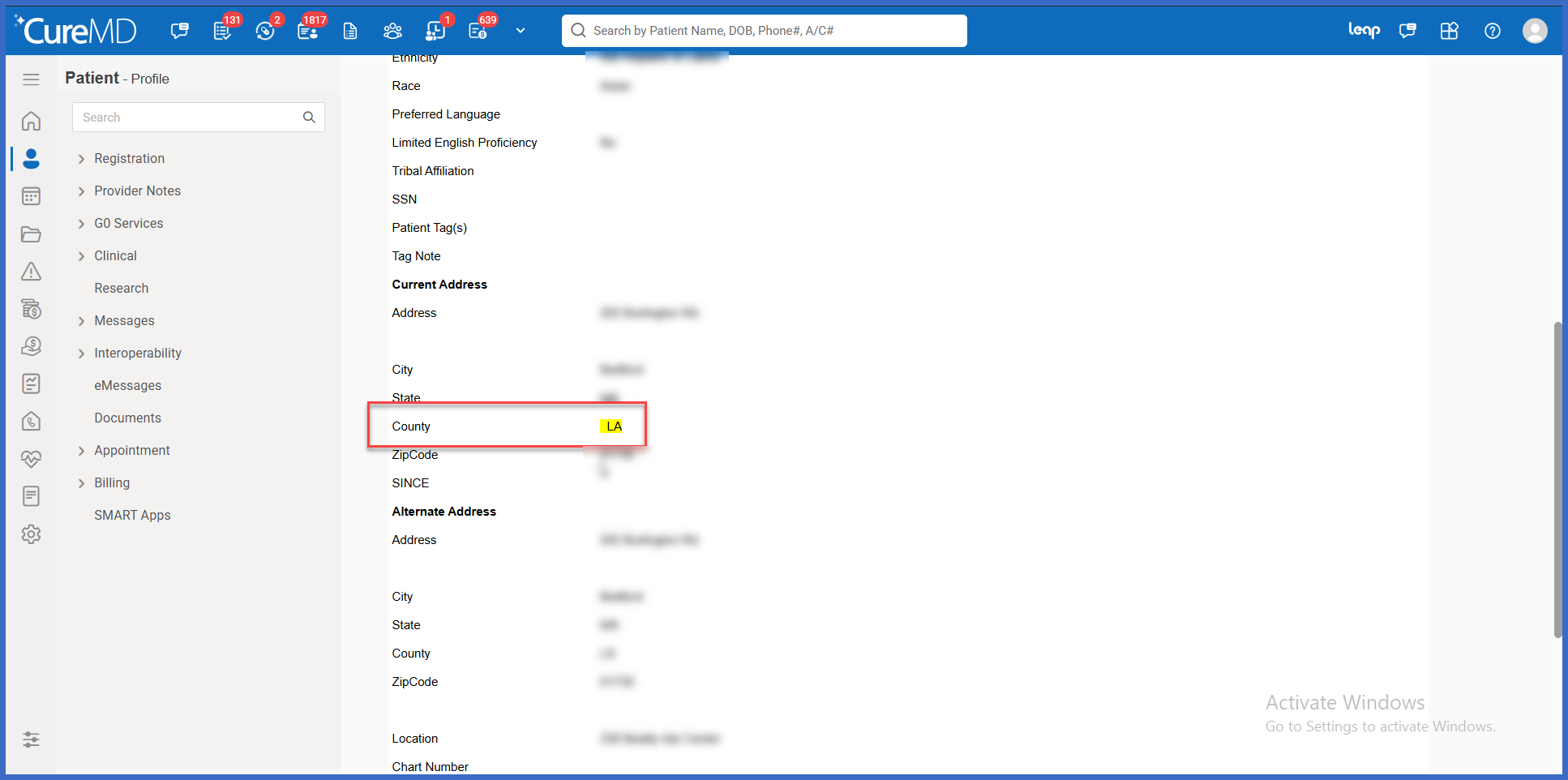
- The modified County field is highlighted, making it easier to distinguish the change during review.
- County change tracking applies to updates saved after the enhancement is deployed.
- Existing historical Event Log entries remain unchanged.
- Existing Demographics functionality and other address-related logging behavior remain unchanged.
How It Works
- Navigate to Patient and search for the applicable patient.
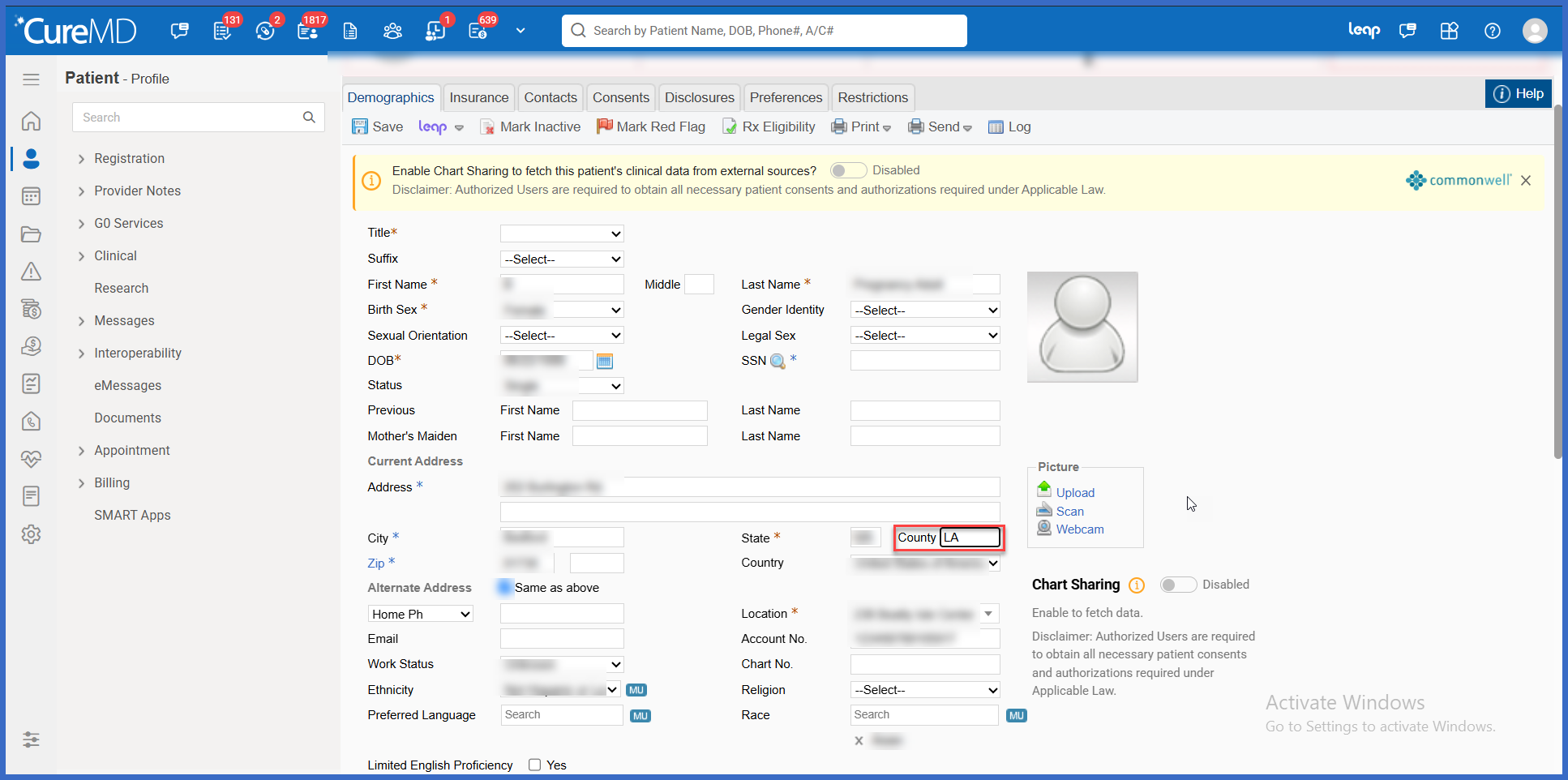
- Open the patient’s Demographics.
- Locate the County field within the patient’s address information.
- Update the County value as required.
- Save the changes using the existing Demographics workflow.
- Navigate to the Log section within Patient Demographics.
- The Event Log displays the County modification, including the previous value, updated value, and the user who performed the change.
- The modified County field is highlighted for easier identification.
 Benefits
- Improves accountability by identifying users responsible for County changes.
- Provides greater visibility into modifications to patient address information.
- Reduces the time required to investigate incorrect or outdated County values.
- Supports internal audits by preserving previous and updated County information.
- Makes demographic changes easier to review through highlighted field modifications.
- Helps practices identify potential training opportunities related to demographic data entry.
- Improves consistency in address-related change tracking by including County alongside existing address fields.
- Maintains existing Patient Demographics workflows without introducing additional steps.
