Automatic Population of Demographic Custom Fields in Provider Note Templates
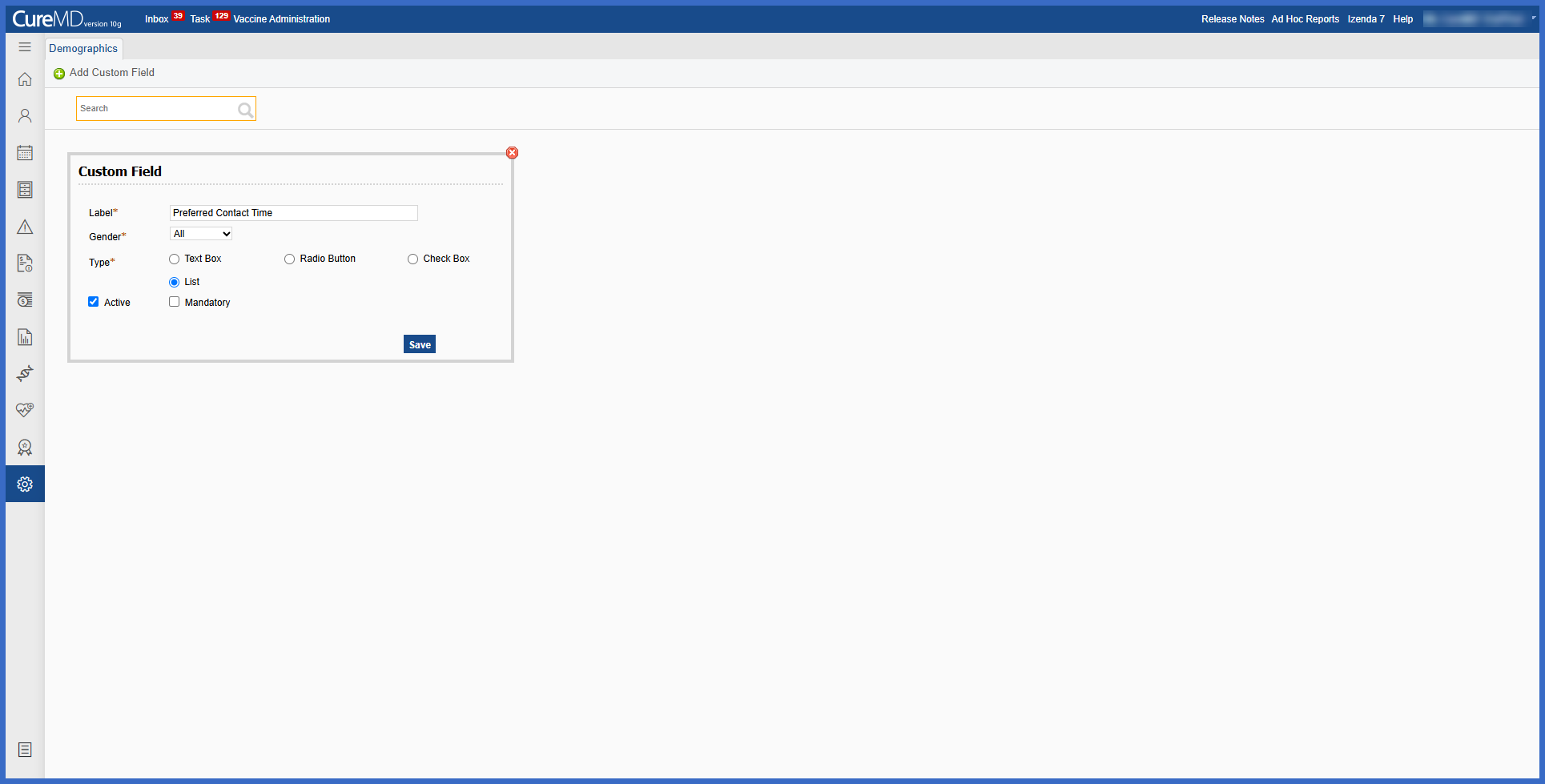
Configure Demographic Custom Fields
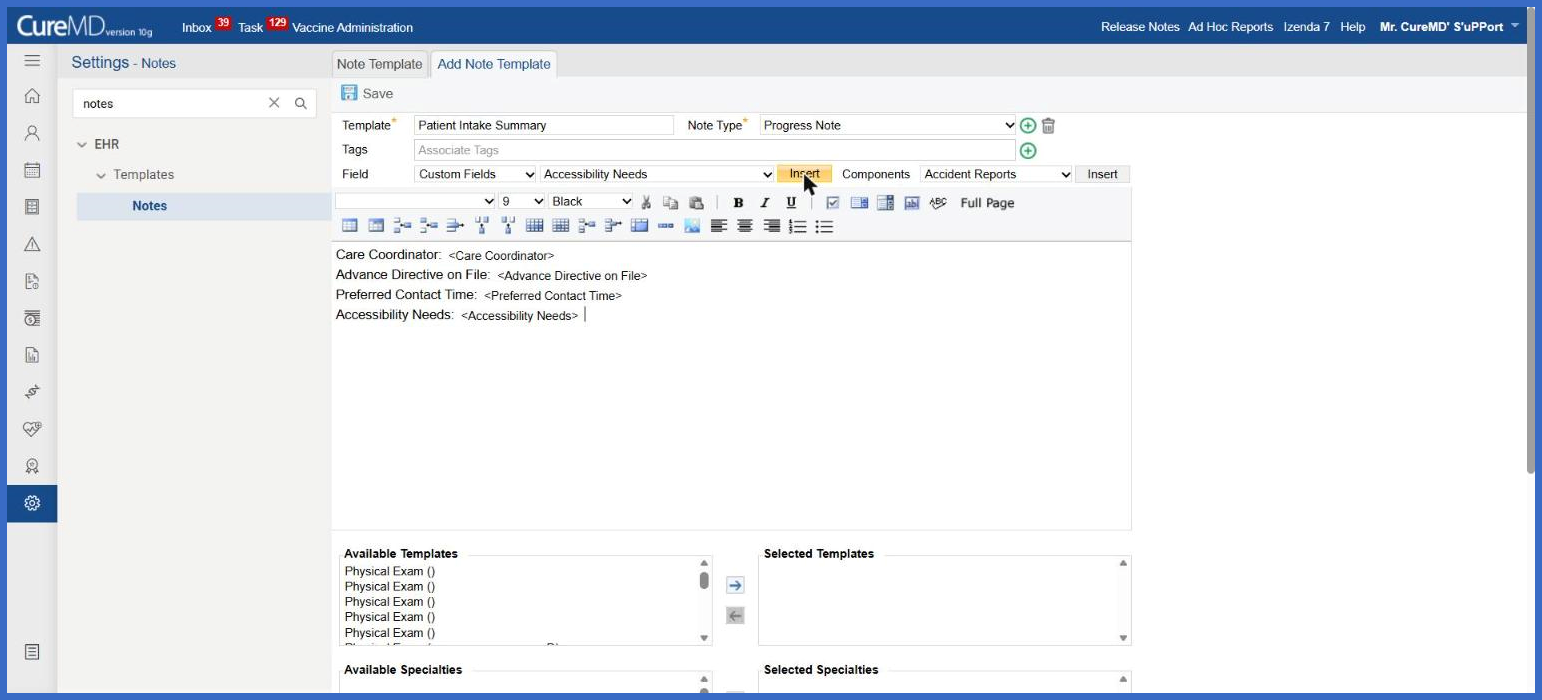
Add Custom Fields to Note Templates
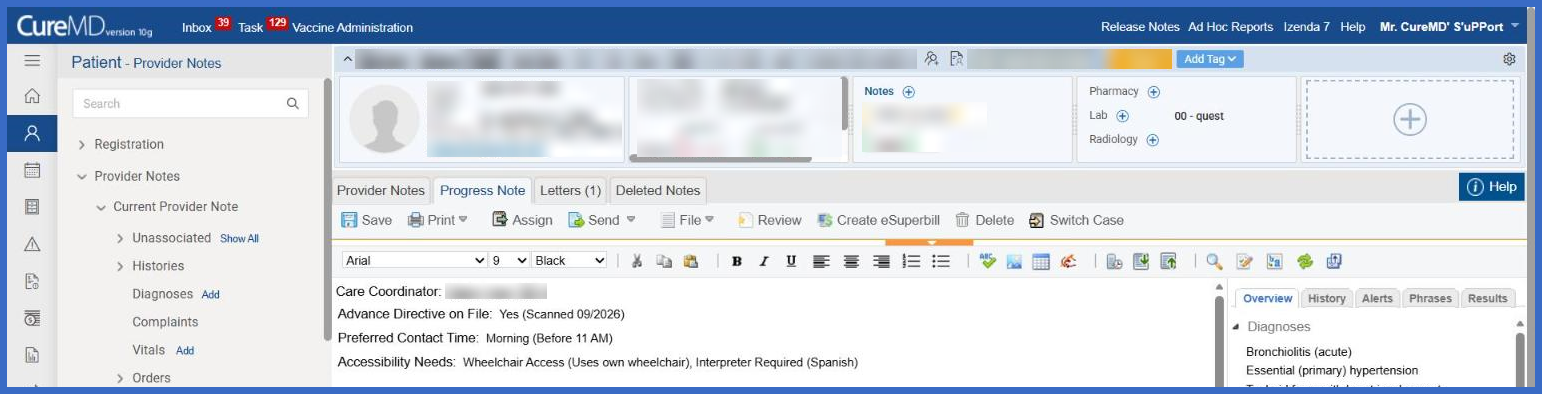
Generate Provider Notes
What’s New
- Added support for demographic custom fields within the Note Template editor.
- Users can select Custom Fields from the Field dropdown to access configured demographic custom fields.
- Supports all existing demographic custom field types, including Free Text, Radio Button, Checkbox, and List.
- Automatically populates the patient’s saved demographic values when the Note Template is used.
- Free Text fields display the entered text value.
- Radio Button and List fields display the selected option, including any associated notes.
- Checkbox fields display all selected options, separated by commas.
- Checkbox selections containing notes display the corresponding notes alongside each selected option.
- Custom fields without saved patient values remain unpopulated in the generated note.
- If the type of a demographic custom field is changed after it has been inserted into a template, the existing field continues to function without requiring template modifications.
- Existing Note Template and Provider Note workflows remain unchanged.
How It Works
- Navigate to Settings > EHR > Templates > Notes.
- Create a new Note Template or open an existing template for editing.
- In the Note Template editor, locate the Field dropdown.
- Select Custom Fields to access the available demographic custom fields.
- Choose the required custom field.
- Click Insert to add the selected field to the Note Template.
- Save the template using the existing workflow.
- When the template is used to generate a Provider Note, CureMD automatically populates the inserted fields with the corresponding values saved in the patient’s Demographics.
Benefits
- Automatically incorporates patient-specific demographic information into Provider Notes.
- Reduces repetitive manual entry during clinical documentation.
- Improves consistency between patient Demographics and generated notes.
- Supports Free Text, Radio Button, Checkbox, and List fields, including associated notes.
- Reduces transcription errors when transferring demographic information into Provider Notes.
- Allows practices to create more comprehensive Note Templates using existing demographic custom fields.
- Preserves existing templates when a custom field’s type is changed.
- Maintains established Provider Note workflows while improving documentation efficiency.
