Automated New vs. Established Patient Type Suggestions in Scheduling
Classify Patient During Scheduling
Review or Override Patient Type
Recalculate Patient Type During Appointment Updates
View Saved Patient Type
What’s New
- A new Patient Type field is available across:
– Book Appointment
– Follow-Up Scheduling
– Quick Scheduling
– Edit Appointment
– Reschedule Appointment - The Patient Type field supports New Patient, Established Patient, and Select.
- Once a provider is selected, the system evaluates qualifying encounters from the previous 3 years to generate a suggested Patient Type.
- A qualifying encounter must have reached Checked-Out status or beyond. Scheduled, Checked-In, Cancelled, No Show, and other non-qualifying appointments are excluded.
- Established Patient is suggested when a qualifying encounter exists with:
– The same provider, or
– A different provider with the same assigned specialty. - New Patient is suggested when no qualifying encounter exists within the selected provider’s specialty during the previous 3 years.
- System-generated suggestions are highlighted in green.
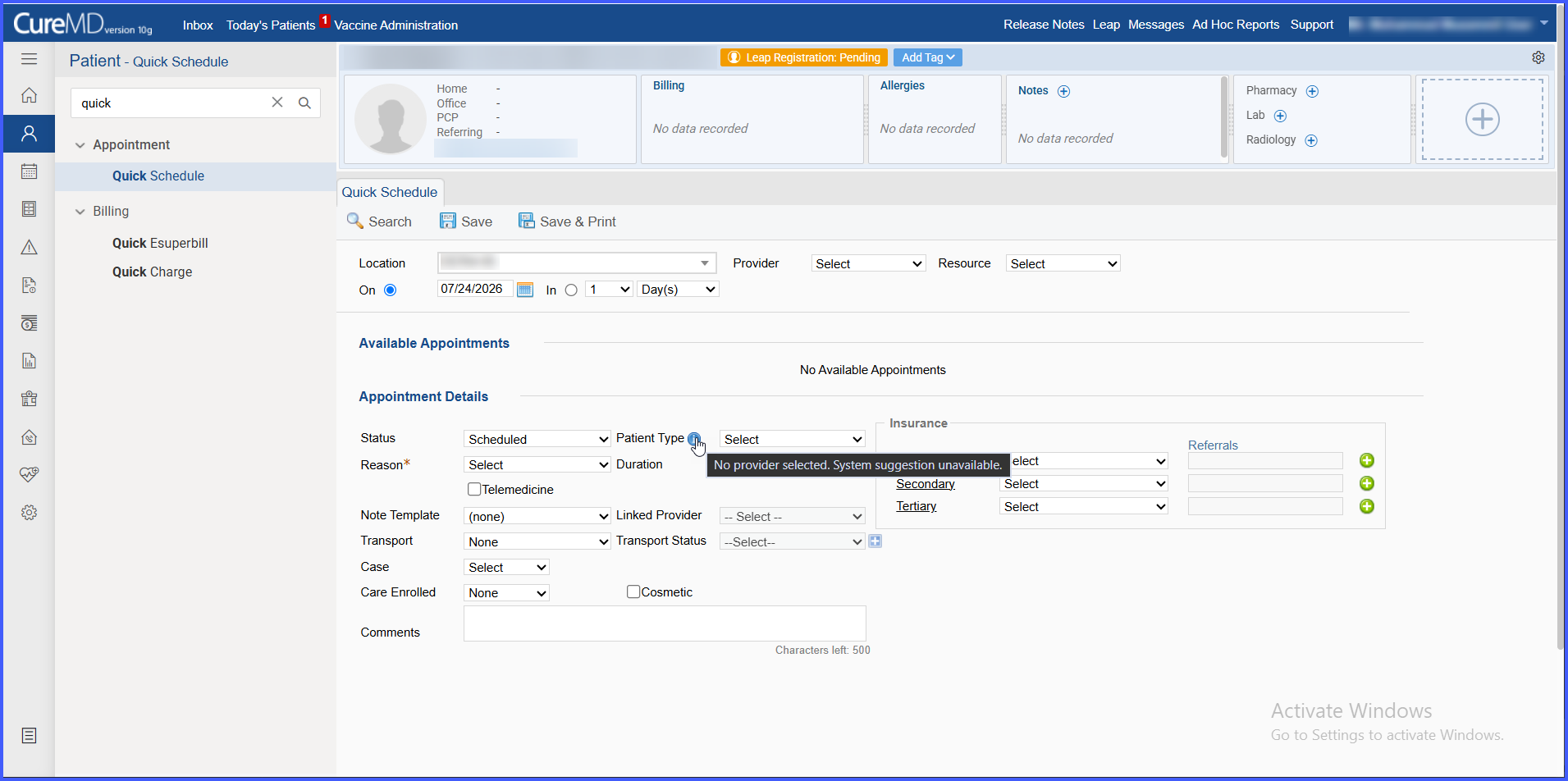
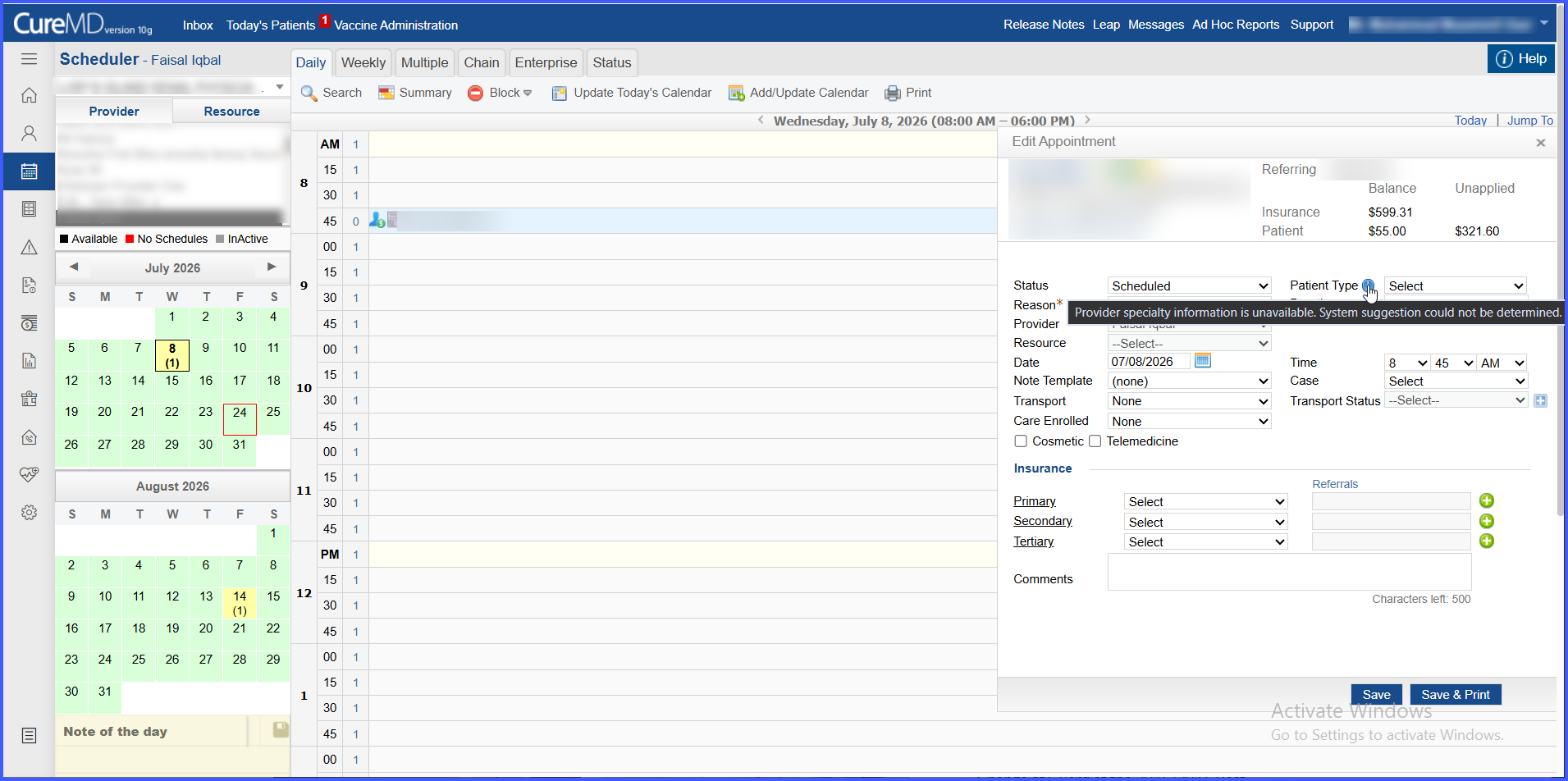
- An information icon explains how the Patient Type was determined and can display relevant encounter, provider, and specialty information.
- Users can manually select New Patient or Established Patient at any time.
- Manual selections remove the green system-suggestion highlight, and the information hover identifies the value as manually overridden while retaining the system-determined classification for reference.
- Suggestions automatically recalculate when the provider/resource or relevant patient context changes within scheduling workflows.
- For resource appointments, the linked provider is used to determine the suggestion.
- If no provider is selected, provider specialty information is unavailable, or the system cannot determine a classification, Patient Type remains Select and scheduling is not blocked.
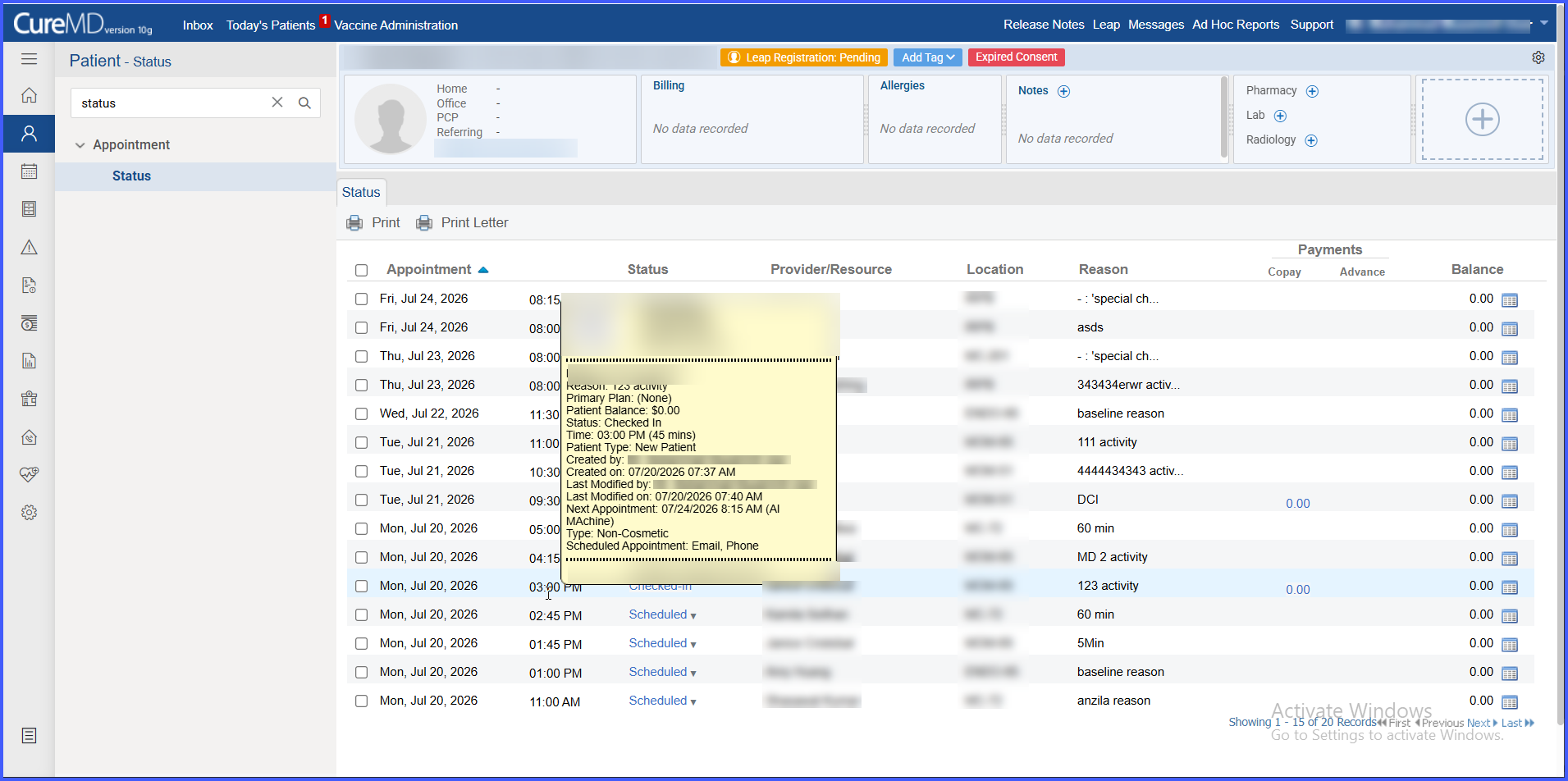
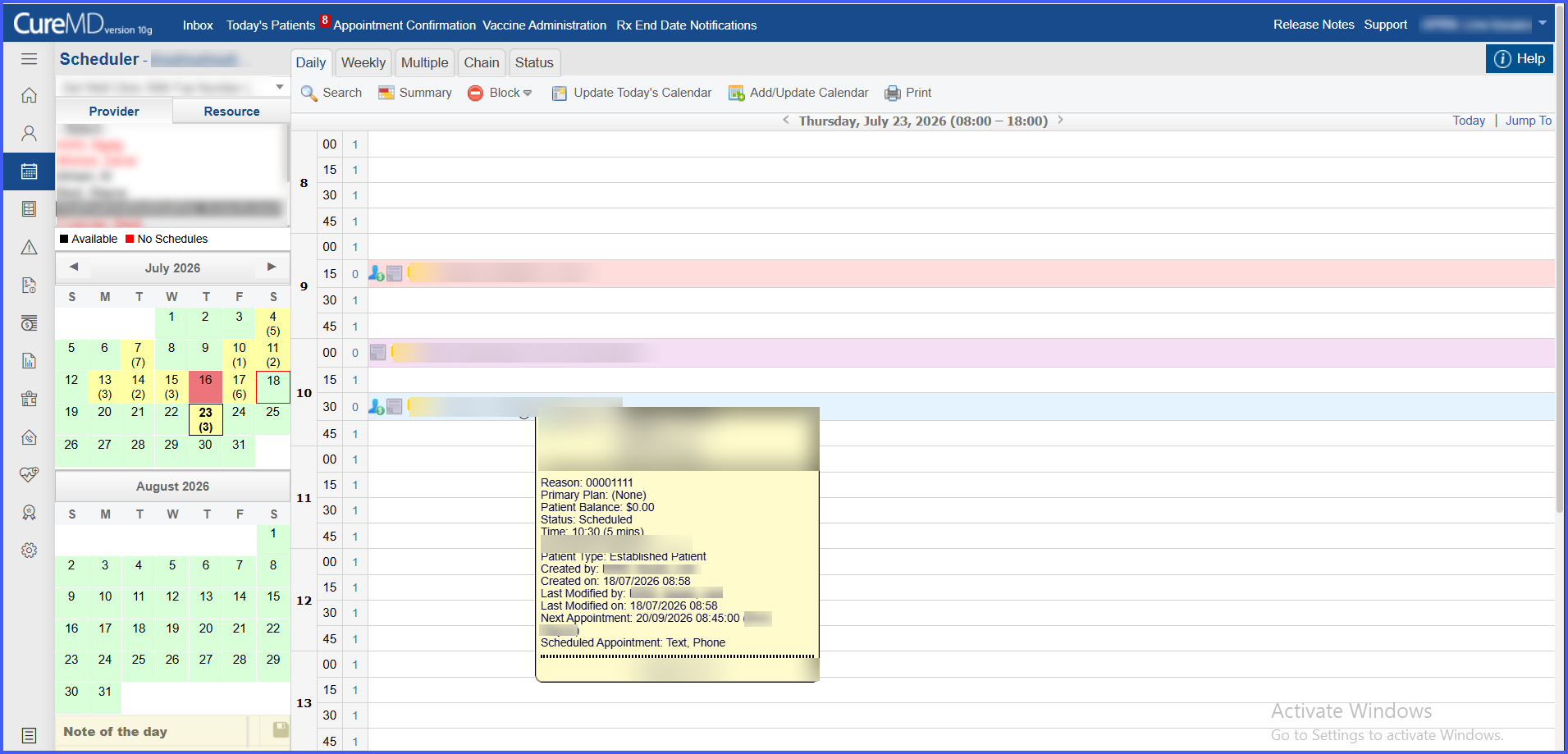
- The saved Patient Type is displayed as read-only information in Scheduler appointment hover details and the Patient Status view.
- The saved Patient Type can also be reflected in the associated Superbill when the corresponding Superbill functionality is implemented.
How It Works
- Open a supported scheduling workflow and select the patient and provider.
- The system reviews qualifying encounters from the previous 3 years and evaluates them against the selected provider’s specialty.
- Based on the available history, the system suggests New Patient or Established Patient and highlights the suggested value in green.
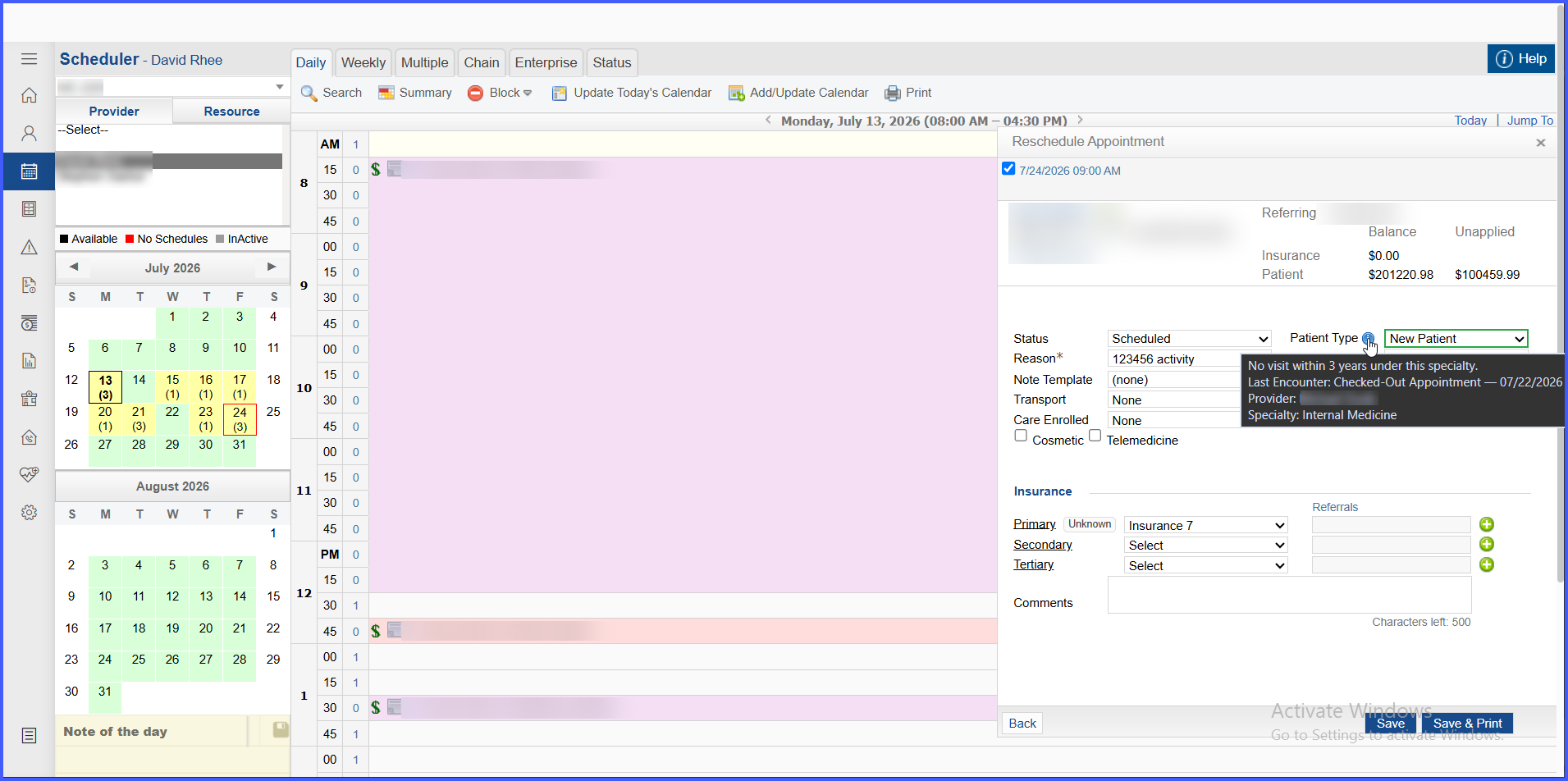
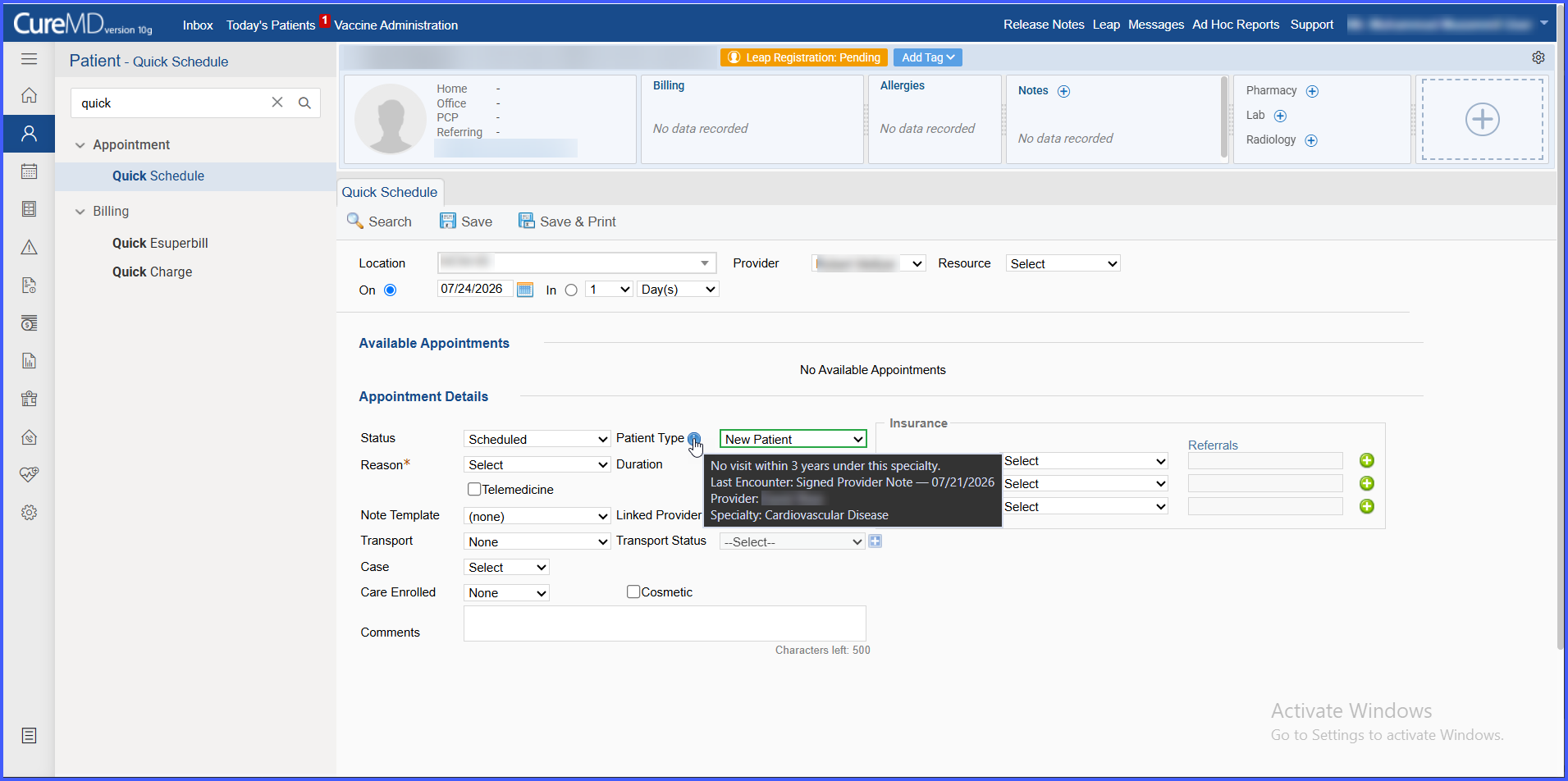
- Hover over the information icon to review the reason for the suggested classification, including relevant prior encounter information when applicable.
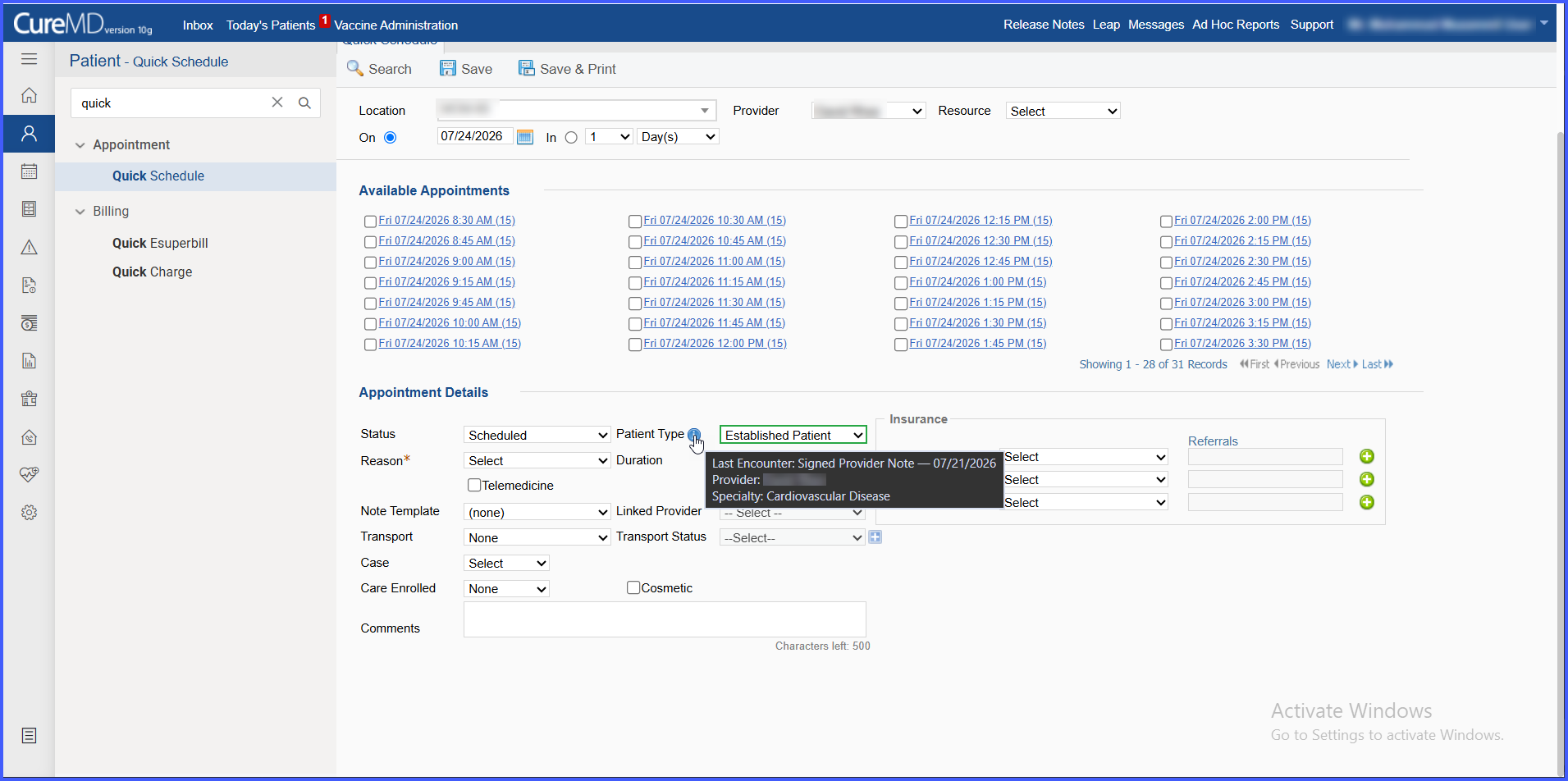
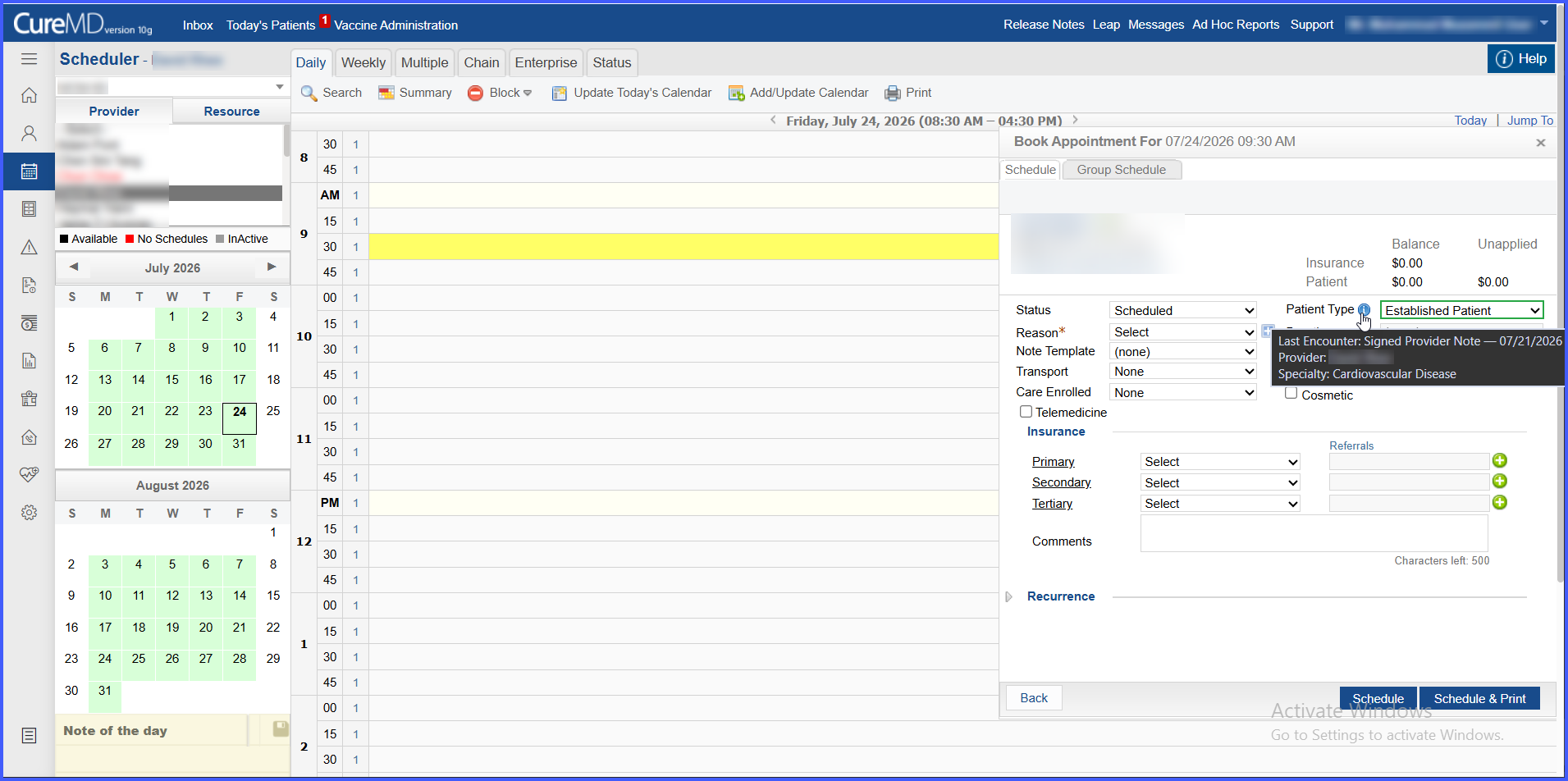
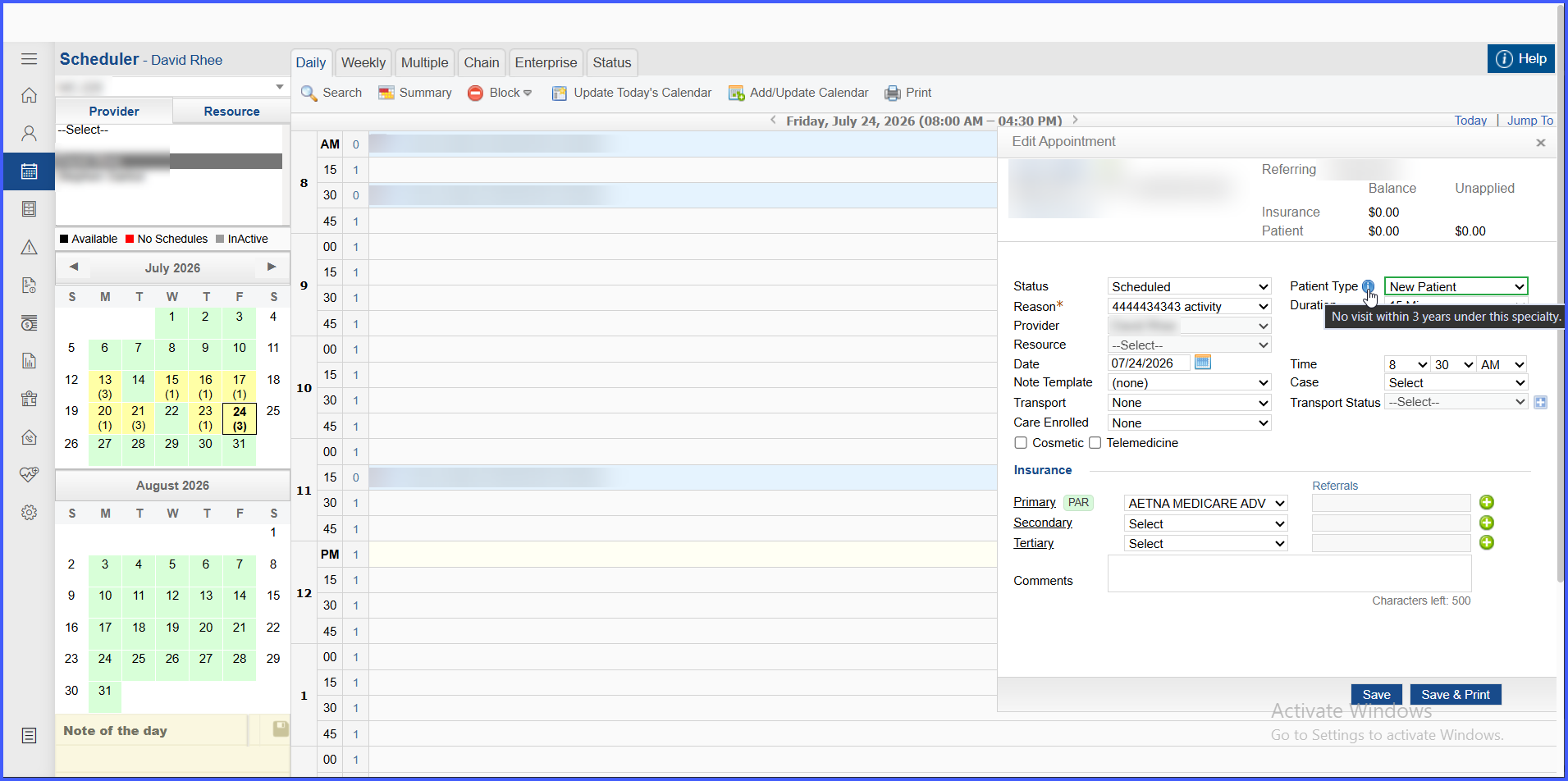
- Accept the suggested value or manually select New Patient or Established Patient.
- If manually overridden, the green highlight is removed and the information hover identifies the selection as a manual override while displaying the system-determined value.
- If the provider or relevant scheduling context changes, the system recalculates the suggestion using the updated information.
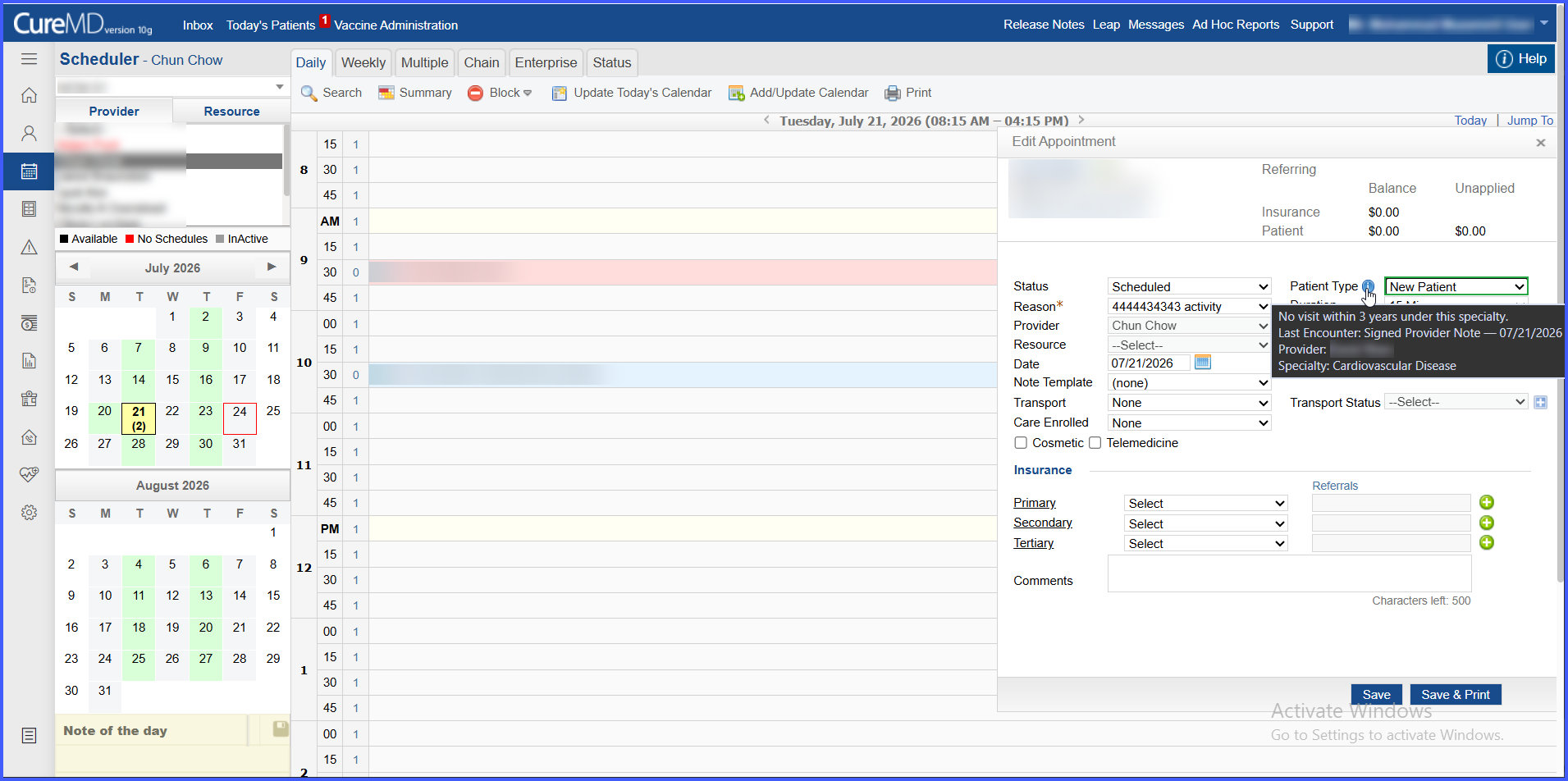
- If a suggestion cannot be generated, the field remains Select and users can manually choose the appropriate Patient Type without interrupting scheduling.
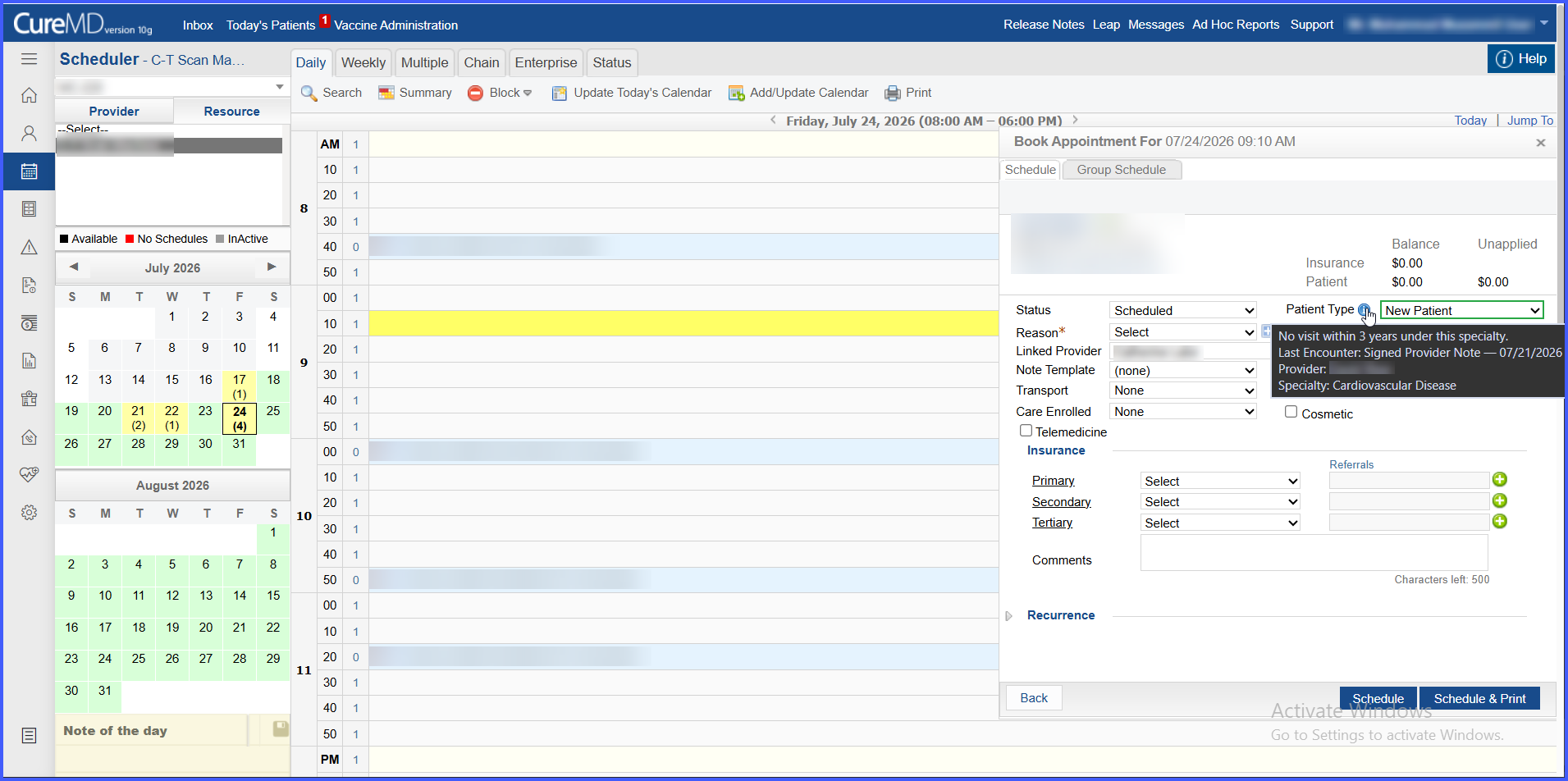
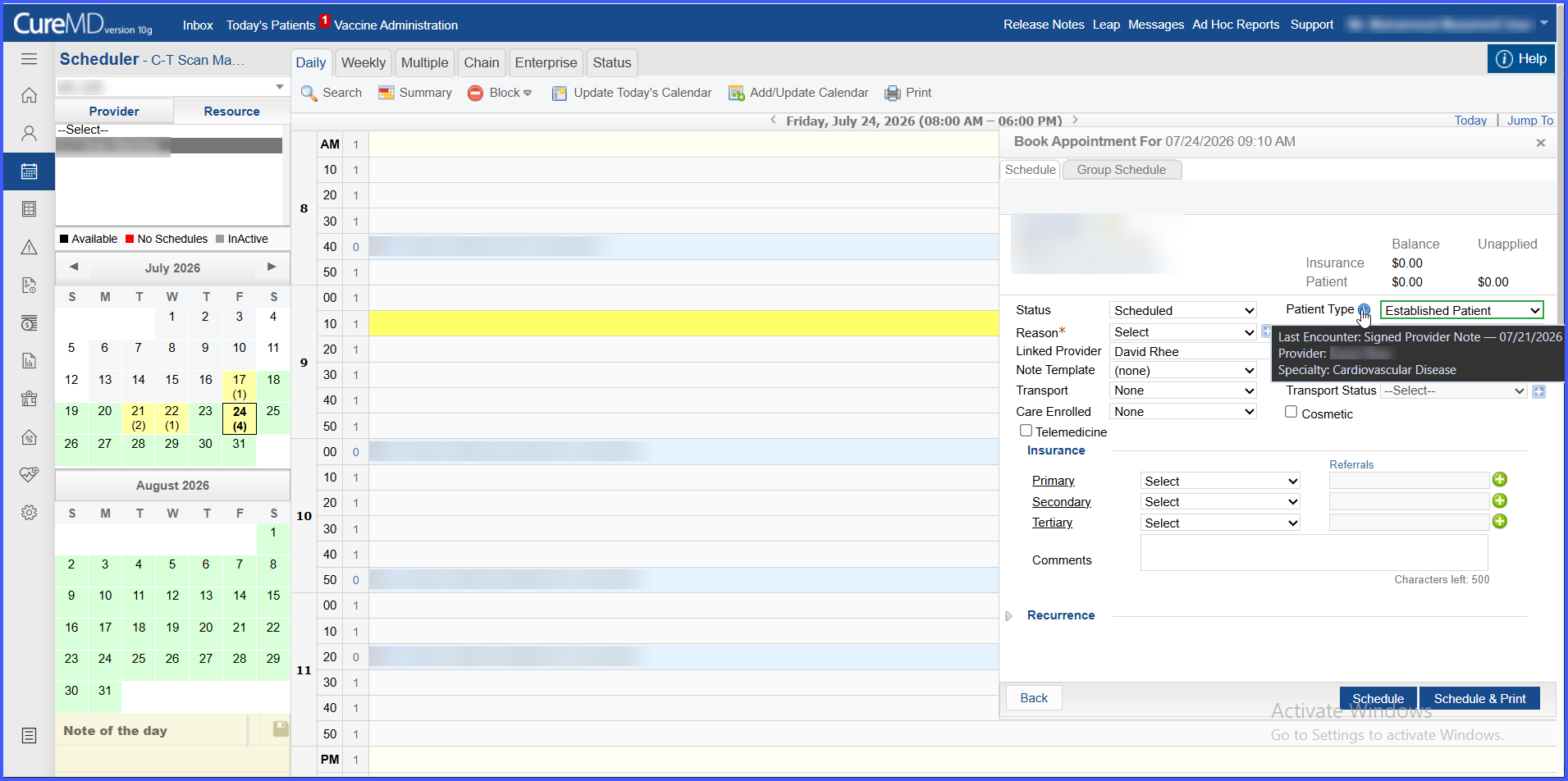
- Save or schedule the appointment to retain the selected Patient Type.
- The saved Patient Type can be viewed in appointment hover details across Scheduler views and the Patient Status view.
Benefits
-
Reduces the need for schedulers to manually review encounter history when determining New vs. Established status.
-
Applies the 3-year qualifying encounter and specialty logic consistently across supported scheduling workflows.
-
Supports billing accuracy by capturing Patient Type during scheduling for downstream use, including Superbill workflows when implemented.
-
Clearly distinguishes system-generated suggestions from manually selected values.
-
Provides transparency through contextual information explaining how each suggestion was determined.
-
Preserves user control by allowing manual overrides without blocking appointment scheduling.
-
Provides consistent Patient Type behavior across Book, Follow-Up, Quick, Edit, and Reschedule workflows.
Known Behavior / Limitations
-
System suggestions require a provider to be selected. Resource-only appointments without a linked provider support manual selection only.
-
Provider specialty information must be available for automatic classification.
-
Only qualifying encounters that reached Checked-Out status or beyond are considered.
-
Automatic recalculation following provider or patient context changes occurs only within scheduling workflows.
-
Patient Type displayed in Scheduler and Patient Status hover details is read-only; changes require editing the appointment.
-
If the backend classification cannot be determined at load time, Patient Type remains Select without preventing scheduling.
-
Superbill reflection depends on implementation of the corresponding Superbill capability.
