Specialty Filter for Provider Notes
Filter Provider Notes by Specialty
Filter My Notes by Specialty
What’s New
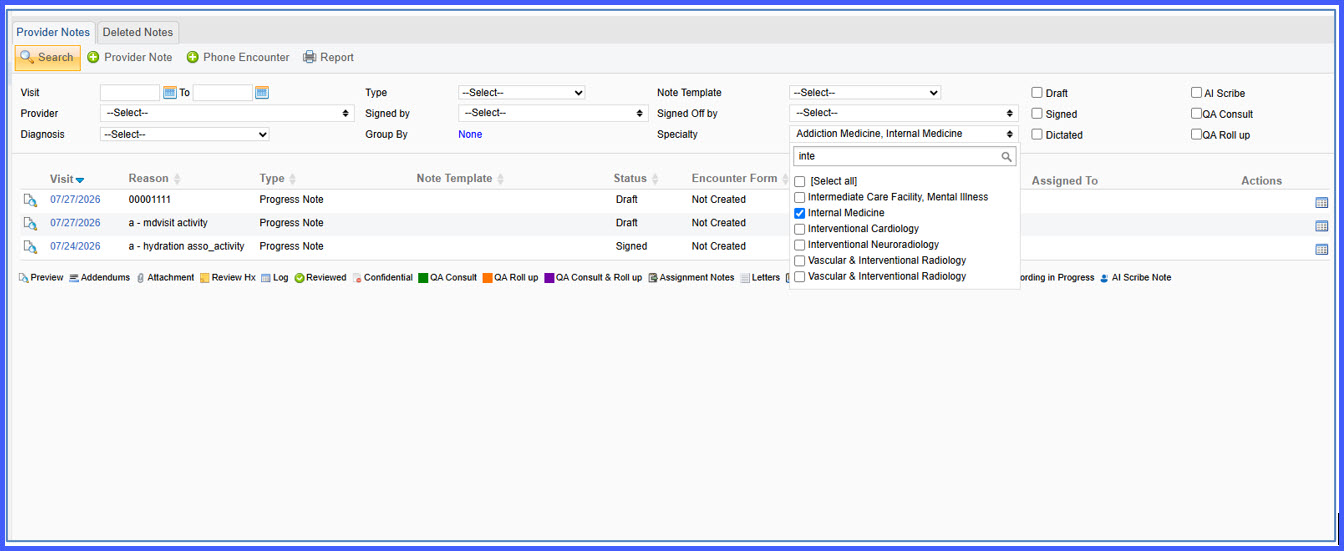
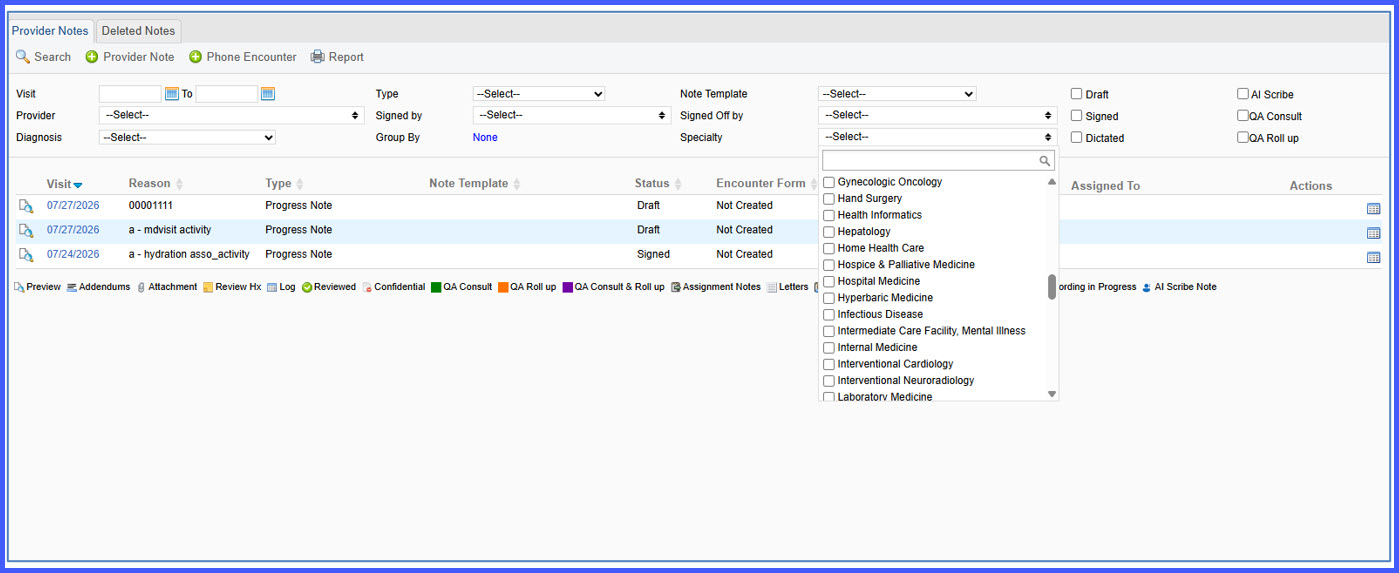
- A new Specialty filter has been added to Provider Notes.
- The Specialty filter is also available in My Notes under the Personal tab.
- No specialty is selected by default.
- The dropdown displays only specialties that have provider notes within the current search results.
- Multiple specialties can be selected using checkboxes.
- Provider Notes are filtered based on the selected specialties.
- Applying or clearing the Specialty filter does not affect the existing Provider Notes filters.
How It Works
- Open Provider Notes or My Notes.
- Open the Specialty filter.
- Select one or more specialties from the available list.
- The Provider Notes listing automatically refreshes to display notes created by providers belonging to the selected specialties.
- Clear the filter at any time to return to the full set of available notes while preserving the remaining search filters.
Benefits
- Improves the efficiency of locating Provider Notes.
- Simplifies navigation within multi-specialty practices.
- Reduces time spent searching for provider documentation.
- Supports filtering across multiple specialties simultaneously.
- Preserves existing search filters when Specialty filtering is applied or removed.