How to Export Data for an Entity?
User can export the data for ‘Quality Programs’ category.
Follow the above mentioned workflow to land on the ‘Reports’ tab.
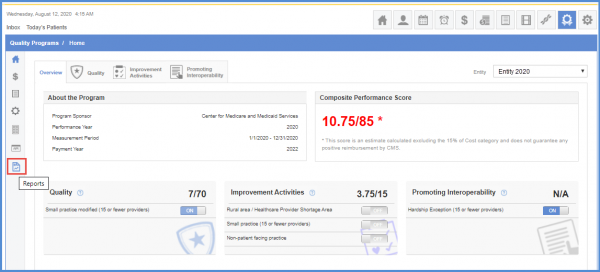
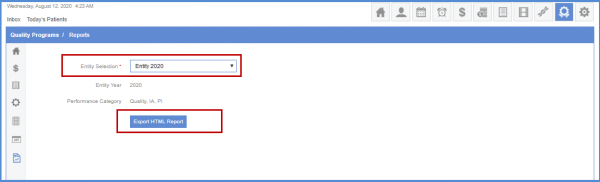
Select any activated entities for year 2020 from the entity selection drop-down.
Clicking the ‘Export HTML Report’ button fetches the contents of the report.
This report can be printed or saved as a PDF for future use.
The system only displays the entities of the year 2021 in the ‘Entity Selection’ drop-down and the entities of the year 2020 have been archived.
This helps improve the system performance.
In order to view a similar enhancement made on the ‘Api Submission’ page click here.
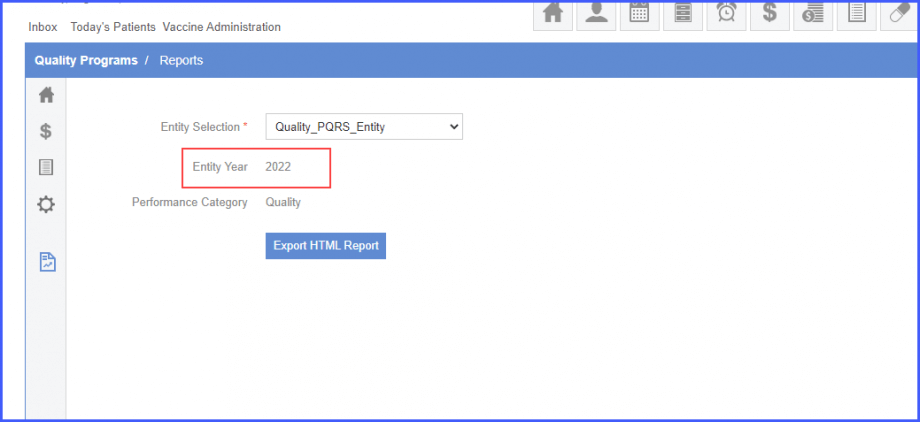
Only the entities of 2022 are displayed in the entity dropdown of Reports section in Quality Programs.
This improves efficiency of the system.