Skip to content
CureWiki
Release Notes Videos Announcements Support

How to Access Components from the Quick Access Panel?

Patient > Chemo Admin

Using the Quick Access panel in ‘Chemo Admin’ tab, a user can access the following components:
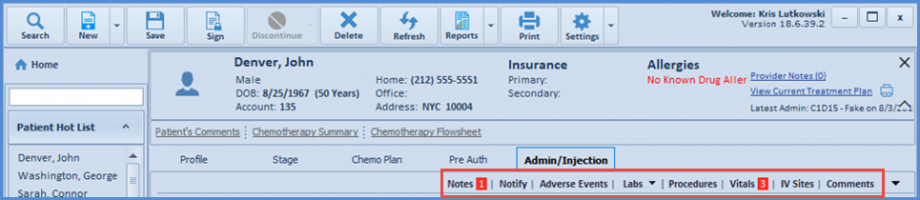
  • Notes
  • Notify
  • Adverse Events
  • Labs
  • Procedures
  • Vitals
  • IV Sites
  • Comments


quick-access-chemo-600x131
Quick Access Panel
Recent Posts
video-thumbnail
Automated Due Balance Notifications via Email and SMS

Posted On: Aug 26, 2026

video-thumbnail
Multiple Copay Types for Insurance Configuration and Chec...

Posted On: Aug 26, 2026

video-thumbnail
Filter eSuperbill Custom Views by Note Status

Posted On: Aug 26, 2026

video-thumbnail
Web Payment Project Enhancements

Posted On: Aug 26, 2026

video-thumbnail
Vaccine Lot Dose Tracking and Available Inventory

Posted On: Aug 26, 2026

video-thumbnail
Access Patient Profile from Scheduler > Status #3

Posted On: Aug 26, 2026

Contact us
    Sales
    • (866) 643 8367
    • (212) 509 6206
    • sales@curemd.com
    Support
    • (718) 684 9298
    • (212) 509 6206
    • support@curemd.com
© 2026 CureWiki
facebook   twitter   linkedin