What are Outgoing Faxes?
Follow the workflow mentioned above to land on the ‘Fax Status Log’ screen.
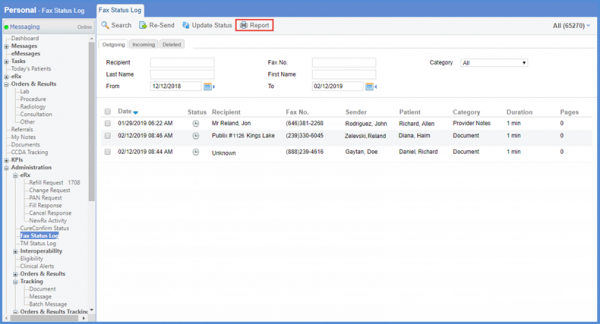
In the ‘Outgoing’ tab, users can search for the required fax through the various search filters.
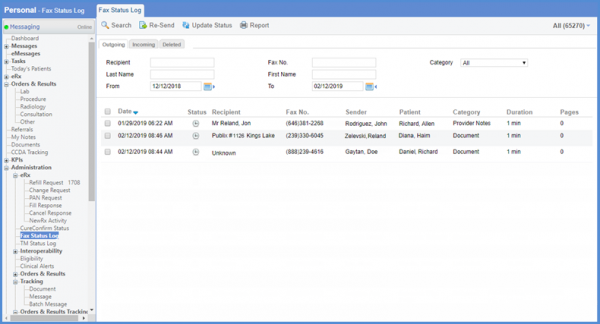
Faxes are categorized by the following:
- ‘Date’
- ‘Status’
- ‘Recipient name’
- ‘Fax Number’
- ‘Sender name’
- ‘Patient name’
- ‘Category of the fax
- ‘Duration’ of sending or receiving time
- Number of ‘Pages’ that the fax contains.
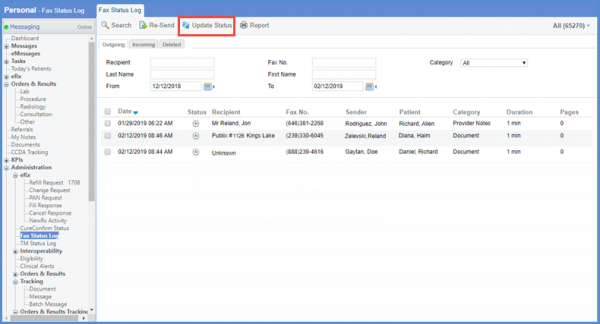
In order to fetch the latest status for ‘Outgoing’ faxes, enable the checkbox next to the fax and click on ‘Update Status’.
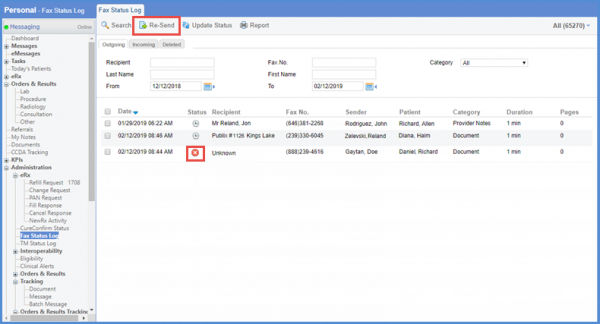
Faxes which have not gone through (‘Failed’) can also be sent again. Enable the checkbox next to the required fax and click on ‘Re-Send’.
Click ‘Report’ button to view total number of faxes and pages sent.
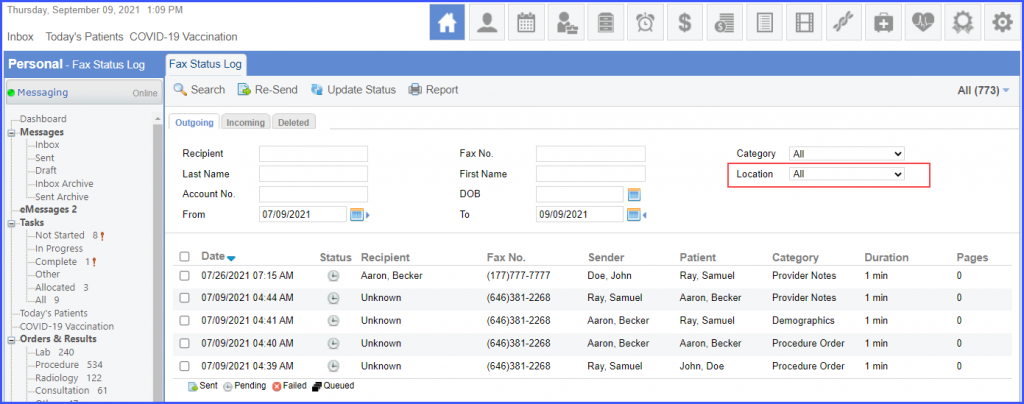
Users can filter outgoing faxes on the basis of location. 
Select the desired location from the ‘Location’ dropdown and click ‘Search’. The system displays the outgoing faxes associated with the selected location.