How to View and Review Documents?
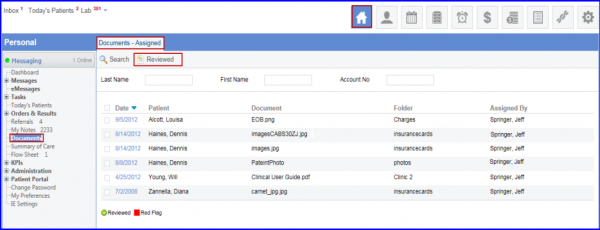
Follow the workflow above to land on the ‘Documents – Assigned’ screen.
Click on the date to open a document.
A list of documents is displayed under ‘All Documents’ tab.
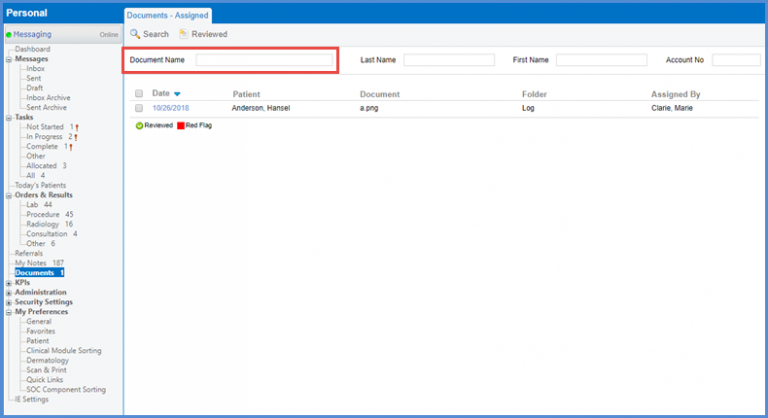
Users can search for documents using the ‘Document Name’ search filter.
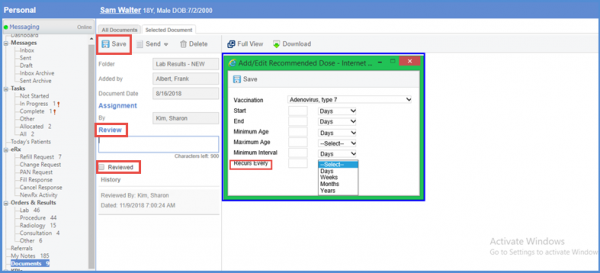
Once the document is open, users can enter comments in the ‘Review’ text box. Enable the checkbox under the text box and click ‘Save’ button.
To remove a reviewed document from the list, select the required document and click the ‘Reviewed’ button.
