View Patient-Provided Cancellation Reasons in the 10g Scheduler
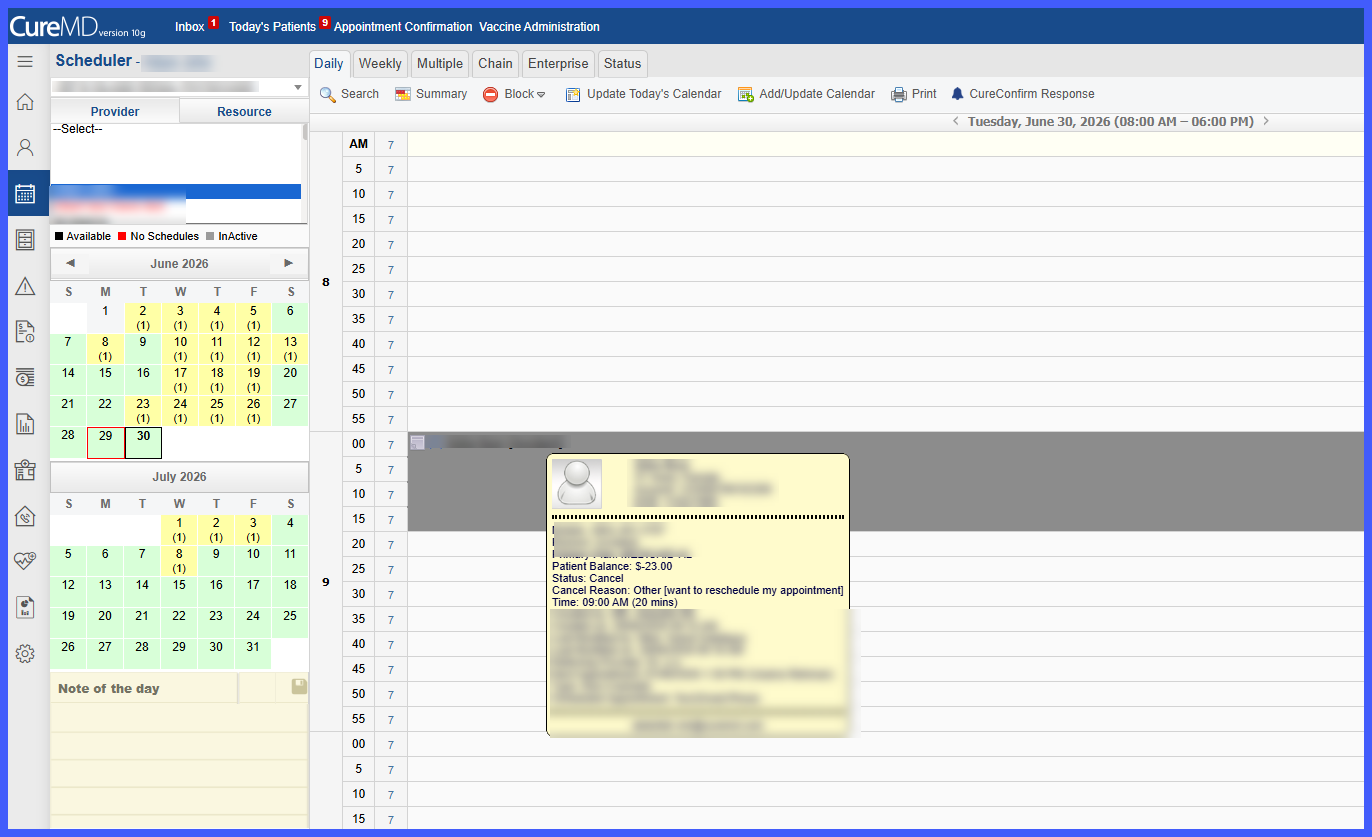
View Cancellation Reason in Scheduler Tooltip
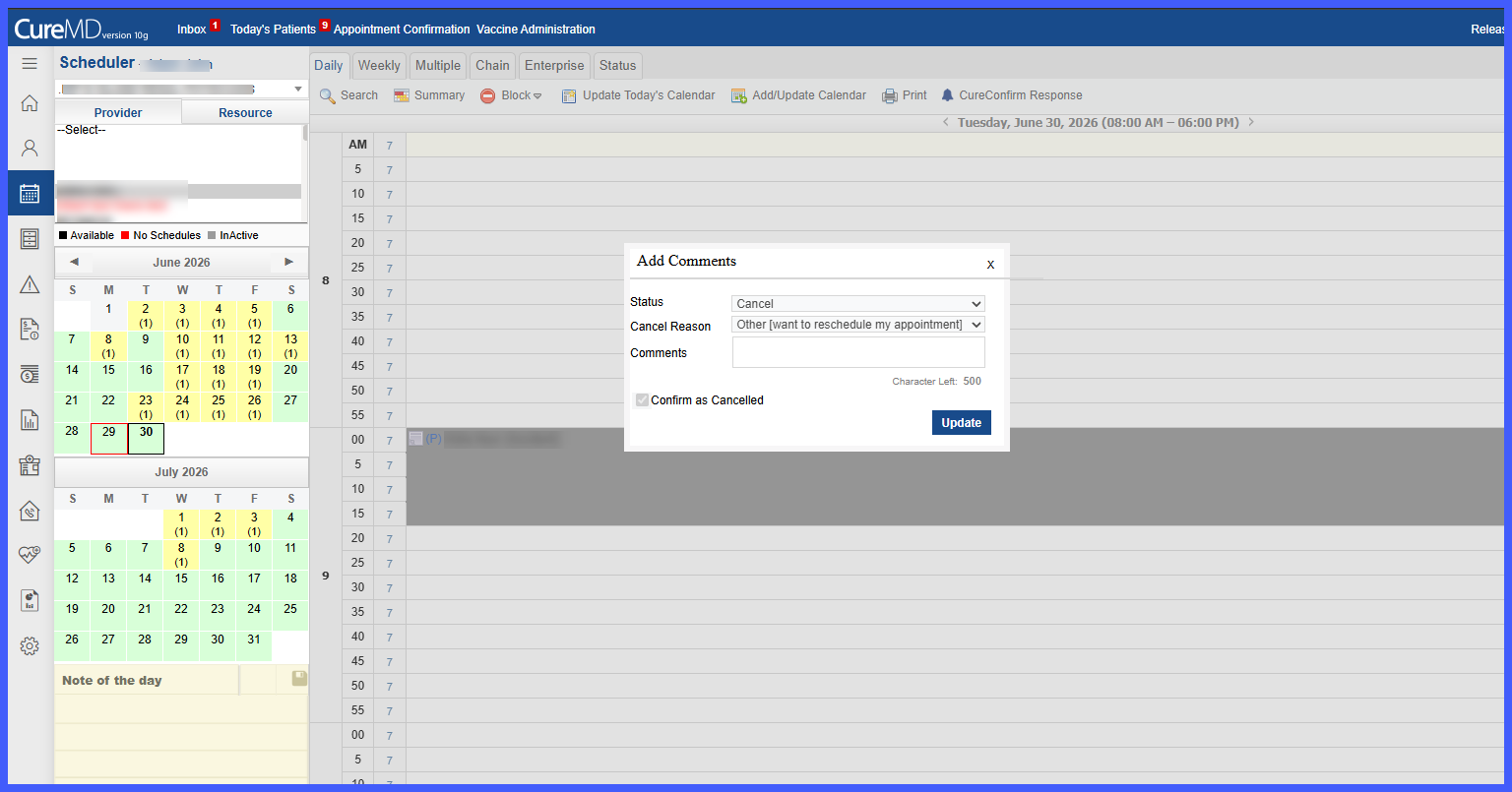
View Cancellation Reason in Add Comments
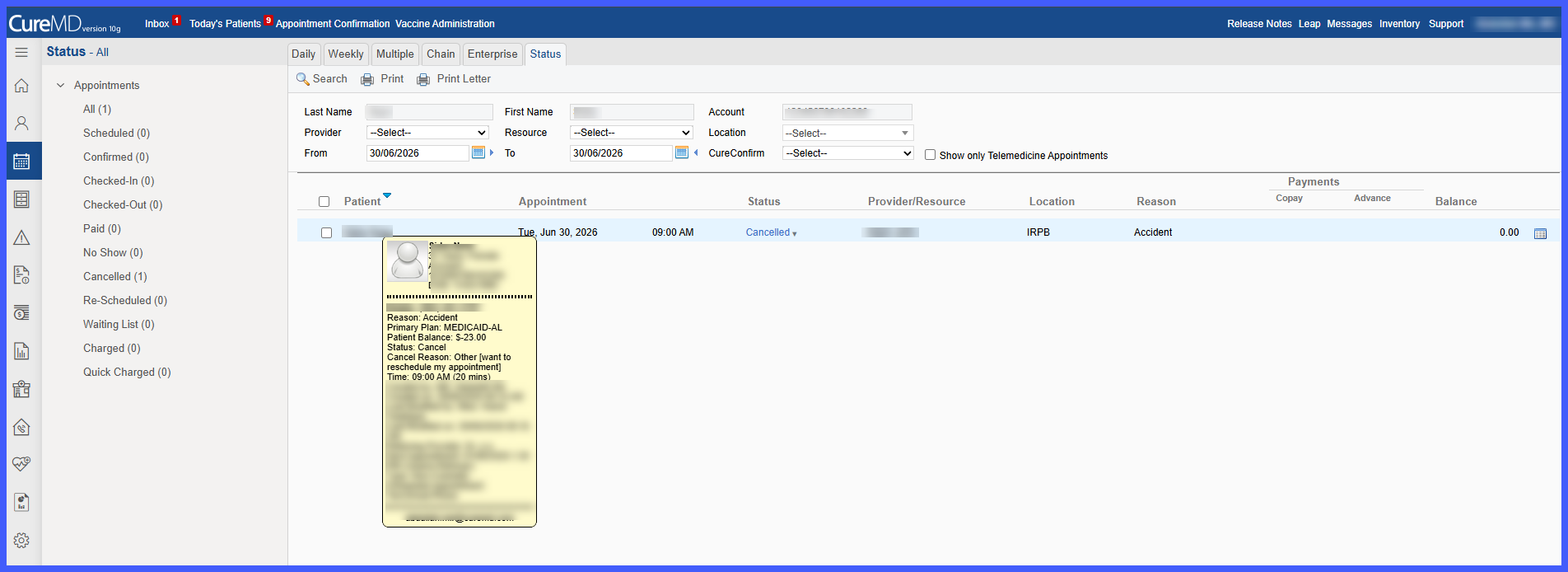
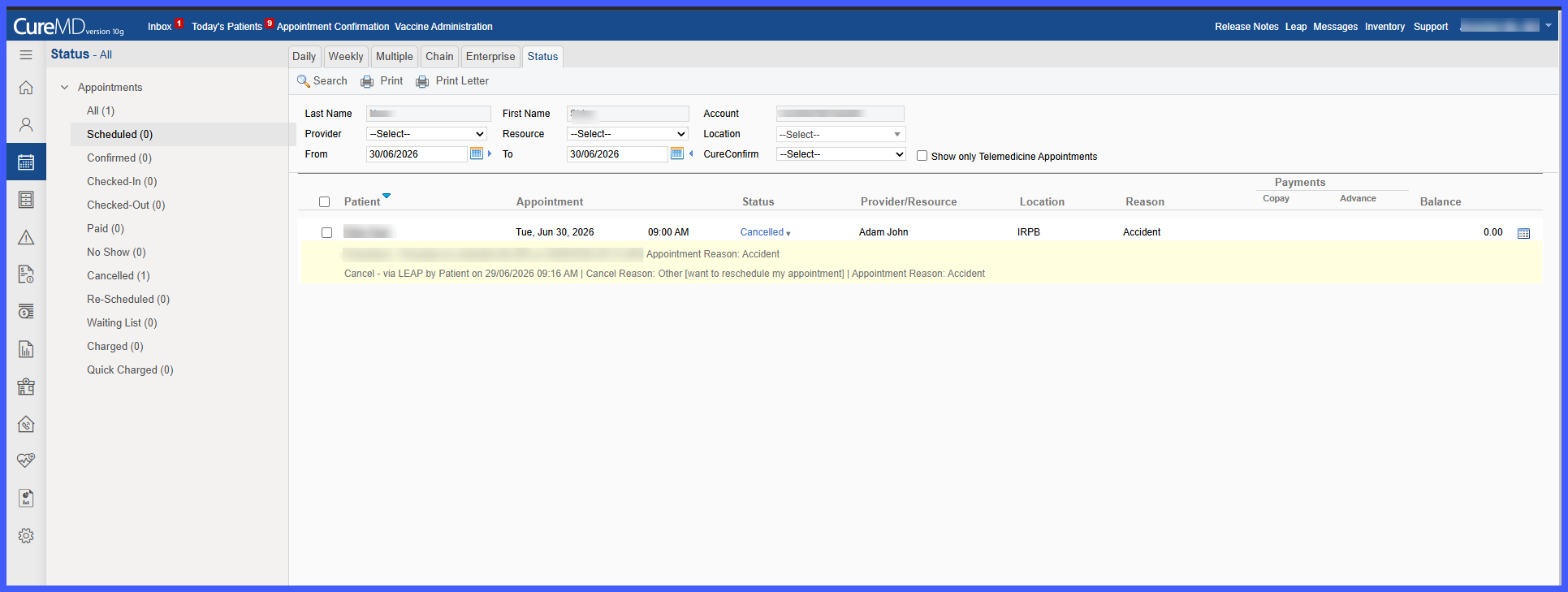
View Cancellation Reason on Status Page
What’s New
- Patient-provided cancellation reasons from LEAP are now displayed within the 10g Scheduler.
- Cancellation reasons are visible in the appointment hover tooltip across:
– Daily View
– Weekly View
– Multiple View
– Chain View - The Add Comments popup now displays the patient-provided cancellation reason or the configured practice cancellation reason in a read-only field.
- Patient-entered cancellation reasons are not added to the master Cancel Reason dropdown list.
- Status page enhancements include:
– Cancelled status tooltip displays Status, Cancel Reason, and Appointment Reason.
– Expanded cancellation entries now display the cancellation reason before the appointment reason. - If no cancellation reason is provided by the patient, the Status page displays Other.
- Cancellation reasons entered by practice staff on the 10g side continue to be reflected on the Status page.
How It Works
- A patient cancels an appointment through LEAP.
- The cancellation reason entered by the patient is transferred to the 10g Scheduler.
- Hover over the cancelled appointment to view the cancellation reason within the appointment tooltip.
- Open the Add Comments popup to view the cancellation reason in the read-only Cancel Reason field.
- Navigate to the Status page to:
• Hover over the Cancelled status badge to view the cancellation details.
• Expand the cancellation entry to view the complete cancellation history, including the patient’s cancellation reason.
Benefits
- Gives scheduling staff immediate visibility into why patients cancelled appointments.
- Eliminates the need to search through additional screens for cancellation context.
- Improves rescheduling and patient follow-up workflows.
- Preserves the integrity of practice-configured cancellation reason lists by preventing patient-entered free text from being added to the master dropdown.
- Provides a consistent view of cancellation reasons across Scheduler, Add Comments, and Status pages.
