URL Validation in Education Documents Section
What’s New
-
The system now validates the URL field when the URL option is selected for an education document.
-
Education documents cannot be saved if the URL field is empty.
-
Education documents cannot be saved if the entered URL is not in a valid web format.
-
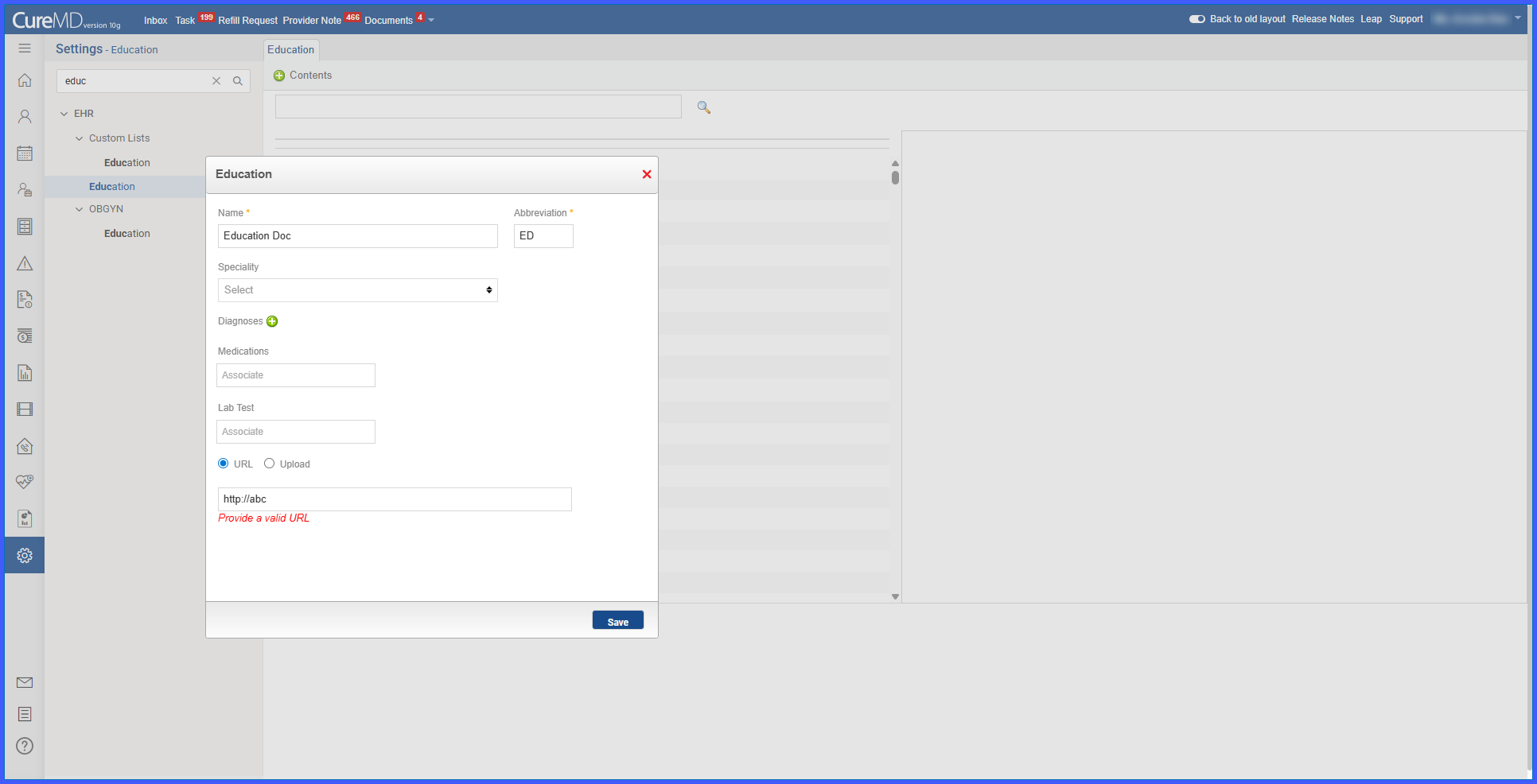
An error message is displayed when URL validation fails.
How It Works
-
Navigate to Settings > EHR > Education.
-
Add a new education document or edit an existing one.
-
Select the URL option instead of uploading a file.
-
Enter a complete and valid web address in the URL field.
-
Click Save.
-
If the URL field is empty or contains an invalid format, the system displays an error message and blocks the save action.
-
Correct the URL and save again to proceed.
Benefits
-
Prevents incomplete or broken links from being saved in patient education materials.
-
Improves reliability and usability of education documents accessed by users.
-
Reduces data errors by enforcing required URL validation.
-
Ensures consistency and accuracy across education document records.
