Support for AUC Ordering in Trial and Custom Drugs
What’s New
When a user opens the Add Trial Drug or Add Custom Drug form, a new checkbox labeled Allow AUC Ordering is displayed. Clicking on this allows a trial/custom drug to be ordered in AUC units. For existing drugs with reference data, the checkbox cannot be modified.
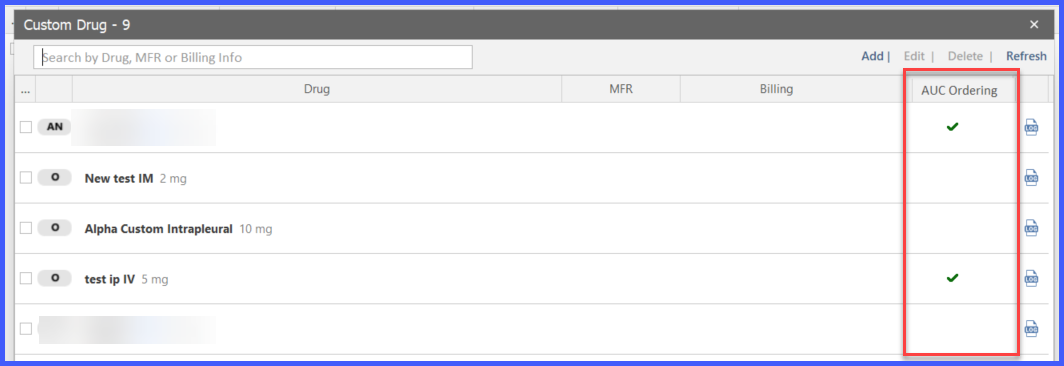
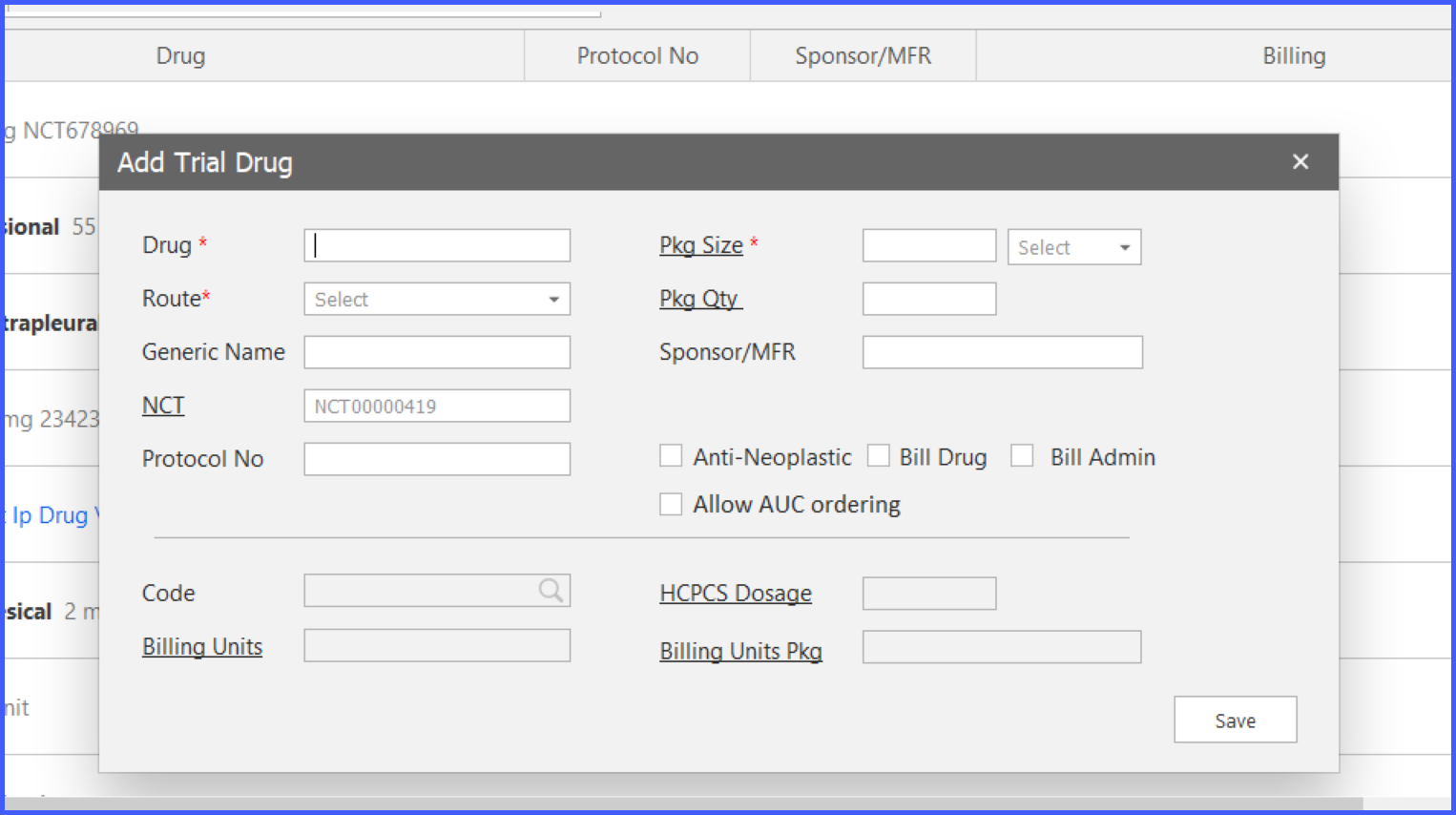 After filling in required fields (Drug, Route, and Pkg Size), if the Allow AUC Ordering box is checked and the drug is saved, a green checkmark appears in the AUC Ordering column on the drug listing screen. If left unchecked, the column remains blank.
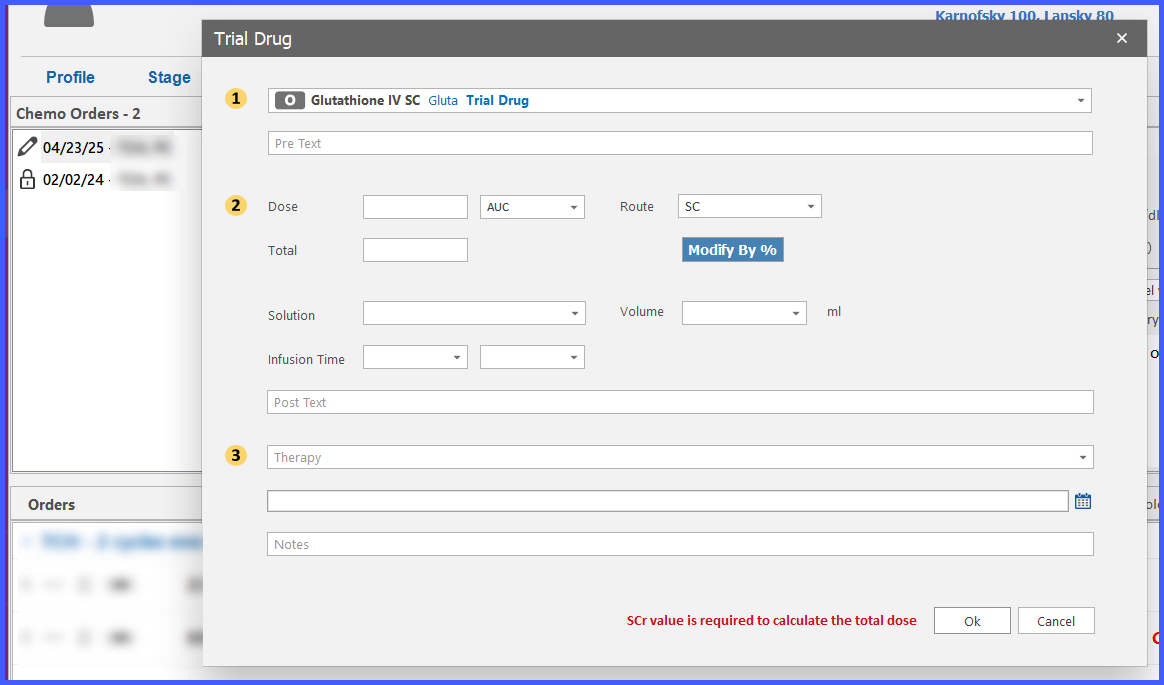
When dosing is configured for an AUC-enabled drug, the unit dropdown displays AUC as an option. If the provider attempts to add an AUC-based dose without a documented Serum Creatinine (SCr) value, the system displays a warning and prevents saving. This ensures safe calculation using the Cockcroft-Gault and Calvert formulas. All dose capping, validations, warnings, practice-level SCr/Crcl limits, and billing rules currently applied to Carboplatin as an AUC drug now extend to Trial and Custom drugs.
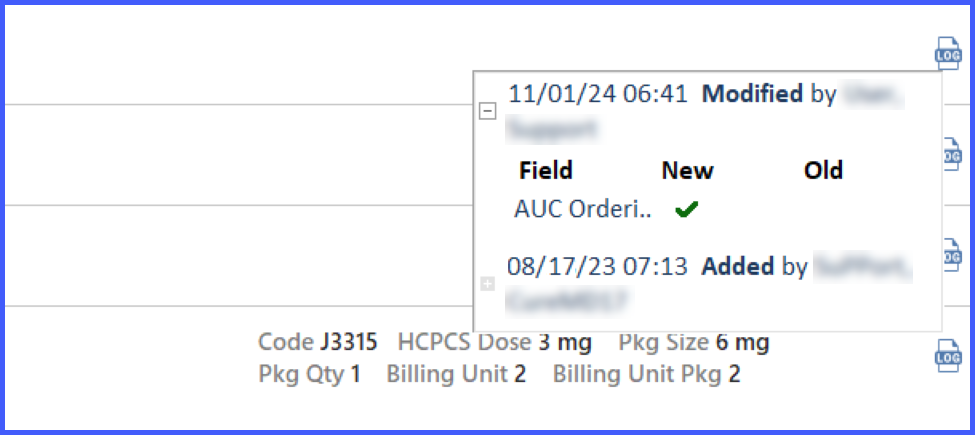
Any change to the Allow AUC Ordering field is tracked in the modification log. The log clearly records the field name, old and new values (Yes/No), modifying user, and timestamp. No log is created if the checkbox remains unchanged. This ensures consistent traceability with other logged drug fields (Pkg Size, HCPCS Dose, etc.).