Standardized Gender Identity and Sexual Orientation Dropdowns in Demographics
What’s New
-
Gender Identity field now displays standardized options.
-
Sexual Orientation field now displays standardized options aligned with required terminologies.
-
Existing Genderqueer handling remains consistent with prior behavior.
How It Works
-
Navigate to Patient > Registration > Demographics.
-
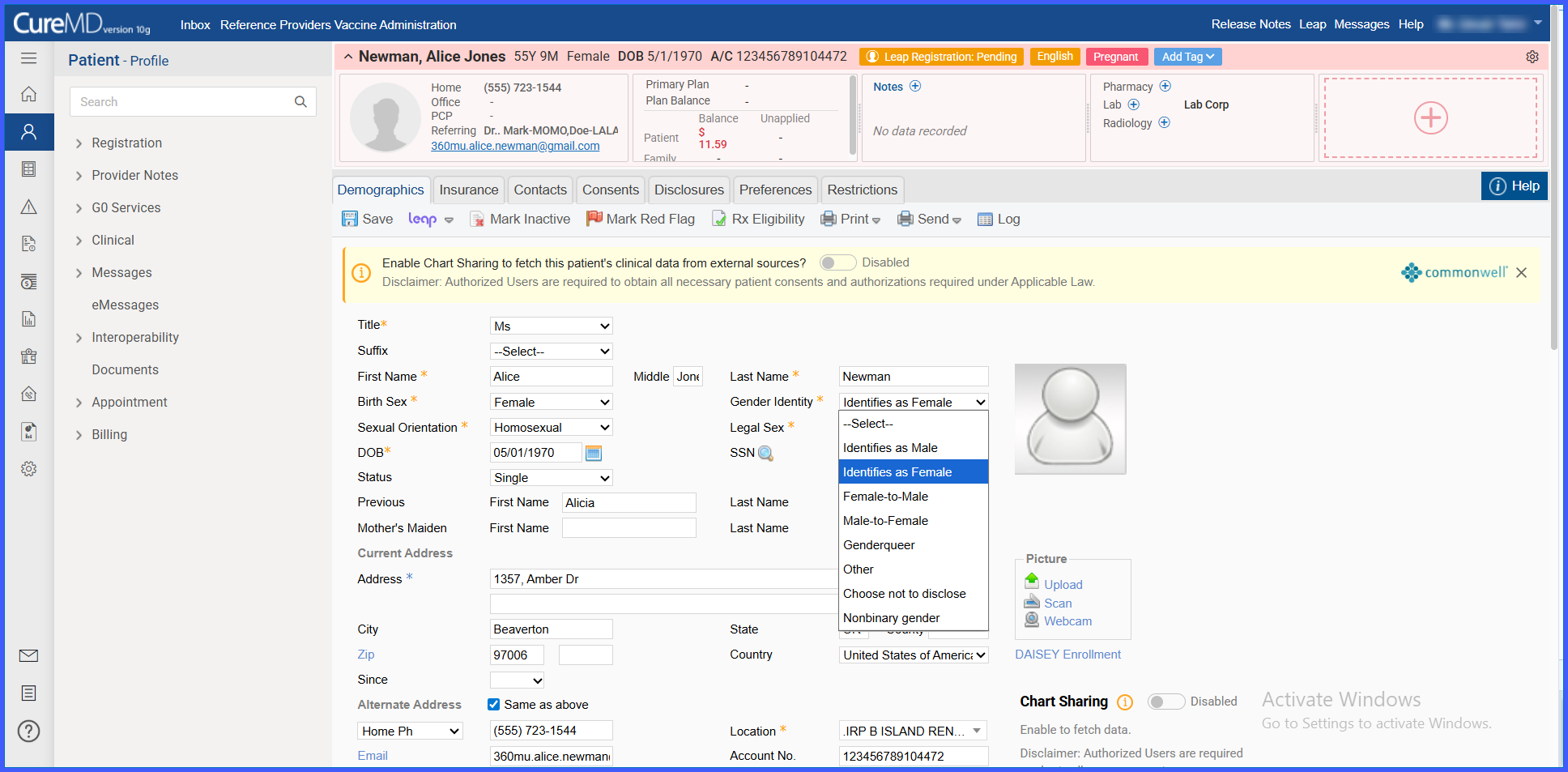
Select a value from the Gender Identity dropdown. Available options include:
-
Identifies as male
-
Identifies as female
-
Female-to-male
-
Male-to-female
-
Nonbinary gender
-
Genderqueer
-
Other
-
Choose not to disclose
-
-
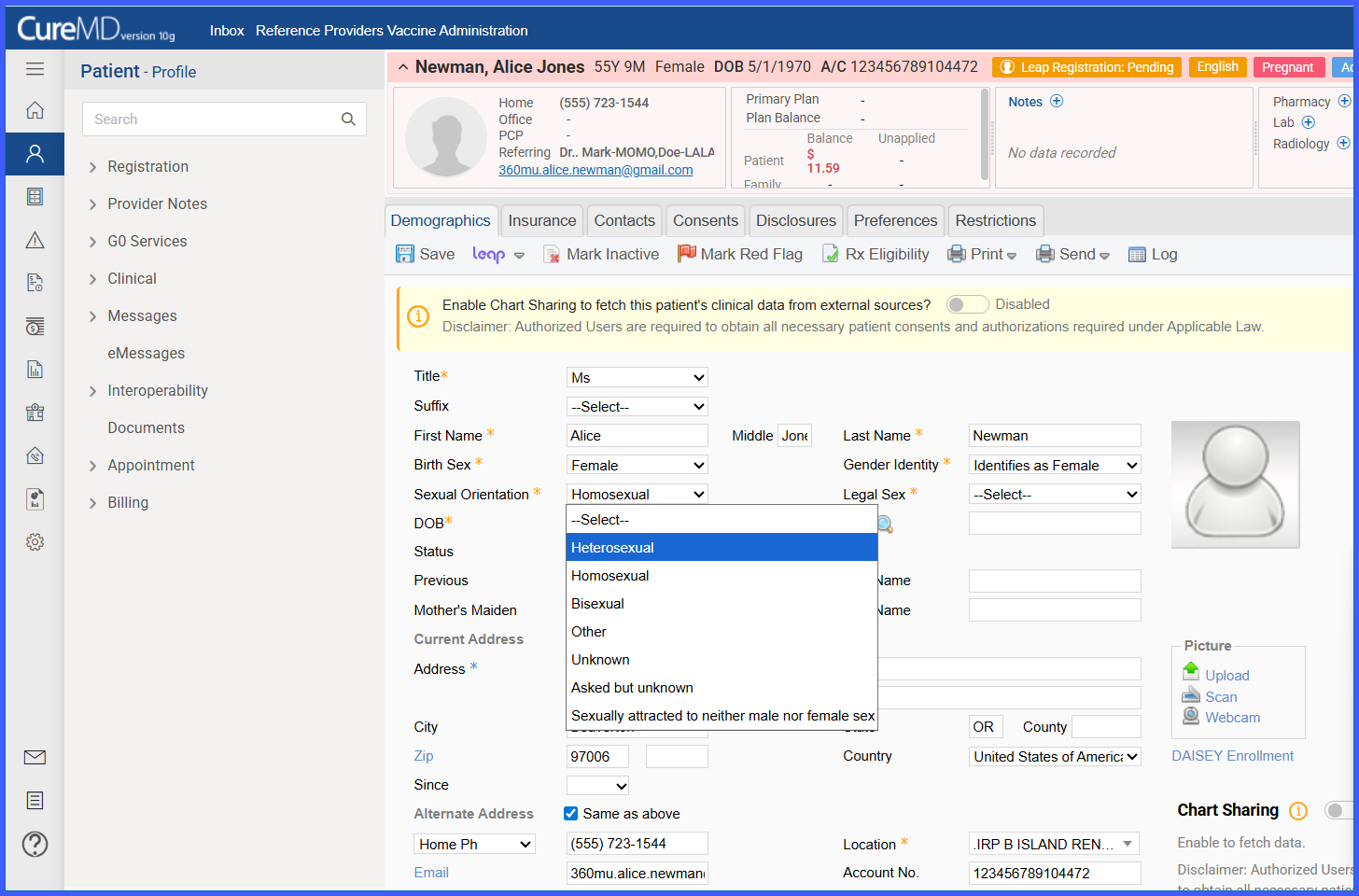
Select a value from the Sexual Orientation dropdown. Available options include:
-
Heterosexual
-
Homosexual
-
Bisexual
-
Sexually attracted to neither male nor female sex
-
Other
-
Asked but unknown
-
Unknown
-
-
Save the demographics.
-
The system stores the selected values as coded entries in the backend.
