Revert Resolved Adverse Events to Active Status
What’s New
-
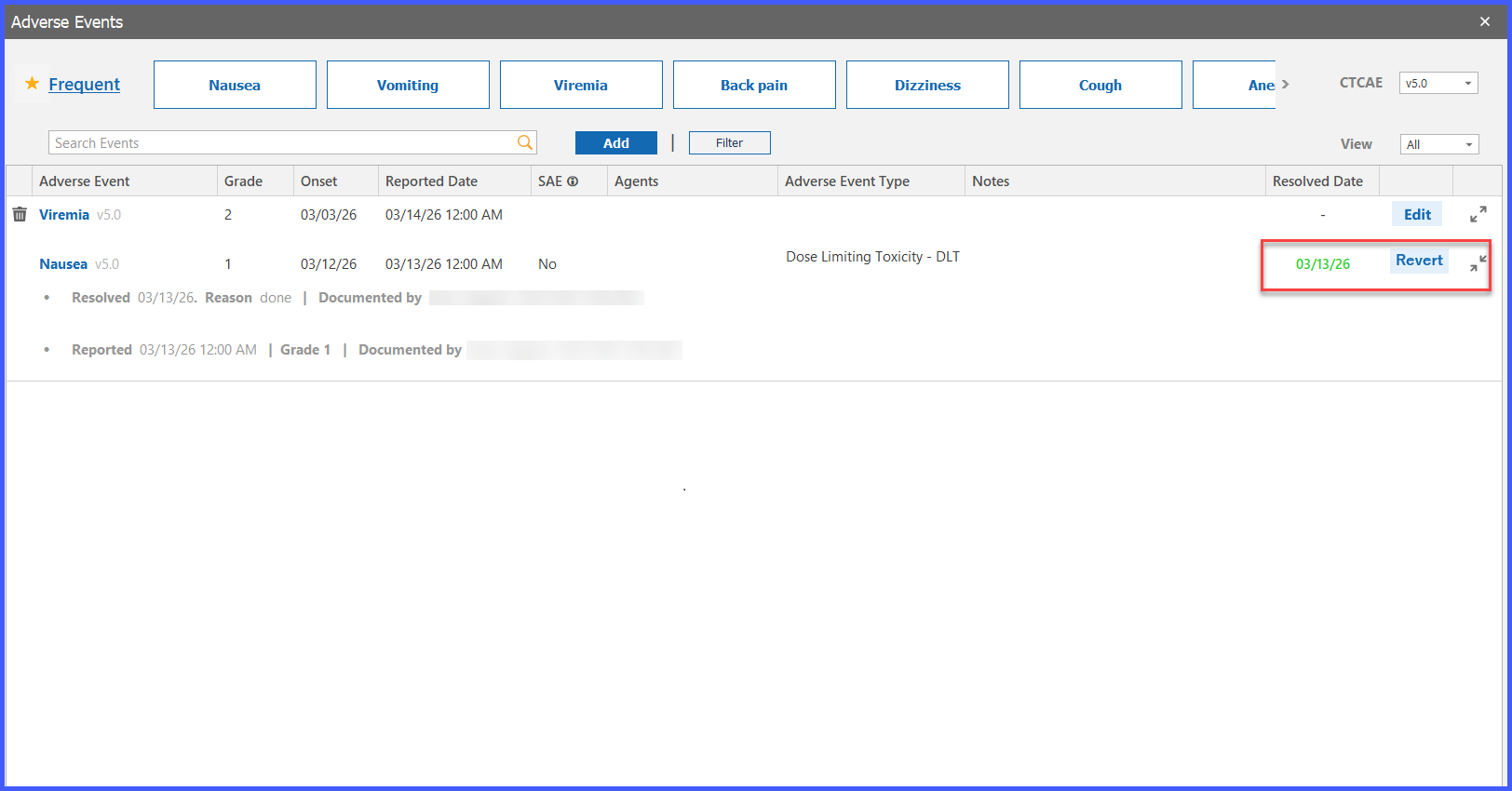
A new Revert tag is available for adverse events with a Resolved status.
-
Selecting Revert changes the adverse event status from Resolved to Active.
-
Resolved date and associated resolution details are automatically cleared upon reverting.
-
The Edit tag becomes available again after the status is reverted.
-
All fields become editable except:
– Original onset date
– Initially selected adverse event -
Resolved date validation prevents entry of a date earlier than the latest reported date.
-
Hovering over the Revert tag displays the tooltip: “Revert to Active.”
How It Works
- Open an adverse event that is currently marked as Resolved.
- Select the Revert tag.
- The system changes the status from Resolved to Active.
- Resolution details and the resolved date are automatically removed.
- The Edit tag becomes available, allowing the adverse event to be updated.
- Users can modify all available fields except the original onset date and initially selected adverse event.
- If the event is resolved again in the future, the resolved date must be on or after the latest reported date.
Benefits
-
Allows continued management of adverse events when additional information becomes available.
-
Eliminates the need to create duplicate adverse events for ongoing follow-up.
-
Preserves data integrity through controlled edit permissions and date validation.
-
Supports accurate adverse event tracking, reporting, and auditability.
-
Provides greater flexibility in clinical documentation workflows.
