How to Resend Patient Portal Logins from Patient Demographics?
You can also Resend Request via the Patient module. For this simply navigate to the relevant patient profile:
•This takes you to the Demographics tab.
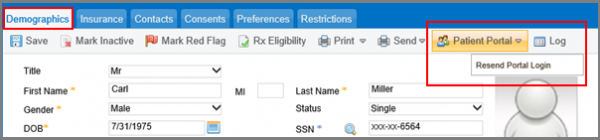
•Now at the top of the screen, let your mouse pointer hover on the Patient Portal button.
•A dropdown is displayed.
Click on the Resend Portal Login option to open a confirmation popup. Click on OK button to resend the request.
When you click on Resend Portal Login option, the patient receives the Login details on his personal email address.
