Real-Time Alert for Missing Patient Contact Information During Appointment Scheduling
What’s New
- A Patient Contact Information alert is now displayed when scheduling an appointment for a patient with incomplete contact information.
- The alert is triggered when the patient is missing:
– Mobile phone number
– Email address
– Both mobile phone number and email address - For supported scheduling workflows, the alert displays:
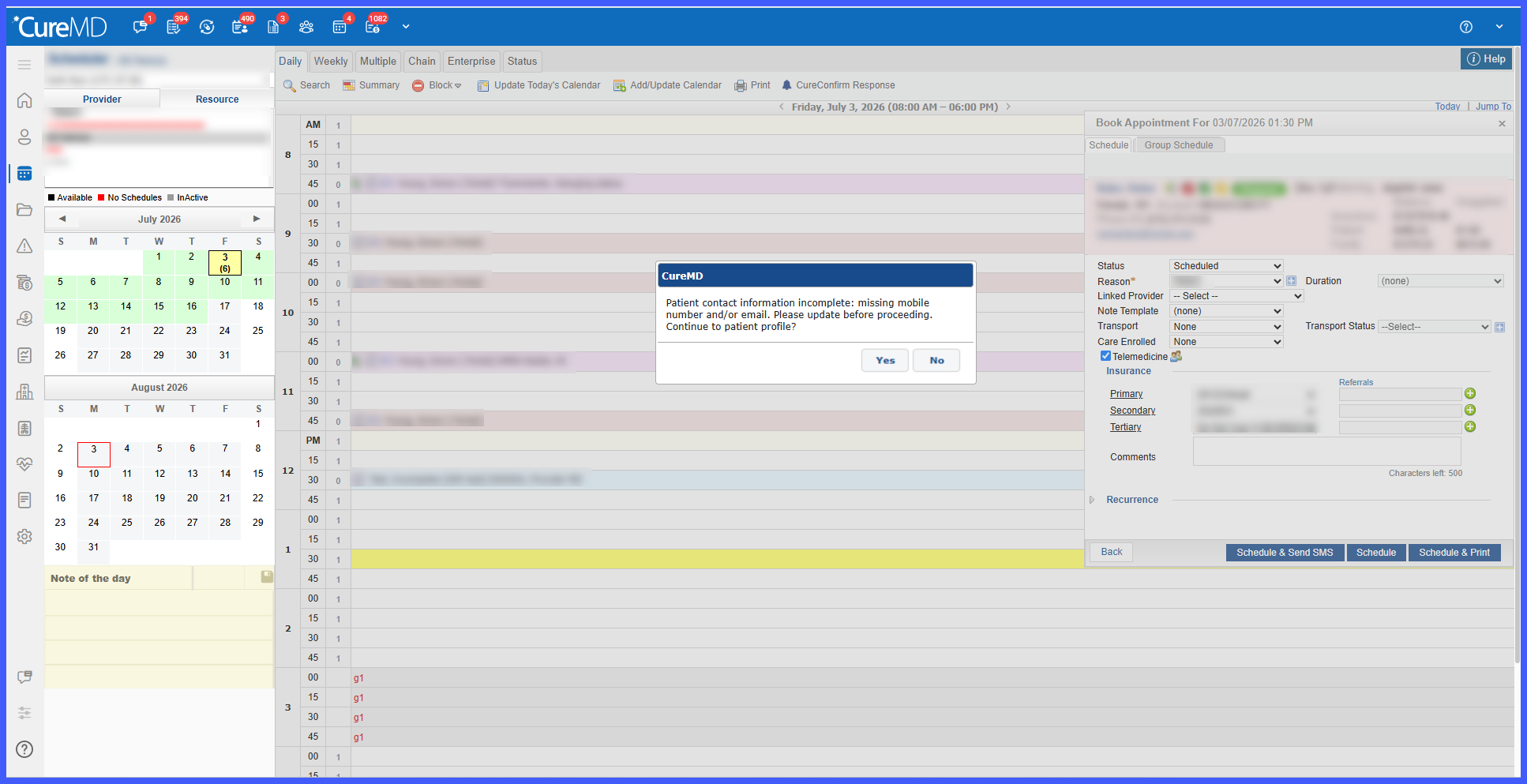
“Patient contact information incomplete: missing mobile number and/or email. Please update before proceeding. Continue to the patient’s profile?” - Users can select:
– Yes – Opens the Patient Profile so contact information can be updated.
– No – Dismisses the alert and allows scheduling to continue. - The alert is non-blocking and does not prevent appointment creation.
- The functionality is supported in standard appointment booking workflows, including Scheduler and Quick Schedule.
- For Quick Schedule, Referral, and Follow-up workflows, the alert is informational only and does not redirect the user to the Patient Profile. These workflows display:
“Patient contact information incomplete: missing mobile number and/or email.” - Vaccine scheduling workflows are excluded from this alert.
Practice-Level Configuration
Navigation:
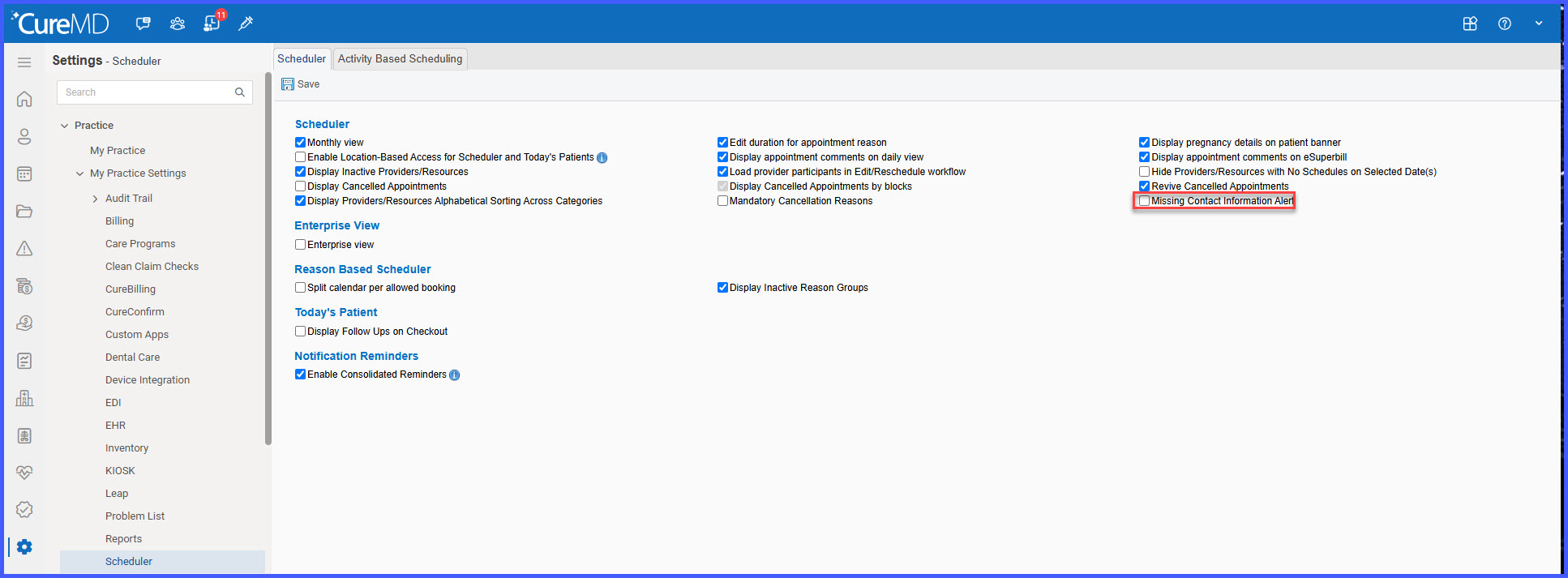
Settings > Practice > Scheduler > Missing Contact Information Alert
Configuration:
Select the Missing Contact Information Alert checkbox to enable the feature for the practice.
How It Works
- Once enabled, the system checks whether the patient has a mobile phone number and email address when scheduling an appointment through a supported workflow.
- If either contact detail is missing, the system displays the Patient Contact Information alert.
- In workflows that support profile navigation, select Yes to open the Patient Profile and update the missing information, or select No to continue scheduling.
- For Quick Schedule, Referral, and Follow-up workflows, the informational alert is displayed without redirecting to the Patient Profile.
- Complete the appointment scheduling process as usual.
Benefits
- Improves the accuracy and completeness of patient contact information.
- Supports more reliable appointment reminders, confirmations, and telemedicine communications.
- Reduces missed communications caused by incomplete contact details.
- Allows staff to address missing information within the scheduling workflow where supported.
- Maintains scheduling flexibility because the alert does not prevent appointment creation.
- Provides workflow-specific behavior for Scheduler, Quick Schedule, Referral, and Follow-up scheduling
