Prevent Copay Duplication When Merging e-Superbills for the Same DOS
What’s New
-
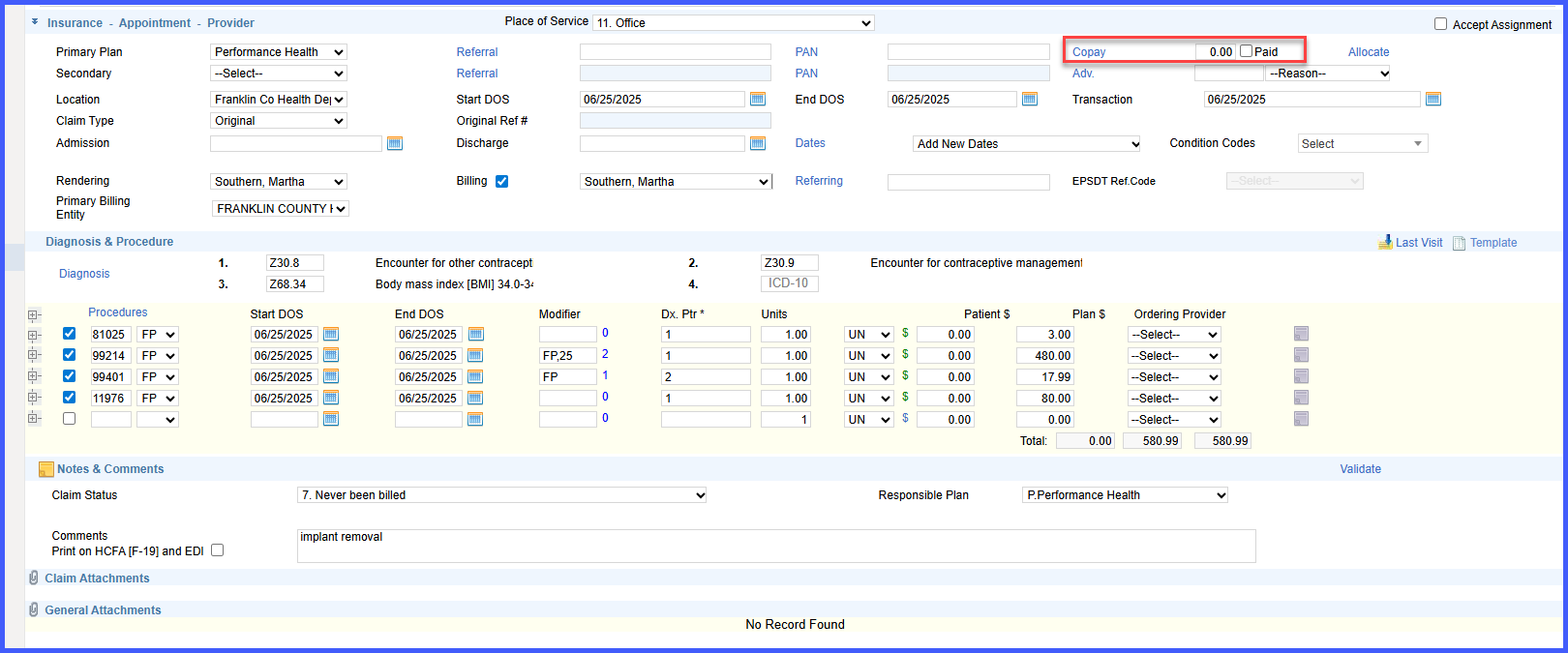
Copay handling logic updated for e-superbill merges involving the same DOS.
-
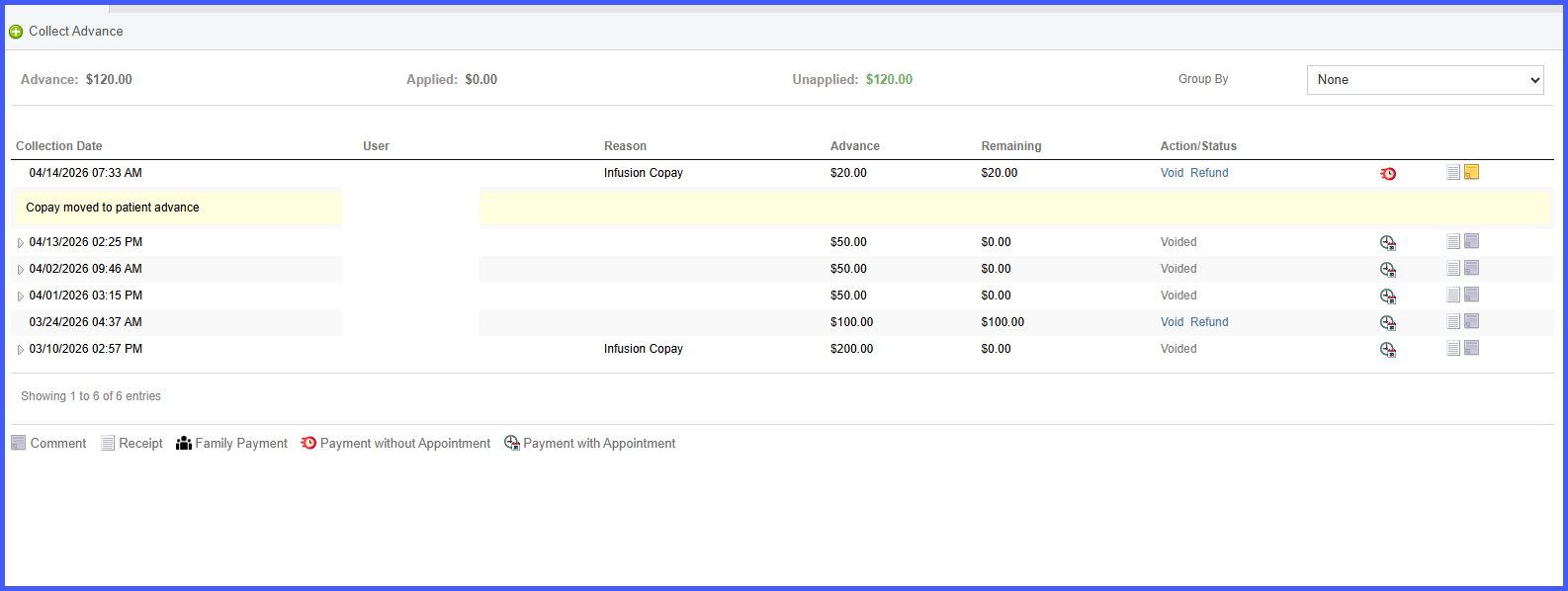
Paid copay on non-source appointments is:
– Removed from the appointment
– Converted into a Patient Advance (unapplied)
– Linked to the original appointment for audit tracking
– Appointment marked as No Charge -
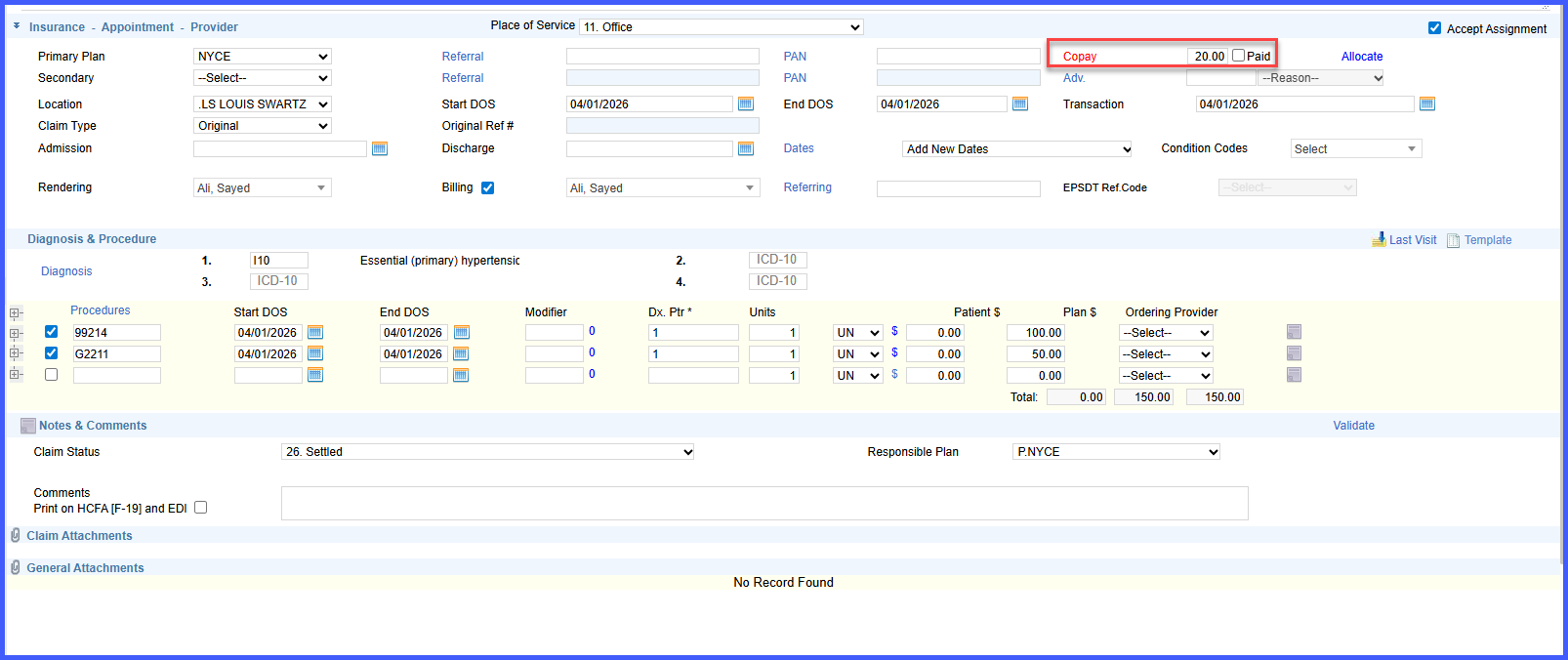
For unpaid copay scenarios across multiple appointments:
– Only the merge source appointment retains the copay due
– All other appointments are marked as No Charge
– Copay due is cleared from non-source appointments -
Ensures only one copay is reflected per visit across merged records.
-
Applies to all e-superbill merge workflows.
How It Works
- Initiate an e-superbill merge for multiple appointments with the same DOS.
- If a copay has already been paid on a non-source appointment:
– The system removes the copay from that appointment.
– Converts it into a Patient Advance linked to the original appointment.
– Marks the appointment as No Charge. - If multiple appointments show unpaid copay:
– The system retains the copay only on the selected merge source appointment.
– Clears copay dues from all other appointments.
– Marks non-source appointments as No Charge. - The final merged result reflects a single copay for the visit.
Benefits
- Prevents duplicate copay charges for the same visit.
- Ensures accurate patient balances after merging appointments.
- Reduces manual reconciliation and correction efforts.
- Maintains auditability by converting excess payments into tracked advances.
- Provides consistent and predictable behavior across merge workflows.
