How to Attach a Document with a Disclosure?
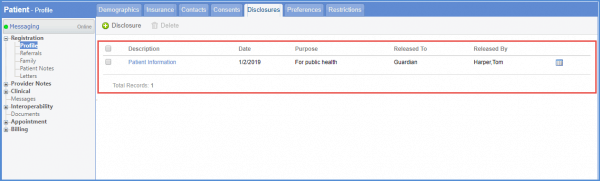
Follow the workflow above to access the added disclosures for selected patient.
To attach a document with one, select a disclosure to edit it.
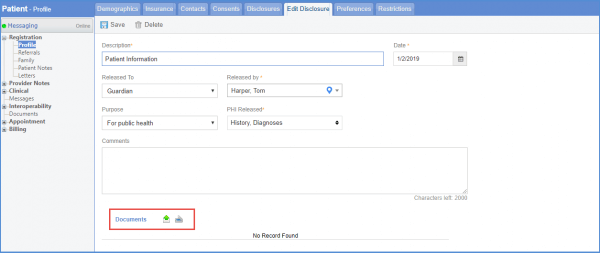
On the Edit Disclosure tab, look for the ‘Documents’ heading.
Select an option from Upload or Scan by clicking on the icons.
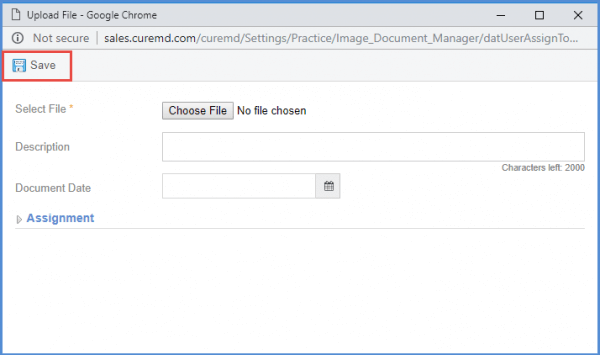
From the Upload File window, user can select a file from their system and click Save.
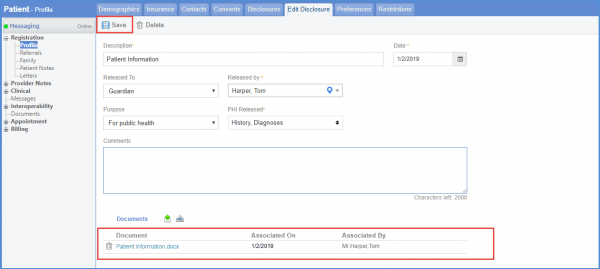
The selected file appears under Documents.
Click Save to add it.