How to Add a Disclosure?
Disclosure tab includes the non-routine disclosures made to the lawyers, social care services and public health departments.
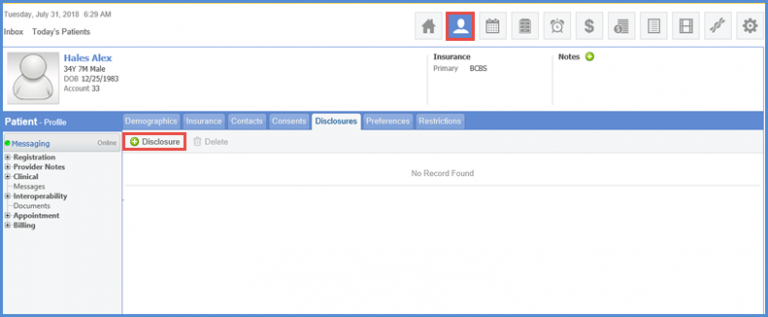
Follow the workflow above to navigate to the ‘Disclosure’ tab and click the ‘Add Disclosure’ button.
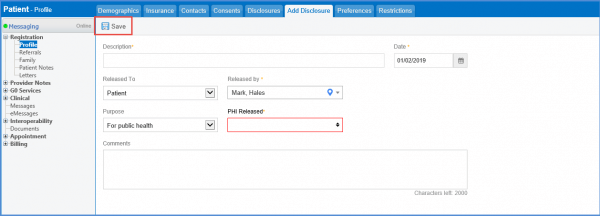
Fill in all the mandatory details of the disclosure and click ‘Save’ when done.
Logged-in and active users are auto-populated in the ‘Released By’ drop-down.
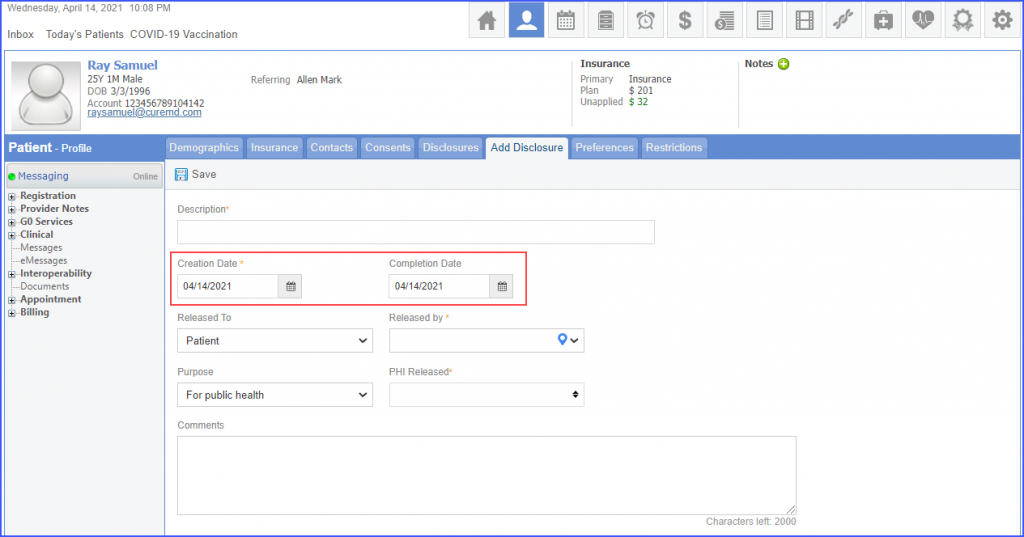
Users can add creation date and completion date for the patient disclosure by picking dates from the ‘Creation Date’ and ‘Completion Date’ date pickers respectively. 
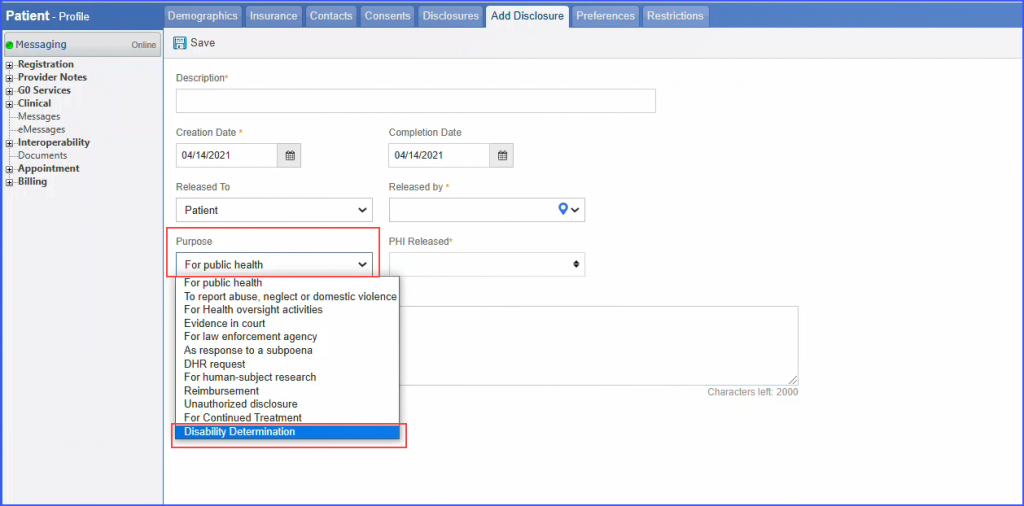
Disability determination can be recorded as the purpose of the disclosure.
Click the ‘Purpose’ dropdown and select ‘Disability Determination’.
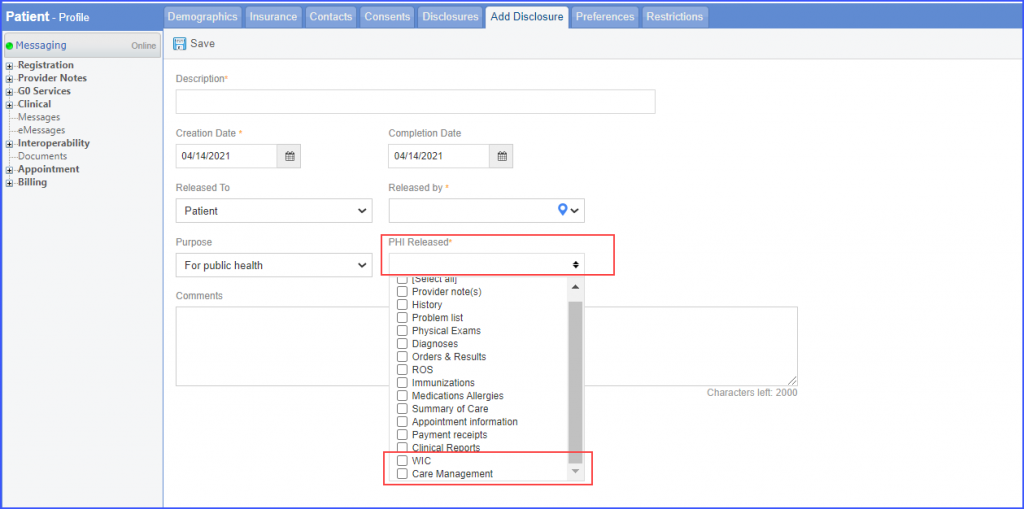
Additionally, users can disclose the patient’s ‘Care Management’ and ‘WIC’ details.
Click the ‘PHI Released’ dropdown to check either the ‘Care Management’ or the ‘WIC’ checkbox.