Link Good Faith Estimates to Patient Record
What’s New
-
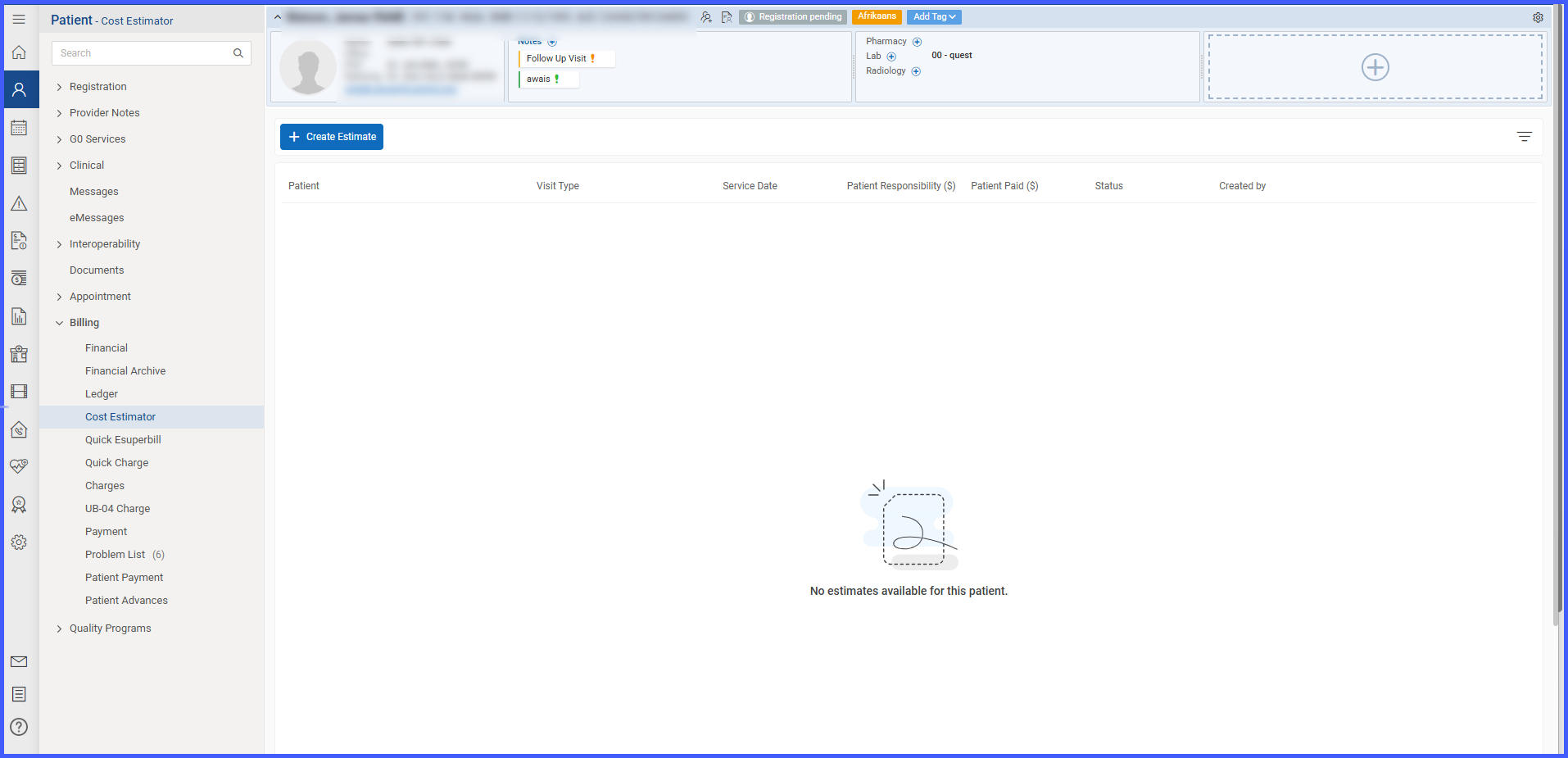
Added a new “Cost Estimation” tab under Patient → Billing.
-
Reused the existing Cost Estimator layout within this new tab for consistency.
-
All GFEs created from any module — Scheduler or Home Page — are now automatically linked to the patient’s record.
-
The new tab displays a list/grid view of all linked estimates with columns for:
-
Estimate Date
-
Estimate ID
-
Status
-
Created By
-
Linked Appointment (if applicable)
-
-
Each record logs access and modification details to support traceability and audit compliance.
How It Works
-
Open the desired patient record.
-
Go to the Billing section and select the new Cost Estimation tab.
-
The system automatically displays all Good Faith Estimates linked to that patient, regardless of whether they were created from the Scheduler or Home Page.
-
Review the list of estimates, which includes key details such as:
-
Estimate Date
-
Estimate ID
-
Status
-
Created By
-
Linked Appointment
-
-
Use on-screen sorting or filtering options to locate specific GFEs.
-
The tab layout mirrors the existing Cost Estimator interface for a consistent user experience.
Benefits
-
Provides a centralized view of all Good Faith Estimates per patient.
-
Improves traceability and ensures regulatory compliance with audit requirements.
-
Eliminates manual searching or cross-referencing between Scheduler and Home Page.