Reports > Select Report Type > Generate Report > Criteria Header Displays Left-Aligned
What’s New
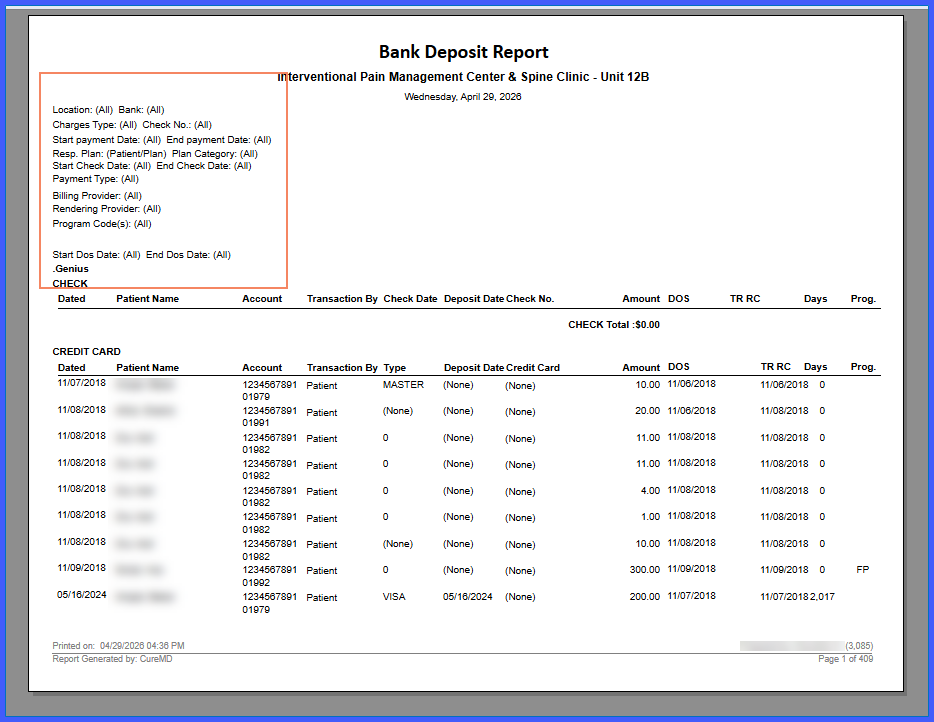
- Criteria header fields are now left-aligned within the header section.
- Centered alignment has been removed for all criteria header content.
- Applies to multiple report categories including:
- Account Receivable
- Collection Ratio
- Claims
- Day Sheet
- EHR
- End of Day
- Management
- Outstanding Balance
- Patient
- Schedule
- Service Analysis
- Relative Value Unit Analysis
- Miscellaneous
- Health Department
- Alignment remains consistent across on-screen view and exported formats.
How It Works
- Generate any report that includes a criteria header section.
- The system displays header fields (e.g., Location, Charges Type, Start Payment Date, Rendering Provider) aligned from the left margin within the header box.
- View or export the report; the criteria header maintains the same left-aligned format across all output
Benefits
- Improves readability of report parameters.
- Ensures consistent formatting across all report types.
- Provides a cleaner and more structured report layout.
- Maintains uniform presentation across screen and export formats.
