Individual and Master Active Controls for CPT Codes and Synonyms
Configure Individual CPT/Synonym Status
Activate or Deactivate All Entries
Deactivate Referenced CPT/Synonym
What’s New
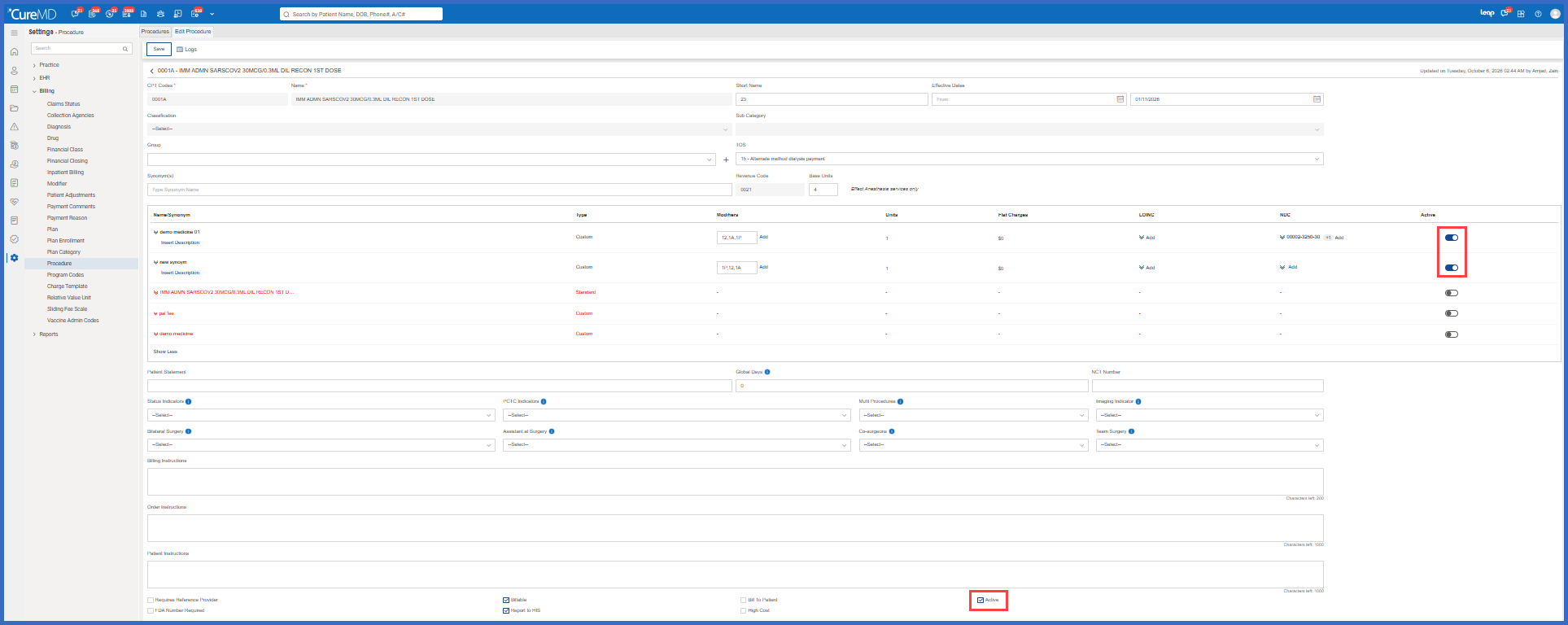
- Added an Active column to the Name/Synonym grid under Settings > Billing > Procedure > Edit Procedure.
- Each CPT code and synonym now has its own Active toggle.
- Administrators can activate or deactivate individual CPT codes or synonyms independently.
- The existing Active checkbox at the bottom of the Edit Procedure screen now functions as a master control.
- Selecting the master checkbox activates the default CPT and all associated synonyms.
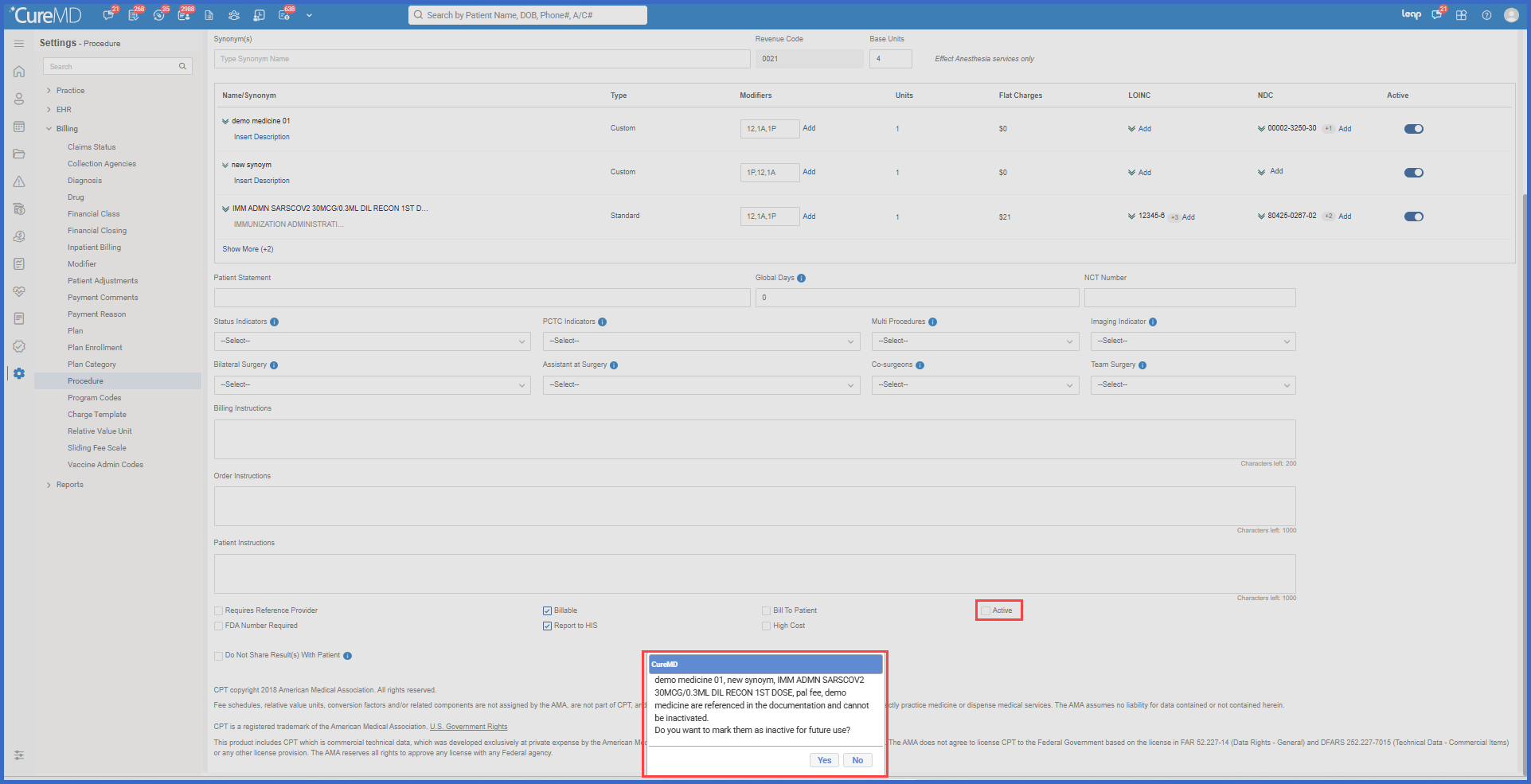
- Clearing the master checkbox deactivates all entries, subject to confirmation for referenced items.
- The master checkbox automatically reflects the status of the individual entries
- Checked when at least one CPT or synonym is active.
- Unchecked when all CPT and synonym entries are inactive.
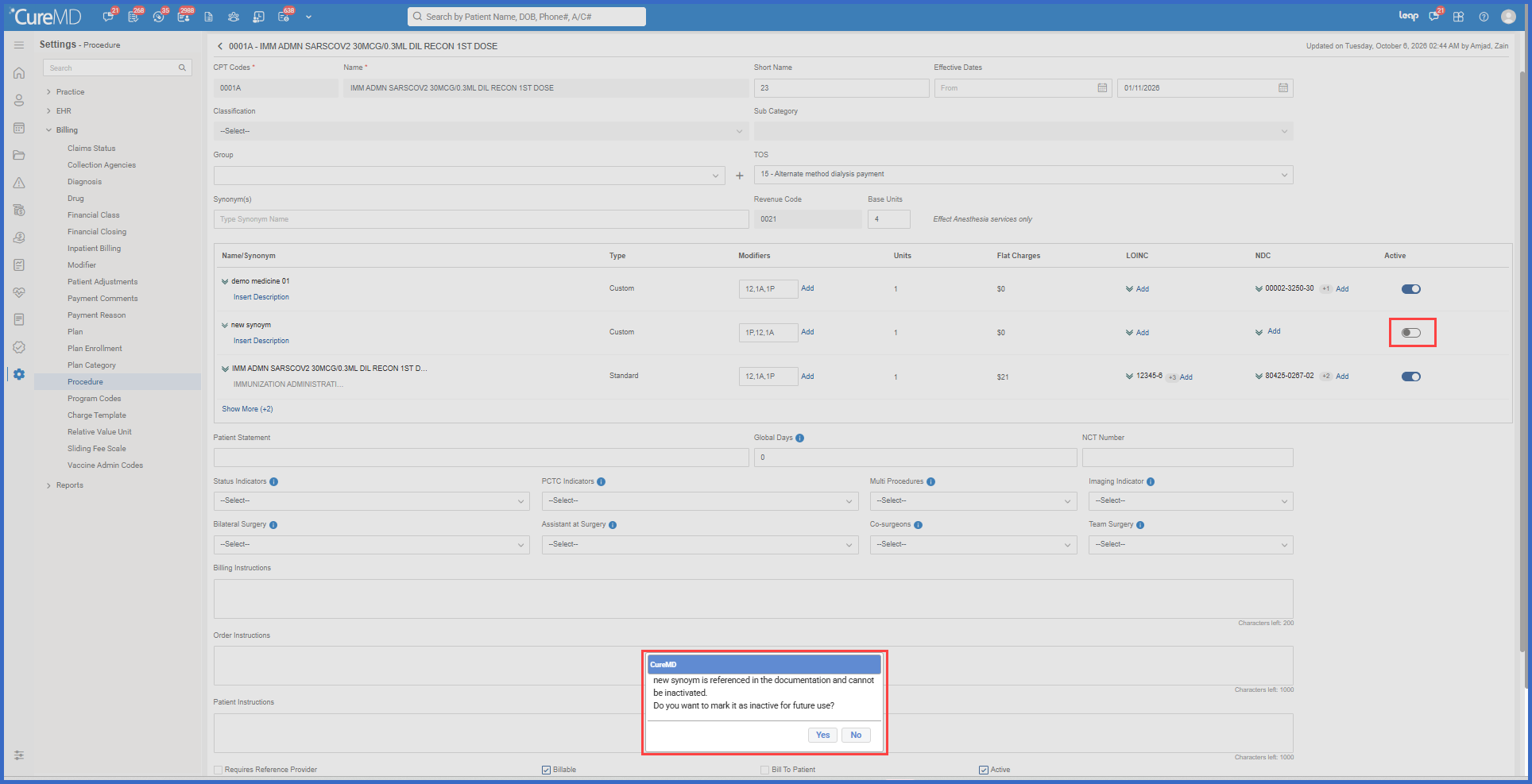
- When a CPT or synonym is referenced in existing documentation, the system displays a confirmation before deactivation.
- Referenced items can be marked inactive for future use while remaining preserved in historical documentation.
- Existing procedure records are automatically migrated to the new active-status configuration without requiring manual updates.
How It Works
- Navigate to Settings > Billing > Procedure.
- Open an existing procedure using Edit Procedure.
- Locate the new Active column within the Name/Synonym grid.
- Use the individual toggles to activate or deactivate specific CPT codes or synonyms.
- Alternatively, use the master Active checkbox to activate or deactivate all entries together.
- If a selected CPT or synonym is referenced in existing documentation, CureMD displays a confirmation identifying the affected entries.
- Select Yes to mark the referenced entries inactive for future use, or No to keep them active.
- Save the procedure record to apply the updated configuration.
Benefits
- Allows administrators to deactivate outdated CPT codes or synonyms without disabling the entire procedure record.
- Reduces clutter in procedure, charge, and order selection lists.
- Helps prevent incorrect billing selections involving obsolete synonyms.
- Preserves historical clinical and billing documentation when referenced codes are deactivated.
- Provides clear confirmation before changing the status of referenced entries.
- Simplifies bulk activation and deactivation through the master Active checkbox.
- Maintains existing procedure configurations through automatic migration.
