How to View Logs Generated Against an Appointment?
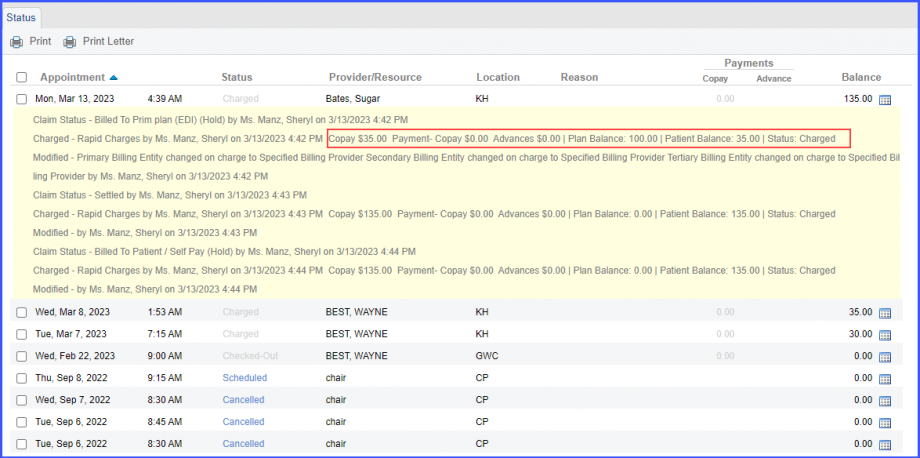
The user can view patient balance, plan balance, and status of appointments in the logs.
This ensures a complete record of settled and reopened claims.
Click on the ‘View Logs’ icon to open the list of logs generated against an appointment.
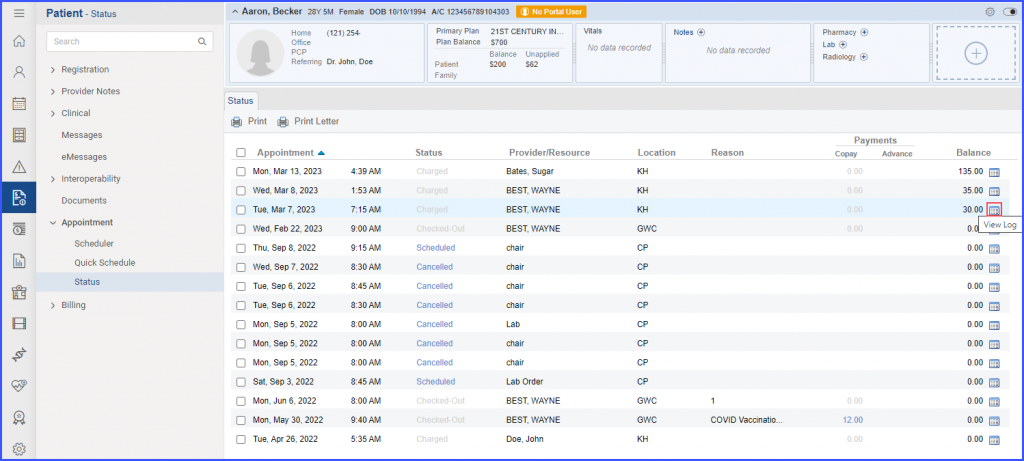
This displays the logs for the charge, along with information about the patient and plan balances, as well as the appointment status.
A similar enhancement has been made on the ‘Appointment’ node in the ‘Billing’ Module. To view the change, click here.
